


If you're trading forex without a stop loss, you're not trading.

David van der Merwe
متداول الأسواق الناشئة ·  South Africa
☕ 10 دقائق قراءة
ما ستتعلمه:
- 1Stop Loss 101: Your Get-Out-of-Jail-Free Card
- 2Why This is Non-Negotiable for South African Traders
- 3Static vs. Trailing: Choosing Your Weapon
- 4The Art (and Science) of Placing Your Stop
- 5The Psychology Trap: Why You Move Your Stop Loss
- 6Executing Stops with South African Brokers
- 7Beyond the Basics: Advanced Stop Strategies
If you're trading forex without a stop loss, you're not trading. You're gambling with your rent money. I've seen it a hundred times: a trader from Joburg or Cape Town gets a hot tip on USD/ZAR, throws in a few thousand rand, watches it go up a bit, then gets wiped out when the Reserve Bank makes an announcement. A stop loss isn't just a tool, it's your lifeline. In this guide, I'll show you exactly what a stop loss in forex is, why you're probably using it wrong, and how to set it up so you can trade another day.
Let's cut through the jargon. A stop loss (SL) is a standing order you place with your broker that says, "If this trade goes against me by X amount, close it immediately. I'm out." It's an automated instruction to sell (if you're long) or buy back (if you're short) at a specific, worse price than your entry.
Think of it like this: you're driving from Durban to Pretoria. Your stop loss is the decision to pull over and check the map if you've been driving for an hour and see no signs for the N3. Without it, you might just keep driving towards Mozambique, burning fuel and time.
In practical terms for a South African trader, if you buy EUR/USD at 1.0850, placing a stop loss at 1.0820 means you're willing to risk 30 pips on that trade. If the price drops to 1.0820, your broker's system automatically closes the position. You take a 30-pip loss, your capital is preserved, and you live to fight another day. This is the core function of what a stop loss in forex is designed to do: enforce a pre-defined exit.

Warning: A stop loss is not a guarantee. In extremely fast-moving markets (like during a SARB interest rate surprise), the price can "gap" past your stop level. Your order will then be filled at the next available price, which could be worse than you planned. This is called slippage. It's rare, but it's a risk you must accept.

💡 نصيحة وينستون
Your first stop loss placement should be based on chart logic, not fear. The market's invalidation point is your stop's home.
“A stop loss isn't just a tool, it's your lifeline.”
Our market has unique quirks that make a stop loss not just smart, but essential.
First, use. The FSCA caps it at 30:1 for retail clients, which still sounds tame until you do the math. On a R10,000 account with 30:1 use, you're controlling R300,000 worth of currency. A 1% move against you wipes out 30% of your capital. Without a stop loss, that 1% move can happen before you finish your morning rooibos.
Second, the ZAR pairs. Trading USD/ZAR, EUR/ZAR, or GBP/ZAR? You're playing in the exotic pairs arena. These are less liquid and more volatile than majors like EUR/USD. The spread is wider, and the price can jump 50-100 pips on local political news or commodity price swings. I learned this the hard way early on. I went long USD/ZAR at 18.50, thinking it had bottomed. I didn't set a tight stop, just a mental one. A better-than-expected local manufacturing report hit, and ZAR ripped higher. I watched, frozen, as it moved 200 pips against me in 20 minutes. That was a R4,000 lesson. I should have used a position size calculator and a hard stop.
Third, our trading hours. If you're trading London or New York sessions from SA, you might be asleep when big moves happen. A stop loss works as your night watchman, guarding your position while you're offline.
“Placing a stop loss is a negotiation between two enemies: your fear of being stopped out too early and your fear of losing too much money.”
There are two main types, and picking the right one changes your entire trading psychology.
The Static Stop Loss
This is your classic, set-and-forget order. You determine the level when you enter the trade, and it stays there until the trade hits it or you manually move it. It's based on technical levels - like below a swing low or above a swing high - or a fixed monetary risk.
When to use it: Ideal for swing trading setups or when you have a clear invalidation point for your trade idea. For example, if you buy GBP/USD because it bounced off a key support trendline, your stop loss goes just below that trendline. If the price breaks that level, your thesis is wrong. Get out.
The Trailing Stop Loss
This is the dynamic one. It's a stop loss that automatically follows the price as it moves in your favor, locking in profits. If you set a 20-pip trailing stop on a buy trade, and the price moves up 50 pips, your stop loss will also move up, sitting 20 pips below the highest price reached. If the price then reverses by 20 pips, you're stopped out with a 30-pip profit.
When to use it: Perfect for strong, trending markets where you want to let your profits run. It removes the emotion of deciding when to exit. I used a 50-pip trailing stop on a long EUR/USD trade during the 2022 ECB hike cycle. I entered at 1.0450, and it trailed all the way up to 1.0950 before stopping me out. I would never have had the discipline to hold that manually.

Pro Tip: Most brokers, including popular ones like IC Markets and Pepperstone on their MT4/MT5 platforms, offer trailing stops. But you usually have to manually activate and set the distance. It's not automatic by default.
“Placing a stop loss is a negotiation between two enemies: your fear of being stopped out too early and your fear of losing too much money.”
This is where most guys mess up. Placing a stop loss is a negotiation between two enemies: your fear of being stopped out too early (a "whiplash") and your fear of losing too much money.
The Wrong Way: Placing it arbitrarily. "I'll risk 2%," so you just measure 2% in pips from your entry and plonk it there, with no regard for the market structure. The market doesn't care about your 2%. It will hunt for obvious stops clustered around round numbers.
The Right Way: Place your stop loss where your trading idea is proven wrong. This is the golden rule.
- For a Support/Resistance Trade: Your stop goes just beyond the support or resistance level. If buying at support, place the stop 5-10 pips below the support low. The break of that low invalidates the support premise.
- For a Trendline Break Trade: Place the stop on the other side of the trendline.
- For an Indicator-Based Trade: If using the RSI indicator for an oversold bounce, place your stop below the recent low that created the oversold condition.
Once you have that technical stop level, you then check if the loss in rands (or percentage of your account) is acceptable. You use your position size calculator to adjust your trade size so that if your technical stop is hit, you only lose, say, 1% of your account. If the distance to your technical stop would cause a 5% loss, your trade size is too big. Reduce it.
Example from the ZAR: Let's say USD/ZAR is at 16.50. You identify strong support at 16.40, based on three previous touches. You decide to buy at 16.50, with a stop loss at 16.38 (12 pips below support). That's your technical level. If your account is R20,000 and your risk per trade is 1% (R200), you calculate your position size so that a 12-pip loss equals R200. Given that a pip on USD/ZAR is worth roughly R6.10 per standard lot (100,000 units) at this rate, you could trade roughly 0.27 lots. This precise calculation is why a calculator is non-negotiable.
💡 نصيحة وينستون
If you find yourself constantly moving stops further away, reduce your position size by half. The pain is telling you you're trading too big.
“Moving your stop loss further away is an act of hope overruling evidence.”
Confession time. I've done it. You set a stop at 1.0800. Price drops to 1.0805, then 1.0802. Your stomach churns. "It's just 2 pips away, it'll bounce," you think. So you open your platform and drag the stop loss to 1.0790. Price slides to 1.0795. You drag it again to 1.0780. This is called "stop loss hunting" - and you're the one hunting your own stop. You've now turned a planned 20-pip loss into a 40-pip loss, and you're guaranteed to get stopped out because you've abandoned your plan.
The psychology is brutal. Moving your stop loss further away is an act of hope overruling evidence. Moving it closer to entry ("I'll just break even") out of fear often sees you stopped out right before the trade resumes in your original direction.
The solution is mechanical discipline. Set your stop based on your analysis before you enter. Once the trade is live, you are not allowed to move the stop loss away from the entry price. You can only move it in your favor (to lock in profit or break even). This rule alone saved my account in 2020. I treat the initial stop as a contract with myself. Breaking it means I don't trust my own system, and if that's the case, I shouldn't be in the trade at all.
This discipline is critical when using high use from brokers like Exness or XM, where the temptation to "just give it more room" can lead directly to a margin call.
“Moving your stop loss further away is an act of hope overruling evidence.”
How your stop loss works depends heavily on your broker's execution model and platform.
Platform Matters: On MT4/MT5, when you place a stop loss, it resides on your broker's server. You can close your laptop, and it will still trigger. This is different from a "mental stop," which disappears when you do.
Execution Types:
- Market Stop: The most common. When price hits your stop level, your order becomes a market order to close. It gets filled at the best available price, which may involve slight slippage.
- Guaranteed Stop Loss (GSL): Some brokers (like IG) offer these for a premium. They guarantee to close your trade at exactly your stop price, even if the market gaps. Useful for high-volatility events like elections or budget speeches. They cost extra, usually a wider spread.
Local Broker Nuance: If you're with an FSCA-regulated broker like those listed, your funds are segregated, and execution is generally reliable. But always test. Place a small trade with a tight stop just to see the execution speed and any requotes during volatile ZAR movements. I did this with three different brokers and found one that consistently requoted me on USD/ZAR stops during London open. I left them.
Tax Implication: Remember, in South Africa, your net trading profit is taxable income. Your stop-loss losses are deductible expenses against your profits. Keeping a clear log of all stopped-out trades is crucial for your tax return. It turns a losing trade into a small administrative benefit.
💡 نصيحة وينستون
A breakeven stop turns a trader's psychology from defensive to offensive. Once it's hit, the rest of the trade is pure opportunity.
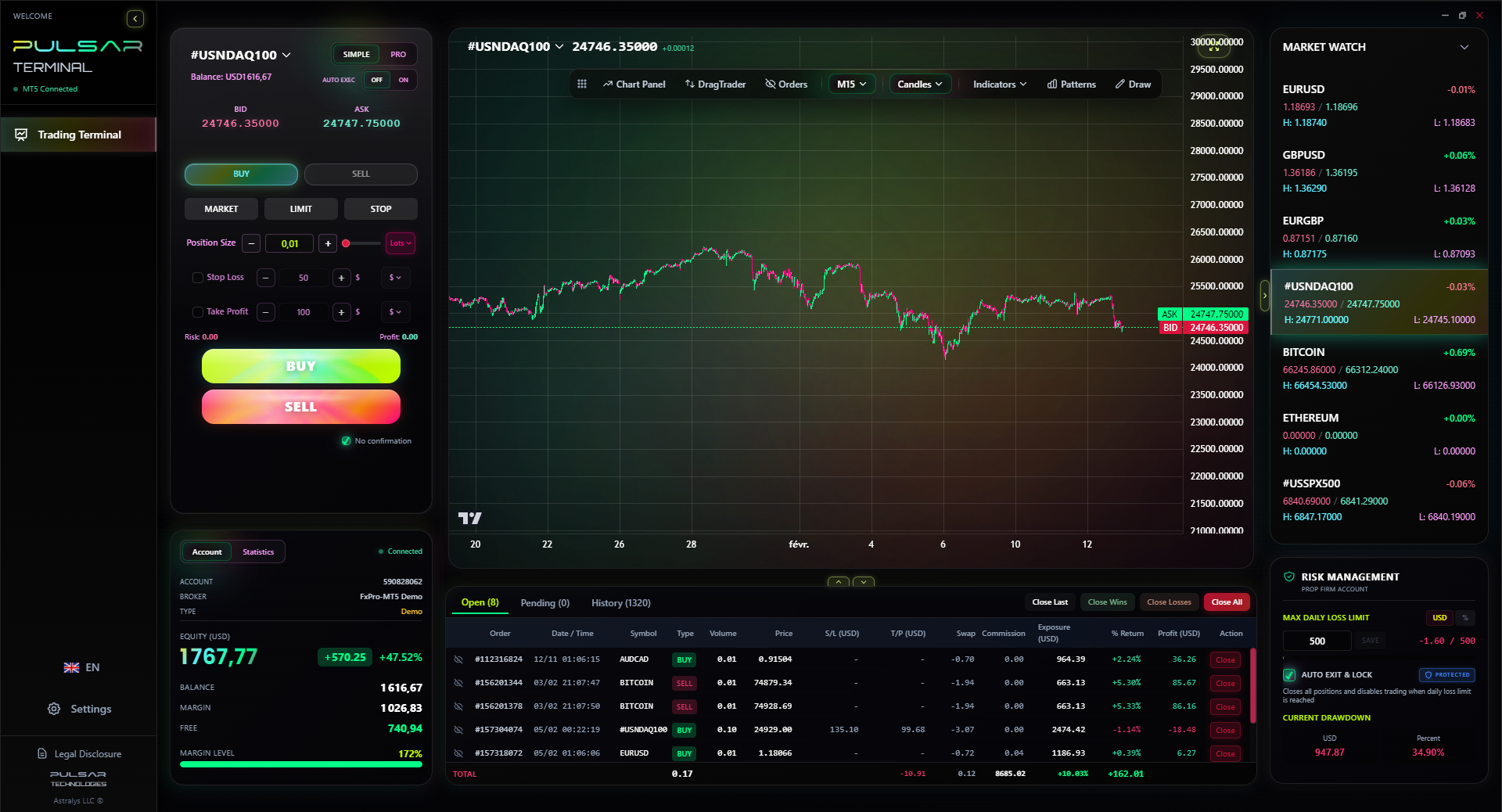
Managing advanced stop strategies like breakeven stops and partial closures manually is error-prone, but tools like Pulsar Terminal automate them directly on your MT5 chart.
Pulsar Terminal
أداة MT5 الشاملة: أوامر سحب وإفلات، متعدد TP/SL، تريلينج ستوب، تداول الشبكة، Volume Profile وحماية البروب فيرم. يستخدمها أكثر من 1000 متداول يومياً.
“Your stop-loss losses are deductible expenses against your profits. It turns a losing trade into a small administrative benefit.”
Once you've mastered the basic static stop, you can layer in more sophisticated techniques.
The Breakeven Stop: This is a psychological game-changer. Once your trade is in profit by a certain amount (e.g., 1.5x your initial risk), you move your stop loss to your entry price. The trade is now "risk-free." You've eliminated the possibility of a loss on that idea. I aim to do this on every scalping strategy trade I take.
Partial Closures & Multiple Targets: Instead of one stop and one target, you close part of your position at a first profit target (TP1) and move your stop loss on the remainder to breakeven. This books some profit and lets you run the rest risk-free. For instance, on a gold (XAU/USD) trade, I might close 50% at TP1, move my stop to entry, and let the other 50% ride with a trailing stop.
Time-Based Stops: If your trade hasn't done what you expected within a certain timeframe (e.g., 48 hours for a swing trade), just close it. Markets that drift sideways often eventually break against you. A time stop gets you out of dead capital.
Volatility-Based Stops: Using the Average True Range (ATR) indicator. You set your stop as a multiple of the current ATR (e.g., 1.5 x ATR). This automatically widens your stop in volatile markets (like USD/ZAR) and tightens it in calm ones, adapting to market conditions. This is far smarter than a fixed pip distance.
FAQ
Q1What is a good stop loss percentage in forex?
There's no universal good percentage. The key is to base your stop on market structure (like support/resistance), then use your position size to ensure that loss equals a small percentage of your account - typically 0.5% to 2% per trade. For a R10,000 account, risking 1% means you can lose R100 per trade. Your stop distance determines your trade size to keep the loss at that R100.
Q2Can I trade forex without a stop loss?
Technically, yes. Practically, it's professional suicide. Without a stop loss, a single bad trade can wipe out weeks or months of profits. It removes all discipline. Even seasoned pros use stops. If you're not using one, you're not managing risk, you're hoping.
Q3How many pips should a stop loss be?
It depends entirely on the currency pair and timeframe. A stop on a volatile exotic like USD/ZAR might need 50-100 pips to avoid market noise. A stop on a major pair like EUR/USD for a day trade might be 20-30 pips. A scalper might use 5-10 pips. Don't pick a pip number first. Find your technical invalidation level on the chart, measure the pips to that level, then adjust your trade size accordingly.
Q4Do stop losses always work?
No. During extreme volatility or news events, price can "gap" over your stop level. Your order then executes at the next available price (slippage), potentially for a larger loss than planned. This is a rare but inherent market risk. A Guaranteed Stop Loss (offered by some brokers for a fee) protects against this.
Q5What's the difference between a stop loss and a take profit?
A stop loss is an order to close a trade at a loss to limit damage. A take profit (TP) is an order to close a trade at a profit target. Both are pending orders that automate your exit strategy. You should always have a stop loss in place; a take profit is highly recommended but can be managed manually.
Q6Is forex trading with a stop loss safe?
Safer than without one, but no trading is "safe." A stop loss is a critical risk management tool that makes trading survivable over the long term. It doesn't guarantee profits, but it guarantees that a string of losses won't destroy your account. Safety also comes from using a reputable, FSCA-regulated broker and proper education.
Q7How do I set a stop loss in MT4 or MT5?
When you open a new order window (F9), you'll see fields for 'Stop Loss' and 'Take Profit.' You can enter the price level there. You can also set it after placing a trade by right-clicking on the open trade in the 'Trade' tab and selecting 'Modify or Delete Order.' Always double-check that the order appears on your chart as a horizontal line.
درس البروفيسور وينستون
النقاط الرئيسية:
- ✓A stop loss closes trades at a pre-set loss limit.
- ✓Place stops at technical invalidation points, not random percentages.
- ✓Never move a stop loss further from entry. Only move it to lock in profit.
- ✓Use position sizing to ensure your stop distance equals 1-2% account risk.
- ✓Trailing stops automate profit protection in strong trends.
ما مدى فائدة هذا المقال؟
انقر على نجمة للتقييم
رؤى التداول الأسبوعية
تحليلات واستراتيجيات أسبوعية مجانية. بدون رسائل مزعجة.
عن المؤلف
David van der Merwe
متداول الأسواق الناشئة
متداول مقيم في جوهانسبرغ مع 11 عاماً في عملات الأسواق الناشئة. متخصص في أزواج ZAR والتداول المنظم من FSCA وتحليل السوق الجنوب إفريقي.
التعليقات
تحذير من المخاطر
ينطوي تداول الأدوات المالية على مخاطر كبيرة وقد لا يكون مناسبًا لجميع المستثمرين. الأداء السابق لا يضمن النتائج المستقبلية. هذا المحتوى لأغراض تعليمية فقط ولا ينبغي اعتباره نصيحة استثمارية. قم دائمًا بإجراء بحثك الخاص قبل التداول.
قد يعجبك أيضًا

Cara Trading Forex Sukses: 7 Prinsip dari Trader Profesional
Cara trading forex sukses dengan 7 prinsip trader pro: manajemen modal, disiplin, journal trading, backtest. Data nyata, bukan janji profit palsu.
Jam Trading Forex Terbaik untuk Trader Indonesia: Panduan Lengkap dengan Tabel Waktu
Panduan jam trading forex untuk trader Indonesia. Tabel 4 sesi dunia, jam emas 20:00-00:00, sesi mana yang harus dihindari. Data akurat + tips dari trader berpengalaman.
Top 5 Sàn Forex Uy Tín Nhất 2026: Review Jujur dari Trader Indonesia
Top 5 sàn forex uy tín 2026 untuk trader Indonesia. Review jujur: spread, deposit, withdraw, dukungan lokal. Exness, XM, IC Markets & lebih.
احصل على Pulsar Terminal
جميع هذه الحاسبات مدمجة في Pulsar Terminal مع بيانات حية من حساب MT5 الخاص بك.
احصل على Pulsar Terminal