


My phone buzzed on the plastic table, the screen lighting up with a push notification from my trading app.

Olumide Adeyemi
Pionier des Tradings in Westafrika ·  Nigeria
☕ 11 Min. Lesezeit
Was Sie lernen werden:
- 1Why Your First App Is Everything (And How I Got It Wrong)
- 2Non-Negotiable App Features for Nigerian Beginners
- 3Broker Apps I've Tested with My Naira (The Good & The Bad)
- 4The Real Deal: Funding Your App from Nigeria
- 5Beyond the Buy Button: Leveraging Your App's Hidden Tools
- 6Three Costly App Mistakes I Made (So You Don't Have To)
- 7Your First 30 Days: A Step-by-Step App Plan
My phone buzzed on the plastic table, the screen lighting up with a push notification from my trading app. It was March 2024, and the EUR/USD was making a violent move. I was in a Lagos cafe, trying to manage a trade with one bar of network signal. The app froze for a second - just long enough for my heart to drop - before the chart updated. I’d chosen the wrong tool for the job, and it nearly cost me. That moment cemented a hard truth: your first forex trading for beginners app isn't just a download; it's your trading partner, your cockpit, and sometimes, your biggest liability. Here’s what I wish I’d known.
When I started, I thought any app that could place an order was good enough. Big mistake. Your trading app is your gateway to the market. A clunky, slow, or confusing interface doesn't just annoy you; it causes hesitation, missed entries, and panicked exits. I learned this the expensive way.
Back in 2018, I was using a broker's proprietary app that was heavy on flashy graphics but light on reliable execution. I spotted a clean breakout on GBP/JPY. I went to enter, set my stop loss, and take profit. The 'confirm order' button just spun. By the time it went through, price had already moved 15 pips against me. I was instantly in the red on a trade that should have been green. I ended up closing it for a small loss, shaken. The setup was perfect; the tool failed.
For a beginner in Nigeria, you're already dealing with unique challenges: fluctuating Naira values, sometimes tricky funding, and the need for strong education. You can't afford for your app to be another hurdle. It needs to be your anchor. The right forex trading for beginners app should feel like an extension of your thinking, not a barrier to it.

Warning: Don't choose a broker based on ads or influencer hype alone. The slickest marketing often hides the most problematic trading platforms. Test the app yourself with a demo account for at least two weeks before depositing a single Naira.

💡 Winstons Tipp
Your first app should feel like a well-lit library, not a casino floor. If it has more flashing 'BUY NOW' signals than clear risk management tools, close it.
1. Rock-Solid Reliability & Speed
This isn't about having the prettiest charts (though that helps). It's about order execution. When you hit 'buy,' does it happen now, or after a frustrating lag? Look for apps known for stability. MetaTrader 4 and MetaTrader 5 (MT4/MT5) are global standards for a reason - they're workhorses. Many brokers like XM and Exness offer them. Proprietary apps from brokers like AvaTradeGO or xStation 5 can also be excellent, but you must test them during volatile market hours (like the London or New York open) to see how they hold up.
2. Integrated Education You'll Actually Use
You will have questions at 2 AM. Your app should have answers. The best forex trading for beginners apps bake learning into the experience. Look for:
- In-app video tutorials explaining concepts right on the chart.
- A glossary (what is a pip again?).
- Economic calendars with explanations of why events matter. Brokers like AvaTrade and Capital.com are strong here, offering structured courses within their platforms. This beats frantically Googling while a trade is live.
3. Demo Account That Mirrors Reality
A demo account isn't just for pressing buttons. It's your simulation lab. The best demos have identical spreads, execution speed, and features as the live account. Don't use one with 'perfect' conditions. Use it to practice your scalping strategy or swing trading plan under real market friction. I practiced for six months on a demo before going live, and it saved me thousands in early mistakes.
4. Clear, Simple Risk Management Tools
This is where I see most new traders fail in the app. Setting a stop-loss must be intuitive. Can you easily set a stop-loss and take-profit when placing the order? Can you drag and adjust them on the chart later? If it's buried in three menus, you're more likely to trade without one - a guaranteed path to a margin call.

Pro Tip: Before funding, use the demo to practice setting stops on every single trade. Make it a muscle memory. Your survival depends on it.
“Your trading app is your gateway to the market. A clunky interface doesn't just annoy you; it causes hesitation, missed entries, and panicked exits.”
I've funded accounts with at least seven different brokers from Nigeria. Here’s my raw take on their apps for a beginner.
AvaTradeGO (AvaTrade): This is a fantastic all-rounder for a new trader. The app is clean, not overwhelming. Their integrated education via SharpTrader is top-tier. I funded $100 (about 150,000 Naira at the time) to test it. Executing a trade on EUR/USD was smooth. Where it shined was during a news event; the app gave me a clear warning about widened spreads, which many others don't. Their spreads are decent (0.93 pips on EUR/USD), not the absolute tightest, but you pay for stability and education. A solid, safe first choice.
xStation 5 (XTB): If you want a balance of simplicity and powerful tools, this is it. The charting is beautiful and intuitive. I love the built-in market screener and the fact they have a $0 minimum deposit. I opened an account just to test the app with no money. For a beginner who wants to feel like a pro without the complexity of MT4, xStation 5 is a winner. Their spreads are competitive at 0.92 pips.
XM App: A champion for Nigerians. Why? Direct Naira account support. You can see your balance in NGN, which removes mental currency conversion. The app is straightforward and reliable. I used their app extensively in my early swing trading days. Their educational webinars are pushed through the app, which is helpful. Minimum deposit can be as low as $5 (~7,500 Naira), making it accessible.
HFM App: This broker gets Nigerian trends. They offer NGN accounts and even have an SMS alert service - crucial if your data is unreliable. The app itself is a capable version of MT4. It’s not the most modern-looking, but it’s dependable. Good for the trader who values local relevance.
The One I Regret: FBS. Yes, the $1 minimum deposit is seductive. I put in $10. The app felt cheap, and the execution on a fast scalping attempt was poor. The wide spreads on their cent account ate my tiny capital. It taught me a lesson: an ultra-low deposit often means you're the product, not a valued client.
| Broker | App Name | Best For Nigerian Beginners Because... | Min. Deposit (Approx. in Naira) |
|---|---|---|---|
| AvaTrade | AvaTradeGO | Integrated education & stability | $100 (~150,000 NGN) |
| XTB | xStation 5 | Ease-of-use & pro features | $0 |
| XM | XM App | Naira accounts & low barrier | $5 (~7,500 NGN) |
| HFM | HFM App | Local focus & Naira accounts | Variable |
| Capital.com | Capital.com App | Learning & clear design | $20 (~30,000 NGN) |
💡 Winstons Tipp
Test an app's reliability by placing a demo market order during the London open (3 PM Nigerian time). The speed of execution tells you everything.
This is the part most guides gloss over. You’ve chosen the perfect forex trading for beginners app. Now, how do you get money into it? The CBN's restrictions mean you can't use official forex windows for trading. Your bank card might be declined.
Here’s what works, based on my repeated experience:
- Bank Transfer (Local): Some brokers, like XM and HFM, have local Nigerian bank details. You transfer Naira to them, they credit your trading account. This is often the smoothest and cheapest method. No hidden forex conversion fees from your bank.
- E-Wallets (Skrill, Neteller): This is my personal go-to for most international brokers. You fund your Skrill account using your Nigerian debit card (which often works where direct broker deposits fail) or via bank transfer. Then, you send from Skrill to your broker. It adds a step, but it’s reliable. Fees apply.
- Cryptocurrency (BTC, USDT): A growing number of brokers accept crypto deposits. You buy USDT from a local P2P platform, send it to your broker's wallet address. It's usually fast. The volatility risk is between you buying it and the broker converting it, which is often minutes.

Example: In January 2024, I deposited $200 into IC Markets. My bank card failed. I bought USDT for 280,000 NGN, sent it, and had the $200 in my trading account in 15 minutes. The spread on the P2P trade was my main cost.
Remember the Tax Man: That 10% capital gains tax on gross profits is real. Keep a simple spreadsheet of your withdrawals. When you win, set aside that 10% immediately. Don't let it become a nasty surprise.
“An ultra-low deposit often means you're the product, not a valued client.”
Most beginners use 10% of their app's power. Here’s how to use the other 90% to your advantage.
Price Alerts: This is a sleep-saver. You don't need to stare at charts all day. Set an alert in your app for when EUR/USD hits a key support level. Go live your life. When your phone buzzes, then you analyze. This prevents overtrading.
Economic Calendar Integration: The best apps have a calendar built-in. Don't just see the event; understand its impact. A high-impact news event (like US Non-Farm Payrolls) will cause spreads to widen massively. I learned this by getting terrible fills during news. Now, I use the app's calendar to avoid trading 5 minutes before and after major releases.
Charting Tools: Learn one or two indicators deeply in your demo. The RSI indicator for spotting overbought/oversold conditions, or the MACD indicator for trend momentum. Apply them on your app's charts. The goal isn't to have 10 indicators flashing; it's to have one or two giving you clear, actionable signals.
The Order Types: Understand 'Limit' and 'Stop' orders. A Limit order lets you set a buy order below the current price, waiting for a pullback. A Stop order lets you set a buy order above the current price, waiting for a breakout. Using these strategically, instead of just 'Buy Market,' puts you in control.
Managing multiple trades and adjusting stops as a trade moves in your favor is a complex task. Doing it manually on a phone screen is tough. Advanced tools that automate partial closures or move your stop to breakeven can make a huge difference in protecting profits.
💡 Winstons Tipp
Never let convenience dictate your broker choice. A slightly harder funding method to a reputable broker is always better than easy funding to a shady one.
- Trading on a Small Phone Screen: I tried to analyze complex EUR/USD charts on a 6-inch screen. I missed crucial details in the price action. Fix: Use your app for monitoring and execution, but do your main analysis on a tablet or computer when possible. If you must use only a phone, zoom out. Look at the bigger timeframes first.
- Ignoring the 'Spread' Display: I’d see the price and just trade. I didn't notice that the spread on exotic pairs or during off-hours was 5 times wider than normal. Those pips come straight out of your potential profit. Fix: Always check the live spread display on your order ticket before clicking 'confirm.' If it looks bloated, wait.
- Not Using a Position Size Calculator: My app had one built-in, and I ignored it. I’d just throw in 0.5 lots because it felt right. This is gambling. When one of those trades went 50 pips against me, the loss was catastrophic. Fix: Always calculate your position size based on your account risk (e.g., never risk more than 1-2% of your account on a single trade). Use the calculator every time. It takes 10 seconds and will save your account.
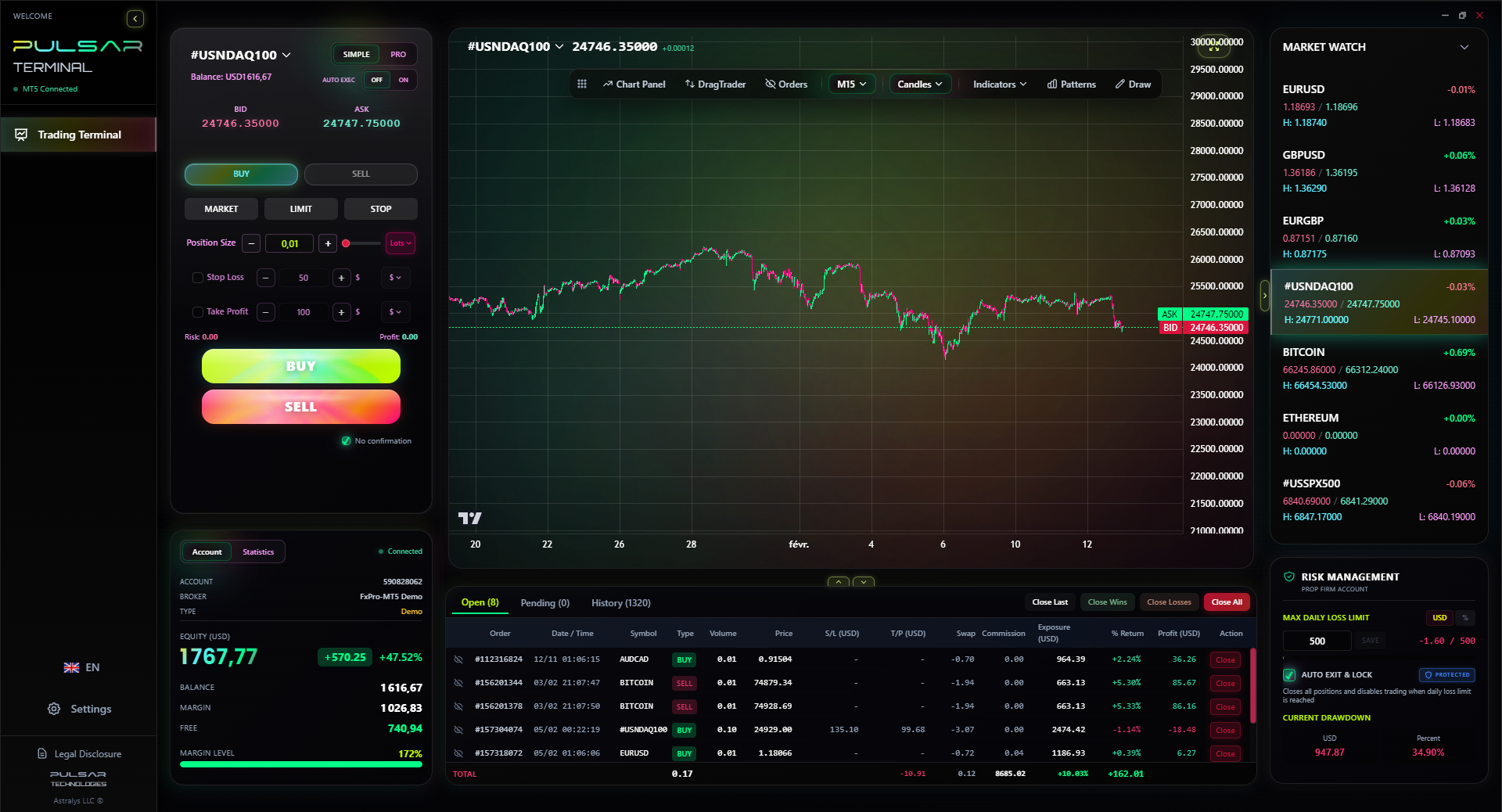
Manually moving stops to breakeven and managing partial closures on a phone is error-prone; Pulsar Terminal automates these advanced risk management rules directly within your MT5 platform.
Pulsar Terminal
Das All-in-One MT5-Tool: Drag-and-Drop-Orders, Multi-TP/SL, Trailing Stop, Grid Trading, Volume Profile und Prop-Firm-Schutz. Täglich von 1.000+ Tradern genutzt.
“As a beginner, your losses will come from poor decisions, not from paying an extra 0.3 pips in spread.”
Day 1-7: The Tour. Open your demo account. Don't trade. Click every button. Find the chart settings, the indicator list, the order ticket, the account history. Set up 5 price alerts. Watch 3 in-app tutorial videos.
Day 8-21: The Simulation. Paper trade with strict rules. Practice using the position size calculator for every 'trade.' Use only one chart timeframe (like the 1-hour). Practice setting stop-loss and take-profit on every entry. Your goal is not profit; it's flawless use of the app's risk tools.
Day 22-30: The Review & Live Prep. Analyze your demo trades in the app's history. What was your win rate? Your average loss? If you lost demo money, you will lose real money. Go back to learning. If you're consistently profitable on demo for two weeks, you can consider a small live deposit - the minimum required. Start with micro-lots. The goal for the first 6 months is to survive, not to buy a new car.
The journey from downloading a forex trading for beginners app to becoming a disciplined trader is long. Your app is the vehicle. Choose one that's built for the rugged Nigerian terrain, not just for a smooth showroom floor. Fund it wisely, learn all its features, and let it be the tool that enables your discipline, not your impulses. Now, go set up that demo account. I’ll see you on the charts.
FAQ
Q1Is forex trading legal in Nigeria, and can I use international trading apps?
Yes, forex trading is legal for individuals in Nigeria. There are no laws stopping you from using apps from international brokers regulated abroad (like by the FCA or CySEC). Many top brokers actively accept Nigerian clients. Just remember you're responsible for declaring trading profits and paying the 10% capital gains tax in Nigeria.
Q2What is the minimum amount I need to start trading forex with an app in Nigeria?
While some apps let you start with as little as $1 (like FBS), I don't recommend it. With such a small amount, fees and the psychological pressure are huge. A more practical start is between $100 to $500 (approx. 150,000 - 750,000 Naira). This allows for proper position sizing and breathing room. Brokers like XM offer a $5 minimum, which is great for a tiny test deposit.
Q3Which trading app is the absolute easiest for a complete beginner in Nigeria?
For sheer ease and all-in-one package, AvaTradeGO is hard to beat. It's clean, stable, and packs massive educational content right into the app. For the lowest barrier to entry, XM's app with Naira account support is excellent. For the best blend of simple design and advanced tools, XTB's xStation 5 app is a top contender.
Q4How do I deposit Naira into a forex trading app?
You have a few reliable options: 1) Use a broker with local Naira bank details (XM, HFM) and do a direct bank transfer. 2) Use an e-wallet like Skrill as an intermediary (fund Skrill with your card, then send to broker). 3) Use cryptocurrency (buy USDT locally, send to broker's crypto address). Avoid trying to use your Naira debit card directly on international broker sites, as it's often blocked.
Q5What's more important for a beginner app: low spreads or educational tools?
Educational tools, 100%. As a beginner, your losses will come from poor decisions, not from paying an extra 0.3 pips in spread. An app that teaches you how to trade and manage risk will save you far more money than one with rock-bottom spreads. Once you're consistently profitable, you can optimize for lower costs.
Q6Can I use MetaTrader 4 or 5 (MT4/MT5) on my phone in Nigeria?
Absolutely. MT4 and MT5 are available as free apps on iOS and Android. Most brokers like Exness, Pepperstone, and IC Markets offer them. They are powerful and reliable, though the interface can be less beginner-friendly than some proprietary apps. They are a fantastic choice if you plan to use automated trading (Expert Advisors) in the future.
Prof. Winstons Lektion
Wichtige Erkenntnisse:
- ✓Test drive any app for 2 weeks on demo before funding.
- ✓Prioritize in-app education over the lowest spreads.
- ✓Always use a position size calculator. Every. Single. Time.
- ✓Understand Naira funding options: local transfer, e-wallets, or crypto.
Wie nützlich war dieser Artikel?
Klicken Sie auf einen Stern
Wöchentliche Trading-Einblicke
Kostenlose wöchentliche Analysen & Strategien. Kein Spam.
Über den Autor
Olumide Adeyemi
Pionier des Tradings in Westafrika
Einer der aktivsten Forex-Trading-Ausbilder Nigerias. 8 Jahre Trading-Erfahrung aus Lagos. Spezialisiert auf Strategien mit geringem Kapital und Prop-Firm-Challenges für afrikanische Trader.
Kommentare
Risikohinweis
Der Handel mit Finanzinstrumenten birgt erhebliche Risiken und ist möglicherweise nicht für alle Anleger geeignet. Vergangene Ergebnisse garantieren keine zukünftigen Renditen. Dieser Inhalt dient ausschließlich Bildungszwecken und stellt keine Anlageberatung dar. Führen Sie immer Ihre eigene Recherche durch, bevor Sie handeln.
Das könnte Sie auch interessieren

Cara Trading Forex Sukses: 7 Prinsip dari Trader Profesional
Cara trading forex sukses dengan 7 prinsip trader pro: manajemen modal, disiplin, journal trading, backtest. Data nyata, bukan janji profit palsu.
Jam Trading Forex Terbaik untuk Trader Indonesia: Panduan Lengkap dengan Tabel Waktu
Panduan jam trading forex untuk trader Indonesia. Tabel 4 sesi dunia, jam emas 20:00-00:00, sesi mana yang harus dihindari. Data akurat + tips dari trader berpengalaman.
Top 5 Sàn Forex Uy Tín Nhất 2026: Review Jujur dari Trader Indonesia
Top 5 sàn forex uy tín 2026 untuk trader Indonesia. Review jujur: spread, deposit, withdraw, dukungan lokal. Exness, XM, IC Markets & lebih.
Pulsar Terminal herunterladen
Alle diese Rechner sind in Pulsar Terminal mit Echtzeit-Daten Ihres MT5-Kontos integriert.
Pulsar Terminal herunterladen