


I watched my screen in disbelief.

David van der Merwe
Schwellenland-Trader ·  South Africa
☕ 12 Min. Lesezeit
Was Sie lernen werden:
- 1What a VPS Actually Does (And What It Doesn't)
- 2The Real Costs: What You'll Actually Pay in Rands
- 3Choosing the Right VPS: Specs That Matter
- 4The Setup & Migration Process (Step-by-Step)
- 5Common Mistakes & How to Avoid Them
- 6The South African Context: FSCA, ZAR & Local Brokers
- 7Monitoring & Optimizing Your VPS Performance
I watched my screen in disbelief. My grid trading EA, which had been humming along for weeks, had just triggered a margin call. The USD/ZAR had spiked on a surprise SARB announcement, and my home PC's internet had chosen that exact moment to drop for 45 seconds. The EA froze, missed its stop-loss orders, and my R12,000 account was liquidated. That was the R12,000 lesson that taught me a VPS for Forex EA isn't a luxury, it's a non-negotiable piece of infrastructure if you're serious about automation. Let's talk about how to get it right, without wasting your money.
A Virtual Private Server (VPS) is a remote computer you rent. For trading, you install your MetaTrader platform and Expert Advisor on it, and it runs 24/7, completely independent of your home PC, loadshedding, or dodgy Wi-Fi.
Think of it like this: your home setup is a bakkie you drive on the farm. It gets the job done, but it breaks down, needs fuel, and you can't drive it while you're sleeping. A VPS is a dedicated freight train on a private rail line. It just goes, non-stop, following the exact schedule (your EA's logic) you gave it.
The Core Benefits for a South African Trader
- Uptime: This is the big one. A good VPS guarantees 99.9% uptime. Your EA trades through the London open, New York session, and Asian hours while you're asleep in Joburg. No more missing the 3 AM volatility spike because Eskom decided it was load-shedding hour.
- Speed (Latency): The server is physically located in a data center next to your broker's trading servers (often in London, New York, or Singapore). An order from your VPS might take 1-5 milliseconds. From your home in Cape Town? You're looking at 150-300ms minimum. In scalping strategy, that difference is your entire profit margin.
- Stability: No Windows updates restarting your PC mid-trade. No kid downloading a 50GB game and choking your bandwidth. It's a clean, dedicated environment.

Warning: A VPS does NOT make a bad EA profitable. It only ensures a good EA can execute its strategy perfectly. If your logic is flawed, a VPS will just help you lose money faster and more reliably.
I learned this the hard way with a martingale EA I was testing. On my PC, it would sometimes crash after a few losing cycles. On the VPS, it ran flawlessly... straight into a 35% drawdown because the strategy itself was garbage. The VPS did its job. My strategy didn't.
“A VPS doesn't make a bad EA profitable. It only ensures a good EA can execute its strategy perfectly.”
Let's cut through the marketing. Prices vary wildly, and the cheapest option is often a trap. You need enough power (CPU/RAM) to run MT5 and your EA smoothly, especially if it's complex.
Here’s a breakdown of what’s out there for us in SA:
| Provider Type | Example | Starting Price (Monthly) | Best For | The Catch |
|---|---|---|---|---|
| Local SA Provider | Virtarix (Johannesburg DC) | ~R100 ($5.50) | Low latency for ZAR pairs, local support. | Might have higher latency to EU/US broker servers. |
| Budget International | OVHcloud, Cloudzy | R115 - R140 ($6-$8) | Simple EAs, testing, very tight budgets. | Support can be slow, resources can be shared/noisy. |
| Specialized Forex VPS | ForexVPS.net, FXVM | R215 - R550 ($12-$30) | Reliable, tuned for MT4/MT5, good support. | You're paying a premium for the "forex" label. |
| Premium/Tier-1 | BeeksFX, Liquidity Connect | R700+ ($38+) | Professional firms, ultra-low latency, colocation. | Overkill for 99% of retail traders. |
The Broker Reimbursement Trick: This is a massive money-saver. Brokers like IC Markets review, Pepperstone review, and XM review often offer free or reimbursed VPS services if you maintain a certain minimum deposit (e.g., $5,000) or monthly trading volume (e.g., 5 round-turn lots). Always ask your broker first. I get my VPS from IC Markets review for free because my account size qualifies. It’s a no-brainer.

Pro Tip: Don't cheap out on RAM. MT5 with a few charts and a heavy EA can easily use 2-3GB. Get a plan with at least 4GB. A R50/month plan with 1GB of RAM will choke, freeze your platform, and cost you more in a single bad trade than a year of a proper VPS.

💡 Winstons Tipp
A student once asked me if a VPS was worth it for his R5,000 account. I told him to calculate the cost as a percentage of his capital. At R200/month, that's 4% per month in overheads. His strategy needed to make more than 4% monthly just to break even. He decided to trade manually until his capital grew. Smart kid.
“The R12,000 lesson that taught me a VPS for Forex EA isn't a luxury, it's a non-negotiable piece of infrastructure.”
Forget the flashy sales talk. You only need to check four things.
- CPU Cores (vCores): This is processing power. A simple, single-currency EA might run fine on 1-2 vCores. A multi-currency panel running 10+ EAs? You'll want 4+. My current setup for a correlation grid EA uses 4 vCores and sits at about 60% usage during high volatility.
- RAM (Memory): This is critical. Windows Server itself needs about 1-1.5GB. MT5 needs another 1-2GB for the platform and charts. Your EA needs its share. Minimum viable: 2GB. Recommended: 4GB. I once tried a 1.5GB plan. MT5 would take 5 minutes to open, and chart updates were laggy. It was unusable.
- Storage (SSD): 50GB is plenty. MT5 and Windows might take 5-10GB. You just need space for logs and maybe some back-up files. Speed (SSD vs. HDD) matters for loading, but not for trade execution once it's running.
- Location, Location, Location: This is about latency. If your broker's main servers are in London (like most), get a VPS in London or Amsterdam. If you're trading ZAR pairs on a local broker's server in Johannesburg, get a local VPS. The goal is minimal physical distance between your VPS and the broker's trade server.
Here’s a real example from last year: I was testing an EA on EUR/USD guide with a broker whose servers were in NYC. I used a cheap VPS in Singapore. The average latency was 280ms. The EA was designed for sub-50ms entries. It consistently entered trades 2-3 pips definition late, turning a potentially profitable strategy into a loser. I switched to a New York VPS (latency 8ms), and the system performance transformed overnight.
“The R12,000 lesson that taught me a VPS for Forex EA isn't a luxury, it's a non-negotiable piece of infrastructure.”
It seems tough, but it's a 30-minute job. Here’s exactly what you do.
- Buy the VPS: You’ll get an email with an IP address, a username (usually ‘Administrator’), and a password.
- Connect: On your home PC, search for "Remote Desktop Connection." Type in the IP address from the email and click connect. Enter the username and password.
- You’re In: You’ll now see the desktop of your remote VPS. It’s a blank Windows machine.
- Install MT4/MT5: Open a browser on the VPS, go to your broker’s website, and download the trading platform. Install it. Do NOT copy files from your home PC. A fresh install on the VPS avoids weird permission issues.
- Install Your EA/Indicators: Either copy the
.ex4or.ex5and.mq4/.mq5files from your home PC to the VPS desktop via the remote connection’s file transfer, or download them fresh. Place them in the correctMQL4/ExpertsorMQL5/Expertsfolders. - Restart & Configure: Restart MT4/MT5 on the VPS. Open your chart, attach the EA, input your settings (lot size, stop loss, etc.).
- The Critical Test: Before you log out, DISABLE THE EA. Then, close the Remote Desktop window. Wait 5 minutes. Log back in. If the MT5 platform is still running and the charts are live, you’re golden. Re-enable the EA. Now you can log out, and it will keep running.
Warning: Never, ever just close the Remote Desktop window while your trading platform is running without first disabling the EA. Sometimes, the remote session can ‘hang’ and when you reconnect, you’ll find MT5 frozen, requiring a force-close that kills all your trades. Always disable, log out, log back in, and re-enable. It’s a 60-second habit that saves you from heart attacks.
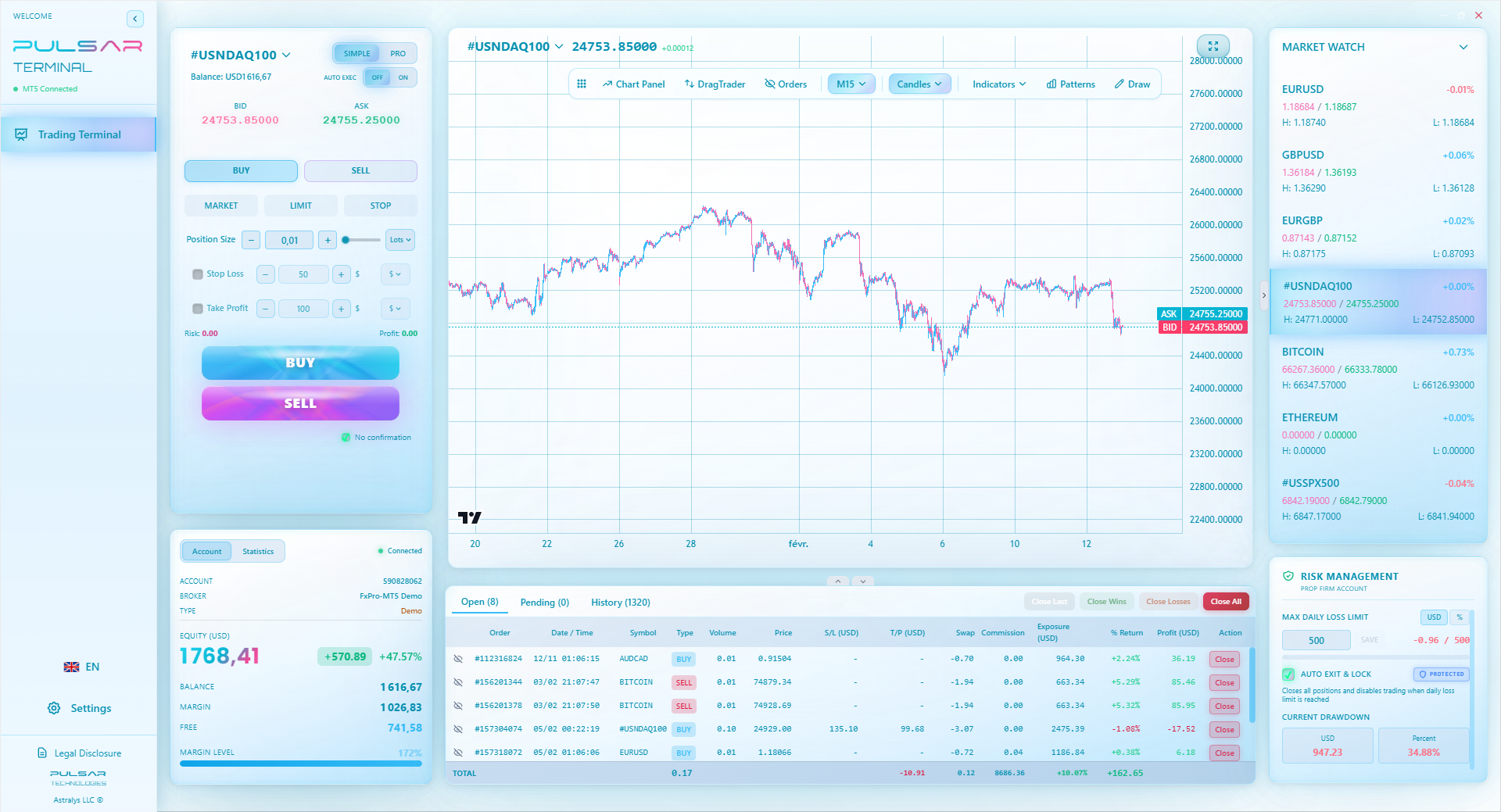
This is also where a tool like Pulsar Terminal can be a lifesaver. If you need to quickly adjust a trailing stop or set a multi-level take profit on your running EA trades, you can do it from your phone without needing to remote desktop into the VPS.
💡 Winstons Tipp
The most common technical failure I see isn't the VPS, it's the EA logic failing on a condition it wasn't tested for. A VPS ensures execution, not intelligence. Backtest, then forward test on a demo VPS for a full month before a single cent of real money goes near it.
Managing complex EA trades from your phone is crucial when you can't access the VPS, and Pulsar Terminal gives you that direct control over your MT5 account.
Pulsar Terminal
Das All-in-One MT5-Tool: Drag-and-Drop-Orders, Multi-TP/SL, Trailing Stop, Grid Trading, Volume Profile und Prop-Firm-Schutz. Täglich von 1.000+ Tradern genutzt.
“Your home setup is a bakkie on the farm. A VPS is a dedicated freight train on a private rail line.”
I’ve made most of these. Learn from my Rands.
Mistake 1: Setting and Forgetting. You deploy your EA and don’t check the VPS for a month. Bad idea. Log in at least once a week to:
- Check the MT5 journal for errors (like ‘not enough money’ or ‘invalid stops’).
- Ensure Windows updates haven’t queued up a restart.
- Verify the EA is still attached to the chart (a platform crash can detach it).
Mistake 2: Ignoring the Money. You must factor the VPS cost into your trading business. If your EA makes R500 profit per month and your VPS costs R200, your net is R300. Is the risk worth it? Use a position size calculator that includes your fixed overheads like VPS costs to find your true risk per trade.
Mistake 3: No Backup/Redundancy. What if the VPS provider has a major outage? Have a plan. Mine is simple: I get SMS alerts from my EA via my broker (MT5 notifications to email, forwarded as SMS). If I get an ‘EA stopped’ alert, I can quickly use my phone to log into my broker’s web platform and manually close any open positions if needed. It’s a safety net.
Mistake 4: Using a ‘Dirty’ VPS. Some cheap providers have overcrowded servers. Your ‘neighbor’ on the same physical machine might be running a data-mining bot, hogging 90% of the shared CPU. Your trading platform will stutter. How to check? Once your EA is running, use the Task Manager on the VPS to monitor CPU and RAM usage over 24 hours. It should be stable. If it’s spiking to 100% constantly when your EA isn’t that intensive, you’re on a bad server. Move providers.
A final, brutal truth: A VPS makes you accountable. There’s no more ‘my internet died’ excuse. The trades are on you and your strategy. When I first started with a VPS, I had to finally admit that the drawdowns in my swing trading EA weren’t due to slippage, but to poor risk parameters in the code itself.
“Your home setup is a bakkie on the farm. A VPS is a dedicated freight train on a private rail line.”
Trading from SA adds a few specific layers to the VPS decision.
FSCA Regulation is Key. Only use a VPS with a broker that is properly regulated by the FSCA. Why? Because if something goes wrong - a broker dispute, a withdrawal issue - you have a local regulatory body to complain to. An offshore, unregulated broker offering a ‘free VPS’ is a major red flag. Your funds are not protected. I only trade with FSCA-licensed entities like those mentioned in our Exness review or XM review.
ZAR Accounts and Local Servers. Many FSCA brokers offer ZAR-denominated accounts. This is fantastic for avoiding bank conversion fees. However, if your broker’s trade server for ZAR accounts is in South Africa, you must get a VPS with a Johannesburg data center (like from Virtarix) for the lowest latency. If you use a London VPS to connect to a Joburg server, you’ve just added 150ms of pointless lag.
Tax Implications (SARS). Running a VPS doesn’t change your tax obligations. The profits generated by your EA are still taxable income. The benefit? The monthly VPS fee is a deductible business expense against your trading profits. Keep those invoices.
use Limits. Remember, the FSCA caps use at 30:1 for retail clients. Your EA must be programmed to respect this. A VPS running an EA set for 100:1 on an FSCA account will simply get error messages and fail to open trades. Always backtest with the correct use setting.
For prop firm traders, this is doubly important. Passing a challenge requires strict, automated adherence to their rules. A VPS ensures no accidental rule breach from a disconnection.
💡 Winstons Tipp
Latency is a predator. It feeds on the impatient and the inattentive. If your EA strategy requires sub-100ms entries, you must measure your VPS-to-broker ping. If you don't know this number, you're trading blind.
“A VPS makes you accountable. There's no more 'my internet died' excuse. The trades are on you and your strategy.”
Deploying the VPS is just the start. You need to manage it.
Essential Monitoring Tools:
- MT5 Journal/Logs: Check this daily for the first week, then weekly. Look for ‘OrderSend error’ messages. A common one is error 138 (‘re-quote’). If you see it constantly, your VPS might be too slow, or your broker’s spread definition is widening too much for your EA’s limits.
- VPS Resource Monitor: Most providers give you a web dashboard to see CPU, RAM, and bandwidth usage in real-time. Set a baseline when your EA is running normally. If you see sustained 90%+ CPU usage, your EA might have a memory leak or you need to upgrade your plan.
- Ping/Traceroute Tests: You can run a ping test from your VPS to your broker’s server address (your broker’s support can give you this). This shows your true latency. Anything under 50ms is excellent. 50-100ms is good. Over 150ms for a non-local connection is a problem.
Optimization Tips:
- Disable Visual Effects: On the VPS, go to System Properties > Advanced > Performance Settings and choose ‘Adjust for best performance.’ This frees up RAM and CPU.
- Limit Charts: Only open the charts your EA needs on the VPS. Don’t have 30 currency pairs open ‘just to watch.’ Each chart consumes resources.
- Schedule Restarts: Once a week, schedule a quick restart of the MT5 platform on the VPS (outside of market hours). This clears the memory cache and can prevent gradual slowdowns.
Your VPS is a workhorse. Treat it like one. Keep its environment clean, monitor its health, and it will give you the relentless, emotionless execution that is the entire point of automated trading. When you get it right, there’s no better feeling than waking up, checking your phone, and seeing a list of trades your ‘freight train’ executed perfectly while you were dreaming.
FAQ
Q1Is a VPS really necessary if I only run my EA during the day when I'm at my computer?
If you're manually turning your EA on and off, you can maybe skip it. But ask yourself: is your home internet and power 100% reliable? In SA, that's a joke. A single loadshedding stage during a key news event can blow up your account. A VPS is cheap insurance against our local infrastructure problems.
Q2Can I use one VPS for multiple EAs or broker accounts?
Yes, absolutely. You can install multiple MT4/MT5 instances from different brokers on the same VPS. Just make sure your VPS has enough RAM and CPU to handle the total load. Running 3 MT5 platforms with complex EAs on a 2GB RAM plan is a recipe for a crash.
Q3My broker offers a free VPS. Is it any good?
Usually, yes. Brokers like IC Markets or Pepperstone offer quality VPSs because they want your trades to execute well. It's in their interest. Always take the free one first. Test it thoroughly for a month. If you see performance issues, then consider paying for an upgrade.
Q4How do I know if my EA is actually running on the VPS after I log out?
This is the #1 anxiety point. The best way is to use a second device (your phone). Log into your broker's mobile app or web platform. If you see trades opening and closing according to your EA's logic, it's running. You can also set up email alerts in MT5 for every trade action, so you get a notification on your phone.
Q5What happens if my VPS provider has a total outage?
Your trades remain open with your broker. The VPS just manages the EA. If the VPS dies, the EA stops sending new commands. Your existing trades will sit there with their stop-loss and take-profit orders still active at the broker level. You won't get new trades until the VPS is back online and you restart the EA.
Q6Are there any tax implications in SA for running a trading VPS?
No specific tax on the VPS itself. However, the income generated is taxable. The good news is the monthly VPS fee is a legitimate business expense you can deduct from your trading profits when you file with SARS. Keep your invoices.
Q7MT4 vs MT5 on a VPS – which is better?
For resource usage, MT4 is slightly lighter. But MT5 is more modern, handles hedging better, and is the future. Most decent VPS plans (4GB+ RAM) handle MT5 with ease. Choose the platform your EA is built for. Don't try to run an MT5 EA on an MT4 VPS.
Prof. Winstons Lektion
Wichtige Erkenntnisse:
- ✓Treat VPS cost as a business expense; factor it into your position sizing.
- ✓Minimum 4GB RAM for MT5; 2GB will choke under real load.
- ✓VPS location must be near your broker's trade server for latency under 50ms.
- ✓Always disable your EA before logging out of the remote desktop session.
- ✓Broker-reimbursed VPS plans are the first and best option to explore.
Wie nützlich war dieser Artikel?
Klicken Sie auf einen Stern
Wöchentliche Trading-Einblicke
Kostenlose wöchentliche Analysen & Strategien. Kein Spam.
Über den Autor
David van der Merwe
Schwellenland-Trader
In Johannesburg ansässiger Trader mit 11 Jahren Erfahrung in Schwellenländerwährungen. Spezialisiert auf ZAR-Paare, FSCA-regulierten Handel und Analyse des südafrikanischen Marktes.
Kommentare
Risikohinweis
Der Handel mit Finanzinstrumenten birgt erhebliche Risiken und ist möglicherweise nicht für alle Anleger geeignet. Vergangene Ergebnisse garantieren keine zukünftigen Renditen. Dieser Inhalt dient ausschließlich Bildungszwecken und stellt keine Anlageberatung dar. Führen Sie immer Ihre eigene Recherche durch, bevor Sie handeln.
Das könnte Sie auch interessieren

Cara Trading Forex Sukses: 7 Prinsip dari Trader Profesional
Cara trading forex sukses dengan 7 prinsip trader pro: manajemen modal, disiplin, journal trading, backtest. Data nyata, bukan janji profit palsu.
Jam Trading Forex Terbaik untuk Trader Indonesia: Panduan Lengkap dengan Tabel Waktu
Panduan jam trading forex untuk trader Indonesia. Tabel 4 sesi dunia, jam emas 20:00-00:00, sesi mana yang harus dihindari. Data akurat + tips dari trader berpengalaman.
Top 5 Sàn Forex Uy Tín Nhất 2026: Review Jujur dari Trader Indonesia
Top 5 sàn forex uy tín 2026 untuk trader Indonesia. Review jujur: spread, deposit, withdraw, dukungan lokal. Exness, XM, IC Markets & lebih.
Pulsar Terminal herunterladen
Alle diese Rechner sind in Pulsar Terminal mit Echtzeit-Daten Ihres MT5-Kontos integriert.
Pulsar Terminal herunterladen