


I was staring at my screen in late 2023, watching the USD/ZAR push towards R19.

David van der Merwe
Emerging Markets Trader ·  South Africa
☕ 12 min read
What you'll learn:
- 1What Exactly Is the FNB Forex Calculator?
- 2The Real Cost Breakdown: What the Calculator Doesn't Show You
- 3FNB Forex Trading vs. The Forex Calculator: A Critical Distinction
- 4When It Actually Makes Sense to Use the FNB Calculator
- 5Smart Alternatives for South African Traders and Investors
- 6Navigating SARB's Exchange Controls: The Calculator's Legal Context
- 7A Practical Guide to Using the Calculator (If You Must)
I was staring at my screen in late 2023, watching the USD/ZAR push towards R19. A client needed to move R500,000 offshore for an investment. My first instinct was to check the bank rate. I punched the numbers into the FNB forex calculator. The quoted rate was R18.85. The live interbank rate was R18.92. That 7-cent difference didn't look like much, but on R500k, it was a R3,700 haircut before any official fees even hit. That moment crystalised the real purpose of these tools: they're not for getting the best deal, they're for showing you the bank's deal. This guide isn't about bashing FNB. It's about understanding exactly what that calculator tells you, what it hides, and when a South African trader should use it versus when they should run for the hills.
Let's be clear from the start. The FNB forex calculator is not a trading tool. You won't use it to decide if EUR/USD is going up or down. It's a retail banking tool designed for one primary function: to give FNB customers a quick, estimated quote for converting Rands into foreign currency (or vice versa) for things like travel, international payments, or offshore investments.
You input a ZAR amount, select your currencies (like USD, GBP, EUR), and it spits out how much foreign currency you'll get, or how many Rands you'll need. It's convenient, integrated into their online banking and app, and feels official. That's the hook.
The critical thing most people miss is the disclaimer, usually in fine print: 'The exchange rate used by this calculator is indicative.' 'Indicative' is banker-speak for 'this is the rate we're willing to give you, not the rate you see on Bloomberg.' The calculator's output includes FNB's exchange rate margin - their profit built into the price. It doesn't explicitly list this margin as a separate line item; it's baked into the final conversion figure. For sending money abroad, the calculator might also factor in the transfer fee, but you often have to go a few more steps into the actual payment process to see the full, ugly truth.

Warning: The rate shown is a customer rate, not a market rate. The difference is the bank's margin, typically 2% to 4.5%. On a R100,000 transfer, that's R2,000 to R4,500 gone before you even say 'SWIFT'.

💡 Winston's Tip
A bank's 'forex calculator' is a sales tool, not an analytical one. Its primary function is to make their expensive rate look like a simple, inevitable fact of nature. It isn't.
“The FNB forex calculator's output includes their profit margin; it's baked into the final conversion figure.”
This is where most people get financially bruised. The calculator gives you a neat number, but the total cost of moving money internationally with a bank is a multi-layer fee sandwich. I learned this the hard way early in my career helping a family member. We used the calculator, thought the rate was fair, and initiated a £10,000 transfer. The final statement was a lesson in hidden costs.
Here’s what gets added:
1. The Exchange Rate Margin (The Big One) This is the main profit center for the bank. While the live mid-market rate for USD/ZAR might be R18.50, FNB's rate to you might be R18.90 for a buy (adding ~2.2%). If you're selling USD back to ZAR, they might give you R18.10. That spread is their take. Sources suggest FNB's margin averages around 2.35% for converting ZAR to foreign currency, and 2.69% for converting foreign currency back to ZAR.
2. The International Transfer Fee This is the stated fee. For transfers over R10,000, FNB charges a commission of 0.55% (min R275, max R550). Under R10,000, it's a fixed fee of R100-R200. Seems manageable, right? It's not the main event.
3. The Correspondent Bank Fees (The Silent Tax) This is rarely shown upfront. When money moves between countries, it often passes through intermediary banks, each taking a slice - usually $15-$50. These fees are deducted en route, so the recipient gets less than expected. You might send $10,000 and your cousin only gets $9,940.
4. The Receiving Fee If you're receiving money from overseas into your FNB account, fees also apply: 0.55% commission (min R175, max R450) for amounts over R10,000.
The Brutal Math: Let's say you want to send R200,000 to the UK for an investment.
- Market Rate (GBP/ZAR): R23.00
- FNB Calculator Rate (with margin): ~R23.54 (2.35% margin)
- GBP Received: R200,000 / 23.54 = £8,496
- Transfer Fee: 0.55% of R200,000 = R1,100 (capped at R550? Let's assume R550)
- Total Cost (Margin + Fee): The margin cost you roughly R200,000 * 0.0235 = R4,700. Plus R550 fee = R5,250.
That's over 2.6% in total costs, and you haven't even left the South African banking system. For smaller amounts, the fixed fees make the percentage cost skyrocket. This is why using a dedicated forex broker for larger transfers can save you thousands. I now use a combination of my main trading account with a broker like IC Markets for large conversions and only use the bank for small, urgent transfers.
“For a R200,000 transfer, the bank's margin and fees can easily cost you over R5,000 before the money even leaves the country.”
This confuses everyone. FNB offers two completely different services under the 'forex' banner.
The Forex Calculator (Retail Banking) This is for currency conversion related to life admin: paying for a holiday, buying a property abroad, sending money to family. It uses the bank's large margin and is subject to South African Reserve Bank (SARB) exchange controls (your R1 million Single Discretionary Allowance, etc.).
FNB Share Investor / Forex Trading (Trading Platform) This is a brokerage platform, often accessed through the same FNB app, where you can speculate on currency pair price movements. Here, you're not converting Rands to buy dollars to spend; you're opening a leveraged CFD (Contract for Difference) position on, say, EUR/USD, hoping it goes up. The costs here are the spread (the difference between buy and sell price) and possibly commissions.
Key Differences at a Glance
| Feature | FNB Forex Calculator (Retail) | FNB Forex Trading (Platform) |
|---|---|---|
| Purpose | Currency conversion for personal use | Speculative trading for profit |
| Cost | Large exchange rate margin (2-4.5%) + fees | Tighter spreads (e.g., 1.5 pips on EUR/USD) |
| use | None (1:1) | Offered (e.g., 1:30 for retail clients under FSCA rules) |
| SARB Allowances | Uses your SDA/FIA | Not directly applicable (profits may be repatriated later) |
| Control | You get the quoted rate, period. | You set stop losses, take profits, manage risk. |
The trading platform might be convenient if you're already an FNB customer, but be warned: the selection of pairs and the competitiveness of spreads often lag behind dedicated forex brokers like Pepperstone or Exness. I tried it years ago for a few scalping trades on EUR/ZAR. The spreads were just too wide for my strategy, eating into the tiny profits I was targeting. For a swing trading approach on major pairs, it might be passable, but for serious trading, you want the sharpest tools.

Pro Tip: If you're using the FNB platform to trade, never use their 'default' lot size. Always calculate your position size based on your risk. Use a separate position size calculator. The convenience of an all-in-one app is a poor excuse for blowing up your account.
“For a R200,000 transfer, the bank's margin and fees can easily cost you over R5,000 before the money even leaves the country.”
I'm not saying never use it. There are specific, limited scenarios where it's the right tool for the job.
- Small, Urgent Travel Money: You're leaving tomorrow and need $500 in cash. The calculator gives you a quick quote, and you can pick up the cash at a branch. The cost, while high as a percentage, is a small absolute amount (maybe R250 in total fees and margin) for the convenience and immediacy.
- Paying International Invoices Under R10,000: If a supplier won't take a credit card and you need to pay a sub-R10k invoice, the fixed fee structure makes it somewhat palatable. The calculator helps you budget the total ZAR cost.
- Getting a Quick Budgeting Estimate: Want to know roughly how many Pounds you'll get for your Rands for a future trip? The calculator is fine for that ballpark figure. Just know the actual rate on the day will be different, likely worse.
- Leveraging eBucks (If You're Deep in That environment): If you're a top-tier eBucks customer and can get 50% back on fees, it slightly reduces the sting. But remember, you're only getting cashback on the stated fee, not on the much larger exchange rate margin. Don't let the tail wag the dog.
The common thread? Small amounts, immediate need, and convenience over cost-efficiency. The moment your transaction involves more than R50,000, or you have time to plan, you should be looking at alternatives. I once saved a client over R15,000 on a R750,000 property deposit by using a competitive forex broker instead of their bank's calculator quote. They had simply assumed the bank's rate was 'the rate.' It never is.
💡 Winston's Tip
The moment you think 'this fee isn't too bad,' multiply it by 100. That's what you'll pay over 100 transactions. In trading and finance, small percentage leaks sink big ships.
“The calculator is for convenience, not cost-efficiency. The moment your transaction involves serious money, you need a serious alternative.”
If you're moving serious money or trading actively, the FNB calculator is a dead end. Here's where to look instead.
For Large Currency Conversions (>R100,000): Use a specialist forex broker or currency transfer service. These firms, often FSCA-regulated, make their money on much smaller margins (sometimes 0.5%-1% above interbank) because moving currency is their core business, not a sideline for a retail bank. You get a dedicated dealer, can set rate alerts, and sometimes lock in a rate for a future date. The process requires a bit more paperwork, but the savings are real. Shop around, get quotes from 2-3, and play them off each other.
For Active Forex Trading: Use a dedicated, international forex broker with an FSCA license. Your priorities should be:
- Raw spreads: Look for brokers offering raw spreads from 0.0 pips on majors like EUR/USD.
- Low commission: A small commission per lot is better than a wide, hidden spread.
- Reliable execution: Slippage, especially during news events, can kill a trade.
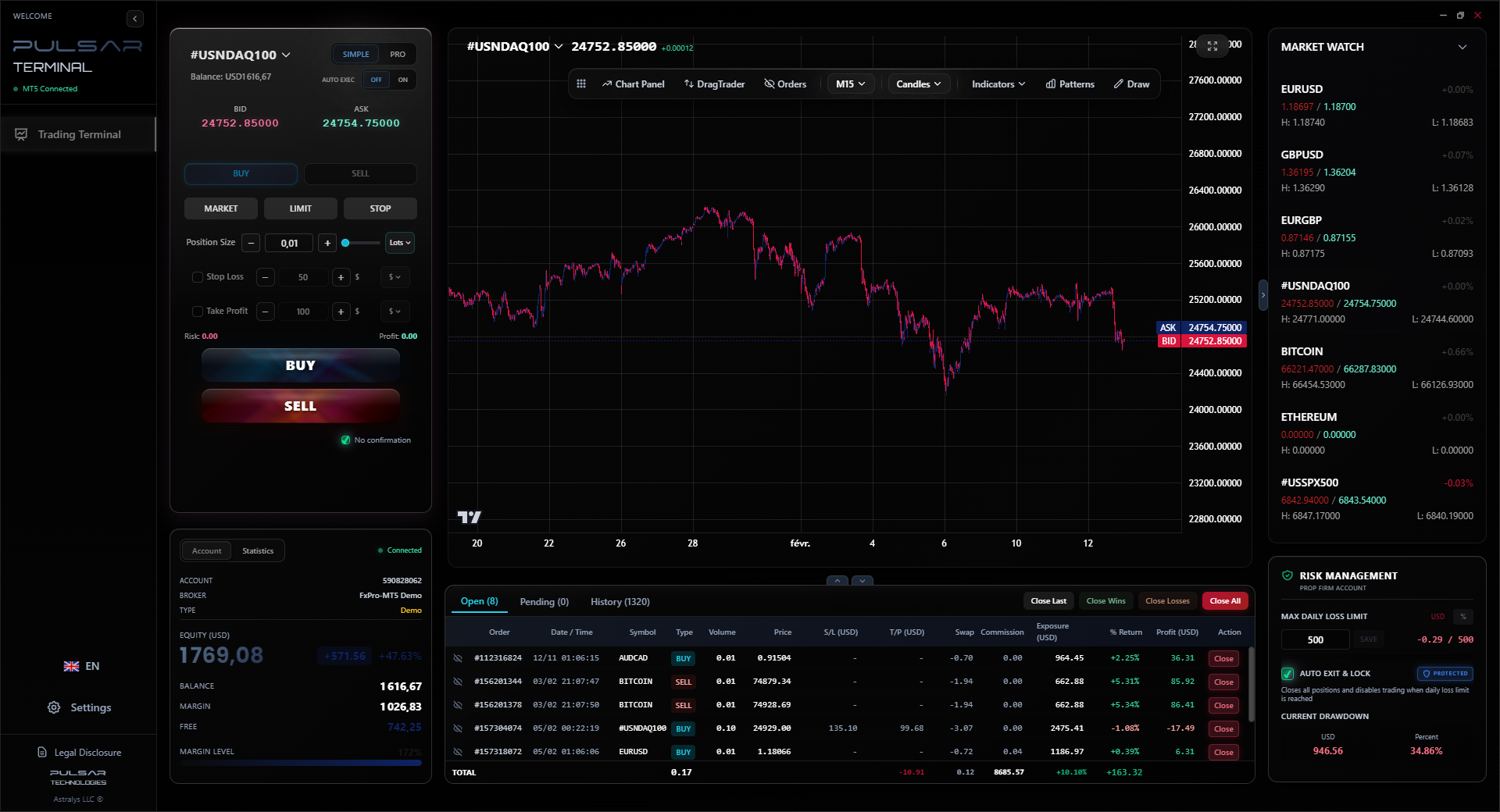
- Advanced platforms: MT4/MT5 with proper tools. This is where a platform like Pulsar Terminal shines as an MT5 companion, letting you manage complex orders and risk in ways a basic broker platform can't.
I moved the bulk of my trading to brokers like these over a decade ago. The difference in cost per trade was immediately obvious. On a standard 1-lot trade in gold (XAU/USD), the spread difference alone could be $5 vs. $25 on a bank-linked platform. That's $20 saved on every single round-turn trade. It adds up to a second income over a year.
For Understanding True Market Moves: Don't use a bank calculator. Use a real trading platform with live charts, or a financial data website. Learn to read the MACD indicator](/en/indicators/macd) or the RSI indicator on the actual market price, not a bank's marked-up version. Your analysis should be based on the cleanest data possible.
When you're trading with a real broker, managing complex orders and risk manually is a chore; Pulsar Terminal automates trailing stops, breakeven moves, and multi-part take profits directly on your MT5 charts, turning sophisticated risk management into a simple drag-and-drop.
Pulsar Terminal
The all-in-one MT5 companion: drag-and-drop orders, multi-TP/SL, trailing stop, grid trading, Volume Profile, and prop firm protection. Used by 1,000+ traders daily.
“The calculator is for convenience, not cost-efficiency. The moment your transaction involves serious money, you need a serious alternative.”
This is the non-negotiable framework. The FNB forex calculator exists within - and is designed to comply with - South Africa's strict exchange control regulations. When you use it, you are implicitly using your SARB allowances. Ignoring this is how you get your transaction flagged, frozen, or rejected.
The Key Allowances:
- Single Discretionary Allowance (SDA): R1 million per calendar year. You can use this for any legal purpose abroad without prior tax clearance from SARS. The calculator will let you proceed up to this limit.
- Foreign Investment Allowance (FIA): An additional R10 million per year. To use this, you must have a Tax Compliance Status (TCS) PIN from SARS. The calculator won't get you this. You need to engage with FNB's forex consultants and provide documentation.
The Calculator's Role: It's a gateway. It assumes you're within your limits. If you try to calculate a conversion for R2 million, it might work mathematically, but the actual transaction will trigger a requirement for your TCS PIN. It won't stop you from making a costly mistake.
For Forex Trading Profits: This is a grey area. Profits made trading with an international broker sit offshore. When you want to bring them back, you'll need to prove the source of funds (your trading statements) to your bank. They will likely use the exchange control framework to process the inflow, potentially using your allowances. The calculator is irrelevant here; you'll be dealing with the bank's forex department directly.
Warning: Using the forex calculator to budget for an amount over R1 million without a SARS TCS PIN is a recipe for frustration and delay. Get your tax affairs in order first.
💡 Winston's Tip
Your most powerful financial tool is not a calculator, it's competition. Always get a second quote. The mere act of shopping around disrupts the default pricing power banks rely on.
“In finance, 'indicative rate' is code for 'this is the rate we want to give you, not the rate you deserve.'”
Okay, you've decided your transaction fits the 'small and urgent' category. Let's use the tool properly to avoid nasty surprises.
- Log into FNB Online Banking or the App. Navigate to the 'Forex' or 'International' services section.
- Find the Calculator. It might be labelled 'Travel Money,' 'Currency Converter,' or 'Forex Calculator.'
- Input Your Details Precisely.
- From: Select ZAR (South African Rand).
- To: Select your target currency (e.g., US Dollar).
- Amount: Enter the exact ZAR amount you want to convert.
- Analyze the Output. It will show you the equivalent foreign currency amount. Write this down.
- Now, Do the Reverse Calculation. Change the 'From' to the foreign currency and 'To' to ZAR. Input the foreign amount it just gave you. The resulting ZAR amount will be lower than your original input. This difference is the visual representation of FNB's two-way margin. It's a quick way to see the built-in cost.
- Proceed to the Actual Payment Section. The calculator is just a quote. To see the full fees, you must start the actual 'Send Money' or 'Buy Currency' process. Before you confirm, you should see a breakdown page showing:
- The exchange rate applied.
- The transfer fee.
- The total ZAR amount to be debited.
- Only then should you decide if it's worth it. Compare this total cost to a quote from a currency specialist. For amounts over R50k, this 10-minute comparison could save you a month's grocery money.
Remember, the rate is only valid for a short time - sometimes just seconds. If you wait, it will change. The calculator gives you a snapshot, not a contract.
FAQ
Q1Is the rate on the FNB forex calculator the real market rate?
No, absolutely not. It's FNB's customer rate, which includes their exchange rate margin (typically 2-4.5%). The real market rate (interbank rate) is what you see on financial news channels; it's always better than the rate the calculator shows you.
Q2Can I use the FNB forex calculator to trade forex for profit?
No. The calculator is for currency conversion for personal use (travel, payments). For speculative trading, you need to use the FNB Share Investor trading platform (which has different costs) or, better yet, a dedicated forex broker with competitive spreads and proper trading tools.
Q3What are the main hidden costs when using FNB to send money overseas?
The biggest hidden cost is the exchange rate margin (2-4.5%). On top of that, you pay an international transfer fee (0.55% for amounts over R10k), and there may be unseen correspondent bank fees deducted during the transfer, reducing the final amount received.
Q4When does it make sense to use the FNB calculator?
Only for small, urgent transactions where convenience outweighs cost - like getting a few hundred dollars for a last-minute trip, or paying a sub-R10,000 invoice quickly. For any amount over R50,000, you should get quotes from specialist currency transfer services.
Q5How does the FNB calculator handle SARB's R1 million allowance?
It assumes you are within your limits. It will let you calculate conversions for any amount, but if you try to actually transact over R1 million without a SARS Tax Compliance Status PIN, the transaction will be blocked. The calculator doesn't perform legal checks; it's just a math tool.
Q6Can I lock in the rate I see on the calculator?
No. The rate is indicative and fluctuates. The rate is only finalized at the moment you confirm and execute the actual transaction in the 'Send Money' section, and it may have changed from the calculator quote.
Q7Are there cheaper ways for South Africans to convert currency?
Yes. For large amounts, specialist forex brokers and currency transfer services offer far better rates (margins of 0.5%-1%). For active trading, use FSCA-regulated international brokers with tight spreads. The bank is almost always the most expensive option for conversion.
Prof. Winston's Lesson
Key Takeaways:
- ✓Bank forex margins cost 2-4.5%, a huge hidden tax.
- ✓Total transfer fees can consume 5-20% of small amounts.
- ✓Use the calculator only for small, urgent sub-R10k needs.
- ✓For amounts >R50k, use a currency specialist broker.
- ✓Always get a second quote to break the bank's pricing power.
How useful was this article?
Click a star to rate
Weekly Trading Insights
Free weekly analysis & strategies. No spam.
About the Author
David van der Merwe
Emerging Markets Trader
Johannesburg-based trader with 11 years in emerging market currencies. Specializes in ZAR pairs, FSCA-regulated trading, and South African market analysis.
Comments
Risk Disclaimer
Trading financial instruments carries significant risk and may not be suitable for all investors. Past performance does not guarantee future results. This content is for educational purposes only and should not be considered investment advice. Always conduct your own research before trading.
You Might Also Like

Cara Trading Forex Sukses: 7 Prinsip dari Trader Profesional
Cara trading forex sukses dengan 7 prinsip trader pro: manajemen modal, disiplin, journal trading, backtest. Data nyata, bukan janji profit palsu.
Jam Trading Forex Terbaik untuk Trader Indonesia: Panduan Lengkap dengan Tabel Waktu
Panduan jam trading forex untuk trader Indonesia. Tabel 4 sesi dunia, jam emas 20:00-00:00, sesi mana yang harus dihindari. Data akurat + tips dari trader berpengalaman.
Top 5 Sàn Forex Uy Tín Nhất 2026: Review Jujur dari Trader Indonesia
Top 5 sàn forex uy tín 2026 untuk trader Indonesia. Review jujur: spread, deposit, withdraw, dukungan lokal. Exness, XM, IC Markets & lebih.
Get Pulsar Terminal
All these calculators are built into Pulsar Terminal with real-time data from your MT5 account. One-click position sizing, automatic risk management, and instant calculations.
Get Pulsar Terminal