


I lost $1,200 in 45 seconds.

Olumide Adeyemi
West African Trading Pioneer ·  Nigeria
☕ 13 min read
What you'll learn:
- 1The Absolute Basics: What Is a Forex Order?
- 2Market, Limit, and Stop Orders: Your Main Weapons
- 3Stop-Loss and Take-Profit: Not Suggestions, Laws
- 4Trailing Stops, OCO, and Other Pro Moves
- 5Step-by-Step: Placing an Order on MT4/MT5 in Nigeria
- 6Nigeria-Specific Realities: Brokers, Taxes, and Naira
- 7Mistakes I've Made (So You Don't Have To)
I lost $1,200 in 45 seconds. Not a typo. I was trading GBP/JPY, saw a breakout, and slammed the 'Buy' button without setting a stop-loss. The market reversed instantly, my broker's platform froze for a moment, and by the time I could react, my account was bleeding. That's what happens when you don't know how to place an order in forex properly. It's not just clicking buttons. It's a deliberate, tactical decision that separates the gamblers from the traders. In Nigeria, where spreads can be wide and internet connections shaky, getting this wrong is a fast track to funding your broker's next vacation. Let's fix that.
Think of an order as your instruction to the market. You're telling your broker, 'Hey, do this thing for me, at this price, under these conditions.' It's a contract. In Nigeria, you're mostly trading CFDs (Contracts for Difference) with international brokers, not actually buying physical dollars. That's important because it affects how orders work.
Your trading platform, usually MT4 or MT5, is just the messenger. When you click, it sends your instruction to your broker's server, which then tries to execute it in the live market. The speed and price you get depend heavily on your broker's technology and your own internet. I've seen Lagos traders get terrible fills during peak load-shedding hours. Not ideal.
There are two core moments: opening an order (entering a trade) and closing an order (exiting a trade). Every single strategy you'll ever use boils down to a specific combination of orders at these two points. Mess this up, and your brilliant analysis is worthless.

Warning: A 'pending order' is NOT an open trade. It's an instruction waiting to be triggered. If your platform crashes, those pending orders still live on your broker's server. But if you have an open trade and your platform dies, you can't manage it. Always know the difference.
Market Order: The 'Right Now' Button
This is the default for most newbies. You buy or sell at the current best available market price. It's instant execution. Sounds simple, right? Here's the catch: in fast markets, the price you get (the 'fill') can be different from the price you saw when you clicked. This is called 'slippage.' I once entered a market buy on EUR/USD during a news event. Clicked at 1.1050, got filled at 1.1065. That's 1.5 pips of instant loss before the trade even started. Use market orders when you absolutely must get in or out immediately, but be aware of the cost, especially on Nigerian internet.
Limit Order: The 'I Know What I Want' Order
This is where you get smart. You set a price better than the current market price. A Buy Limit is placed below the current price. A Sell Limit is placed above the current price. You're saying, 'I only want to buy if it gets cheaper' or 'I only want to sell if it gets more expensive.'
Let's say USD/NGN is at 1500 (on your broker's platform, not the CBN rate!). You think it will bounce off 1490. You place a Buy Limit at 1490. If the price drops to 1490, your order becomes a market order and executes. This is perfect for swing trading strategies where you have specific entry levels. It takes emotion out of the equation.
Stop Order: The 'Breakout' or 'Stop-Loss' Order
This is the most misunderstood tool. A Buy Stop is placed above the current market price. A Sell Stop is placed below the current market price. You use it for two things:
- To enter a breakout trade. Price is at 1.0800, you think if it hits 1.0820 it will rocket. Place a Buy Stop at 1.0820.
- To exit a losing trade (Stop-Loss). This is non-negotiable. You buy at 1.0800, you place a Sell Stop at 1.0780 to limit your loss. This is a separate order you attach when you open the trade.

Example: You buy 1 standard lot of GBP/USD at 1.2600. You use a position size calculator and decide your max loss is $200. With a standard lot, each pip is ~$10. So you can afford a 20-pip stop-loss. You place a Sell Stop at 1.2580. If price hits 1.2580, your sell order triggers, closing the trade. Loss: 20 pips * $10 = $200. Done. No panic.
The critical thing Nigerians must check? Whether their broker uses 'Market Execution' or 'Instant Execution.' With Market Execution (like most ECN brokers), your stop-loss is a pending order on the server. With Instant Execution, your stop-loss is only on your platform until triggered, which can be risky if your PC dies. Check your broker's terms. I prefer the server-side safety of Market Execution models, which you'll find with brokers like IC Markets or Pepperstone.

💡 Winston's Tip
Your first job isn't to make money. It's to not lose money. A perfectly placed stop-loss that saves your capital is a more important skill than a lucky 100-pip win.
“A stop-loss isn't a suggestion. It's the price you pay to rent a position in the market.”
If you remember nothing else, remember this: ALWAYS set a stop-loss the moment you open a trade. I don't care if you're a scalper or a long-term holder. The Nigerian market is volatile, and major pairs can move 100 pips in minutes on news. Your stop-loss is your lifeline.
A Take-Profit (TP) is your profit target. You set a price where you want the trade to close automatically when you're in profit. Why use it? Because greed is a real thing. You'll watch a 50-pip profit turn into a 10-pip loss faster than you can say 'God abeg.'
Here's a real mistake I made early on. I was trading XAU/USD (gold). Entered at $1820, placed a tight stop-loss at $1815 because I was scared. Didn't set a take-profit. Price shot up to $1830, I got greedy, thought it would go to $1850. It reversed, hit my stop-loss at $1815. I turned a potential $1000 profit (on 1 lot) into a $500 loss. All because I didn't lock in profits with a TP.
You can set multiple TPs. This is a game-changer. Say you buy EUR/USD at 1.0700. You think it could go to 1.0750, but 1.0720 is strong resistance. Set TP1 at 1.0720 for half your position, and TP2 at 1.0750 for the rest. This way, you bank some profit early and let the rest ride. Most platforms let you do this by adjusting the 'volume' on the TP level. It's a core part of professional scalping strategy and trend-following.
Your stop-loss and take-profit are directly linked to your risk-reward ratio. Aim for at least 1:1.5. If you risk 30 pips, your target should be 45 pips or more. This means you can be wrong more often than you're right and still break even. Don't just pluck numbers from the sky. Use support/resistance levels. Place your stop-loss beyond recent swings, not right at them, or you'll get 'stopped out' by market noise.
Trailing Stop: Letting Profits Run
This is an automated stop-loss that follows your profit. You set it to trail the price by a fixed number of pips or a percentage. Example: You buy at 1.0800, set a 20-pip trailing stop. Price moves to 1.0830. Your stop-loss automatically moves up to 1.0810. Price hits 1.0850, stop moves to 1.0830. If price reverses 20 pips from its peak, the trade closes, locking in profit. It's brilliant for strong trends. The problem? Most basic MT4/MT5 platforms only have a manual trailing stop you have to keep updating. True automated trailing stops often require scripts or better trading software.
OCO (One Cancels the Other)
This is a pair of pending orders. You place both a Buy Stop above the market and a Sell Stop below the market, anticipating a breakout in either direction. Whichever one gets triggered first automatically cancels the other. It's a clean way to trade volatile breakouts without managing two orders manually.
Breakeven Stop
This isn't a formal order type, but a tactic. Once your trade is in profit by a certain amount (e.g., the size of your original risk), you manually move your stop-loss to your entry price. This eliminates the risk on the trade. You're now playing with 'house money.' I make this a rule: once a trade is in profit by 1.5x my risk, I move the stop to breakeven. It saves you from those soul-crushing wins-turned-losses.
Many Nigerian traders stick to the basics and miss these tools. But they're what separate consistent performers from the crowd. Managing a trailing stop manually while also watching new setups is nearly impossible. That's where having the right tools on your platform becomes critical.
💡 Winston's Tip
If you can't explain in one sentence why you're placing a specific order type at a specific price, close the platform. Go for a walk. You're about to gamble.
“In Nigeria, your second-greatest risk is the market. Your first is your own undisciplined mouse click.”
Let's get practical. You're on your laptop in Abuja, MT5 is open. Here's the exact process.
- Choose Your Pair: Right-click on the chart of the pair you want, say GBP/USD, or use the 'Market Watch' window.
- Open the Order Window: Right-click on the chart > 'Trading' > 'New Order'. Or just press F9. A window pops up.
- Fill in the Details:
- Symbol: Should auto-fill (e.g., GBPUSD).
- Volume: This is your lot size. 1.00 is a standard lot ($10/pip). 0.10 is a mini lot ($1/pip). 0.01 is a micro lot ($0.10/pip). Start small. Use a position size calculator.
- Stop Loss & Take Profit: Type the prices here. DO NOT LEAVE THEM AT ZERO. For a buy order, SL is below entry, TP is above.
- Type: Choose 'Instant Execution' for a market order, or 'Pending Order' for a limit/stop.
- Price: For market orders, this is greyed out. For pending orders, set your desired entry price here.
- Expiry: You can set a time for pending orders to cancel if not triggered. Useful for daily setups.
- Click 'Buy' or 'Sell': For a market order, it executes instantly. You'll see it in the 'Trade' tab below. For a pending order, it appears in the 'Pending Orders' tab.
Critical Nigerian Context:
- Spread Check: Before clicking, look at the 'Spread' display. If it's abnormally wide (like over 3 pips on EUR/USD), maybe wait. Nigerian brokers like Exness or XM often have wider spreads on standard accounts. Know your broker's typical spread for your account type.
- Internet Lag: Click once and wait. Don't spam the button. You might create duplicate orders.
- Mobile App: The process is similar on the MT4/MT5 app. Be even more careful with fat-finger errors on a small screen.

Pro Tip: Use the 'Ask' price for Buy orders and the 'Bid' price for Sell orders when setting limits/stops. The chart typically shows the Bid price. This confusion causes so many mis-set orders. If the chart price is 1.0850 and you want a Buy Stop, you need to set it above the Ask price, which might be 1.0852. Add 2-3 pips to your chart level to be safe.
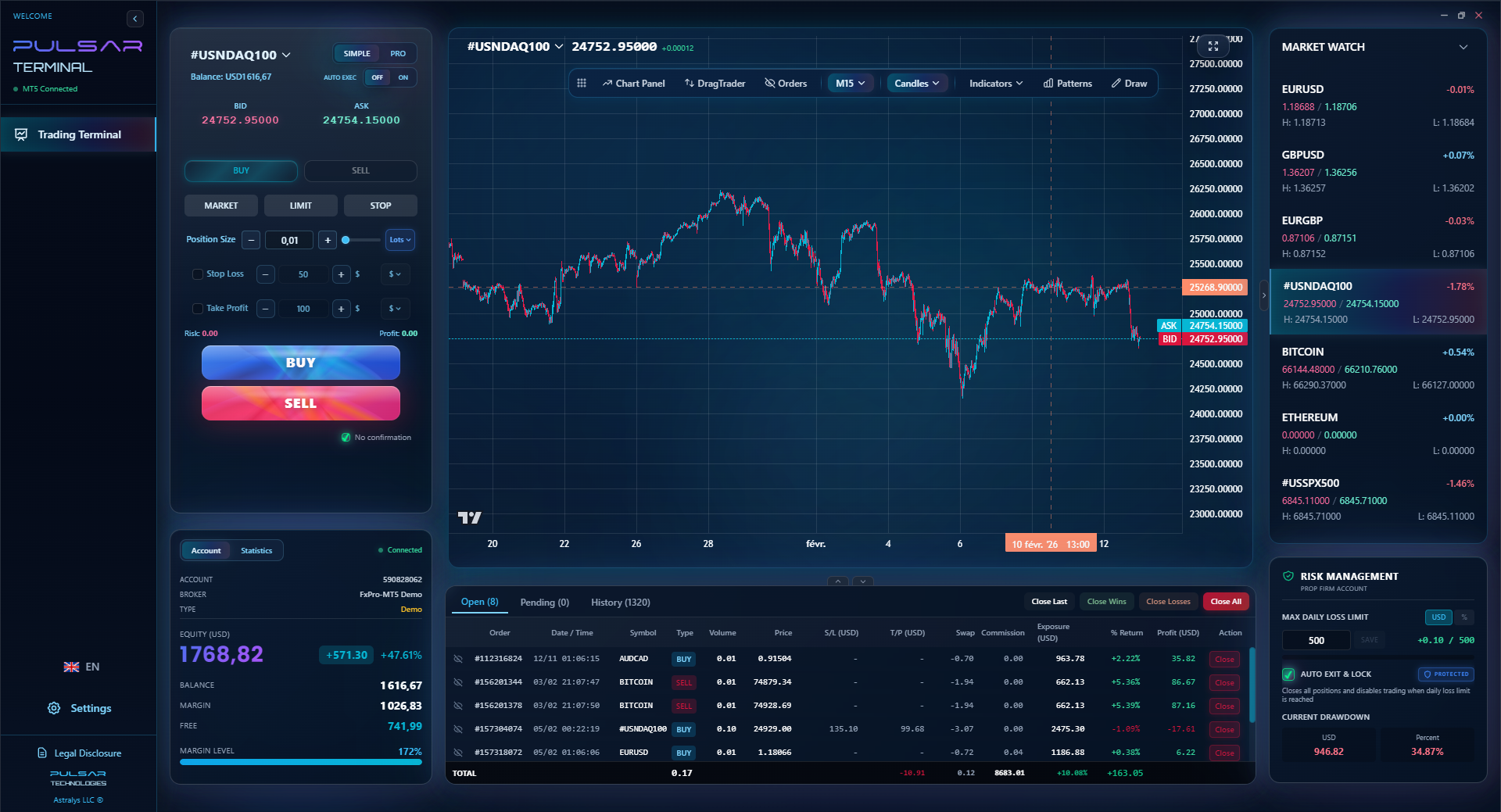
Manually trailing stops and managing multiple TPs on MT5 is clunky, but Pulsar Terminal automates it all with drag-and-drop tools directly on your chart.
Pulsar Terminal
The all-in-one MT5 companion: drag-and-drop orders, multi-TP/SL, trailing stop, grid trading, Volume Profile, and prop firm protection. Used by 1,000+ traders daily.
Trading from Nigeria isn't the same as trading from London. You have to work with local constraints.
Broker Choice is Everything: You need a broker that reliably accepts Nigerians, processes withdrawals in Naira without a 3-week drama, and has a stable platform. Based on my experience and community chatter:
- For raw spreads and ECN execution: IC Markets or Pepperstone. Their Raw/ECN accounts have spreads from 0.0 pips but charge a commission (around $7 per lot round turn). Your cost is predictable.
- For user-friendliness and no-commission accounts: XM or Exness. Spreads are higher (1 pip+ on EUR/USD), but it's simpler. Exness is infamous for its 'unlimited' use offers - tread carefully.
- Always verify their regulatory status. An FCA (UK) or ASIC (Australia) license is gold standard, but they often restrict use for Nigerian clients. You'll likely be onboarded under their offshore entity (like CySEC, SVG, or Mauritius). That's the norm.
Taxes: The FIRS expects you to pay Capital Gains Tax of 10% on your net trading profits. Keep a detailed trade journal. I use a simple spreadsheet: date, pair, P&L. At the end of the year, I tally it up. This isn't financial advice - talk to an accountant - but ignoring it is a risk.
Deposits & Withdrawals: Fund in USD if you can. It avoids a conversion fee from your broker. Most brokers accept bank transfers (slow, can have fees), credit/debit cards (faster), and e-wallets like Skrill/Neteller. Cryptocurrency funding is becoming huge for its speed. Withdrawals back to your Nigerian bank account will be converted to Naira at your broker's rate, which is usually worse than the official CBN rate. Factor in a 2-5% loss on the conversion.
use: It's a double-edged sword. Nigerian brokers offer crazy use like 1:2000. This is a trap. With a $100 account and 1:1000 use, a 10-pip move against you can wipe you out. I never use more than 1:30 on my main account, no matter what the broker offers. High use is the fastest path to a margin call.
💡 Winston's Tip
The 'perfect entry' is a myth chased by losers. The 'disciplined exit' is the reality mastered by professionals. Focus 70% of your energy on your stop-loss and take-profit strategy.
“Mastering order types turns you from a spectator reacting to prices into a general placing traps on the chart.”
Let's get honest. I've blown up accounts. Here's the hall of shame, directly related to placing orders wrong.
- The 'Hope' Stop-Loss: Placing the stop-loss so tight it gets hit by normal market noise. I did this on USD/JPY, set a 5-pip stop because I was paranoid. Got stopped out, then watched the trade go 80 pips in my original direction. The fix? Place stops beyond recent swing highs/lows. Use the Average True Range (ATR) indicator. If the ATR(14) is 15 pips, your stop should be at least 1.5 x ATR (22-23 pips) away.
- Forgot to Check for News: Placed a bunch of limit orders before the US Non-Farm Payrolls report. The news hit, volatility spiked, all my orders filled in a second due to slippage, and I was instantly in multiple losing trades. The fix? Know the economic calendar. Don't leave pending orders active during major news unless that's your specific strategy.
- Misunderstanding Order Types on Mobile: On the MT4 mobile app, the 'S/L' and 'T/P' fields when modifying a trade are relative (in pips) by default, not absolute price. I once tried to move a stop-loss to 1.0900 by typing '1.0900', but the app read it as '10900 pips' and placed my stop a million miles away. The fix? Double-check if you're inputting price or pips. Better yet, modify orders by dragging the lines on the chart.
- Trading Without a Plan: Clicking a market order because you 'have a feeling.' This is gambling. Every single trade must have a written plan before you click: Entry reason, entry price, stop-loss price, take-profit price, position size. No plan, no trade. It's that simple.
The goal isn't to be perfect. It's to make fewer, and less costly, mistakes than the other guy. Mastering how to place an order in forex is the foundational skill that makes everything else possible.
FAQ
Q1Is forex trading legal in Nigeria?
Yes, trading forex with your own money is legal for individuals. The regulatory environment is evolving. The new Investments and Securities Act (ISA) 2025 requires online forex platforms operating in Nigeria to register with the SEC. Most Nigerian traders use internationally regulated brokers (like FCA, ASIC licensed) that accept clients from Nigeria.
Q2What is the minimum amount to start trading forex in Nigeria?
Technically, some brokers allow you to start with as little as $1. Practically, I recommend at least $200-$500. This allows for proper position sizing and risk management without being wiped out by a single 20-pip loss. Starting with less than $100 often leads to using excessive use just to see meaningful profits, which is incredibly dangerous.
Q3What's the difference between a stop-loss and a take-profit order?
A stop-loss is an order to close a trade at a loss to prevent further losses. A take-profit is an order to close a trade at a predetermined profit. You should set both the moment you open a trade. They are automated risk management tools. Not using them is like driving without a seatbelt.
Q4Why did my limit order not get filled at the exact price I set?
A limit order becomes a market order once your price is touched. In a fast-moving market, the price might just 'tag' your level and keep moving. Your market order then executes at the next best available price, which could be slightly worse. This is normal, especially around high-volatility events.
Q5How do I choose between a market order and a pending order?
Use a market order when you need to enter or exit immediately (e.g., reacting to breaking news, closing a trade fast). Use a pending order (limit or stop) when you have a specific, pre-planned price level you want to trade at, and you're willing to wait for the market to come to you. Most of my trades use pending orders.
Q6Do I pay tax on my forex trading profits in Nigeria?
Yes, according to Nigerian law, profits from trading are considered capital gains and are subject to a 10% tax. You are responsible for declaring this income to the Federal Inland Revenue Service (FIRS). Keep detailed records of all your trades.
Q7What's the best trading platform for beginners in Nigeria?
MetaTrader 4 (MT4) is still the most common and beginner-friendly. It's stable, has tons of free indicators, and every broker supports it. MetaTrader 5 (MT5) is the newer version with more features. Both are fine to start with. The platform matters less than your broker's reliability and your own discipline.
Prof. Winston's Lesson
Key Takeaways:
- ✓Always set a stop-loss and take-profit immediately.
- ✓Use pending orders (Limit/Stop) for planned entries, not emotions.
- ✓Risk no more than 1-2% of your account per trade.
- ✓10% Capital Gains Tax applies to Nigerian trading profits.
- ✓Broker choice (like IC Markets or XM) impacts your fills and costs.
How useful was this article?
Click a star to rate
Weekly Trading Insights
Free weekly analysis & strategies. No spam.
About the Author
Olumide Adeyemi
West African Trading Pioneer
One of Nigeria's most active forex trading educators. 8 years of experience trading from Lagos. Specializes in low-capital strategies and prop firm challenges for African traders.
Comments
Risk Disclaimer
Trading financial instruments carries significant risk and may not be suitable for all investors. Past performance does not guarantee future results. This content is for educational purposes only and should not be considered investment advice. Always conduct your own research before trading.
You Might Also Like

Cara Trading Forex Sukses: 7 Prinsip dari Trader Profesional
Cara trading forex sukses dengan 7 prinsip trader pro: manajemen modal, disiplin, journal trading, backtest. Data nyata, bukan janji profit palsu.
Jam Trading Forex Terbaik untuk Trader Indonesia: Panduan Lengkap dengan Tabel Waktu
Panduan jam trading forex untuk trader Indonesia. Tabel 4 sesi dunia, jam emas 20:00-00:00, sesi mana yang harus dihindari. Data akurat + tips dari trader berpengalaman.
Top 5 Sàn Forex Uy Tín Nhất 2026: Review Jujur dari Trader Indonesia
Top 5 sàn forex uy tín 2026 untuk trader Indonesia. Review jujur: spread, deposit, withdraw, dukungan lokal. Exness, XM, IC Markets & lebih.
Get Pulsar Terminal
All these calculators are built into Pulsar Terminal with real-time data from your MT5 account. One-click position sizing, automatic risk management, and instant calculations.
Get Pulsar Terminal