


Let's get one thing straight: the NetDania Stock and Forex Trader app is not a magic money-making machine.

Olumide Adeyemi
West African Trading Pioneer ·  Nigeria
☕ 9 min read
What you'll learn:
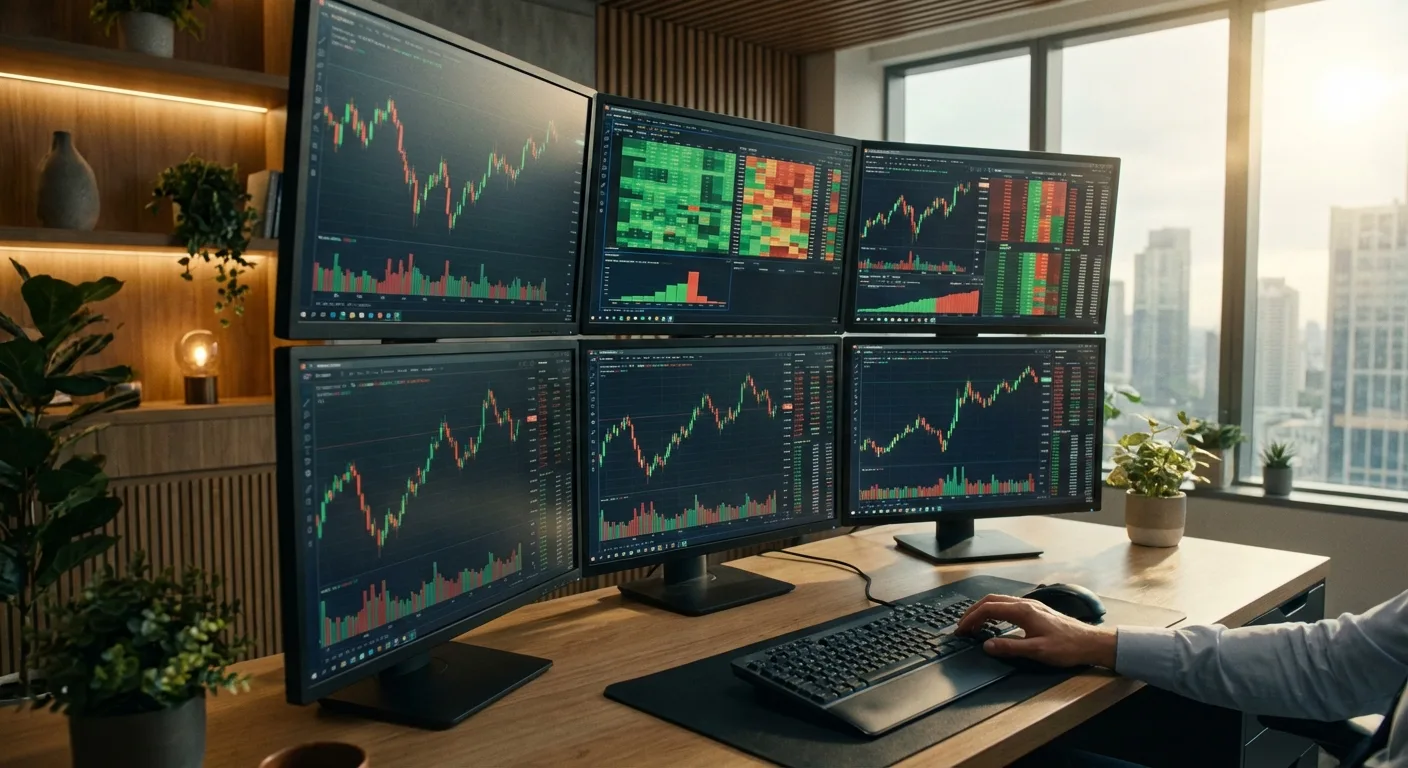
Let's get one thing straight: the NetDania Stock and Forex Trader app is not a magic money-making machine. I've seen too many new traders in Lagos and Abuja download it, see the shiny charts, and think they've found the secret to beating the market. They haven't. It's a tool, and like any tool, its value depends entirely on the craftsman using it. I've used it, ignored it, and come back to it over the years. This guide will cut through the hype and show you exactly what this app can and cannot do for a Nigerian trader, where it fits in your toolkit, and when you should just walk away.
NetDania Stock and Forex Trader is primarily a market analysis and charting application for your phone. It's not a broker. You can't deposit your Naira or open a live trading account directly with it. Think of it as a powerful, portable television that lets you watch the financial markets. It streams real-time quotes, draws charts with a decent selection of indicators, and provides financial news.
Its biggest draw for Nigerians? The free version offers a lot. You can track everything from USD/NGN and EUR/USD to gold (XAU/USD) and popular US stocks. For someone starting out who can't afford a Bloomberg terminal, it feels like a steal. But here's the catch I learned the hard way: free data sometimes has delays or is sourced from less reliable feeds. I once placed a trade based on a seeming breakout on NetDania's free chart, only to find my broker's platform showed the move had happened 45 seconds earlier. That cost me about $120 on a EUR/GBP trade. Lesson learned.

Warning: Never execute a trade based solely on data from a free app like NetDania. Always confirm price action and timing on your actual broker's trading platform before hitting the buy or sell button.
Where it shines is as a monitoring tool. You can set up watchlists for your favorite pairs and get price alerts. It's perfect for keeping an eye on the market when you're away from your desk, which in Nigeria, with our unpredictable power and internet, is a genuine advantage.
The Good Stuff (No Be Lie)
The interface is clean and, after a little fiddling, intuitive. You can customize charts fairly well. Having live rates for the Nigerian Naira pairs (even if they are non-deliverable forwards or NDUs for most) is a huge plus for local businesses and traders hedging currency risk. The economic calendar is integrated and decent, helping you anticipate volatility around major news like US Non-Farm Payrolls or ECB meetings.
For a swing trader like me, who holds positions for days or weeks, it's a fantastic companion app. I can check my open trades on USD/CAD or the S&P 500 while in traffic on the Third Mainland Bridge, without needing to log into my broker's heavy platform. The news feed aggregates headlines from decent sources, giving you a pulse on market sentiment.
The Limitations You Must Know
This is where the rubber meets the road. The charting, while good, isn't professional-grade. The drawing tools feel basic compared to TradingView or a dedicated MT5 platform. The backtesting functionality is virtually non-existent. If your strategy relies on complex multi-timeframe analysis or custom indicators, you'll hit a wall fast.
The biggest con is the disconnect from execution. You see an opportunity, but then you have to switch apps, log into your broker (like Exness or IC Markets), hope your internet is stable, and then place the trade. That latency kills scalping strategies dead. I tried using it for a quick scalp on GBP/JPY a few years back. By the time I switched apps and entered my position size calculator, the 5-pip move I saw was already over. I entered late and took a 3-pip loss. A dedicated trading platform connects analysis to execution in one click. NetDania doesn't.
| Feature | Pro for Nigerian Trader | Con / Limitation |
|---|---|---|
| Real-time Data | Free access to FX, stocks, commodities. | Free tier may have delays; not for execution. |
| Naira Pairs | Visibility into USD/NGN rates. | Can't trade them directly; indicative rates only. |
| Portability | Monitor markets anywhere, crucial with power issues. | Mobile screen is small for complex analysis. |
| Charting | Good for basic technical analysis on the go. | Lacks advanced tools, poor backtesting. |
| News & Calendar | Integrated, helps with fundamental context. | Can create noise; need discipline to filter. |

💡 Winston's Tip
A free charting app is a telescope, not a steering wheel. Use it to see the storm coming, but navigate with your proper instruments.

“Trying to scalp using NetDania is like trying to win a Formula 1 race with a bicycle. The spirit is there, but the machinery will fail you.”
Don't try to make it something it's not. The NetDania Stock and Forex Trader app is not your primary trading station. It's your satellite outpost.
The Right Way: Use it for market scanning and idea generation. Set alerts on key support and resistance levels you've identified on your main platform. For instance, if my weekend analysis on MT5 shows that 1.0850 is major support for EUR/USD, I'll set a price alert on NetDania for 1.0855. When my phone pings, I know to go to my computer and look for a potential bounce setup. It's also excellent for tracking overall market sentiment through the news feed and seeing if a sudden headline is moving everything in unison.
The Wrong Way: Trying to perform detailed technical analysis on a 4-inch screen. Staring at the 1-minute chart trying to scalp. Making impulsive trades because you got an alert and just clicked through to your broker without your full trading plan in front of you. I've broken my own rules here, lured by the convenience. The result is almost always a sub-optimal entry, a missed pip, or a sloppy trade.

Pro Tip: Link your NetDania watchlists to your broker's symbols. If you trade with Pepperstone or XM, ensure you're watching the exact same instrument code (e.g., XAUUSD for gold). This prevents confusion between slightly different price quotes.
Its best use case for a developing Nigerian trader is as an educational window. Watch how markets react to news. Practice identifying basic chart patterns. Follow the MACD or RSI on a live chart without risking money. It's a low-pressure environment to learn.
This is the critical comparison. When you're serious about trading, you need a professional platform. For most retail traders, that's MetaTrader 4 or 5 (MT4/MT5) or cTrader.
Let's talk execution. On MT5, I can right-click on the chart, select 'Trading', and place an order with a stop-loss and take-profit in under two seconds. With NetDania, I'm looking at a chart, then fumbling with another app. In fast markets, that's an eternity. The spread you saw on NetDania might be gone by the time your trade request hits your broker's server.
Advanced order types? Forget it. NetDania shows you price. A real platform lets you set pending orders (buy limit, sell stop), trailing stops, and bracket orders. If you're running a swing trading strategy that uses a trailing stop to lock in profits, you can't manage that from NetDania. You have to be on your broker's platform.
Then there's analysis depth. On MT5, I can have 8 charts open, each with 3-4 custom indicators, using the Volume Profile tool to see where big money is active. I can backtest a strategy with years of historical data. NetDania's charting is a toy in comparison. It's like comparing a detailed survey map to a tourist sketch.
If you're using NetDania as your main tool, you're trading with one hand tied behind your back. It's fine for awareness, but execution and deep analysis happen elsewhere. Most serious Nigerian traders I know use it as a secondary monitor, not the main screen.
💡 Winston's Tip
If your trading idea can't survive the 30-second delay of switching from NetDania to your broker, it wasn't a good idea. Patience is part of the edge.
“Use NetDania to inform your decisions, but never to execute them. The gap between seeing and doing is where accounts are blown.”
So if NetDania isn't the main event, what is? Here's a practical, cost-effective setup I recommend and have used myself.
The Core Setup: Your computer is your command center. You run a strong broker platform like MT5 from IC Markets or cTrader from Pepperstone. This is where you do your analysis, place trades, and manage your account. You use proper risk management tools, like a position size calculator, directly linked to your platform's data.
Where NetDania Fits In: Install it on your smartphone. Use it strictly for monitoring and alerts. When you're not at your desk, you can see if the market is quiet or volatile. If an alert goes off, you don't trade from your phone. You either note it for later or, if it's critical, you find a way to access your main trading platform properly.
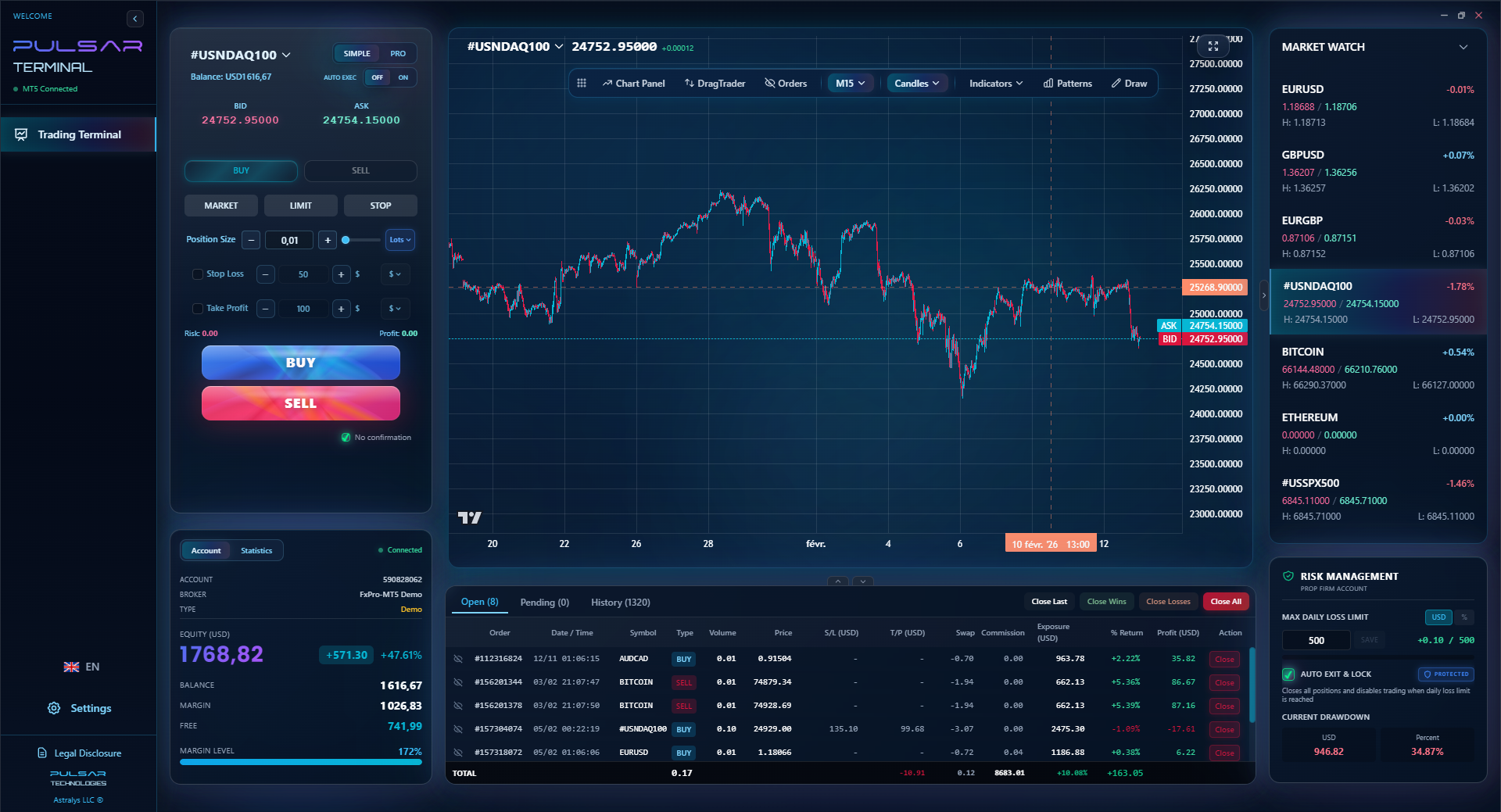
The Advanced Upgrade: Ditch the alert-and-switch hassle altogether. Use a professional trading terminal that integrates with MT5/MT4. These tools allow you to place complex orders (like multi-level take-profits or automated grid strategies) directly from an advanced charting interface. They bridge the gap between analysis and execution that NetDania completely misses.

Example: Let's say you're in a prop firm challenge. The rules often have a strict daily loss limit. Manually tracking this is stressful. A professional terminal can automatically monitor your equity and halt trading if you hit your daily drawdown limit, protecting you from a margin call and failing the challenge. NetDania can't touch that.
The goal is to create a seamless workflow. NetDania can be one piece of that puzzle, but it's a peripheral piece, not the brain.
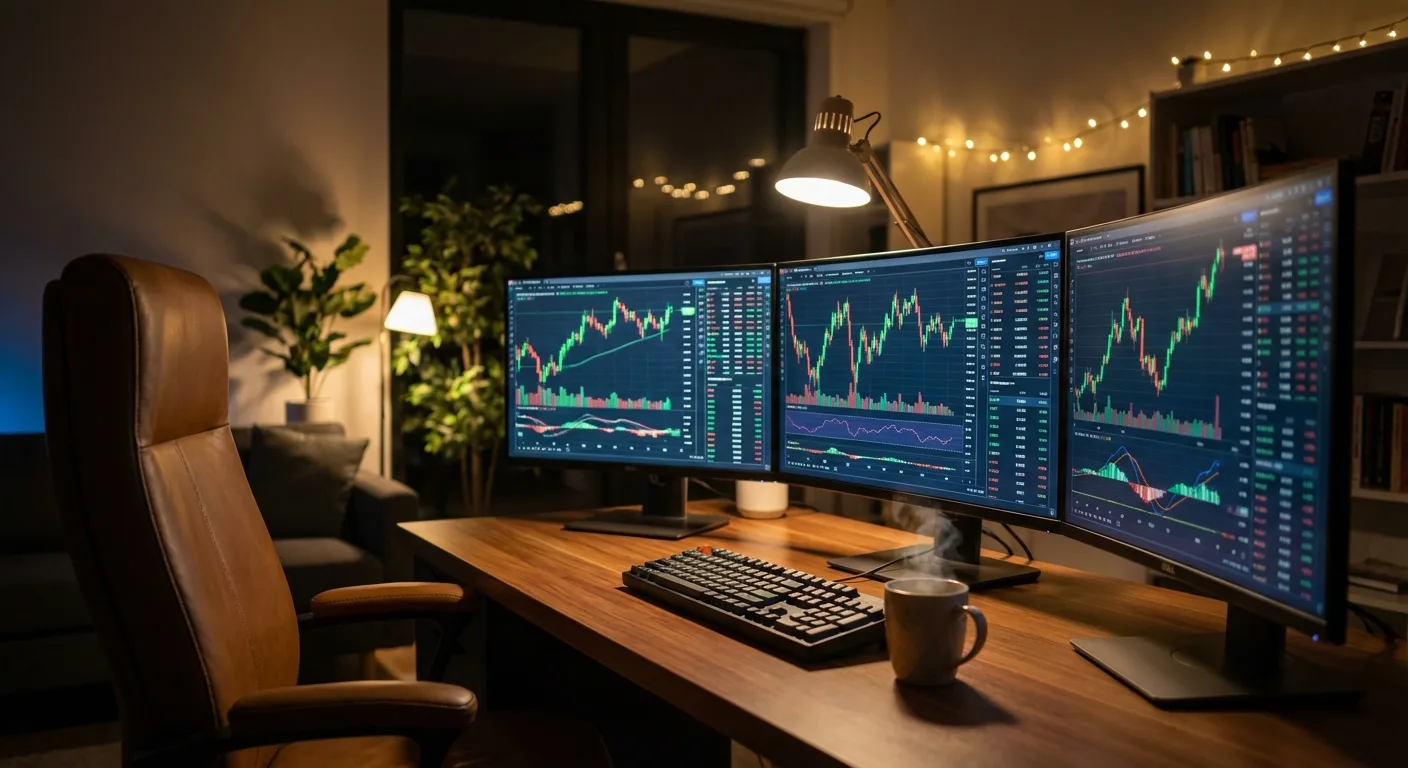
Managing complex trades and strict prop firm rules from a mobile charting app is impossible, which is why professional tools like Pulsar Terminal that integrate directly with MT5 are essential for serious execution and risk management.
Pulsar Terminal
The all-in-one MT5 companion: drag-and-drop orders, multi-TP/SL, trailing stop, grid trading, Volume Profile, and prop firm protection. Used by 1,000+ traders daily.
My take? Yes, but with very clear boundaries.
Download NetDania Stock and Forex Trader if:
- You're a complete beginner and need a free, visual introduction to how markets move.
- You're a swing or position trader who needs a reliable mobile app to monitor open positions and broad market conditions.
- You want a quick reference for live quotes and an economic calendar on the go.
- You need to keep an eye on USD/NGN rates for business purposes.
Avoid relying on NetDania if:
- You are a scalper or day trader requiring instant execution.
- Your strategy depends on advanced charting tools, volume analysis, or backtesting.
- You find yourself making impulsive trades because of a phone alert.
- You think it's a substitute for a real broker platform.
For the Nigerian trader battling with data costs and electricity, its efficiency as a low-bandwidth market monitor is its killer feature. But remember, watching the game is not the same as playing in it. Use it to inform your decisions, but never to execute them. Keep your real trading - with all its risk management, precise entries, and careful planning - on a proper platform where it belongs. That's where the real work, and the real opportunity, lies.
FAQ
Q1Is NetDania Stock and Forex Trader free for Nigerian users?
Yes, the core app with real-time quotes, basic charts, and news is free. They offer premium subscriptions for more advanced features and data feeds, but most Nigerian retail traders will find the free version sufficient for monitoring purposes.
Q2Can I trade directly from the NetDania app?
No, you cannot. NetDania is not a broker. It is purely a market analysis and charting application. To execute a trade, you must use your broker's own trading platform (like MT4, MT5, or their web platform).
Q3How accurate are the USD/NGN rates on NetDania?
The USD/NGN rates shown are typically indicative forex rates or Non-Deliverable Forward (NDF) prices from the international market. They may not reflect the exact rate you would get from a Nigerian bureau de change or bank for physical currency exchange, but they track the general direction and volatility of the Naira.
Q4Is NetDania good for beginner traders in Nigeria?
It's an excellent educational tool for beginners. It provides a free, real-time window into global markets, which is valuable for learning. However, beginners must understand it is for observation and learning only, not for live trading execution without a proper broker account and platform.
Q5What are the best brokers in Nigeria to use alongside NetDania?
You'll need an international broker that accepts Nigerian clients. Reputable, well-regulated options popular among experienced Nigerian traders include IC Markets, Pepperstone, Exness, and XM. Always check their current regulations, deposit/withdrawal methods for Nigeria (like bank transfer or crypto), and ensure they offer the MT4/MT5 platforms for serious trading.
Q6Can I use NetDania for stock trading on the NGX (Nigerian Exchange)?
No. NetDania focuses on global forex, major stock indices, US stocks, and commodities. It does not provide data for stocks listed on the Nigerian Exchange (NGX). For that, you would need a local stockbroking app or platform.
Prof. Winston's Lesson
Key Takeaways:
- ✓Free apps are for monitoring, not execution.
- ✓Always confirm prices on your broker's platform.
- ✓Mobile screens breed impulsive decisions.
- ✓The 30-second app-switch delay kills scalps.
How useful was this article?
Click a star to rate
Weekly Trading Insights
Free weekly analysis & strategies. No spam.
About the Author
Olumide Adeyemi
West African Trading Pioneer
One of Nigeria's most active forex trading educators. 8 years of experience trading from Lagos. Specializes in low-capital strategies and prop firm challenges for African traders.
Comments
Risk Disclaimer
Trading financial instruments carries significant risk and may not be suitable for all investors. Past performance does not guarantee future results. This content is for educational purposes only and should not be considered investment advice. Always conduct your own research before trading.
You Might Also Like

Cara Trading Forex Sukses: 7 Prinsip dari Trader Profesional
Cara trading forex sukses dengan 7 prinsip trader pro: manajemen modal, disiplin, journal trading, backtest. Data nyata, bukan janji profit palsu.
Jam Trading Forex Terbaik untuk Trader Indonesia: Panduan Lengkap dengan Tabel Waktu
Panduan jam trading forex untuk trader Indonesia. Tabel 4 sesi dunia, jam emas 20:00-00:00, sesi mana yang harus dihindari. Data akurat + tips dari trader berpengalaman.
Top 5 Sàn Forex Uy Tín Nhất 2026: Review Jujur dari Trader Indonesia
Top 5 sàn forex uy tín 2026 untuk trader Indonesia. Review jujur: spread, deposit, withdraw, dukungan lokal. Exness, XM, IC Markets & lebih.
Get Pulsar Terminal
All these calculators are built into Pulsar Terminal with real-time data from your MT5 account. One-click position sizing, automatic risk management, and instant calculations.
Get Pulsar Terminal