


Here's a number that should make you pause: over 90% of retail forex traders lose money.

David van der Merwe
Emerging Markets Trader ·  South Africa
☕ 9 min read
What you'll learn:
- 1What Exactly Is a 'Robot Forex Android'?
- 2The South African Regulatory Reality for Trading Bots
- 3Why 99% of Android Forex Robots Fail (And Will Take Your Money With Them)
- 4The Real Risks of Mobile Automated Trading
- 5How to (Skeptically) Evaluate a Forex Robot
- 6Better Alternatives: Use Your Android Phone as a Tool, Not a Crutch
- 7The Final Verdict for the South African Trader
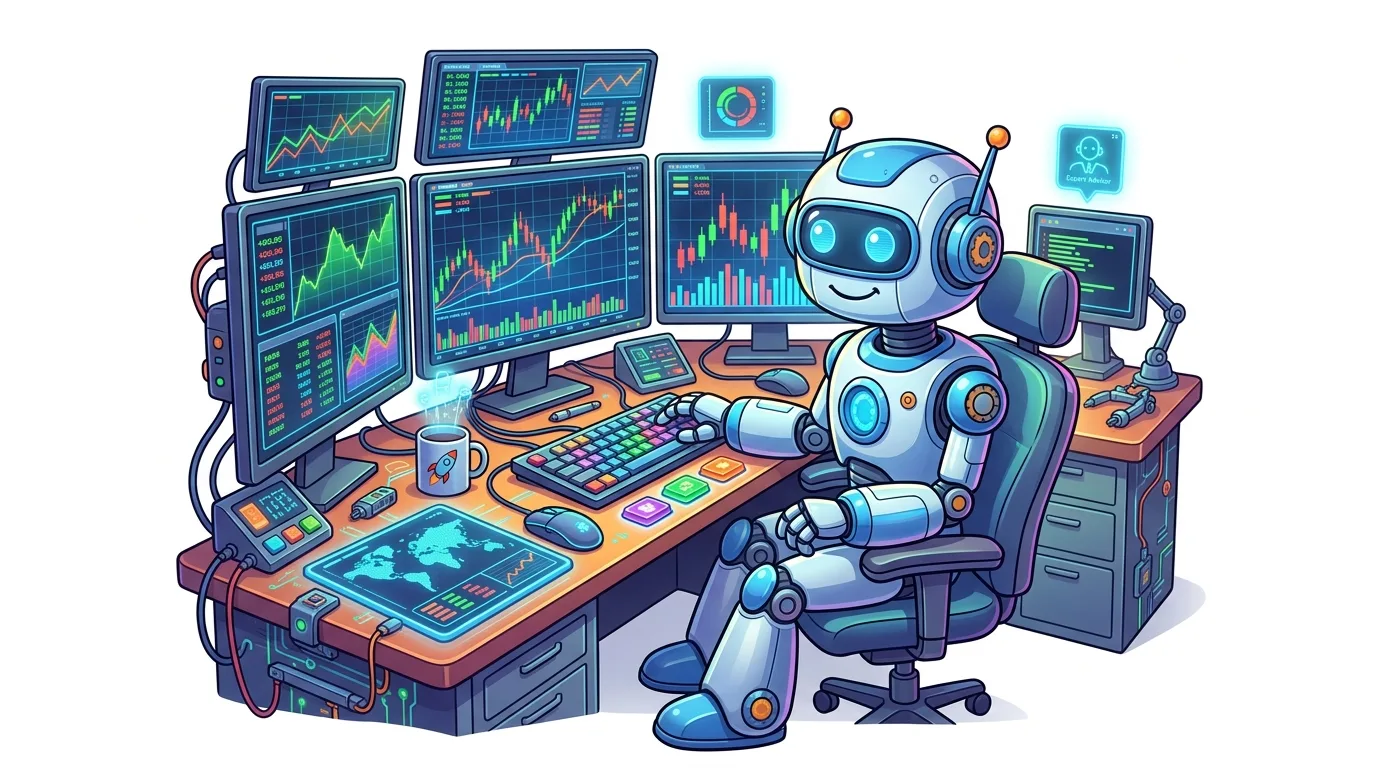
Here's a number that should make you pause: over 90% of retail forex traders lose money. Now, imagine combining that with the promise of a 'robot forex android' app that claims to do the hard work for you. It's a recipe for a quick drain of your ZAR account. I've seen it happen dozens of times. In South Africa, where use is capped at 30:1 for a good reason, handing your hard-earned Rand to an unthinking algorithm on your phone isn't smart trading, it's sophisticated gambling. This guide isn't about selling you a dream, it's about showing you the cold, hard mechanics of why automated trading on Android usually ends in tears.
Let's cut through the marketing fluff. A 'robot forex android' is simply an automated trading program (an Expert Advisor or EA) that runs on the MetaTrader 4 or MetaTrader 5 platform installed on your Android phone or tablet. It's not some magical AI. It's a set of pre-programmed rules that tells the platform when to buy, sell, set stop losses, and take profits.
You download the MT4 or MT5 app from the Google Play Store, log into your broker account, and then attach the robot (a .ex4 or .ex5 file) to a chart. From that point, it can trade without you touching the screen. Sounds convenient, right? The problem is, the market doesn't care about your convenience. These robots are only as good as the logic they're built on, and most are built on flawed, backward-looking logic.

Warning: Just because an app is on the Play Store doesn't mean it's approved or endorsed by the FSCA. The storefront regulates the app's basic functionality, not its trading performance or the financial promises of its sellers.
This is crucial for every local trader to understand. Forex trading is legal here, and so are trading bots, but the framework is designed to protect you from the worst excesses.
The Financial Sector Conduct Authority (FSCA) is the main watchdog. Any broker offering services to South Africans should be FSCA-licensed. This means they must segregate client funds (your ZAR is kept separate from the broker's money) and adhere to strict conduct rules. The 30:1 use cap for retail clients, introduced in 2021, is a direct result of this protective mandate. It limits how much you can blow up, whether you're trading manually or with a robot.
Now, here's the kicker: the company selling you the robot forex android app might need an FSP license if they're providing ongoing investment advice or managing your account. Many offshore sellers operate in a grey area. You have zero recourse if their 'million-dollar algorithm' wipes out your account. Your protection starts and ends with using an FSCA-regulated broker like those we've reviewed, such as Exness or Pepperstone. The broker provides the platform; the robot seller is often an unregulated third party.
The SARB and Your Rands
Your trades involve the South African Rand. The South African Reserve Bank (SARB) monitors cross-border financial flows. While you as an individual trader likely won't trigger alarms, it's part of the environment that keeps the market structured. Trading a ZAR pair like USD/ZAR with a bot on an international broker? You're participating in that system.
“The 30:1 use cap is there because the FSCA knows how quickly losses can compound, automated or not.”
I don't say 99% lightly. I've tested, bought, and blown up small accounts with more bots than I care to admit. Here’s the structural reason they fail, broken down.
They're built on historical data, not future uncertainty. A developer codes rules based on past price patterns. Maybe when the RSI indicator goes below 30 and the MACD crosses, it buys. It looks brilliant on a backtest over 2020-2022. But markets change. A strategy that worked in a steady trend gets slaughtered in a volatile, range-bound market. Your phone-based robot can't adapt; it just executes its doomed programming.
They ignore market context. A good human trader can see a major news event on the horizon and step aside. Your robot forex android app, chugging away on your phone, will trade right through a SARB interest rate announcement or US NFP data. The resulting spike in volatility can trigger multiple losing trades in seconds, hitting your margin call level before you can even open the app to intervene.
My Personal Robot Disaster: In 2019, I paid $500 for a 'grid trading' robot. It placed buy and sell orders at fixed intervals above and below the price. In a ranging market, it made small, steady profits - about R800 a week. I got complacent. Then, a strong, sustained trend hit EUR/USD. The robot kept selling into the uptrend, adding to losing positions. It blew through every safety net. I lost R15,000 in two days. The robot didn't know the market had changed; it just followed its code. That experience taught me more about risk than any winning trade ever did.

Example: Let's say a robot risks 2% per trade. It has 5 losing trades in a row during a news event (common). That's a 9.6% drawdown on your capital. To get back to breakeven, you now need a 10.6% gain. The pressure mounts, and the robot's fixed logic is ill-equipped to handle it.

💡 Winston's Tip
A robot's backtest is a biography of the past, not a prophecy of the future. The market has already read the book and decided to write a different ending.
Beyond the robot's intelligence (or lack thereof), the Android platform itself adds unique dangers.
Connectivity and Execution: Trading requires a stable, fast connection. If your mobile data dips or your Wi-Fi falters while the robot is trying to manage a trade, you can get disastrous slippage or a missed order entirely. You think you have a stop-loss set, but the order never reaches the broker's server.
Limited Monitoring: Out of sight, out of mind - and out of money. It's too easy to install a robot, set it, and forget it. You're not watching the market, so you don't see the warning signs that it's time to pull the plug. Proper trading requires engagement, not abdication.
Battery and Resource Drain: Running MT4/5 with an active EA consumes battery and phone resources. If your phone dies, the robot stops. It's a basic point everyone overlooks until it costs them.
The Scam Factor: The Google Play Store is littered with apps promising guaranteed profits. They're often just fancy charting tools or, worse, subscription traps. They hook you with a free trial, then lock you into a recurring monthly fee in USD or EUR that quietly drains your bank account while the 'bot' does nothing.
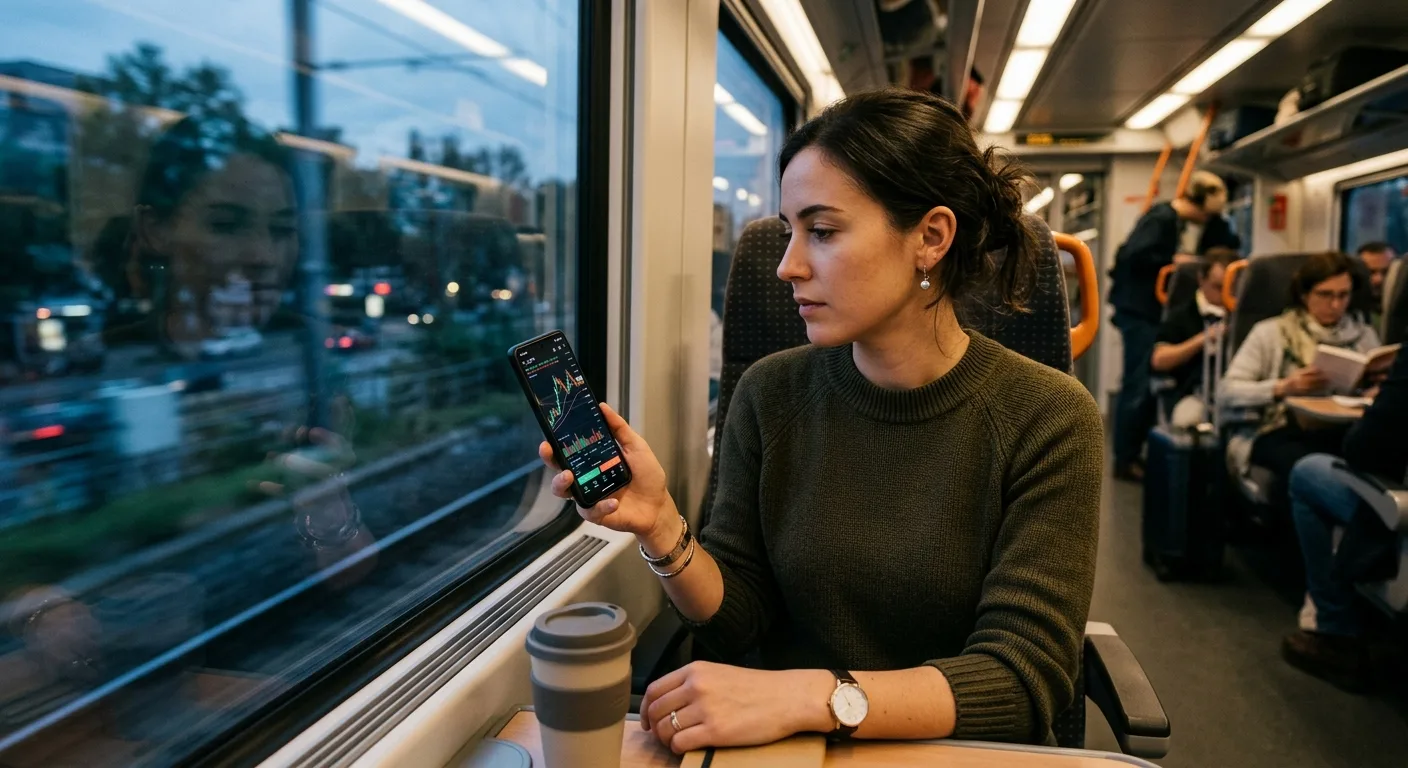
“Real trading success comes from education, a strong personal strategy, and psychological discipline. These are things you cannot download from an app.”
If you're still tempted, here's a forensic checklist. Treat this like a crime scene investigation.
- Demand Verified, Real-Time Results: Ignore hypothetical backtests. Ask for a verified Myfxbook or FXBlue live trading statement that shows at least 6-12 months of performance. Check the drawdown (the peak-to-trough loss). If it's over 20%, walk away. A 40% drawdown means you've almost lost half your capital.
- Understand the Strategy: The seller should be able to explain, in plain English, the core logic. Is it a scalping strategy that depends on low spreads? A swing trading model? If they say 'it's a secret algorithm,' it's a secret scam.
- Test in a Demo with Real Conditions: Don't use your broker's perfect, frictionless demo. Use a demo account that simulates real spreads and occasional slippage. Run it for a minimum of two months across different market conditions.
- Start Absurdly Small: If you go live, use a micro account. Risk no more than 0.5% of your capital per trade, not the default 2% many robots use. Our position size calculator is non-negotiable here. I once tested a new robot with a R500 account (R5 per trade risk). It lost 15 trades in a row. That cost me R75 instead of R1,500.

Pro Tip: The best use for a robot isn't to make you rich. It's to automate the execution of your own proven strategy. You build the rules based on your experience, then code it (or have it coded) to remove emotional slip-ups. You remain the strategist.
💡 Winston's Tip
If you wouldn't risk R1,000 on a stranger's horse-racing tip, why would you risk it on a stranger's code running on a device that also plays Candy Crush?
Your Android phone is a powerful trading tool when used correctly. Forget about searching for a magical 'robot forex android.' Focus on these productive uses:
For Monitoring and Management: Use the MT5 app to monitor your manually entered trades, adjust stop-losses, or take partial profits. Set price alerts so you're notified when a key level hits, then make a conscious decision.
For Analysis on the Go: Review charts, check economic calendars, and read market news. Use the phone for preparation, not for letting an algorithm run wild.
For Trade Journaling: The moment you take a trade, note your reasoning in a phone app. This builds discipline and self-awareness, which no robot can give you.
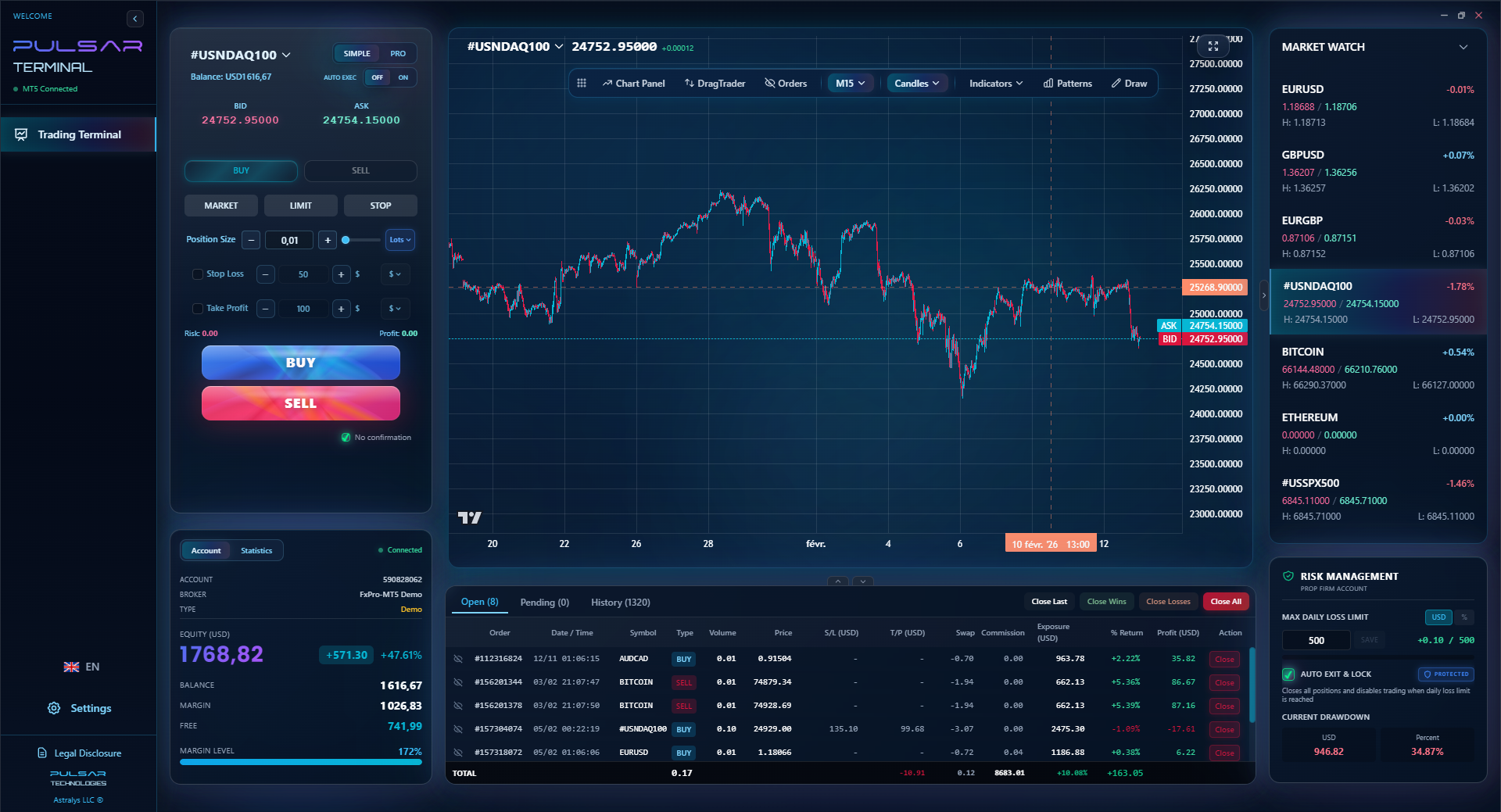
Consider Advanced Tools: Instead of a black-box robot, look at advanced trading terminals that connect to your MT5. These tools give you superior control over order management - like setting multiple take-profit levels or a trailing stop - based on your own discretion. They assist your plan; they don't replace your brain.

Instead of a black-box robot, using a tool like Pulsar Terminal gives you advanced control over your own strategy—like multi-TP/SL and trailing stops—directly on your MT5, keeping you in charge of the logic.
Pulsar Terminal
The all-in-one MT5 companion: drag-and-drop orders, multi-TP/SL, trailing stop, grid trading, Volume Profile, and prop firm protection. Used by 1,000+ traders daily.
“The dream of a set-and-forget robot making you money while you sleep is a dangerous fantasy.”
The dream of a set-and-forget robot forex android making you money while you sleep is a dangerous fantasy, especially in our regulated but volatile market. The FSCA's 30:1 use limit is there because they know how quickly losses can compound, automated or not.
Real trading success comes from education, a strong personal strategy, strict risk management, and psychological discipline. These are things you cannot download from an app. They are built through screen time, losses (small, controlled ones), and relentless self-honesty.
Spend your time learning how to analyze XAU/USD or EUR/USD yourself. Learn what a pip really costs. Paper trade your ideas. Use your Android phone as a window into the market, not as an autopilot. The path to being a sustainable trader is slower and harder, but it's the only one that doesn't inevitably lead to a zero balance. Don't outsource your thinking to a piece of code. Your future self will thank you for the vigilance.
FAQ
Q1Are forex trading robots legal in South Africa?
Yes, using automated trading software (robots or Expert Advisors) is legal in South Africa. However, the broker you use must be licensed by the Financial Sector Conduct Authority (FSCA). The company selling you the robot may also need an FSP license if they are providing financial advice or management services.
Q2Can I really run a forex robot on my Android phone?
Technically, yes. You install the MetaTrader 4 or 5 app, log into your broker account, and attach the robot file to a chart. However, it's highly risky due to potential connectivity issues, battery drain, and the inability to monitor the market closely. It's not a recommended or reliable setup for serious trading.
Q3What is the biggest risk of using a trading bot?
The biggest risk is that the robot's logic is fixed and based on past data. It cannot adapt to new or volatile market conditions (like sudden news events). This often leads to a series of rapid losses and significant drawdowns, especially if you are not actively monitoring it.
Q4What should I look for in a forex robot's performance statement?
Demand a live, verified track record (like Myfxbook) showing at least 6 months of trading. Scrutinize the maximum drawdown - the largest peak-to-trough loss. Anything over 20-25% is a major red flag. Also, check the profit consistency and ensure it was achieved with realistic risk per trade (e.g., 1-2%).
Q5Is there a safe way to test a forex robot?
The only safe way is with a demo account that simulates real trading conditions (variable spreads, occasional slippage) for a minimum of two months. Never test with real money first. Even then, assume the robot will eventually fail when market dynamics shift away from its programming.
Q6What's a better use of my Android phone for trading?
Use it as a monitoring and management tool. Set alerts for key price levels on your manual trades, check charts and news for analysis, and use it for trade journaling. Let the phone support your own informed decisions rather than trying to replace your judgment with automation.
Prof. Winston's Lesson
Key Takeaways:
- ✓Over 90% of retail traders lose money; robots don't fix this.
- ✓FSCA's 30:1 use is a critical risk limiter.
- ✓Bots fail by trading blindly through major news events.
- ✓Always test with a demo for 2+ months first.
- ✓Use your phone as a tool, not a trading crutch.
How useful was this article?
Click a star to rate
Weekly Trading Insights
Free weekly analysis & strategies. No spam.
About the Author
David van der Merwe
Emerging Markets Trader
Johannesburg-based trader with 11 years in emerging market currencies. Specializes in ZAR pairs, FSCA-regulated trading, and South African market analysis.
Comments
Risk Disclaimer
Trading financial instruments carries significant risk and may not be suitable for all investors. Past performance does not guarantee future results. This content is for educational purposes only and should not be considered investment advice. Always conduct your own research before trading.
You Might Also Like

Cara Trading Forex Sukses: 7 Prinsip dari Trader Profesional
Cara trading forex sukses dengan 7 prinsip trader pro: manajemen modal, disiplin, journal trading, backtest. Data nyata, bukan janji profit palsu.
Jam Trading Forex Terbaik untuk Trader Indonesia: Panduan Lengkap dengan Tabel Waktu
Panduan jam trading forex untuk trader Indonesia. Tabel 4 sesi dunia, jam emas 20:00-00:00, sesi mana yang harus dihindari. Data akurat + tips dari trader berpengalaman.
Top 5 Sàn Forex Uy Tín Nhất 2026: Review Jujur dari Trader Indonesia
Top 5 sàn forex uy tín 2026 untuk trader Indonesia. Review jujur: spread, deposit, withdraw, dukungan lokal. Exness, XM, IC Markets & lebih.
Get Pulsar Terminal
All these calculators are built into Pulsar Terminal with real-time data from your MT5 account. One-click position sizing, automatic risk management, and instant calculations.
Get Pulsar Terminal