


I watched the USD/ZAR chart tick up to R18.95, convinced my long trade was finally turning a corner.

David van der Merwe
Emerging Markets Trader ·  South Africa
☕ 11 min read
What you'll learn:
- 1What Exactly Is a Sell Stop Order?
- 2Sell Stop vs. The Rest: A Quick Comparison
- 3Using a Sell Stop to Protect Your Capital (The Exit Strategy)
- 4Using a Sell Stop to Enter Trades (The Breakout Strategy)
- 5Critical Considerations for South African Traders
- 6Mistakes I've Made (So You Don't Have To)
- 7Taking It Further: Trailing Stops and Partial Exits
I watched the USD/ZAR chart tick up to R18.95, convinced my long trade was finally turning a corner. My sell stop was set at R18.75, a safe 200-pip buffer, or so I thought. A sudden political headline hit the wires from Pretoria, and the rand didn't just dip, it gapped. My order triggered at R18.68, a full 70 pips below my intended stop price. That R2,100 loss on a single mini-lot wasn't just a number; it was a brutal lesson in the real sell stop meaning in forex. It's not just a button you click. For us trading from SA, with our volatile ZAR, it's your first and sometimes last line of defence.
Let's strip away the jargon. A sell stop order is an instruction you give your broker: "If the price falls TO or BELOW this specific level, sell my position at the market." The key is that the stop price is set below the current market price. Think of it as a trapdoor. You're standing on the floor (current price), and you're placing the trapdoor (stop price) beneath your feet. If the floor gives way and you fall to that level, the trapdoor opens, and you're out of the trade.
It serves two primary, and very different, purposes:
- To exit a losing LONG trade (Risk Management). You bought EUR/USD at 1.0850, hoping it goes up. You place a sell stop at 1.0820. If the price drops to 1.0820, the order sells, closing your position to limit the loss.
- To ENTER a new SHORT trade (Breakout Strategy). You're watching GBP/ZAR coil below a key resistance level of R23.50. You believe if it breaks down, it could crash. You place a sell stop order at R23.45. If the price falls and hits R23.45, the order triggers, automatically opening a short position for you, betting on further decline.

Warning: A sell stop becomes a market order once triggered. You're guaranteed an exit (or entry), but not necessarily at your exact stop price. In fast markets - common with ZAR pairs - you can get slippage. That's what cost me R2,100. The price skipped right over my level.
Confused about pips and how they affect your rand value? Our pip definition breaks it down with local examples.

💡 Winston's Tip
Your stop-loss isn't a suggestion. It's a fire alarm. You don't debate a fire alarm, you get out. The moment you start moving it away from the fire, you're choosing to burn.
“A sell stop is your admission ticket to the trading game. Not using one is like driving on the N1 without brakes.”
Broker platforms throw a bunch of order types at you. Here’s how the sell stop fits in, specifically for a SA context where you might be juggling USD and ZAR accounts.
| Order Type | What It Does | When a South African Trader Uses It |
|---|---|---|
| Sell Stop | Sells at market when price hits a level below current price. | To limit loss on a long USD/ZAR trade, or to go short if ZAR breaks a key support. |
| Sell Limit | Sells at a specified price when price rises to that level. | To take profit on a short position, or to sell a rally you think will fail at a specific R/$ level. |
| Stop-Loss (Sell) | Specifically used to exit a long position at a loss. It is a sell stop, but the term is used for risk only. | On every single long trade you ever open. No debate. |
| Market Sell | Sells immediately at the current price. | When you need out NOW, or to enter a short on a sudden news spike (like a SARB rate decision). |
A Sell Stop-Limit is a hybrid you should know. You set a Stop Price (to trigger the order) and a Limit Price (the worst price you're willing to accept). Once the stop hits, it becomes a limit order. It protects you from bad slippage but risks not getting filled at all if the price tanks past your limit. I don't use them often on volatile pairs; I'd rather be out with slippage than not out at all during a crash.
Getting these orders placed quickly is half the battle. That's where a good platform shines. In our IC Markets review, we look at their order execution speeds, which is critical for managing these stops on fast ZAR moves.
“You will get slippage on ZAR pairs. It's not a flaw in the system; it's a feature of trading a volatile, emerging market currency.”
This is non-negotiable. If you're going long (buying), your sell stop is your stop-loss. It's your admission ticket to the trading game. Not using one is like driving on the N1 without brakes.
How to Place Your Stop-Loss
You don't just pick a random number. Your stop should be placed where your trade idea is proven wrong. For a long trade, that's usually below a recent swing low or a significant support level. On the USD/ZAR chart, that might be R2.50 below your entry. You then use a position size calculator to ensure that if the price hits that stop, you're only losing a small, pre-defined percentage of your account - I never risk more than 1.5% on any single trade.
The Psychology of Moving Stops
Here's a mistake I made for years: moving my stop-loss further away as the trade went against me, hoping it would come back. It's called "stop-hunting" yourself. You're just giving the market more room to take your money. The disciplined move? If your analysis changes, close the trade. If it doesn't, let the original stop do its job.
Once a trade is in profit, you can move your stop to breakeven or into profit to lock in gains. This turns a risk trade into a free trade. For example, if I buy EUR/USD at 1.0800 with a stop at 1.0770, and it rallies to 1.0840, I might move my sell stop up to 1.0805. Now, worst case, I make a tiny profit instead of a loss.

Pro Tip: Never set your stop-loss at a nice, round number. If USD/ZAR support is at R18.5000, the market will often sweep that level, trigger all the stops clustered there, and then reverse. Place yours at R18.4970 or R18.5030. It costs a few rand but can save you a position.
Letting a small loss turn into a disaster is how accounts blow up. Understanding a margin call is the next harsh lesson if you don't manage this risk.
“You will get slippage on ZAR pairs. It's not a flaw in the system; it's a feature of trading a volatile, emerging market currency.”
This is the more advanced, aggressive use of a sell stop. You're not protecting a position; you're initiating one on a breakdown. It's a fantastic way to trade without having to stare at the screen, waiting for a break.
Let's say you're analysing Gold (XAU/USD). It's been bouncing between $2,320 and $2,350 for a week. You think if it cracks below $2,320, it could fall hard to $2,300. Instead of sitting and waiting, you can place a sell stop order at $2,319.50. You go about your day. If the breakdown happens, your order automatically triggers, and you're short, ideally riding the move down. If the price never hits your stop, no trade happens. No fuss.
I used this on GBP/ZAR last year. It was consolidating below R23.80. I placed a sell stop at R23.75. It triggered, and I rode the short down to R23.20 for a solid 5,500 pip move. The key? The stop wasn't random. R23.80 was a clear, multi-touch resistance, and a break below the consolidation low was my signal.
The Risk: False breakouts. The price dips, triggers your sell stop, you go short, and then it immediately reverses and rockets higher. Now you're short in a rising market. Your protection? A buy stop order above your entry to limit the loss on this new short position. Yes, you need a stop for your stop-entry. Meta-.
For more on trading these momentum moves, our guide on scalping strategy covers the tight discipline needed.
💡 Winston's Tip
Slippage on ZAR pairs isn't an 'if,' it's a 'when.' Add a 0.2% buffer to your stop distance on USD/ZAR or EUR/ZAR. That's R200 on a R100,000 position. Cheap insurance.
“The disciplined move? If your analysis changes, close the trade. If it doesn't, let the original stop do its job.”
Trading from SA isn't the same as trading from London or New York. Our context changes everything.
1. ZAR Volatility & Slippage: The Rand is one of the most traded emerging market currencies. It's liquid but can jump 2% on a local political headline or a shift in global risk sentiment. This makes slippage on stop orders a real threat, especially around SA market opens (9am) or major data releases (CPI, SARB announcements). You must factor this in. A 50-pip buffer on EUR/USD might need to be 150 pips on USD/ZAR.
2. FSCA Regulation & Your Stops: Always use an FSCA-licensed broker. Why? Because they are required to maintain segregated client accounts. If your broker goes under (it happens), your money is separate. Also, regulated brokers have clearer execution policies. Some unregulated or offshore brokers are notorious for "stop-hunting" - seeing your order levels and manipulating spreads to trigger them. I've had better, more predictable stop execution with FSCA brokers like those in our Pepperstone review.
3. Costs in Rands: When your stop triggers, you pay the spread. On a ZAR account trading USD pairs, you might also pay a small conversion fee. Know your broker's model. Is it a raw spread + commission (e.g., $7 per lot)? Or a wider fixed spread? On a high-frequency scalping strategy, those commissions add up. On a longer-term swing trading play, the overnight swap fees (financing) become more important, especially holding ZAR pairs.
4. Local Examples:
- USD/ZAR Long Trade: Buy at R18.40, sell stop at R18.20. You're risking 2000 pips (R0.20). On a standard lot (100,000 units), that's a R20,000 risk. That's huge. This is why you trade smaller sizes or use a position size calculator.
- EUR/ZAR Short Entry: Sell stop placed at R20.1500 to enter a short if support breaks.
Understanding the spread definition and how it's quoted on ZAR pairs is essential for calculating your true entry and exit costs.
“The disciplined move? If your analysis changes, close the trade. If it doesn't, let the original stop do its job.”
Let's get blunt. You will mess this up. I did. Here's the hall of shame.
Mistake 1: Stops Too Tight. Early on, I'd place my sell stop 10 pips below my entry on EUR/USD, trying to be "efficient." The market's normal noise (spread wobble, minor news) would wipe me out, then the trade would soar in my original direction. I was right on direction, wrong on patience. Solution: Place stops based on market structure, not an arbitrary rand amount you're willing to lose.
Mistake 2: Ignoring Economic Calendars. I once left a sell stop-limit order on GBP/USD before a UK inflation print. The number was wild, the price gapped down 80 pips through my limit price. My limit order never filled because the ask price skipped from above my limit to below it. I was left short in a crashing market with NO position. A plain sell stop would have gotten me in (with slippage). A sell stop-limit was the wrong tool for that volatile event.
Mistake 3: Not Accounting for Spread Widening. At 5:30pm SA time, when liquidity dips before the US session closes, spreads can widen. Your stop price might be at the bid. If the spread widens from 2 pips to 10 pips, the ask price can be far from the bid. Your sell stop can trigger much earlier than you planned. Avoid placing or adjusting stops during these thin periods.
Mistake 4: Letting Emotion Override the Plan. This is the big one. You see your trade go 30 pips into profit, and you move your stop to breakeven too early. Then it runs 200 pips without you. Or worse, you remove the stop entirely because "you have a feeling." Your trading plan is your boss. The stop-loss is company policy. You don't argue with it.
Using tools like the RSI indicator or MACD indicator can help define your entry and stop levels objectively, taking some emotion out of the process.
💡 Winston's Tip
A trailing stop is a greedy man's best friend and a nervous man's worst enemy. Set it based on the pair's Average True Range, not your gut. If the ATR is 80 pips, a 30-pip trail will get you nothing but frustration.
“Your trading plan is your boss. The stop-loss is company policy. You don't argue with it.”
Once you've mastered the basic sell stop, you can use it dynamically to maximise profits.
Trailing Stop-Loss: This is a sell stop that automatically follows the price up as your long trade profits. You set a trailing distance (e.g., 50 pips). If you buy at 1.0800 with a 50-pip trail, your initial stop is at 1.0750. If price rises to 1.0850, your stop moves up to 1.0800. It locks in profit and lets winners run. The hard part? Choosing the trail distance. Too tight, and you get knocked out of trends. Too wide, and you give back too much profit. On a trending pair like USD/JPY, I might use a 100-pip trail. On a choppy pair, maybe 30.
Partial Closures with Multiple Targets: This is a game-changer. Instead of one sell stop for your entire position, you split it. Say you buy 2 lots of Gold. You set a first profit target (a sell limit) for 1 lot at $2,340. For the remaining lot, you set a sell stop at breakeven, and then trail it higher. This books some profit early and lets you play with "house money" for the rest. It requires a platform that supports multiple orders on one ticket.
The Grid Downside: Some traders use a series of sell stop orders below the market to "scale into" a short position as price falls - a grid strategy. I'm cautious with this. It can average you into a losing trade that never stops falling. It requires immense capital and discipline. I've seen more accounts blown up by averaging down than by clean stop-outs.
Managing these complex order structures manually on MT5 is a pain. This is where automation tools become useful.
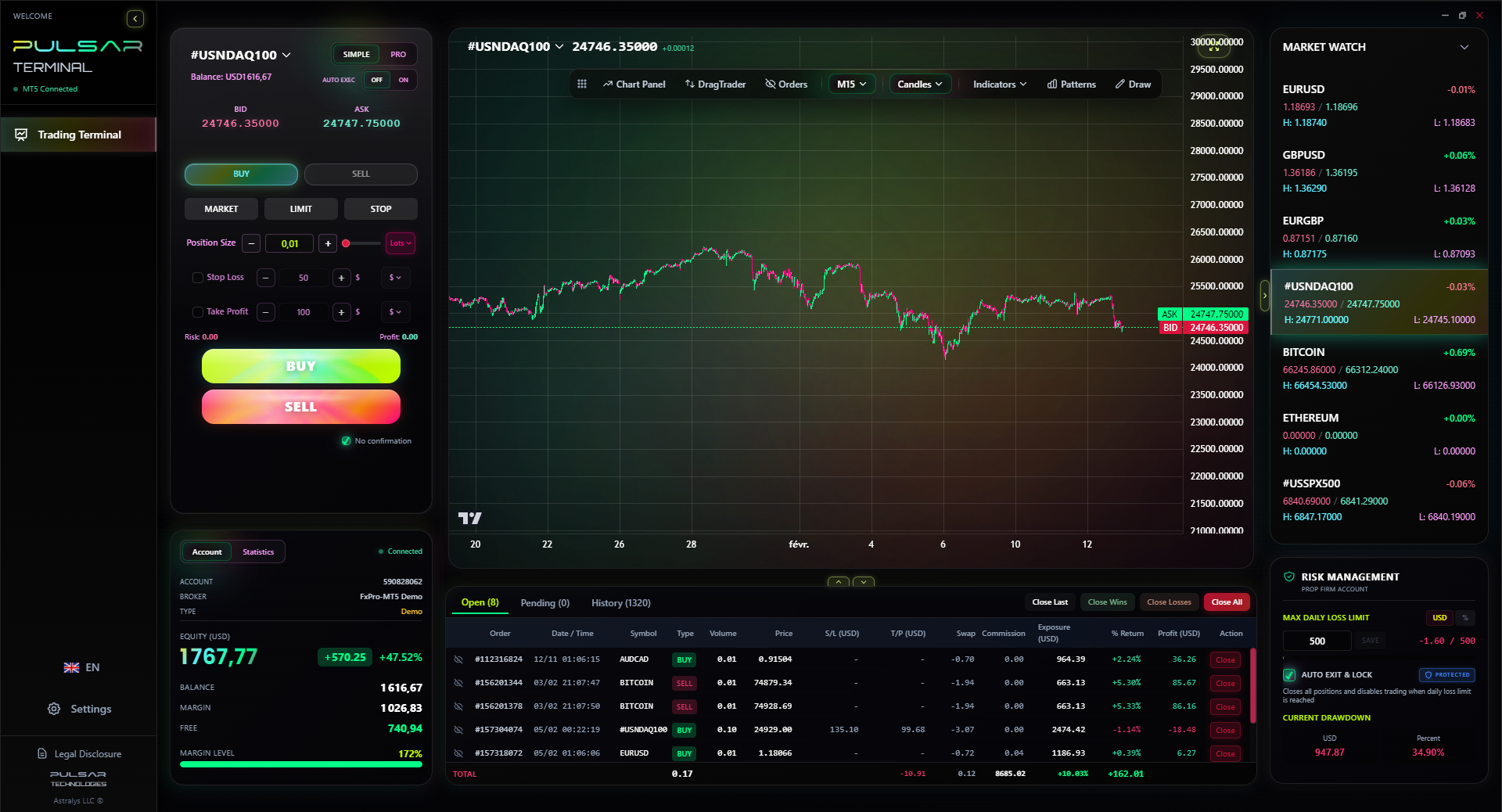
Manually managing trailing stops and partial closures on multiple trades is a full-time job, which is why tools like Pulsar Terminal automate it all directly within your MT5 platform.
Pulsar Terminal
The all-in-one MT5 companion: drag-and-drop orders, multi-TP/SL, trailing stop, grid trading, Volume Profile, and prop firm protection. Used by 1,000+ traders daily.
FAQ
Q1What's the difference between a sell stop and a stop-loss?
A stop-loss is a purpose. A sell stop is a type of order. When you use a sell stop order to exit a long position at a loss, you are placing a stop-loss. So, a stop-loss (for a long trade) is always a sell stop order, but a sell stop order can also be used to enter a new short trade, which isn't a stop-loss at all.
Q2Can I get charged if my sell stop order is not triggered?
No. You are only charged the spread (and possibly a commission) if the order is executed. If the price never hits your stop price, the order just sits there until you cancel it or it expires (if you set a time limit). Some brokers do have inactivity fees for dormant accounts, but that's separate.
Q3Where should I place my sell stop-loss for a long trade?
Place it where the reason for your trade is invalidated. Technically, that's often just below a recent swing low or a key support level (like a trend line or a moving average). Don't place it based on a random amount of money you're willing to lose. Use chart structure. For example, if you buy USD/ZAR after a bounce off R18.20 support, place your sell stop at R18.17 or R18.15, not at a round R18.10.
Q4Is a sell stop order guaranteed to execute at my price?
Absolutely not. This is critical. A sell stop becomes a market order upon trigger. You are guaranteed an execution, but the price can be worse due to slippage, especially during high volatility, news events, or on less liquid currency pairs (like some exotic crosses). This is very common with ZAR pairs.
Q5What is a sell stop-limit order and should I use it?
It's a two-part order: 1) A Stop Price that activates the order. 2) A Limit Price that specifies the minimum price you're willing to accept. Once the stop is hit, it becomes a limit order to sell AT or ABOVE the limit price. It protects you from bad slippage but risks not getting filled at all if the price plummets past your limit before your order is filled. I use them sparingly, usually in slower, more predictable markets.
Q6How does the FSCA protect my stop orders?
The FSCA doesn't directly protect your order execution. Its role is to license and oversee brokers. Using an FSCA-licensed broker means they must adhere to conduct rules, including fair execution practices and keeping client funds segregated. This reduces the risk of outright manipulation of your stop orders by the broker, a known issue with some unregulated entities.
Q7Can I use a sell stop on the USD/ZAR if I have a ZAR account?
Yes, completely. Your broker's platform will handle the currency conversion. You'll see your profit/loss in Rands. Just be aware that the volatility of USD/ZAR means you need to use wider stops than you might on a major pair like EUR/USD to avoid being stopped out by normal market noise.
Prof. Winston's Lesson
Key Takeaways:
- ✓A Sell Stop is an order to sell BELOW the market, used for exits or breakout entries.
- ✓It becomes a market order upon trigger, so slippage is guaranteed in fast markets.
- ✓For SA traders, ZAR volatility demands wider stop buffers to avoid noise.
- ✓Always use an FSCA broker for fair execution on your stop orders.
- ✓Never move a stop-loss away from the market; it's the first step to a blown account.
How useful was this article?
Click a star to rate
Weekly Trading Insights
Free weekly analysis & strategies. No spam.
About the Author
David van der Merwe
Emerging Markets Trader
Johannesburg-based trader with 11 years in emerging market currencies. Specializes in ZAR pairs, FSCA-regulated trading, and South African market analysis.
Comments
Risk Disclaimer
Trading financial instruments carries significant risk and may not be suitable for all investors. Past performance does not guarantee future results. This content is for educational purposes only and should not be considered investment advice. Always conduct your own research before trading.
You Might Also Like

Cara Trading Forex Sukses: 7 Prinsip dari Trader Profesional
Cara trading forex sukses dengan 7 prinsip trader pro: manajemen modal, disiplin, journal trading, backtest. Data nyata, bukan janji profit palsu.
Jam Trading Forex Terbaik untuk Trader Indonesia: Panduan Lengkap dengan Tabel Waktu
Panduan jam trading forex untuk trader Indonesia. Tabel 4 sesi dunia, jam emas 20:00-00:00, sesi mana yang harus dihindari. Data akurat + tips dari trader berpengalaman.
Top 5 Sàn Forex Uy Tín Nhất 2026: Review Jujur dari Trader Indonesia
Top 5 sàn forex uy tín 2026 untuk trader Indonesia. Review jujur: spread, deposit, withdraw, dukungan lokal. Exness, XM, IC Markets & lebih.
Get Pulsar Terminal
All these calculators are built into Pulsar Terminal with real-time data from your MT5 account. One-click position sizing, automatic risk management, and instant calculations.
Get Pulsar Terminal