


Here's a hard truth: most traders overcomplicate their charts with a dozen indicators that all say the same thing.

David van der Merwe
Emerging Markets Trader ·  South Africa
☕ 10 min read
What you'll learn:
- 1What Exactly Is the TDI Indicator?
- 2How to Set Up the TDI on MT4 or MT5 in South Africa
- 3How to Read TDI Signals: The Three Key Setups
- 4Using the TDI in the South African Trading Context
- 5Making the TDI Work Harder: What to Combine It With
- 6Common TDI Mistakes (And How to Avoid Them)
- 7Is the TDI Indicator Right for Your Trading Style?
Here's a hard truth: most traders overcomplicate their charts with a dozen indicators that all say the same thing. The TDI forex indicator is different. It's one of the few tools I've kept on my screen for over a decade because it consolidates trend, momentum, and volatility into a single, clean window. Developed by Dean Malone, it's particularly useful for navigating the choppy waters of pairs like USD/ZAR. If you're tired of cluttered charts and conflicting signals, this might be the filter you've been missing.
Think of the TDI as your market dashboard. Instead of having separate gauges for speed (momentum), direction (trend), and road conditions (volatility), it puts them all in one place. At its core, it's built on the RSI indicator, but it's smoothed out and wrapped with volatility bands.
The standard TDI has four main lines:
- The RSI Line (Blue): This is a smoothed RSI, usually set to a period of 13. It shows momentum.
- The Signal Line (Red): A moving average of the RSI line (often period 7). Crosses between the blue and red lines give trade signals.
- The Market Base Line (Green): A slower moving average (often period 34) that acts as a trend filter. If the RSI is above it, bias is bullish. Below, bearish.
- Volatility Bands: These are the outer yellow bands. They expand and contract with market volatility, showing you when price action is getting extreme.

Example: On a calm day in EUR/USD, the bands might be tight. But when a major US jobs report hits, those bands will often widen dramatically, visually alerting you to increased risk and potential opportunity.
For us in South Africa, this consolidation is a gift. When you're watching USD/ZAR, which can be driven by local politics, commodity prices, and global risk sentiment all at once, a single, clear read on momentum and trend strength is useful. It helps you cut through the noise.

💡 Winston's Tip
The green Market Base Line isn't a suggestion; it's the law. A buy signal below it is a trap 80% of the time. Trade with the line, not against it.
You won't find the TDI in your MetaTrader platform by default. It's a custom indicator. Don't worry, adding it is straightforward, and most FSCA-regulated brokers like Exness or IC Markets allow it.
Finding and Installing the TDI
First, download the TDI.ex4 or TDI.mq5 file from a reputable source (many trading forums have clean versions). Then:
- Open your MT4/MT5 platform.
- Click File > Open Data Folder.
- Navigate to MQL4 > Indicators (for MT4) or MQL5 > Indicators (for MT5).
- Paste the downloaded TDI file into this folder.
- Restart your platform. The TDI will now appear in your "Navigator" window under "Indicators."
My Recommended Settings for ZAR Pairs
Default settings (13,7,34) work, but ZAR pairs are more volatile. I've tweaked mine for years. Here’s what I use for USD/ZAR and EUR/ZAR:
- RSI Period: 11 (makes it more responsive to Rand volatility)
- Signal Period: 5
- Market Base Period: 30
- Volatility Band Period: 34 (I leave this standard)
Drag the indicator onto your chart. I keep it in its own window below the main price chart. The colors I mentioned earlier are the standard ones; you can change them to whatever you see best.

Warning: Only download indicators from sources you trust. Malicious code can be embedded in .ex4 files. If a site looks spammy, avoid it.
“The TDI's real power isn't in predicting the future, but in clarifying the present market condition.”
This is where the rubber meets the road. The TDI won't hand you perfect trades on a platter, but it gives you high-probability contexts. I use three primary setups.
1. The Momentum Cross
This is your basic entry signal. When the blue RSI line crosses above the red signal line, it suggests bullish momentum is building. A cross below suggests bearish momentum. The trick? You must check the green market base line.
- High-Probability Long: Blue crosses red above the green line. The trend and momentum align.
- High-Probability Short: Blue crosses red below the green line. A cross that happens in the middle of nowhere, far from the green line, is weak and often a fakeout.
2. The Trend Rejection
This is a powerful reversal signal. It happens when price makes a new high or low, but the TDI's blue RSI line fails to make a corresponding new extreme and instead starts turning. It's a classic divergence. I caught a great one on USD/ZAR in late 2023. Price pushed to 19.25, but the TDI's blue line made a lower high. That warned me the rally was exhausted. I entered a short at 19.20 and rode it down to 18.75.
3. The Volatility Squeeze
Watch the yellow volatility bands. When they squeeze together very tightly, it's called a volatility contraction. It often precedes a big, explosive move. You don't know the direction from the squeeze alone, but it tells you to get ready. Wait for a momentum cross to confirm the direction of the breakout. This setup works brilliantly on gold (XAU/USD) too, which many South Africans trade. You can learn more about that in our XAU/USD guide.
Remember, these are just signals. You still need to manage your trade. Always use a stop-loss, and consider using a position size calculator so you don't risk too much on any single idea.
Trading from South Africa isn't just about the tools; it's about applying them to our unique market realities. The TDI shines here.
Trading USD/ZAR and EUR/ZAR
The Rand is a commodity currency. It reacts sharply to gold prices, US dollar strength, and local political headlines. This creates wild, news-driven swings. The TDI's volatility bands give you an instant visual of when the market is in a panic (bands wide) or consolidating (bands narrow). I never enter a new trade on USD/ZAR when the bands are extremely wide after a news spike. I wait for them to tighten up, which shows the initial frenzy is over and a new direction may be establishing itself.
Session Timing and Liquidity
Our time zone (SAST) is brilliant. We get the tail end of Asia, the full London session, and the open of New York. The most reliable TDI signals I get are during the London-New York overlap (3 PM - 5 PM our time). Liquidity is high, spreads are tight, and moves are cleaner. Trying to trade off TDI signals in the dead of the Asian session (late night for us) is a recipe for frustration - the signals are prone to whipsaws.
A Local Mistake I Made
Early on, I ignored the green market base line. I'd see a blue-over-red cross and jump in, only to get stopped out. The cross was happening below the green line in a strong downtrend. The TDI was telling me it was just a minor pullback, not a reversal. I lost about R800 on two trades before I finally respected that green line as the ultimate trend filter. Now, if the setup isn't on the correct side of the green line, I don't take it. It's that simple.
💡 Winston's Tip
If the yellow volatility bands are squeezing to their tightest point in a week, get ready. Don't predict the direction, just prepare your orders. The market is about to make a decision for you.
“Ignoring the green market base line is the single most expensive mistake a TDI user can make.”
The TDI is a fantastic filter, but it's not a crystal ball. You need to combine it with other forms of analysis. This is where you graduate from a beginner to a strategic trader.
Price Action is King
Always look at the price chart first. Is the TDI giving a buy signal right at a major resistance level? That's a conflict. The resistance level probably wins. I use the TDI to confirm what I'm seeing in price action. For example, if USD/ZAR is bouncing off a clear support level on the chart and the TDI shows a bullish momentum cross above the green line, that's a high-conviction trade. The support level defines my risk (stop-loss below it), and the TDI confirms the momentum to enter.
The MACD for Extra Confirmation
For longer-term swing trading, I sometimes add the MACD indicator on a higher timeframe. If I'm getting a TDI buy signal on my 4-hour chart for EUR/USD, I'll flip to the daily chart to see if the MACD is also bullish or at least turning up. It's a double-check that keeps me out of counter-trend traps.
Avoid This Common Cocktail
A classic mistake is loading up the TDI with other momentum oscillators like the Stochastic or another RSI. They're all reading from the same price data; you'll just get confusion and paralysis. Choose one momentum tool - the TDI - and combine it with non-correlated tools: support/resistance, volume (if available), and candlestick patterns.

Pro Tip: Use the TDI on multiple timeframes. A bullish cross on the 1-hour chart is more powerful if the 4-hour chart TDI is also above its green market base line. This is called multi-timeframe analysis, and it stacks the odds in your favor.
I've made most of these. Consider this a shortcut to preserving your capital.
Mistake 1: Trading Every Cross. The chart will be full of minor blue-red crosses. Trading them all is a sure way to get chopped up and lose on spreads and commissions. Only trade the crosses that occur after a clear move toward the green market base line or that happen near key chart levels.
Mistake 2: Ignoring the Bands. The yellow volatility bands aren't just decoration. If price is riding the upper band and the bands are widening, the trend is strong. Don't try to short it just because the RSI is "overbought." In a strong trend, the RSI can stay overbought for a long time. Conversely, a squeeze warns you to reduce position size or widen stops, as a big move is coming.
Mistake 3: Using it Alone on Low Timeframes. The TDI on a 1-minute or 5-minute chart for scalping can be noisy. It works better on 15-minute charts and above where market noise is filtered out somewhat. For scalping, pure price action and order flow are often more effective.
Mistake 4: Not Adjusting for Volatility. Using the same TDI settings on the steady EUR/USD and the wild USD/ZAR is a mistake. As I suggested earlier, shorten your RSI period (to 11 or 9) for more volatile pairs like the Rand crosses. It makes the indicator more responsive.
Finally, the biggest mistake is not having a plan. The TDI gives a signal, but you must know your entry, your stop-loss (SL), and your take-profit (TP) levels before you click buy. Guessing these after you're in the trade is a recipe for emotional disaster and potential margin call situations.
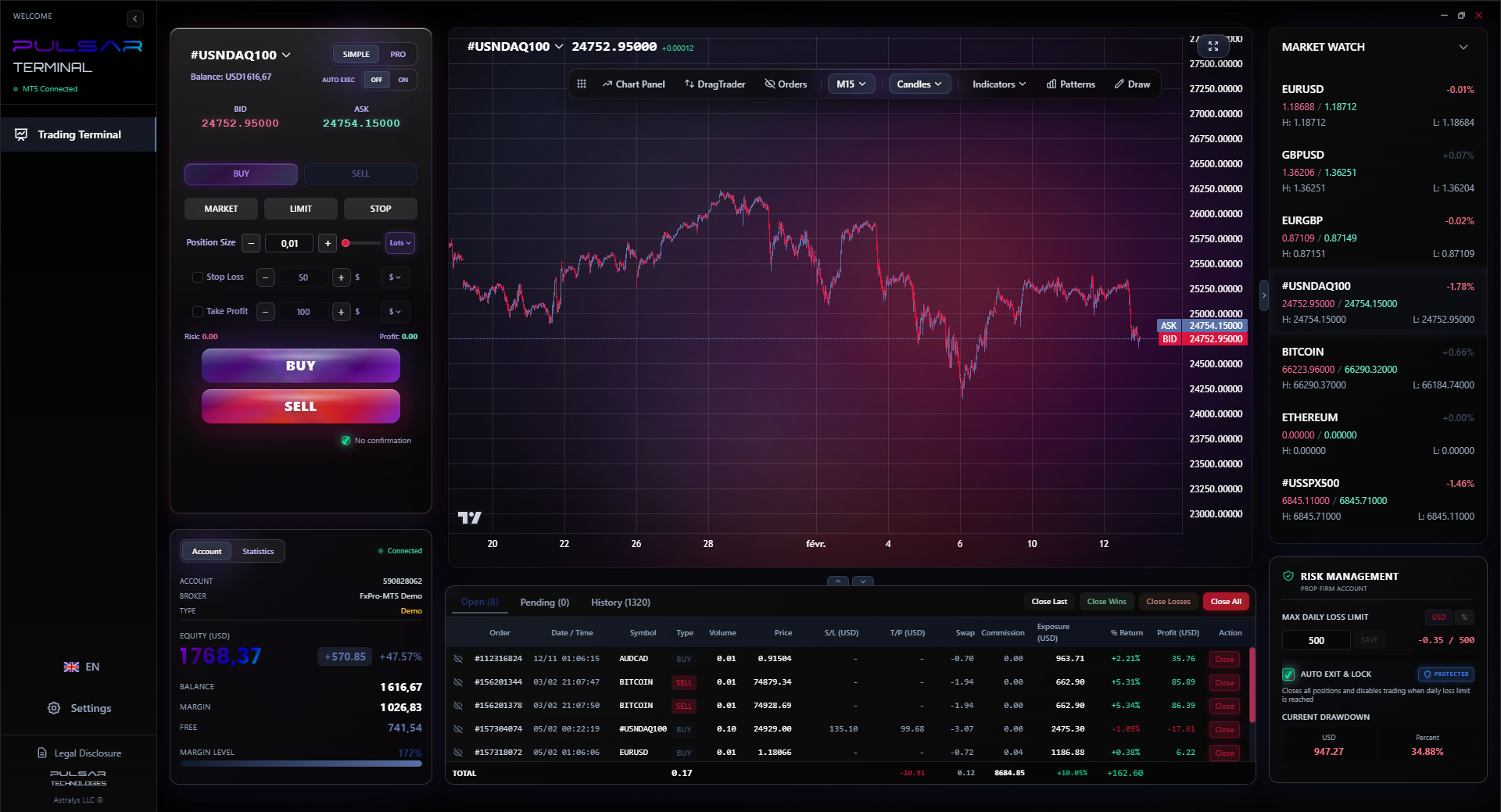
Once your TDI gives you a signal, executing and managing the trade cleanly is critical, and Pulsar Terminal's drag-and-drop order tools and multi-TP/SL features make that process seamless on MT5.
Pulsar Terminal
The all-in-one MT5 companion: drag-and-drop orders, multi-TP/SL, trailing stop, grid trading, Volume Profile, and prop firm protection. Used by 1,000+ traders daily.
“In the volatile world of USD/ZAR, the TDI's volatility bands are your early warning system for market panic or complacency.”
Not every tool is for every trader. Let's be honest about where the TDI fits and where it doesn't.
The TDI is excellent for:
- Swing Traders: If you hold trades for days to weeks, the TDI's trend-filtering ability (that green line) is perfect for keeping you on the right side of the market.
- Newer Traders: If you're overwhelmed by indicators, the TDI simplifies your analysis by combining multiple concepts. It's a great learning tool.
- Discretionary Traders: If you like to read the market context and make judgment calls, the TDI provides a rich, multi-faceted picture to inform those decisions.
The TDI is not ideal for:
- Pure Price Action Purists: If you only trade off naked support/resistance and candlesticks, adding the TDI might feel like clutter.
- Fully Automated Systems: Coding reliable, profitable systems purely around the TDI is notoriously difficult because of its multiple lines and subjective interpretation.
- Ultra-Low Timeframe Scalpers: On tick or 1-minute charts, the lag from its moving averages can be fatal.
My advice? If you're a South African trader looking for an edge on the majors or the ZAR pairs, and you're comfortable with a bit of chart discretion, the TDI is absolutely worth mastering. Download it, put it on a demo account with a broker like XM or Pepperstone, and spend a month just watching how it behaves. Don't trade with real money until you can instinctively read what it's telling you. That practice will save you thousands of Rands.
FAQ
Q1Is the TDI indicator free to use on MetaTrader?
Yes. The TDI is a custom indicator, not a built-in one, but versions of it are freely available from many reputable trading websites and forums. You download the file and install it into your MT4 or MT5 platform at no cost.
Q2What are the best TDI settings for forex?
The standard settings are RSI Period 13, Signal Period 7, and Market Base Period 34. These work well for major pairs like EUR/USD. For more volatile pairs like USD/ZAR, many traders (myself included) use a more responsive RSI period of 11 and a Signal period of 5 to better capture the Rand's moves.
Q3Can the TDI indicator be used for day trading?
Yes, but with a caveat. It's most effective for day trading on timeframes of 15 minutes and higher. On very low timeframes (1-min, 5-min), it can generate many false signals due to market noise. It's better suited for capturing the main intraday moves rather than scalping every small fluctuation.
Q4How does the TDI differ from the regular RSI?
The regular RSI is a single line showing momentum. The TDI takes that RSI, smooths it, adds a signal line for crosses, adds a slower market base line for trend direction, and wraps it all in volatility bands. It gives you trend, momentum, and market condition in one indicator, whereas the standard RSI only gives you momentum.
Q5Do professional traders in South Africa use the TDI?
Many do, particularly those trading ZAR pairs and other currencies. Its value as a consolidating filter is appreciated by professionals who need clear, actionable information without screen clutter. It's commonly used as a confirmation tool alongside fundamental analysis and key level trading.
Q6What is the most important line on the TDI indicator?
The green Market Base Line is the most important. It defines the primary trend. Ignoring it and trading crosses that occur on the wrong side of this line is the most common mistake new TDI users make. Always know which side of the green line your setup is forming on.
Q7Can I use the TDI for trading cryptocurrencies?
Absolutely. The TDI works on any market with sufficient volatility and trend characteristics. It's commonly applied to Bitcoin (BTC/USD) and major altcoins. You may need to adjust the settings to be more responsive to crypto's extreme volatility, similar to the adjustments for ZAR pairs.
Prof. Winston's Lesson
Key Takeaways:
- ✓The green line defines the trend. Obey it.
- ✓Only trade crosses that occur after price tests the green line.
- ✓Tight volatility bands precede explosive moves.
- ✓Adjust RSI period to 11 for volatile pairs like USD/ZAR.
How useful was this article?
Click a star to rate
Weekly Trading Insights
Free weekly analysis & strategies. No spam.
About the Author
David van der Merwe
Emerging Markets Trader
Johannesburg-based trader with 11 years in emerging market currencies. Specializes in ZAR pairs, FSCA-regulated trading, and South African market analysis.
Comments
Risk Disclaimer
Trading financial instruments carries significant risk and may not be suitable for all investors. Past performance does not guarantee future results. This content is for educational purposes only and should not be considered investment advice. Always conduct your own research before trading.
You Might Also Like

Cara Trading Forex Sukses: 7 Prinsip dari Trader Profesional
Cara trading forex sukses dengan 7 prinsip trader pro: manajemen modal, disiplin, journal trading, backtest. Data nyata, bukan janji profit palsu.
Jam Trading Forex Terbaik untuk Trader Indonesia: Panduan Lengkap dengan Tabel Waktu
Panduan jam trading forex untuk trader Indonesia. Tabel 4 sesi dunia, jam emas 20:00-00:00, sesi mana yang harus dihindari. Data akurat + tips dari trader berpengalaman.
Top 5 Sàn Forex Uy Tín Nhất 2026: Review Jujur dari Trader Indonesia
Top 5 sàn forex uy tín 2026 untuk trader Indonesia. Review jujur: spread, deposit, withdraw, dukungan lokal. Exness, XM, IC Markets & lebih.
Get Pulsar Terminal
All these calculators are built into Pulsar Terminal with real-time data from your MT5 account. One-click position sizing, automatic risk management, and instant calculations.
Get Pulsar Terminal