


It was March 2020, and the Naira was under pressure.

Olumide Adeyemi
West African Trading Pioneer ·  Nigeria
☕ 10 min read
What you'll learn:
- 1The Sell Stop Order: Your Ticket to Shorting
- 2When Should a Nigerian Trader Use a Sell Stop?
- 3How to Place a Sell Stop Order: A Walkthrough
- 4The Risks & Common Mistakes That Wreck Accounts
- 5Sell Stop vs. Sell Limit vs. Stop-Loss: Clearing the Confusion
- 6An Advanced Strategy: The False Break & Reversal
- 7What Nigerian Traders Must Check With Their Broker
It was March 2020, and the Naira was under pressure. I was watching USD/NGN, convinced a bigger devaluation was coming from the CBN. The pair was at 410, but my analysis said a break below 405 could trigger a panic sell-off down to 380. I didn't want to sell at 410. I wanted to sell only if the market agreed with me and broke support. So I placed a sell stop order at 404.50. Two days later, it hit. The order executed, and the pair plummeted to 380 within a week. That trade, built on a simple sell stop, banked a profit that still pays some bills today. Let's break down exactly what this order is and how you can use it without getting your fingers burnt.
A sell stop order is an instruction you give to your broker to sell a currency pair, but only after the market price falls to or through a specific price level you set, called the stop price. Think of it as a trap you set below the current market. You're saying, "I believe if the price drops to this point, it will keep falling, and I want to jump in and profit from the decline."
It's the opposite of a buy stop order (which goes above the market). The key mechanic is that it becomes a market order to sell the moment your stop price is touched. This means your entry price isn't guaranteed to be exactly at your stop level, especially in a fast-moving market. This is called slippage, and it's a real cost you must account for in your position size calculator.

Warning: A sell stop is NOT a stop-loss. This is the single biggest point of confusion for new traders. A stop-loss is an order to exit a trade and limit a loss. A sell stop is an order to enter a new trade in anticipation of a downward move. Mixing these up can lead to catastrophic account blow-ups.
You use a sell stop when your trading plan identifies a scenario where a break below a certain level signals a high-probability continuation downward. Here are the two most common setups I use in Lagos.
Breaking Key Support
This is the classic use case, like my USD/NGN trade. You identify a strong support level on the chart - maybe a previous low, a trendline, or a psychological number like 1500 on GBP/NGN. The price is bouncing near it. Your thesis: if it breaks, sellers will overwhelm buyers and the fall could be sharp. You place your sell stop just a few pips below the support level. This way, you only enter if the break is confirmed, avoiding fakeouts where price just kisses support and rallies.
Shorting a Pullback in a Downtrend
Imagine EUR/NGN is in a clear downtrend but is currently having a corrective rally upwards. You want to short the resumption of the downtrend, but not at the top of the pullback (that's guessing). You wait for the pullback to show signs of exhaustion near a resistance level, like the 50% or 61.8% Fibonacci retracement. You then place a sell stop order just below a recent minor swing low within that pullback. This ensures you enter as the downward momentum restarts.

Example: Let's say GBP/USD is at 1.2800. You've drawn support at 1.2750. You believe a break below 1.2750 targets 1.2650. You don't sell at 1.2790. You place a Sell Stop order at 1.2745 (5 pips below support to confirm the break). If price hits 1.2745, your order executes, opening a short position. Your profit target is at 1.2650, and your stop-loss must be placed above the broken support, say at 1.2770.

💡 Winston's Tip
A sell stop is a commitment to a bearish view only upon confirmation. It removes the emotion of trying to pick the exact top. Your job is to identify the level where the story changes, not to predict the turn.
“A sell stop isn't a prediction; it's a reaction plan you set in advance for a specific market outcome.”
Let's get practical. I'll use MetaTrader 5 (MT5) as an example, as it's common with brokers like IC Markets and Exness. The process is similar on most platforms.
- Right-click on the chart of the pair you want to trade (e.g., XAU/USD) and select "Trading" then "New Order," or just press F9.
- In the order window, change the "Type" from "Market Execution" to "Pending Order."
- In the pending order type dropdown, select "Sell Stop."
- Set your price (Stop): This is the trigger price. Enter the level you've calculated (e.g., 2345.00 for gold).
- Set your volume (Lots): This is your position size. Never guess this. Use your risk percentage. If your account is $500, risking 1% ($5), and your stop-loss is 50 pips away, your lot size must be calculated to lose only $5 if those 50 pips hit. Always use a position size calculator.
- Set your Stop-Loss (S/L): CRITICAL. The moment your sell stop executes and opens a short trade, you must have a stop-loss to protect you if you're wrong. Place this above your entry (e.g., at 2355.00 if you entered at 2345.00).
- Set your Take-Profit (T/P): Your target price based on your reward-to-risk ratio. Place this below your entry (e.g., at 2325.00).
- Click "Place." You'll now see a horizontal line on your chart at your stop price, with another line for your SL and TP if you set them.
Your order is now live. It will sit there, inactive, until the market price hits your stop price. You can modify or delete it anytime before it's triggered.
I've blown up a small account early in my career by misusing pending orders. Here’s what to avoid.
Slippage & Gaps: Your sell stop becomes a market order. If the price gaps down through your level - common during news events like US NFP or CBN announcements - your order fills at the next available price, which could be much lower. I once had a sell stop on EUR/USD at 1.0850. A surprise ECB statement caused a gap down to 1.0820 at the open on a Sunday. My order filled at 1.0820. I was instantly 30 pips in the red before the trade even "started." This is why you reduce position size around high-volatility events.
Poor Placement (The Hunt for Stops): The market has a nasty habit of hunting for obvious stop orders before reversing. If you place your sell stop too close below a well-known support level, you might get picked off in a false break. Leave a little buffer. Instead of placing it at 1.2000 exactly, place it at 1.1995. That 5-pip confirmation can save you a bad trade.
Forgetting the Stop-Loss: This is suicide. You set a sell stop, walk away, and it triggers while you're offline. Without a pre-set stop-loss, your short position is naked. If the market reverses violently upward, your losses are unlimited. I've seen traders get a margin call this way. Always attach your SL when placing the pending order.

Pro Tip: Never base your sell stop level on a round number. Retail traders love placing orders at numbers like 1.2500, 150.00, 2000.00. Smart money knows this and often pushes price to liquidate these orders. Use fractions like 1.2493 or 149.87. It's a small edge, but edges compound.
💡 Winston's Tip
The market's favorite trick is to run the price 1 pip past a obvious round number to trigger all the retail sell stops, then reverse. Place your orders at messy, non-obvious numbers. Be the hunter, not the hunted.
“The single fastest way to blow up an account is to confuse a sell stop (an entry) with a stop-loss (an exit).”
This table is the cheat sheet you need pinned to your wall.
| Order Type | Where You Place It Relative to Price | Purpose | What It Does |
|---|---|---|---|
| Sell Stop | BELOW the current market price | To ENTER a new short trade | Sells when price falls TO your level. You profit if price keeps falling. |
| Sell Limit | ABOVE the current market price | To ENTER a new short trade | Sells when price RISES TO your level. You're trying to sell at a higher price before it drops. |
| Stop-Loss (on a Long Trade) | BELOW your entry price | To EXIT a long trade and limit loss | Sells when price falls TO your level, closing your buy trade at a loss. |
| Stop-Loss (on a Short Trade) | ABOVE your entry price | To EXIT a short trade and limit loss | Buys when price rises TO your level, closing your sell trade at a loss. |
The mental shift is this: Stop-Loss is for exit. Sell Stop is for entry. A Sell Limit is also for entry, but it's for a different scenario - shorting a rally you believe will fail at a specific resistance point. For learning a scalping strategy, understanding these differences is non-negotiable.
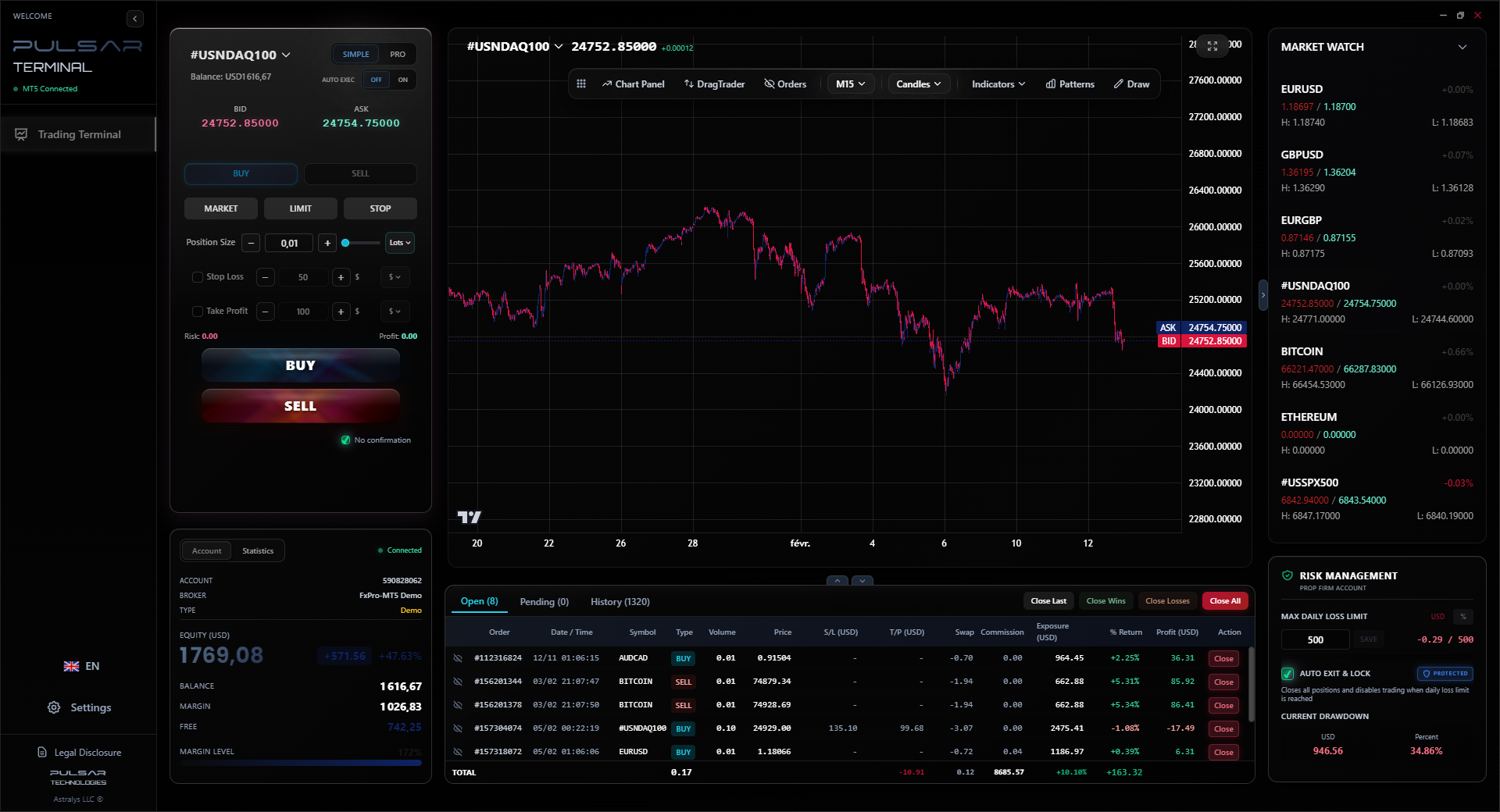
Managing multiple pending orders and their attached stop-losses across pairs is complex, but tools like Pulsar Terminal automate this directly on your MT5, letting you set and forget entire breakout strategies with precise risk parameters.
Pulsar Terminal
The all-in-one MT5 companion: drag-and-drop orders, multi-TP/SL, trailing stop, grid trading, Volume Profile, and prop firm protection. Used by 1,000+ traders daily.
Here's a more nuanced way I use sell stops that has saved me from bad breakout trades. It's a second-chance entry. Let's say USD/NGN approaches a major support at 1400. Everyone is watching it. The price spikes down, breaks 1400 to 1395, triggering all the sell stops below. You see a huge bearish candle. But then, within the same hour, price rockets back ABOVE 1400. This is a classic false break or "stop hunt."
My move? I now place a sell stop at 1395 again, but with a tighter stop-loss. Why? The market just showed me that there are massive buy orders waiting below that level. If price goes back down and breaks 1395 a second time, it likely means those buyers have been exhausted, and the real breakdown is happening. This second-chance sell stop often gets you into a stronger, cleaner move with less risk, because the weak hands (the first round of sell stops) have already been cleared out. This concept ties into understanding market structure, which tools like Volume Profile in platforms can help visualize. It's a more patient, professional approach than chasing the first break.
💡 Winston's Tip
If you find yourself constantly getting stopped out of sell stop orders only to see the trade then work, your level is too tight. You're being precise but not accurate. Widen your confirmation buffer by 30%. It's better to miss a trade than to lose on a bad one.
“Your sell stop level shouldn't be where you *think* price will turn, but where the market *proves* your thesis wrong if it doesn't.”
Not all brokers handle orders the same way, especially during volatility. This matters for your sell stop execution.
Execution Model: Does your broker operate as a Market Maker or an ECN/STP? Market makers (some dealing desk brokers) may have the right to re-quote or even reject your order during high news volatility. ECN/STP brokers like Pepperstone or IC Markets route your order directly to liquidity providers, which usually means faster, more reliable execution, though slippage can still occur.
Spread Widening: Check the typical spread on your pair. If you place a sell stop on GBP/NGN during Lagos market hours, the spread might be 50 pips. Your order triggers when the BID price hits your stop level. But you sell at the ASK price. So if your stop is at 1500.00 and the spread is 50 pips, your actual fill could be around 1499.50. Factor this into your calculations.
Platform Reliability: Can your trading app (like MT5 on your phone) reliably hold and execute pending orders if you close it? It should. But I've had instances with less stable apps where pending orders disappeared. Stick with reputable platforms connected to reputable brokers. Test with a demo account first. A tool that manages orders directly on your MT5 terminal, ensuring they're always active server-side, removes this worry entirely.
FAQ
Q1Is a sell stop the same as a stop-loss?
No, and this is critical. A sell stop is an order to enter a new short position when price falls to a certain level. A stop-loss is an order to exit an existing position to limit a loss. For example, a stop-loss on a long GBP/USD trade would be a sell order placed below your entry price.
Q2Can I cancel a sell stop order before it is triggered?
Yes, absolutely. A pending sell stop order just sits and waits. You can modify its price, its attached stop-loss/take-profit levels, or delete it entirely at any time before the market price hits your specified stop price. Once it's triggered and becomes a market order, you cannot cancel it.
Q3What's the difference between a sell stop and a sell limit?
A sell stop is placed BELOW the current price to sell if the market falls. A sell limit is placed ABOVE the current price to sell if the market rises. Use a sell stop to chase a breakdown. Use a sell limit to short a rally at a predetermined resistance level you think will hold.
Q4Why did my sell stop order fill at a worse price than I set?
This is slippage. A sell stop becomes a market order. If the price is moving down very fast (like during news) and gaps through your level, the broker fills you at the next available price in the market. This is a normal risk of trading during high volatility. To minimize it, avoid trading major news or use brokers with strong liquidity.
Q5How far below support should I place my sell stop order?
There's no magic number, but you need enough distance to avoid a false breakout. I typically go 5-10 pips below a clear support level on major pairs like EUR/USD. For more volatile pairs or crosses, you might need 15-20 pips. The goal is to confirm the break, not get triggered by a random wick.
Q6Do Nigerian brokers allow sell stop orders on all currency pairs?
Generally, yes, on all major, minor, and exotic pairs they offer, including Naira pairs like USD/NGN. However, always check your specific broker's specifications. Some might have restrictions on certain exotic pairs or during specific market conditions.
Prof. Winston's Lesson
Key Takeaways:
- ✓A Sell Stop enters a short trade BELOW current price.
- ✓Always attach a stop-loss to your pending sell stop order.
- ✓Place stops 5-15 pips beyond obvious support to avoid false breaks.
- ✓Factor in spread and potential slippage in your position sizing.
- ✓It's an entry order, not an exit (stop-loss) order.
How useful was this article?
Click a star to rate
Weekly Trading Insights
Free weekly analysis & strategies. No spam.
About the Author
Olumide Adeyemi
West African Trading Pioneer
One of Nigeria's most active forex trading educators. 8 years of experience trading from Lagos. Specializes in low-capital strategies and prop firm challenges for African traders.
Comments
Risk Disclaimer
Trading financial instruments carries significant risk and may not be suitable for all investors. Past performance does not guarantee future results. This content is for educational purposes only and should not be considered investment advice. Always conduct your own research before trading.
You Might Also Like

Cara Trading Forex Sukses: 7 Prinsip dari Trader Profesional
Cara trading forex sukses dengan 7 prinsip trader pro: manajemen modal, disiplin, journal trading, backtest. Data nyata, bukan janji profit palsu.
Jam Trading Forex Terbaik untuk Trader Indonesia: Panduan Lengkap dengan Tabel Waktu
Panduan jam trading forex untuk trader Indonesia. Tabel 4 sesi dunia, jam emas 20:00-00:00, sesi mana yang harus dihindari. Data akurat + tips dari trader berpengalaman.
Top 5 Sàn Forex Uy Tín Nhất 2026: Review Jujur dari Trader Indonesia
Top 5 sàn forex uy tín 2026 untuk trader Indonesia. Review jujur: spread, deposit, withdraw, dukungan lokal. Exness, XM, IC Markets & lebih.
Get Pulsar Terminal
All these calculators are built into Pulsar Terminal with real-time data from your MT5 account. One-click position sizing, automatic risk management, and instant calculations.
Get Pulsar Terminal