


I remember watching the USD/ZAR chart on my main trading platform one afternoon in late 2023.

David van der Merwe
Trader de Mercados Emergentes ·  South Africa
☕ 12 min de lectura
Lo que aprenderás:
- 1What the FNB Forex App Really Is (And Isn't)
- 2The Real Costs: Where Your Money Actually Goes
- 3Using FNB for 'Trading': The Serious Limitations
- 4When the FNB Forex App Actually Makes Sense
- 5The South African Rules You Can't Ignore
- 6Better Alternatives for Actual Forex Trading
- 7A Step-by-Step Guide to Using the App (The Right Way)
- 8Final Verdict: A Banking Tool, Not a Trading Weapon
I remember watching the USD/ZAR chart on my main trading platform one afternoon in late 2023. It was hovering around R18.85, looking like it might break higher. On a whim, I opened the FNB app on my phone to see what rate they were offering for a simple currency conversion. The difference was staggering - their sell rate was nearly R19.10. That 25-cent gap, over 1.3%, was my first real lesson in how bank forex works versus actual trading. If you're a South African looking at the FNB Forex App, you need to understand exactly what you're getting into. It's convenient, yes, but calling it 'trading' is like calling a bicycle a Formula 1 car.
Let's clear this up right away. The FNB Forex App is not MetaTrader 4 or 5. It's not a platform for speculative day trading with charts, indicators, and lightning-fast execution. Think of it as a digital bureau de change in your pocket, with some international payment features bolted on.
Its primary function is to help FNB customers manage their foreign exchange needs within South Africa's strict regulatory framework. This means buying currency for travel, sending money to family overseas, or receiving payments from abroad. It operates under FNB's license as an Authorised Dealer from the South African Reserve Bank (SARB).
Where the confusion starts is with the 'trading' label. Yes, you can buy and sell currency pairs like EUR/USD or GBP/ZAR through the app. But the mechanism, costs, and purpose are fundamentally different from what you'd do with a dedicated forex broker like Exness or IC Markets. You're not trying to profit from tiny pip movements here. You're exchanging one lump sum of money for another, and FNB makes money on the spread between those rates.

Warning: Don't mistake convenience for capability. Using the FNB app for active, short-term trading is financially punishing due to the built-in costs. I learned this the expensive way early on.
This is the most important section. Banks don't work for free, and their pricing isn't always transparent. You need to look at two things: the stated fee and the hidden cost in the exchange rate.
The Upfront Fees
FNB uses a tiered commission structure for international transfers. As of their latest pricing (always check their website for updates), sending money via the app costs:
- R100 for amounts up to R1,000
- R130 for R1,000.01 to R2,000
- R150 for R2,000.01 to R5,000
- R200 for R5,000.01 to R10,000
- 0.55% commission (min R275, max R550) for amounts over R10,000
Receiving money has a similar fee schedule. These are clear and you'll see them on your statement.
The Silent Killer: The Exchange Rate Margin
This is where they really make their money, and most casual users miss it completely. FNB, like all banks, adds a margin to the real mid-market rate (the rate you see on Google or Reuters).
Here's a real example from my own experience. Last year, I needed to convert R50,000 to USD for a family obligation. The interbank rate (the real rate) was $1 = R18.40. That should have gotten me about $2,717. FNB's offered rate on the app was $1 = R18.85. My R50,000 bought only $2,653. That difference of $64 wasn't a separate fee. It was baked into the worse exchange rate, representing a hidden cost of about 2.45% on my transaction.

Example:
- Real Mid-Market Rate: 1 USD = R18.40
- FNB's Offered Rate: 1 USD = R18.85
- Margin: R0.45 per dollar (2.45%)
- Cost on R50,000: ~R1,225 'lost' in the poor rate.
For major currencies, this margin typically sits between 1% and 4%. It's always there, on every conversion. Compared to the raw spreads offered by real forex brokers, this is enormous. A standard EUR/USD spread on IC Markets might be 0.6 pips, or about 0.006%. FNB's effective spread is hundreds of times larger.

💡 Consejo de Winston
A bank's forex rate is like a car's sticker price: the first one you see is never the real cost. The margin is the dealer fee they don't want you to focus on.
“That 25-cent gap between the market rate and FNB's rate was my first real lesson in how bank forex works.”
Maybe you're thinking, "But I can still buy EUR/USD and sell it later if the rate moves, right?" Technically, yes. Practically, it's a terrible idea for several reasons.
First, the cost structure makes short-term moves pointless. If the EUR/USD rate needs to move 2% just for you to break even on a round-trip trade (buy then sell), you've eliminated most profitable opportunities before you even start. In the real forex market, you're trying to capture moves of 0.5% or less through scalping or swing trading.
Second, there's no use in the traditional sense. While the app might mention use, it's not the 1:100 or 1:500 you get with brokers for magnifying gains (and losses) on a small deposit. You're trading the full value of your funds. This sounds safer, but it also means your potential returns on capital are tiny unless you risk huge sums.
Third, the platform lacks all the tools of a trading terminal. No live charts with the RSI indicator or MACD. No stop-loss or take-profit orders that execute automatically. No pending orders. You're placing a manual market order based on a static quote. It's clunky and reactive, not proactive.
I tried this once with a small amount, just to see. I bought $1,000 worth of GBP when the rate was 1.3800. A week later, GBP/USD had risen to 1.3950 - a nice 150-pip move. I went to sell on the FNB app. After their buy/sell spread was applied, my effective profit was less than $50. On a proper broker platform with a tight spread, that same move on a mini lot would have netted $150, minus a couple dollars in spread costs.
I'm not saying the app is useless. Far from it. For its intended purpose, it's excellent. You just need to use it for the right jobs.
1. For Travel Money: This is its sweet spot. Loading your FNB Global Account with USD, EUR, or GBP before a trip is seamless. The card works abroad, and you get the convenience of managing it all from your main banking app. Yes, you pay the margin, but you're paying for certainty and convenience, not profit.
2. For Sending International Payments: Need to pay for an online course in dollars or send money to a relative in the UK? The app makes it straightforward. The SWIFT transfers are reliable, and having everything linked to your main account simplifies tracking. Just factor the costs into your decision.
3. For Receiving Foreign Income: If you're a freelancer getting paid in USD or EUR from overseas clients, the FNB app provides a clear channel to bring those funds into South Africa, complying with SARS and SARB requirements. The fees are predictable.
4. For Long-Term Currency Holding: If you genuinely believe the Rand will weaken significantly over the next year and you want to park some savings in US Dollars, the FNB Global Account is a legitimate, bank-held way to do that. You're not trading; you're diversifying your savings.

Pro Tip: Always check if you can earn eBucks rewards on your forex transactions through the app. Sometimes the cashback can offset a portion of the fees, making the net cost more palatable for these utility uses.
💡 Consejo de Winston
Use the right tool for the job. You wouldn't use a sledgehammer to put in a picture hook. Don't use a banking app for precision trading.
“Using the FNB app for active trading is like trying to win a Formula 1 race on a bicycle.”
Using the FNB Forex App means playing by SARB's rules. Ignorance isn't an excuse, and breaking these rules can lead to serious penalties. Here’s the layman's guide to what matters for you as an individual.
The Single Discretionary Allowance (SDA): This is your 'no-questions-asked' money. Every adult South African resident can send up to R1 million per calendar year overseas for any legal purpose. No tax clearance needed. Buying forex on the FNB app for travel or online shopping falls under this. The app will track this for you.
The Foreign Investment Allowance (FIA): Want to send more than R1 million abroad, perhaps to fund an international brokerage account for real trading? This is your next bucket. You can send up to R10 million per year, but you must be in good standing with SARS and get a Tax Compliance Status (TCS) pin first. This is crucial if you plan to use a broker like Pepperstone or XM.
The 60/30 Day Rule: This trips up many travelers. You can't buy foreign cash more than 60 days before you travel. And when you come back, you must sell any leftover cash back to an authorised dealer (like FNB) within 30 days. The app can help with the sell-back.
Recent Tightening (2026 Update): There have been reports of stricter checks, especially for foreign nationals using FNB accounts. If you're not a South African citizen or permanent resident, moving money internationally might now require a business permit or proof of local income. This isn't FNB being difficult; it's them enforcing SARB and FIC anti-money laundering rules more rigorously.
If your goal is to actively trade currencies for profit, you need the right tools. The FNB app isn't one of them. Here’s how a serious South African trader would structure things.
Step 1: Choose a Regulated International Broker. You need a platform built for trading. Look for brokers regulated by top-tier authorities (like ASIC or CySEC) that accept South African clients. My personal experiences have been positive with IC Markets for their raw spreads and Exness for their flexibility. These platforms offer MetaTrader 4/5, where you can use proper charts, indicators, and automated trading.
Step 2: Use FNB for the Funding Bridge. This is where the FNB Forex App can play a supporting role. You can use your FIA (with tax clearance) to send Rands to your international broker. You'll pay FNB's transfer fee and their exchange rate margin to convert your ZAR to USD (or EUR) for the transfer. It's a one-time cost to get your trading capital to the right place.
Step 3: Trade on the Professional Platform. Once your USD is with your broker, you trade in the real market. Spreads on major pairs are often below 1 pip. You can use use responsibly (I rarely go above 1:10 for swing trading), set stop-losses, and use a position size calculator to manage risk. The profit from a single good trade can easily cover the entire cost of getting your money there.
A Real Comparison: Let's say you have R100,000 to trade with.
- On FNB 'Trading': You buy ~$5,300 (after their margin). To make a 2% return (R2,000), the market needs to move over 2%. You have no stop-loss protection.
- With a Broker: You transfer $5,300 (paying FNB's fee and margin to get it there). On your broker, you trade a standard lot (100,000 units) with 1:20 use, using only $5,000 of your margin. A 20-pip move on EUR/USD (0.2%) yields $200. You have a guaranteed stop-loss in place to cap your risk.
The difference in efficiency, control, and cost is night and day.
💡 Consejo de Winston
Regulations aren't walls to stop you; they're the guardrails on the highway. Understand the SDA and FIA lanes, and you'll drive your finances much further.
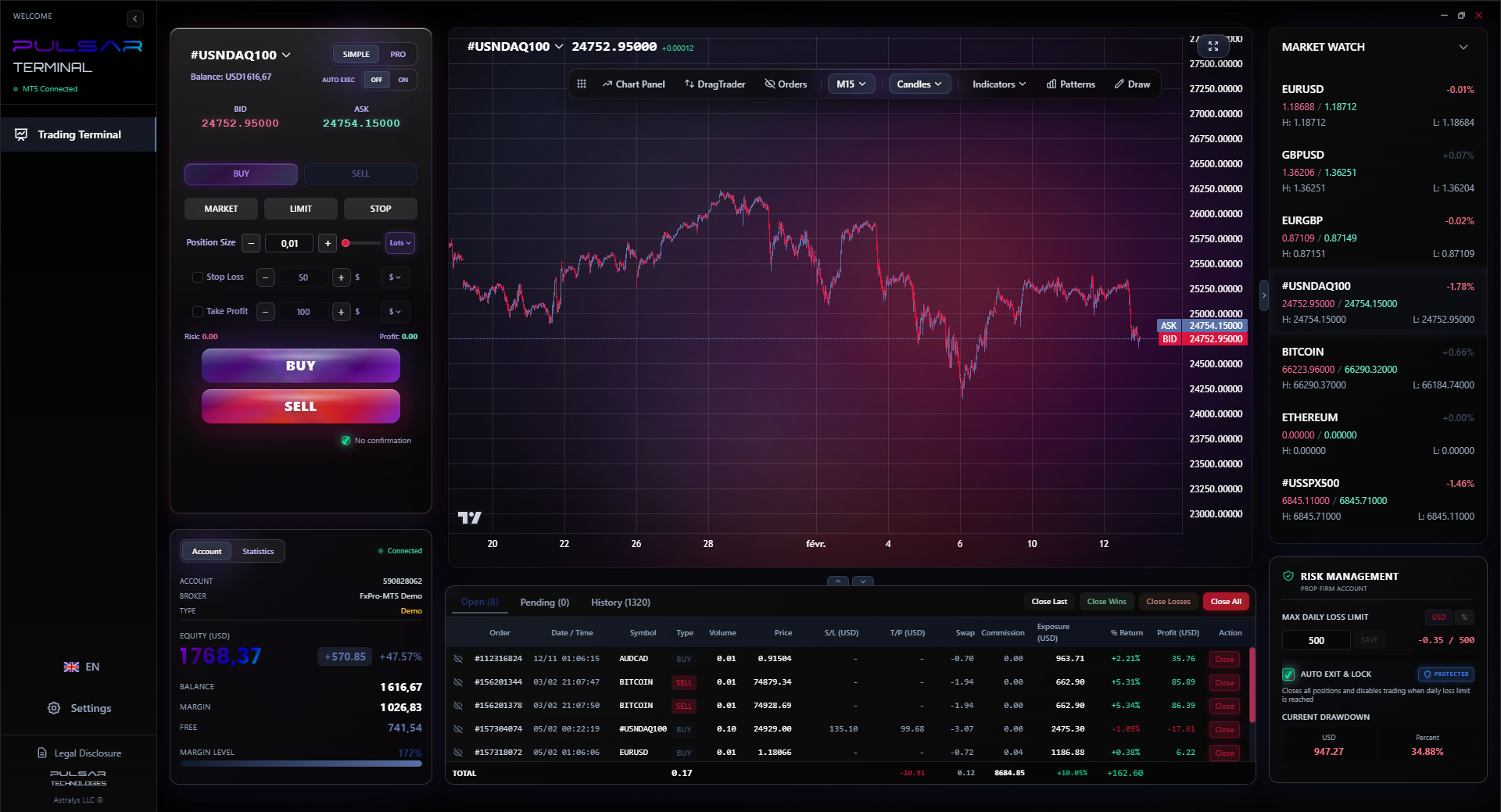
Managing complex trades with multiple take-profit levels and a trailing stop is what professional platforms are for, and Pulsar Terminal brings that advanced functionality directly to your MT5.
Pulsar Terminal
La herramienta MT5 todo-en-uno: órdenes drag-and-drop, multi-TP/SL, trailing stop, grid trading, Volume Profile y protección prop firm. Usado por más de 1.000 traders diariamente.
“Segment your financial life: use FNB for banking convenience, use a broker for trading efficiency.”
Let's walk through how you'd actually use the FNB Forex App for its best purposes.
To Buy Travel Currency & Load a Global Card:
- Log into the FNB Banking App.
- Navigate to the 'Forex' or 'Global Account' section.
- Select 'Buy Currency' and choose your destination currency (e.g., USD).
- Enter the amount in Rands you wish to convert. The app will show you the offered rate and the final amount of foreign currency you'll receive. This is where you see the margin. Accept it if you're happy.
- Choose to load the funds onto your FNB Global Debit Card or convert them to cash for collection.
- The funds are deducted from your linked FNB account. Your SDA allowance is automatically updated.
To Send an International Payment:
- In the Forex section, select 'International Payment' or 'Send Money Abroad'.
- Add your beneficiary's details (name, bank, SWIFT code, account number). Save them for future use.
- Enter the amount to send. You can choose to pay the fees in ZAR or have them deducted from the sent amount.
- Select the reason for payment (e.g., Family Maintenance, Education). Be truthful - this is for regulatory reporting.
- Review the total cost (fee + converted amount at FNB's rate) and confirm.
To Receive Foreign Currency:
- Provide your sender with FNB's SWIFT details and your FNB account number.
- When the money arrives, FNB will convert it to ZAR at their buying rate (which includes their margin) and credit your account.
- You'll see a fee deducted, based on the tiered receiving fee schedule.
Remember, for all these actions, the app is a facilitator within a regulated system. It's efficient, but it's not a market-beating tool.
Here's my blunt take after 12 years in markets and using this app for years as a bank customer.
The FNB Forex App is a fantastic piece of banking technology. It makes managing your legal foreign exchange allowances incredibly easy. For travel, payments, and holding foreign currency, it gets an 8/10. The integration with your main account, the Global Card, and eBucks rewards create a smooth user experience.
As a tool for forex trading, it's a 2/10. The costs embedded in the exchange rates are simply too high for frequent transactions. The lack of trading tools, proper order types, and competitive pricing means you're fighting the market with one hand tied behind your back and a weight vest on.
My advice? Segment your financial life. Use the FNB app for what it's brilliant at: personal forex utility under the SARB allowances. Then, for the actual business of trading and trying to grow your capital, use a dedicated international broker with a professional platform. Fund that broker account once, using your FIA, and then leave the FNB app out of your daily trading routine.
That separation of concerns - banking convenience here, trading efficiency there - is what finally worked for me. It stopped me from trying to force a banking app to be something it was never designed to be, and it saved me a lot in unnecessary costs over the long run.
FAQ
Q1Can I actually make money trading forex on the FNB app?
Technically, yes, if the market moves significantly in your favor. Practically, it's very difficult. The built-in exchange rate margin (often 2-4%) means the market has to move more than that just for you to break even on a buy-and-sell round trip. This eliminates most short-term trading opportunities. It's designed for currency exchange, not speculative profit.
Q2What are the major disadvantages of using the FNB Forex App for trading?
The three biggest disadvantages are: 1) High Effective Spreads: The hidden cost in the exchange rate is hundreds of times wider than broker spreads. 2) No Trading Tools: There are no live charts, technical indicators, stop-loss, or take-profit orders. 3) No Meaningful use: You're trading the full value of your funds, limiting potential returns on capital unless you risk very large sums.
Q3How does the FNB app handle the R1 million Single Discretionary Allowance (SDA)?
The app tracks it automatically. When you buy foreign currency for travel, gifts, or online shopping, the Rand value of that transaction is deducted from your remaining SDA balance for the calendar year. You can view this balance within the app's forex section. It's a helpful feature that ensures you stay within the legal limit without manual calculation.
Q4I want to trade with a real broker like IC Markets. Can I use the FNB app to send them money?
Yes, but you must use your Foreign Investment Allowance (FIA), not your SDA. First, ensure you are tax compliant and get a Tax Compliance Status pin from SARS. Then, in the FNB app, you would initiate an international payment to the broker's bank account. You'll pay FNB's transfer fee and their exchange rate margin to convert your ZAR to USD for the transfer. This is a legitimate use of the app to fund a trading account.
Q5Is my money safe using the FNB Forex App?
For its intended purposes, yes. FNB is a major South African bank regulated by the SARB and FSCA. Your funds in a Global Account are held by the bank. The safety concern isn't about security, but about cost-efficiency. You're 'safe' from platform failure, but you're exposed to high, non-transaction costs that erode your capital if used for active trading.
Q6What's the difference between the FNB Forex App and a platform like MetaTrader 5?
It's the difference between a bank and a trading exchange. The FNB app is for administering your personal foreign currency needs (buy, sell, send, receive). MetaTrader 5 is a professional trading terminal where you speculate on price movements with charts, use, and instant order execution. One is for utility, the other is for active market participation. Tools like Pulsar Terminal then add advanced trade management on top of MT5.
Q7Are the exchange rates on the FNB app live?
They are live in the sense that they update frequently, but they are not the raw interbank rates you see on financial news. The rate FNB shows you is the interbank rate plus their margin. This 'all-in' rate is what you pay or receive. It will always be less favorable than the pure market rate.
Lección del Prof. Winston
Puntos clave:
- ✓Bank forex margins cost 1-4%, killing short-term trade profits.
- ✓The R1 million SDA is for spending, the R10 million FIA is for investing.
- ✓Real trading requires stop-loss orders; banking apps don't have them.
- ✓Fund a real broker once, then trade where spreads are under 1 pip.
¿Te resultó útil este artículo?
Haz clic en una estrella
Análisis Trading Semanal
Análisis y estrategias semanales gratis. Sin spam.
Sobre el autor
David van der Merwe
Trader de Mercados Emergentes
Trader con sede en Johannesburgo con 11 años en divisas de mercados emergentes. Especialista en pares ZAR, trading regulado por la FSCA y análisis del mercado sudafricano.
Comentarios
Aviso de riesgo
El trading de instrumentos financieros conlleva un riesgo significativo y puede no ser adecuado para todos los inversores. El rendimiento pasado no garantiza resultados futuros. Este contenido tiene fines educativos únicamente y no debe considerarse asesoramiento de inversión. Siempre realice su propia investigación antes de operar.
También te puede interesar

Cara Trading Forex Sukses: 7 Prinsip dari Trader Profesional
Cara trading forex sukses dengan 7 prinsip trader pro: manajemen modal, disiplin, journal trading, backtest. Data nyata, bukan janji profit palsu.
Jam Trading Forex Terbaik untuk Trader Indonesia: Panduan Lengkap dengan Tabel Waktu
Panduan jam trading forex untuk trader Indonesia. Tabel 4 sesi dunia, jam emas 20:00-00:00, sesi mana yang harus dihindari. Data akurat + tips dari trader berpengalaman.
Top 5 Sàn Forex Uy Tín Nhất 2026: Review Jujur dari Trader Indonesia
Top 5 sàn forex uy tín 2026 untuk trader Indonesia. Review jujur: spread, deposit, withdraw, dukungan lokal. Exness, XM, IC Markets & lebih.
Obtener Pulsar Terminal
Todas estas calculadoras están integradas en Pulsar Terminal con datos en tiempo real de su cuenta MT5.
Obtener Pulsar Terminal