


My phone buzzed on the dashboard.

David van der Merwe
Trader de Mercados Emergentes ·  South Africa
☕ 10 min de lectura
Lo que aprenderás:
My phone buzzed on the dashboard. It was March 2022, and I was stuck in Joburg traffic on the M1. The USD/ZAR had just broken through R15.20, a level I’d been watching for days. I fumbled for my phone, unlocked it, and my trading app had frozen - just a spinning wheel of death. By the time I pulled over, the move was over. I’d missed a 150-pip surge because I’d sideloaded a ‘modified’ APK to get features my broker didn’t offer. The app crashed at the worst possible moment. That was the day I learned that how you get your trading app matters just as much as how you use it.
Let's be honest. The promise of a forex trading app download APK from some forum or third-party site is tempting. Maybe your phone's too old for the latest Play Store version. Maybe you want a feature your broker's official app lacks. I get it. I've been there.
But here's the hard truth from someone who's paid for it: downloading trading apps from unofficial sources is like inviting a stranger to manage your bank account. That 'modified' MT4 APK I used? It wasn't just buggy. A month after that freeze, I noticed small, unexplained withdrawals from my trading account - never more than $20 at a time. It took me weeks to connect the dots. The APK had likely been packed with a keylogger.

Warning: An APK file is just the installation package. Anybody can modify it. That 'free premium signals' version you found? It could be recording your login credentials, manipulating price feeds, or simply crashing when volatility spikes.
The FSCA doesn't regulate app stores. They regulate brokers. If you get scammed via a malicious APK, your broker's compensation fund likely won't cover you because you bypassed their official security. Your protection starts with downloading the right way.
My lesson was expensive in missed opportunities and a compromised account. The convenience isn't worth the existential risk.
“Downloading trading apps from unofficial sources is like inviting a stranger to manage your bank account.”
So, where do you get your app? The path is straightforward, but non-negotiable.
1. Directly From Your Regulated Broker This is the golden rule. If your broker is FSCA-regulated (and they absolutely should be), they will provide direct download links on their South African website. For example, when you sign up with a broker like Exness or IC Markets, their client portal will have a dedicated 'Mobile Trading' section with links that go straight to the official app stores or secure download pages. This ensures you're getting the authentic, unaltered application built for their servers.
2. Official App Stores (Google Play & Apple App Store) This is the next safest bet. Search for your broker's app by its exact, official name. Check the developer details - it should match the broker's company name. Don't download 'MetaTrader 4 Super Edition' from 'BestTradingAppsFree'. Download 'MetaTrader 4' from 'MetaQuotes Software Corp.' or your broker's own developer account.
What About Older Phones?
I ran into this with an older tablet. The current app required a newer Android version. The solution isn't a random APK. First, contact your broker's support. They often maintain legacy versions on their own secure servers. If that fails, it's a sign to upgrade your device. Trading with outdated software is a vulnerability you can't afford.

Pro Tip: Before you download anything, verify your broker's FSCA license number on the FSCA's public register. No FSCA license? No download. It's that simple.

💡 Consejo de Winston
An app is a tool, not a strategy. If you can't describe your edge on a napkin, the slickest app in the world won't save you.
“The convenience of a sideloaded APK isn't worth the existential risk to your trading capital.”
Let's open a typical broker app used in South Africa. I'll use a generic example based on my experiences with several platforms.
When you log in, the first thing you should look for is connection security. It should show a padlock and a server name matching your broker (e.g., 'BrokerXYZ-Live-Server 4'). If it doesn't, disconnect immediately.
The Core Dashboard:
- Account Summary: Your balance, equity, free margin. This updates in real-time. A lag here is a major red flag.
- Quote List: Watchlists for your pairs. For us, major pairs like EUR/USD, but crucially, the USD/ZAR and EUR/ZAR. Spreads should be visible. I expect to see USD/ZAR spreads between 80-150 pips on a standard account during London/NY overlap. If an app shows a constant 20-pip spread on ZAR pairs, the data is likely fake.
- Order Ticket: The heart of the operation. It must allow instant market execution, pending orders (limit, stop), and crucially, stop-loss and take-profit placement before you enter the trade. If you can't set a SL immediately, close the app.
The Hidden Cost: Swap Rates. You need to see these. Holding a USD/ZAR position overnight can incur a swap fee (or credit). A good app shows the exact amount in your account currency before you open the trade. I once got caught holding a long USD/ZAR position over a South African public holiday, not realizing the swap would triple. A clear app display would have saved me that R400 surprise.
Charting is often basic on mobile, but you should at least have candlestick/bar charts, zoom functionality, and maybe a simple RSI indicator or MACD. Mobile is for managing existing trades or catching urgent opportunities, not complex analysis. That's what your desktop platform is for.
“The convenience of a sideloaded APK isn't worth the existential risk to your trading capital.”
Your trading app might show the spread, but the real cost of trading in South Africa has layers. The app won't always scream these at you.
1. The Spread (The Obvious One): This is the difference between buy and sell. On the app, EUR/USD might show 1.10500 / 1.10506 (a 0.6 pip spread). That's clean. But check USD/ZAR during low liquidity (like late Friday night SA time). I've seen spreads blow out to 250 pips. The app will show it, but will you notice before hitting 'buy'?
2. The Commission (Sometimes Hidden): On a 'Raw Spread' account, you pay a commission. My app with Pepperstone shows this clearly as a separate line item on the order ticket: "Commission: ~$7 per 100k." Some apps bake it into a wider spread. You need to know which model you're on.
3. The Swap (The Silent Killer): As mentioned, this is for holding overnight. The app should list it. For a standard lot of USD/ZAR, the swap can be several dollars per night. If you're a swing trader holding for weeks, this adds up. Calculate it into your potential profit/loss.
4. The Currency Conversion Fee (The Invisible Tax): This is huge for us. If your broker account is in USD but you deposit ZAR, your bank or payment gateway charges a fee (often 1-2%). If you withdraw profits in USD to your ZAR account, you get hit again. The trading app won't show this. It happens off-platform. A R10,000 profit can easily become R9,800 after all conversions. Always factor in at least 1.5% for currency moves.

Example: You make a 50-pip profit on USD/ZAR (R500 per standard lot). Spread cost: R150. Possible overnight swap: -R40. Deposit/Withdrawal conversion fees on the profit: ~R15. Your real net gain is closer to R295, not R500. Your app likely only showed you the spread.
💡 Consejo de Winston
Latency is the mobile trader's silent tax. If you wouldn't make the trade on a 2-second delay, don't make it on your phone.
“Your phone is your trading lifeline outside the office. The app needs to be an ally, not another source of risk.”
I don't use my phone to find trades. I use it to manage the trades my desktop analysis uncovers. Here's my routine, scars and all.
The Morning Check (6:30 AM SA Time): I open the app with my coffee. Goal: Check on any open positions from the US session. I'm looking for unexpected gaps. One Tuesday morning, I found my GBP/USD stop-loss had been skipped due to a gap. I was sitting at a loss R1200 deeper than planned. The app gave me the bad news first; I could then decide on desktop whether to cut or average down (I cut).
The Lunchtime Management (1:00 PM SA Time): London is active, New York is waking up. If I have a pending order about to trigger, I watch it like a hawk. I once had a buy limit on Gold (XAU/USD) set at $1815. The app alert went off. I opened it, saw the trade execute, and immediately set my stop-loss and take-profit. This is mobile's strength: rapid reaction.
The Big Mistake: I tried scalping on my phone during load-shedding, using mobile data. The latency was terrible. I'd get a price, execute, and the fill was 3 pips worse. I did this 5 times in an hour, losing R80-R120 on each trade from poor execution alone. The app worked fine; my context was hopeless. Mobile data adds latency. Period.
The Evening Review (10:00 PM SA Time): Quick glance. Are my stops still valid? Do I need to adjust any trailing stops? Then I close it. Having 24/7 access is a curse. You start watching every wiggle. Discipline means shutting it down.
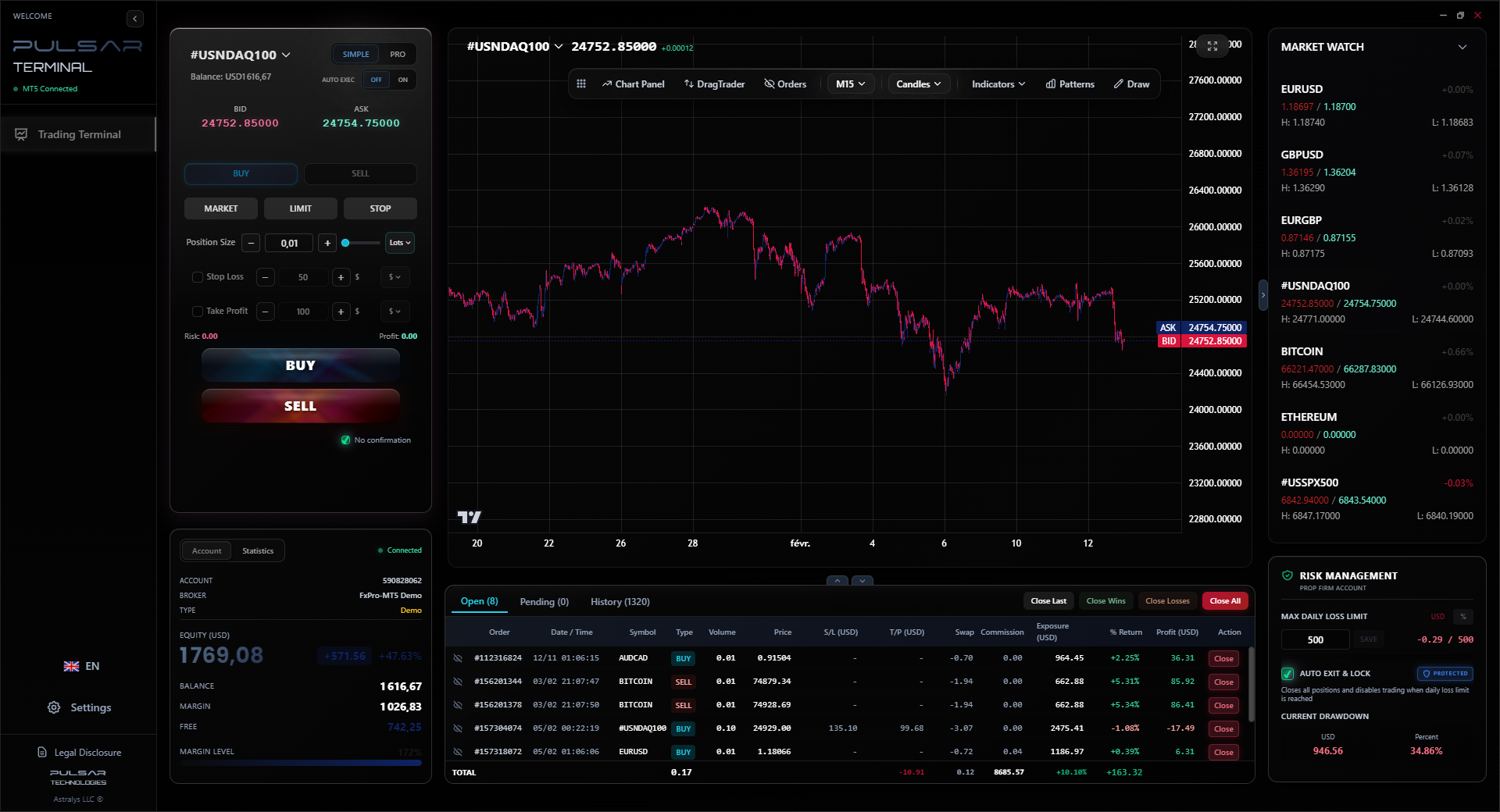
A tool like Pulsar Terminal, which integrates with MT5, understands this. It lets you set sophisticated order structures (like multi-part take-profits) on your desktop, so your mobile management is simpler - just monitor and adjust, not build from scratch in a panic.
Managing complex trades on a small screen is stressful; Pulsar Terminal lets you set advanced order structures on desktop so your mobile management is simple and secure.
Pulsar Terminal
La herramienta MT5 todo-en-uno: órdenes drag-and-drop, multi-TP/SL, trailing stop, grid trading, Volume Profile y protección prop firm. Usado por más de 1.000 traders diariamente.
“Your phone is your trading lifeline outside the office. The app needs to be an ally, not another source of risk.”
The app is part of the product. When comparing brokers like XM or IC Markets, their app quality should be a deciding factor.
Here’s what I test during a demo phase:
| Feature | Why It Matters for South Africans |
|---|---|
| Stability during SA Load-shedding | Does it reconnect seamlessly when your power/Wi-Fi drops and you switch to mobile data? Some apps require a full restart and login. That's unacceptable. |
| Local Deposit/Withdrawal Integration | Can you easily see and initiate Instant EFTs, Ozow, or PayFast deposits directly in the app? Or do you have to switch to a browser? |
| ZAR Pair Spreads Display | Are USD/ZAR, EUR/ZAR spreads shown clearly on the main quote screen, or buried? |
| One-Tap Trading | Can you turn this OFF? On a bumpy commute, a thumb slip can open a trade. You need the option for a 'confirm order' step. |
| Notification Reliability | Do price alerts and margin warnings push through consistently? I've missed exits because app notifications were delayed by 10 minutes. |
I once chose a broker with slightly worse spreads because their app had flawless Instant EFT processing. The time and frustration saved were worth more than the fractional pip difference. Your phone is your trading lifeline outside the office. The app needs to be an ally, not another source of risk.
Finally, always use your broker's provided position size calculator. Don't trust a random calculator app. Inputs should match your broker's specific use (remember, max 30:1 for SA retail) and account currency to get accurate margin and risk calculations.
💡 Consejo de Winston
Your phone's battery percentage is a risk metric. Below 20%? You're one notification away from a forced exit. Manage your device like you manage your margin.
“In trading, shortcuts lose money. The legitimate path is the only path that keeps you in the game.”
If you take one thing from this guide, let it be this: your trading app is a direct pipeline to your money. Securing it is non-negotiable.
- Never use the same password for your trading app as for your email or banking.
- Enable Two-Factor Authentication (2FA) if your broker's app supports it. It's annoying until it saves you.
- Log out if you're lending your phone to someone, even for a minute.
- Use a VPN if you're trading on public Wi-Fi at a coffee shop. It's a minimal extra step for massive security.
- Update the app only via the official store or broker link. Those update notifications are important.
The search for a 'forex trading app download apk' is often a search for a shortcut. In trading, shortcuts lose money. The legitimate path - regulated broker, official download, disciplined use - isn't as exciting. But it's the only path that keeps you in the game long enough to learn, adapt, and hopefully, profit. Your phone is a powerful tool. Don't cripple it with software you can't trust.
FAQ
Q1Is it legal to download forex trading APKs in South Africa?
It's not illegal to download an APK file itself, but it's highly risky and strongly discouraged. The FSCA regulates brokers, not software distribution. If you download a malicious APK, lose money, and your broker can prove you used unofficial software, you may have no legal recourse or protection from the broker's compensation schemes. Legality is not the issue; security and contractual protection are.
Q2My phone says 'App Not Available in Your Country' for a trading app. What should I do?
This usually means the broker hasn't published their app for the South African Google Play or Apple App Store region. Do NOT search for an APK. Instead, go directly to your broker's South African website. All FSCA-regulated brokers serving SA clients will have a direct download link or instructions (often for the global MetaTrader apps) on their site. If they don't, contact their support. If they can't provide a secure path, it's a red flag about their service.
Q3What are the real risks of using a downloaded forex APK file?
The risks are severe: 1) Malware/Keyloggers: The app can steal your login credentials and drain your account. 2) Manipulated Data: Prices, spreads, or your P/L can be displayed incorrectly to trick you. 3) Crashes & Freezes: The app may fail during high volatility, locking you out of trades. 4) No Support: Your broker will not help you troubleshoot an unofficial app. 5) No Updates: You miss critical security patches, leaving you vulnerable.
Q4Can I use international broker apps like MetaTrader 4/5 safely in South Africa?
Yes, but only if you download them through the correct channel. Download the generic 'MetaTrader 4' or 'MetaTrader 5' app from the official developer ('MetaQuotes Software Corp.') on your app store. Then, within the app, you only log in using the server details provided by your FSCA-regulated broker. The app itself is safe; the security comes from connecting to the correct, regulated broker's servers.
Q5How do I check if a trading app is from a legitimate, FSCA-regulated broker?
First, verify the broker separately. Get their FSCA license number from their website and check it on the FSCA's public register. Then, for the app: On the Google Play Store, check the 'Developer' section. It should match the broker's registered company name. On the broker's SA website, they should explicitly list their official app store links. Never download an app before verifying the broker's regulatory status.
Q6Are there any good standalone trading analysis apps for South Africans?
Yes, but these are for analysis, not live trading. Apps like TradingView are excellent for charting and ideas on the go. However, you would still execute any trades through your broker's official, secure app. Think of these as research tools. Your broker's app is the secure terminal for action. Never enter live account details into an unsanctioned analysis app.
Lección del Prof. Winston
Puntos clave:
- ✓Only download apps from your broker's official website or verified app store pages.
- ✓Assume every unofficial APK contains malware designed to steal your credentials.
- ✓Factor in mobile data latency - it can add 2-3 pips of slippage.
- ✓Use mobile for trade management, not complex analysis or discovery.
- ✓Enable 2FA on your trading account without exception.
¿Te resultó útil este artículo?
Haz clic en una estrella
Análisis Trading Semanal
Análisis y estrategias semanales gratis. Sin spam.
Sobre el autor
David van der Merwe
Trader de Mercados Emergentes
Trader con sede en Johannesburgo con 11 años en divisas de mercados emergentes. Especialista en pares ZAR, trading regulado por la FSCA y análisis del mercado sudafricano.
Comentarios
Aviso de riesgo
El trading de instrumentos financieros conlleva un riesgo significativo y puede no ser adecuado para todos los inversores. El rendimiento pasado no garantiza resultados futuros. Este contenido tiene fines educativos únicamente y no debe considerarse asesoramiento de inversión. Siempre realice su propia investigación antes de operar.
También te puede interesar

Cara Trading Forex Sukses: 7 Prinsip dari Trader Profesional
Cara trading forex sukses dengan 7 prinsip trader pro: manajemen modal, disiplin, journal trading, backtest. Data nyata, bukan janji profit palsu.
Jam Trading Forex Terbaik untuk Trader Indonesia: Panduan Lengkap dengan Tabel Waktu
Panduan jam trading forex untuk trader Indonesia. Tabel 4 sesi dunia, jam emas 20:00-00:00, sesi mana yang harus dihindari. Data akurat + tips dari trader berpengalaman.
Top 5 Sàn Forex Uy Tín Nhất 2026: Review Jujur dari Trader Indonesia
Top 5 sàn forex uy tín 2026 untuk trader Indonesia. Review jujur: spread, deposit, withdraw, dukungan lokal. Exness, XM, IC Markets & lebih.
Obtener Pulsar Terminal
Todas estas calculadoras están integradas en Pulsar Terminal con datos en tiempo real de su cuenta MT5.
Obtener Pulsar Terminal