


I lost 1.8 million Naira on a single EUR/USD trade because my laptop froze during a power cut.

Olumide Adeyemi
Pionnier du Trading en Afrique de l'Ouest ·  Nigeria
☕ 9 min de lecture
Ce que vous apprendrez :
- 1What is a Forex VPS (And What It Isn't)
- 2Do You Actually Need a Forex VPS? (The Honest Checklist)
- 3What to Look For: Specs Beyond the Marketing Hype
- 4Top VPS Providers for Nigerian Traders (2024 Reality Check)
- 5Setting Up Your VPS: A 10-Minute Guide
- 6The Naira and Kobo Analysis: Is It Worth It For You?
- 7The 5 Biggest Mistakes Nigerian Traders Make with VPS
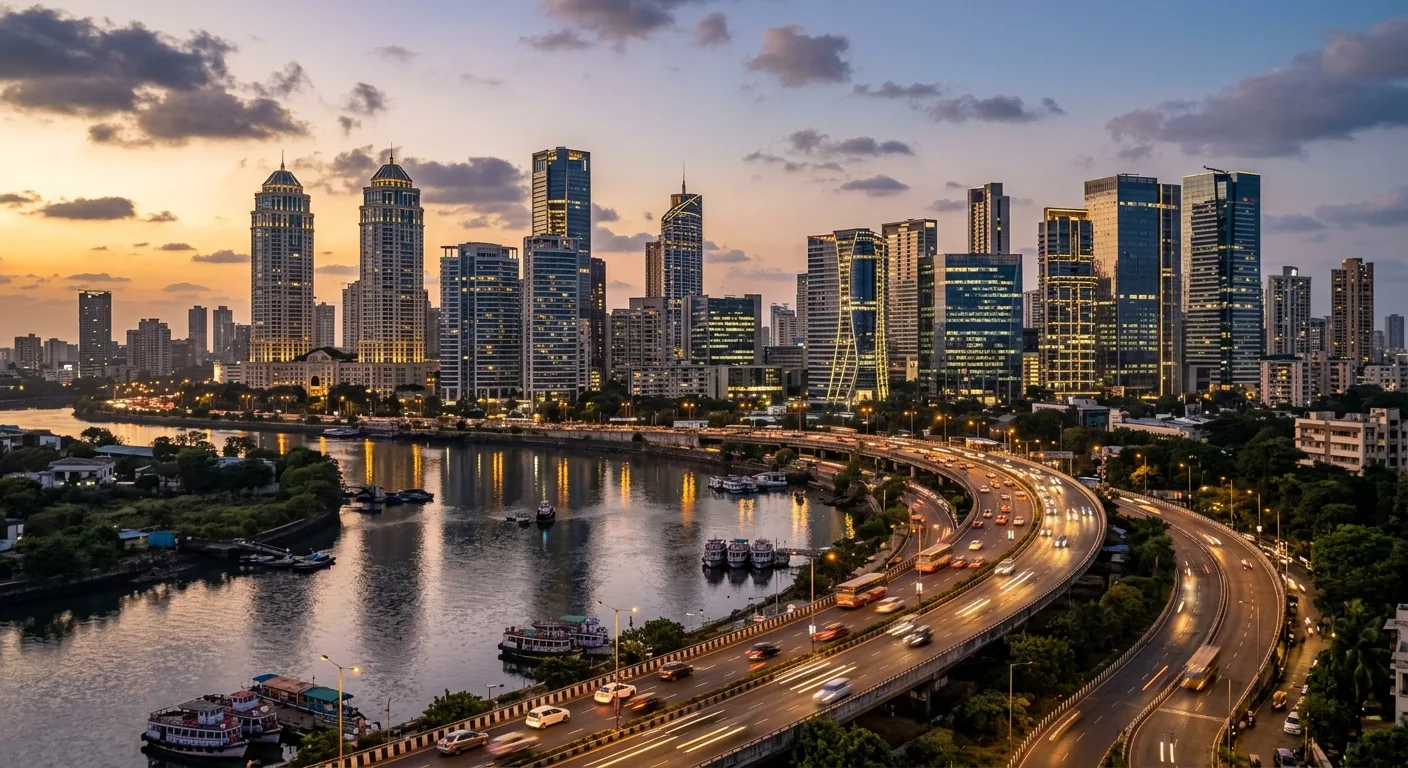
I lost 1.8 million Naira on a single EUR/USD trade because my laptop froze during a power cut. The generator kicked in 90 seconds later, but by then, my stop-loss was a distant memory and my position was liquidated. I blamed NEPA, I blamed my broker, I blamed Lagos traffic for stressing me out. The truth was, I was running a complex Expert Advisor on a consumer-grade laptop with 17 Chrome tabs open. That's when I got serious about a Virtual Private Server. But here's the kicker: most traders, especially in Nigeria, buy a VPS for all the wrong reasons and end up burning money on a solution they don't need.
A Forex VPS is a remote computer you rent by the month. It runs 24/7 in a data center, and you connect to it from your PC or phone to manage your trading platform. Its main job is to keep your trading terminal - MetaTrader 4, MetaTrader 5, cTrader - online and executing trades without interruption.
It is not a magic performance booster for your strategies. It won't make a losing EA profitable. It won't give you faster news feeds than your broker. Think of it as a dedicated, always-on power outlet for your trading computer, nothing more.

Warning: A VPS is useless if your underlying strategy is flawed. It just automates losing money faster and more reliably. I learned this the hard way by running a grid martingale EA on a VPS. The uptime was 99.9%. My account drawdown was 100%.
The real value for a Nigerian trader comes down to two things: uptime and latency. Uptime means no disconnections during our infamous power outages. Latency means your trade orders reach the broker's server milliseconds faster because the VPS is physically closer to it (often in London, New York, or Singapore). For a scalping strategy where every millisecond counts, this can matter. For a swing trading approach? Almost never.
Before you spend 15,000-25,000 Naira a month, let's be real. You probably don't need one. I recommend a VPS to maybe 1 in 10 of the traders I mentor. Here’s my checklist.
You Likely NEED a VPS If:
- You run automated trading systems (Expert Advisors) 24 hours a day.
- You are a prop firm trader where rules mandate 24/5 uptime for challenge accounts.
- You scalp and your broker's server is in another continent (e.g., you're with an EU broker).
- Your home internet and power are so unreliable you can't guarantee 4 hours of stable connection.
You Do NOT Need a VPS If:
- You manually trade a few hours a day. Just use your phone as a backup.
- You think it will "make your trading faster." (It marginally improves order execution speed, not your decision-making).
- Your broker offers a free VPS for meeting a minimum deposit or volume. (Check this first!).
- You're using it to run multiple accounts in a way that violates your broker's terms.
I paid for a VPS for 8 months before realizing my manual swing trading style didn't require it. That was over 150,000 Naira wasted. The only time it saved me was during a three-day trip to the village where there was no network. My trades ran fine. But was that worth 150k? Not a chance.

💡 Conseil de Winston
A VPS is an operational cost, like office rent. If your trading isn't a profitable business yet, you can't afford the rent. Use your broker's free option or your own PC until you're consistently in the green.
“A VPS won't make a losing strategy profitable. It just automates losing money faster and more reliably.”
Forget the flashy websites. You're buying a tool, not a brand. Here are the technical specs that actually matter, explained simply.
Latency (Ping): This is the round-trip time between the VPS and your broker's main trade server. You want this under 1ms (millisecond). Most good providers will list their ping to major broker hubs. Ask them directly: "What is your ping to IC Markets' London server?"
CPU & RAM: Don't get oversold. For running one or two MT4/MT5 instances, a single CPU core and 1GB of RAM is sufficient. If you're backtesting heavily or running multiple complex EAs, go for 2 cores and 2GB RAM. More than that is overkill and a waste of money.
Storage (SSD): Get a Solid State Drive (SSD). It's non-negotiable. It makes the operating system and your platform boot and run faster. 20-30GB is plenty.
Uptime Guarantee: Look for a 99.9% or higher Service Level Agreement (SLA). This is their promise of how often the server will be online. 99.9% sounds high, but it still allows for about 43 minutes of downtime per month. Read the fine print on their compensation if they fail.
Windows OS: You'll need a Windows Server license (usually provided). Trying to run MT4 on a Linux VPS is a technical headache you don't want.

Example: My current setup for running two prop firm challenge accounts: 1 CPU core, 2GB RAM, 25GB SSD storage. It costs me $29/month. It handles MT5, a trade copier, and a monitoring app without breaking a sweat.

I've tested or used most of the big names. Your choice often comes down to a balance of cost, support, and payment methods that work in Nigeria. Here’s the breakdown.
1. Cheap & Cheerful (The Budget Option)
- Name: Hostinger, Contabo.
- The Deal: These are general-purpose VPS providers, not Forex-specific. You can get a basic Windows VPS for as low as $10-15/month.
- The Catch: Setup is on you. Support won't understand MT4. Latency to broker servers might be higher. Fine for running simple EAs if you're tech-savvy.
2. Forex-Focused (The Reliable Standard)
- Name: FXVM, Beeks Financial, ForexVPS.
- The Deal: These are the industry standards. They're optimized for low latency to common broker data centers. Setup is easy, often with pre-installed trading platforms.
- The Cost: Higher. Expect $25-$50/month. You're paying for the specialization and support that knows what a spread is.
3. Broker-Provided (The Freebie)
- The Deal: Many brokers like IC Markets, Pepperstone, and Exness offer free VPS services if you maintain a certain account balance (e.g., $500-$5,000) or generate a minimum monthly trading volume.
- The Reality: This is often the best forex VPS deal for a Nigerian starting out. The latency is fantastic because it's usually hosted in the same data center as their trade servers. Always ask your broker first. I used XM's free VPS for a year - it was rock solid.
Payment in Nigeria: This is a hurdle. Most international providers accept credit/debit cards (Naira cards work via currency conversion) and cryptocurrencies like Bitcoin. Some local IT firms resell VPS services for Naira bank transfers, but their expertise in low-latency trading setups can be hit or miss.
💡 Conseil de Winston
The ping time in your MT4 journal is the only number that matters. If it's not in the single-digit milliseconds to your broker's server, you're not getting a true low-latency trading VPS.
“For most retail traders, the 500,000+ Naira annual cost of a VPS is a luxury, not a necessity.”
Once you've bought it, here's how to get running without stress.
- You'll get login details: An IP address, a username, and a password. It'll look something like
192.168.1.1. - Connect from your PC: On your Windows PC, search for "Remote Desktop Connection." Paste the IP address and click connect. Enter your username and password.
- You're in: It will look like you're using another computer. This is your VPS desktop.
- Install your trading platform: Download and install MT4/MT5 directly on the VPS. Do NOT copy files from your local machine unless you know what you're doing.
- Optimize it: Turn off Windows updates (set to manual), disable unnecessary visual effects, and set up auto-login so the VPS restarts cleanly after any maintenance.
- Test your connection: Open your terminal and check the latency in the journal. It should show a ping of under 50ms, ideally under 5ms.

Pro Tip: Before you attach a live EA, run it on a demo account on the VPS for at least a week. Monitor the VPS's resource usage (CPU, RAM) from your phone using a remote desktop app to ensure it's stable. The last thing you want is a memory leak crashing your system at 3 AM during the US session.
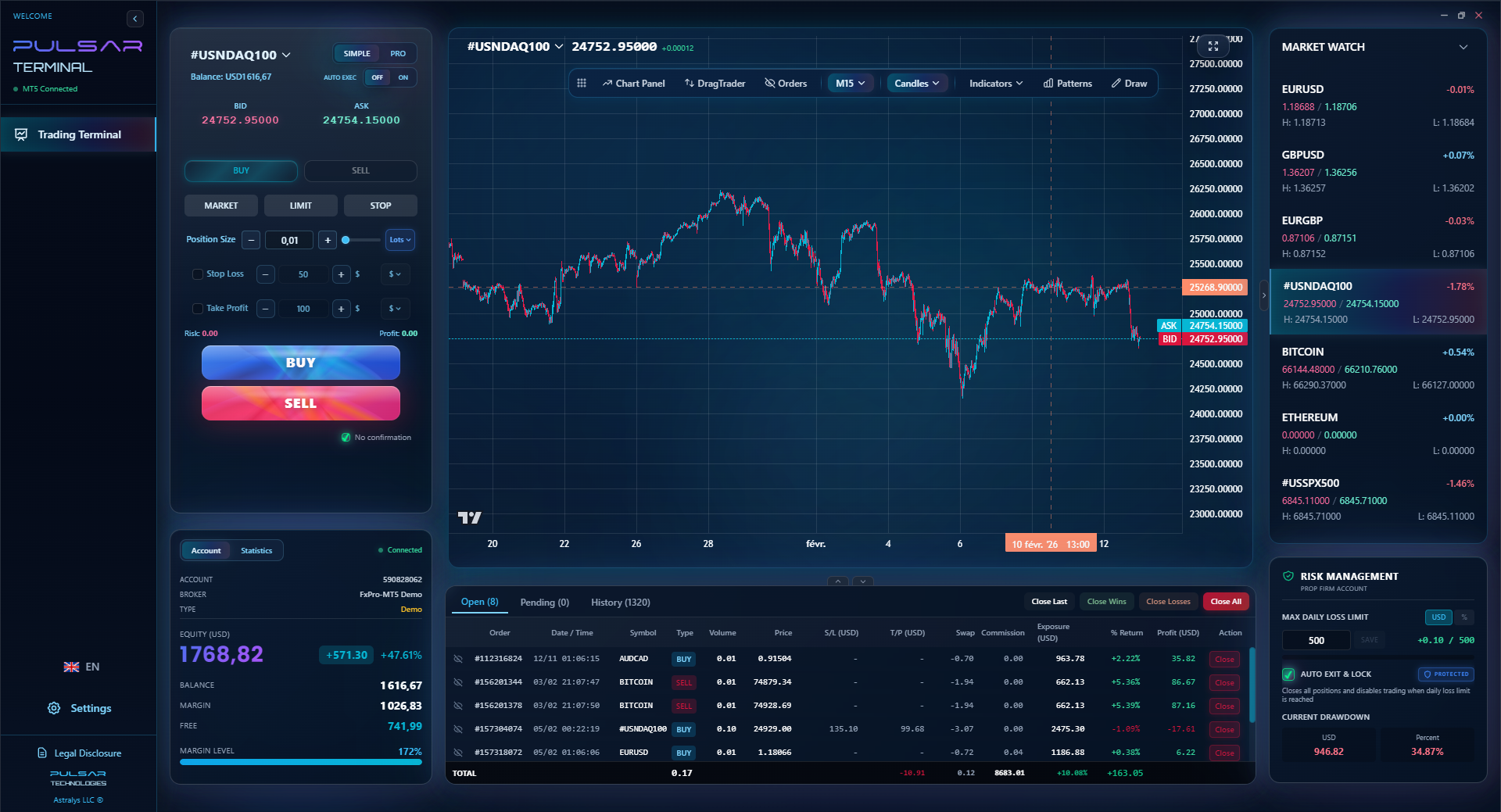
This is where a tool like Pulsar Terminal can be a lifesaver. Managing complex orders across multiple charts on a remote desktop can be clunky. Having a streamlined interface that works with your MT5 on the VPS makes the whole process less error-prone.
Managing complex trades and risk rules on a remote VPS is simpler with a tool like Pulsar Terminal, which brings advanced order management and prop firm rule protection directly into your MT5.
Pulsar Terminal
L'outil MT5 tout-en-un : ordres glisser-déposer, multi-TP/SL, trailing stop, grid trading, Volume Profile et protection prop firm. Utilisé quotidiennement par 1 000+ traders.
Let's break this down with real Nigerian numbers. Assume a decent Forex VPS costs $30/month. With dollar rates volatile, let's call it roughly 45,000 Naira per month.
Your Annual VPS Cost: 45,000 Naira * 12 = 540,000 Naira.
Now, ask yourself:
- Does my trading strategy generate at least 540,000 Naira in additional profit per year because of the VPS? (Unlikely, unless you're a high-volume scalper or prop firm trader).
- Would that 540,000 Naira be better used as additional risk capital in my account, or in a proper position size calculator to manage my trades better?
- Does the VPS prevent losses larger than 540,000 Naira from disconnections? (This is the only compelling argument).
For most retail traders, the math doesn't add up. The psychological comfort of "always being connected" is a luxury, not a necessity. I've seen traders with 200,000 Naira accounts spending 25% of their capital annually on a VPS. It's insane.
The exception is the prop firm trader. If you're in a $100,000 challenge where a single disconnection could fail you, the $30/month is a cheap insurance policy. The VPS, combined with a tool that can enforce strict margin call and daily loss limits automatically, becomes a critical part of your business overhead.
💡 Conseil de Winston
Schedule 30 minutes every Sunday to log into your VPS. Check for Windows updates that need installing, review your EA's performance logs, and ensure everything is running smoothly. Complacency is what blows up automated accounts.

“Your VPS is a tool, not a trader. No server can replace your judgment.”
I've made most of these. Learn from my wasted Naira.
- Buying Too Much Power: Getting 4GB RAM and 4 CPU cores to run one simple EA. It's like buying a generator for an entire street to power one bulb.
- Choosing by Price Alone: The cheapest VPS is often in a crowded data center with high latency. Your trades get there slow, negating the entire point.
- Ignoring the Free Option: Not checking with your broker for a free VPS. I paid for 6 months before discovering my broker offered one for free with my account level.
- Poor Security: Using weak passwords for your Remote Desktop connection. Your VPS is a computer on the internet. If it's hacked, so is your trading account.
- The "Set and Forget" Fallacy: You install your EA, walk away, and don't monitor it for weeks. Markets change. An EA that worked in a ranging market will blow up in a trending one. The VPS will faithfully execute it to zero.
Your VPS is a tool, not a trader. You still need to manage your strategy, adjust your stop-losses, and keep an eye on market conditions. No server can replace that judgment.
FAQ
Q1Can I use a VPS on my phone?
Yes, but only to monitor and manage it. You use a Remote Desktop app (like Microsoft Remote Desktop) on your iPhone or Android to view the VPS screen. You cannot install the VPS itself on your phone; it's a remote computer you access.
Q2Which is better for Forex VPS: Windows or Linux?
Windows, 100%. MetaTrader 4 and 5 are built for Windows. While you can run MT4 on Linux with compatibility layers (like Wine), it's unstable and unsupported. For reliable, hassle-free trading, always choose a Windows VPS.
Q3My broker offers a free VPS. Is it good?
It's usually the best option to start with. The latency is optimal because it's in their own data center. The trade-off is you're often locked into their platform. Test it thoroughly with a demo account first to check performance and stability.
Q4How do I know if my VPS has low latency?
Once connected, open your MT4/MT5 terminal. Go to the 'Journal' tab. Right-click and select 'Open'. You'll see lines like 'ping 4ms' or 'ping 42ms'. This is the latency to your broker's server. Under 10ms is excellent, under 50ms is acceptable for most strategies.
Q5Will a VPS make my internet faster at home?
No, not at all. A VPS does not improve your personal internet speed. It removes your home internet and power from the equation. Your orders go from the VPS (in a data center) to your broker. Your home connection is only used to see the VPS screen.
Q6Is it safe to trade on a VPS?
It's as safe as the provider's security and your own habits. Use a strong, unique password and enable a firewall on the VPS. Reputable providers have good security. The risk is often lower than trading on a malware-infected personal laptop.
Q7Can I share one VPS with a friend to split the cost?
Technically yes, but I strongly advise against it. It's against most providers' terms of service. More importantly, it creates a single point of failure. If your friend's EA crashes the server, your trading halts too. It's a false economy.
La leçon du Prof. Winston
Points clés:
- ✓Check for a free broker VPS before spending a kobo.
- ✓1 CPU core & 2GB RAM is enough for most traders.
- ✓Latency (ping) under 10ms is the key metric.
- ✓The annual cost must be justified by extra profit.
- ✓Never "set and forget" an EA on a VPS.
Cet article vous a-t-il été utile ?
Cliquez sur une étoile
Analyses Trading Hebdo
Analyses et stratégies hebdo gratuites. Pas de spam.
À propos de l'auteur
Olumide Adeyemi
Pionnier du Trading en Afrique de l'Ouest
L'un des formateurs de trading forex les plus actifs au Nigeria. 8 ans d'expérience de trading depuis Lagos. Spécialisé dans les stratégies à petit capital et les challenges de prop firms pour les traders africains.
Commentaires
Avertissement sur les risques
Le trading d'instruments financiers comporte des risques importants et peut ne pas convenir à tous les investisseurs. Les performances passées ne garantissent pas les résultats futurs. Ce contenu est fourni à titre éducatif uniquement et ne constitue pas un conseil en investissement. Effectuez toujours vos propres recherches avant de trader.
Vous aimerez aussi

Cara Trading Forex Sukses: 7 Prinsip dari Trader Profesional
Cara trading forex sukses dengan 7 prinsip trader pro: manajemen modal, disiplin, journal trading, backtest. Data nyata, bukan janji profit palsu.
Jam Trading Forex Terbaik untuk Trader Indonesia: Panduan Lengkap dengan Tabel Waktu
Panduan jam trading forex untuk trader Indonesia. Tabel 4 sesi dunia, jam emas 20:00-00:00, sesi mana yang harus dihindari. Data akurat + tips dari trader berpengalaman.
Top 5 Sàn Forex Uy Tín Nhất 2026: Review Jujur dari Trader Indonesia
Top 5 sàn forex uy tín 2026 untuk trader Indonesia. Review jujur: spread, deposit, withdraw, dukungan lokal. Exness, XM, IC Markets & lebih.
Obtenir Pulsar Terminal
Tous ces calculateurs sont intégrés dans Pulsar Terminal avec des données en temps réel de votre compte MT5. Dimensionnement de position en un clic, gestion automatique des risques et calculs instantanés.
Obtenir Pulsar Terminal