


My screen froze.
James Mitchell
Analis Trading Senior
☕ 11 mnt baca
Yang akan Anda pelajari:
- 1Why You Can't Skip a VPS for High-Frequency Trading
- 2The 3 Non-Negotiable Specs for a Forex VPS
- 3Top VPS Providers: Tested and Ranked (2025)
- 4How to Set Up and Optimize Your Forex VPS
- 5Cost vs. Benefit: When Does a VPS Pay Off?
- 6 Common Pitfalls and How to Avoid Them
- 7The Future: Low-Latency Trading in 2025 and Beyond

My screen froze. Just for a second. It was March 2023, and EUR/USD was in a classic NFP meltdown. My EA had a sell limit at 1.0725, the price tagged it, and my local PC decided it was time for a Windows update preview. By the time I regained control, the trade was 8 pips in the red and my carefully coded strategy was toast. That $400 lesson wasn't about a bad entry; it was about infrastructure. If you're trading fast, your setup can't be slow. Let's talk about the hardware that never sleeps: the Forex VPS.
You might think your fiber internet and gaming rig are enough. For swing trading, maybe. For high-frequency trading (HFT), scalping, or running algorithms? Not a chance. The difference between a 2-millisecond and a 50-millisecond order execution isn't just a number. It's the difference between getting filled at your price and getting slippage that eats your entire profit margin.
A VPS (Virtual Private Server) is a remote computer, hosted in a data center, that runs 24/7. You connect to it and run your trading platform there. The core advantage is proximity. The best forex VPS providers have servers physically located in the same data centers as the major broker liquidity hubs - places like LD4 in London or NY4 in New York. This cuts down the network distance your order has to travel.
Think of it like this: you're in Chicago scalping the London open. Your trade signal goes from your brain, to your finger, to your PC in Chicago, across the public internet to your broker's server in London, then to the liquidity provider. With a VPS in London, you remove the 'Chicago to London' leg for the order. The signal goes from you in Chicago to your VPS in London (a one-time input), and then the trade execution is just a few feet of cable within the data center. For algorithmic trading, this is non-negotiable. Your EA runs on a stable, always-on system with a direct pipe to the market. No power outages, no internet drops, no surprise reboots.
I learned this the hard way. Early in my algo journey, I tried saving the $30/month. My backtest showed a strategy should make 1.5% a month. Live, it lost 0.5%. The culprit? Latency-induced missed trades and worse fills. Once I switched to a proper VPS, the live results finally matched the backtest. That's when a cost becomes an investment.

“The difference between a 2-millisecond and a 50-millisecond order execution is the difference between profit and slippage.”
Don't get dazzled by RAM and CPU cores. For trading, three specs matter more than anything else.
1. Latency (Ping Time) to Your Broker
This is king. It's measured in milliseconds (ms). You need to know the ping from the VPS to your broker's trade server. Under 1ms is elite (same data center). 1-5ms is excellent. Anything over 10ms to a major hub is mediocre for true HFT. Most VPS providers will list their major hub locations (LD4, NY4, TY3). You need to match your VPS location to your broker's primary server location. Trading EUR/USD with an Asian broker on a New York VPS makes no sense.
2. Uptime Guarantee
99.9% uptime sounds high. That's still over 8 hours of potential downtime per year. You want 99.95% or, ideally, 99.99%. That's less than an hour of downtime annually. This guarantee is usually in the Service Level Agreement (SLA). Read it.
3. CPU Performance Consistency
This isn't about having 8 cores. It's about having dedicated CPU resources or a guarantee of consistent performance. Some cheap VPS services overload their physical servers. Your 'virtual' CPU gets throttled when a neighbor on the server runs a heavy task. For trading, you need steady, predictable performance. Look for mentions of 'CPU priority' or 'dedicated vCores'.

Warning: A common rookie mistake is buying a VPS based on storage space. You're not hosting a website. You need speed and stability, not a 500GB hard drive. 40-50GB of SSD storage is more than enough for Windows, MT4/MT5, and your EAs.

💡 Tips Winston
A VPS isn't an edge; it's the foundation. Your edge is your strategy. Don't confuse the highway for the skill of driving.
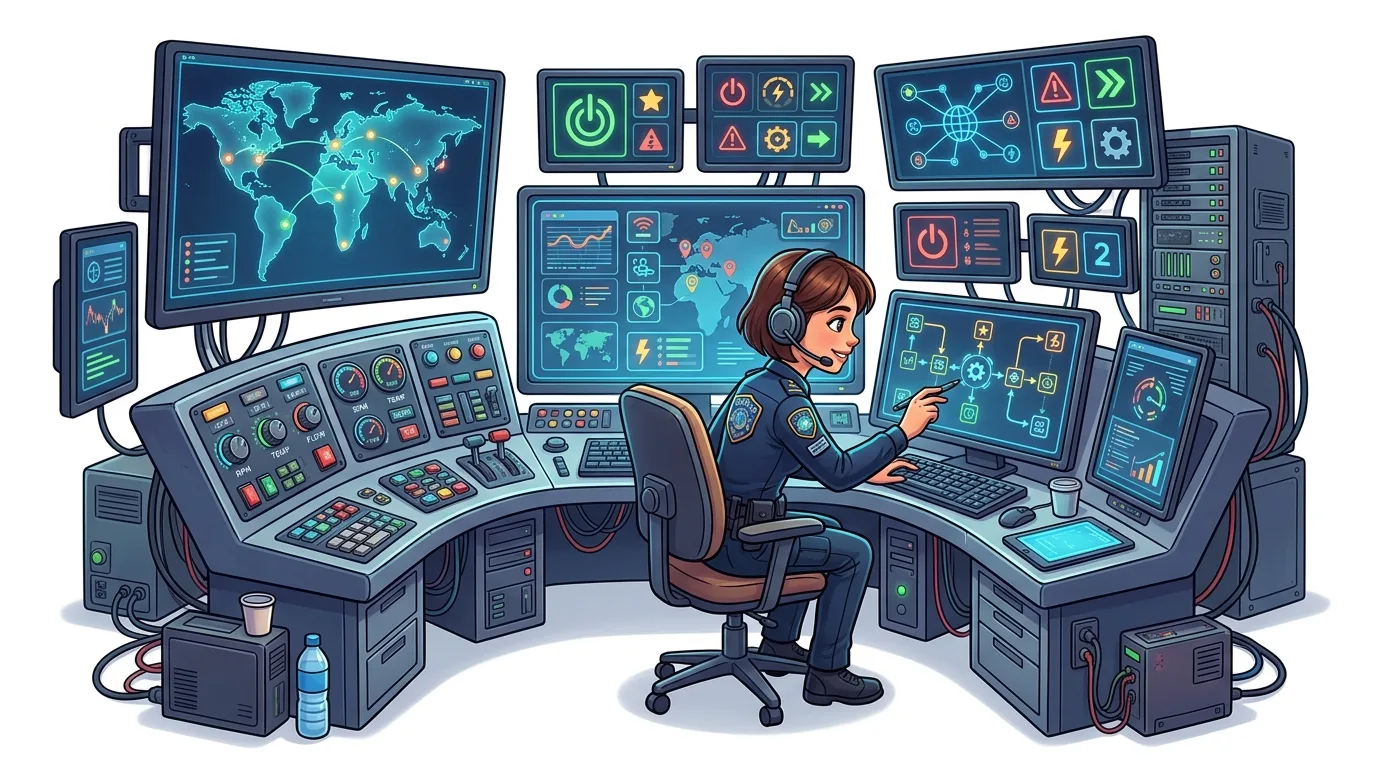
“I once left my VPS running a swing trading EA for 3 months without a physical login. It just worked.”
I've rented, tested, and blown up small accounts on most of the big names. Here's the real breakdown for 2025.
| Provider | Best For | Key Strength | Latency (to LD4) | Price/Month (Start) | The Catch |
|---|---|---|---|---|---|
| CheapWindowsVPS | Budget-conscious scalpers | Raw price-to-performance | ~0.5-1ms | ~$15 | Support can be slow. Setup isn't always instant. |
| ForexVPS.net | EA & algo traders | Broker-specific optimization | ~0.3-0.7ms | $25-$40 | Pricier, but they often have servers inside broker data centers. |
| Hostinger | Beginners & multi-purpose | Ease of use, reliability | ~2-5ms | ~$10 | Higher latency, but rock-solid 99.99% uptime. Good for less latency-sensitive strategies. |
| A2 Hosting | Speed demons | 'Turbo' server option | ~1-2ms | ~$25 | Their 'Turbo' plan is legit fast, but you pay for it. |
My Experience: I ran a scalping strategy on a $15 CheapWindowsVPS plan for 6 months. It worked flawlessly 99% of the time. The 1%? A server reboot at 2 AM GMT on a Sunday. No trades were open, but my EA stopped. Had I been in a trade, it would have been a problem. For my main algo account now, I use a premium ForexVPS plan. The peace of mind is worth the extra $20. It connects directly to my IC Markets server with a 0.4ms ping. The fills are noticeably cleaner.

Pro Tip: Many brokers offer 'free' VPS services if you maintain a certain minimum account balance or trading volume. Exness, XM, and Pepperstone all have programs. The catch? You're locked into their chosen provider and location. It's a fantastic way to start, but for ultimate control and lowest latency, a paid, independent VPS is better.
“I once left my VPS running a swing trading EA for 3 months without a physical login. It just worked.”
Buying the server is step one. Making it a lean, mean trading machine is step two.
Initial Setup: You'll get an IP address, a username, and a password. Use the Windows Remote Desktop Connection app to connect. It feels like you're controlling a computer on the other side of the world. First, disable all the resource-hogging junk: Windows animations, background apps, automatic updates. Treat this like a dedicated terminal, not a personal PC.
Installation Order:
- Install your trading platform (MT4/MT5, cTrader).
- Install any necessary frameworks (like .NET for certain EAs).
- Install your indicators, EAs, and scripts.
- Configure your charts and templates.
- CRITICAL: Set up remote access to your local files. Use a secure FTP client or cloud storage (like Dropbox) to sync your journal, settings files, and EA logs back to your main PC. You don't want your only copy of a trade log stuck on a remote server.
Security: Use a strong, unique password. Enable the Windows Firewall. This VPS is connected to your broker account and your money. Don't treat it lightly.
Monitoring: Check in daily at first. Not to stare at charts, but to check the Task Manager for CPU/Memory usage and ensure your platform is running. After a week, you'll trust it. I once left my VPS running a swing trading EA for 3 months without a physical login. It just worked.
💡 Tips Winston
Test a new VPS with a demo account for a full market cycle - London, New York, Asia sessions. If it stutters during high volatility, scrap it.
“For most active traders, a VPS pays for itself in the first week.”
At $15-$40 a month, is it worth it? Let's do the brutal math.
Scenario A: The Scalper You scalp 10 times a day, aiming for 5 pips per trade on EUR/USD. A slow connection causes an average of 0.3 pips of slippage on each entry and exit. That's 0.6 pips per trade lost to latency.
- Loss per day: 10 trades * 0.6 pips = 6 pips
- Loss per month (20 days): 120 pips
- Monetary loss (1 lot): 120 pips * $10 = $1,200
A $30 VPS that cuts that slippage in half saves you $600 a month. That's a no-brainer.
Scenario B: The Algo Trader Your EA places 100 trades a month. On 5 of those trades per month, a local PC glitch (update, freeze, power blink) causes a missed signal or a bad fill that turns a would-be $200 winner into a $100 loser.
- Loss per month: 5 trades * $300 = $1,500
Again, the VPS cost is trivial.

Example: If your average trade profit is $50 and a VPS prevents just one bad fill or missed trade per month, it pays for itself. For most active traders, it pays for itself in the first week. The real benefit isn't just the money saved; it's the consistency gained. Your strategy performs as designed, without environmental noise. This is crucial when using tools that depend on precise timing, like the MACD indicator for crossovers or managing a tight spread.
The only traders who might skip a VPS are long-term position traders who check charts once a day. For everyone else - especially those worried about a margin call from a disconnected stop-loss - it's essential gear.
“For most active traders, a VPS pays for itself in the first week.”
I've made these mistakes so you don't have to.
Pitfall 1: Choosing the Wrong Location. You live in Australia and trade GBP/USD. Don't get an Australian VPS. Get one in London (LD4). Match the VPS to the instrument's primary liquidity center. Use a position size calculator to understand how much each pip of slippage costs you; it'll motivate you to get this right.
Pitfall 2: Not Testing Before Going Live. Rent the VPS for a month. Run a demo account on it. Use a simple ping test tool (like PingPlotter) to measure latency to your broker's server IP. Monitor it for a week. Does it reboot? Does performance dip at certain times?
Pitfall 3: Forgetting About Bandwidth. Most trading VPS plans have limited bandwidth (like 1TB/month). Trading uses almost none. However, if you use it to download large files or stream video, you'll hit the limit. Keep it for trading only.
Pitfall 4: Poor EA Management. You load 50 EAs on 50 charts. Your VPS has 2GB of RAM. It will choke. Optimize your setup. Run only what you need. An overworked VPS can lag just like a local PC. This is especially important for indicators that repaint or use heavy calculations.
Pitfall 5: Assuming 'Set and Forget.' You still need to oversee it. Log in once a week to check for platform updates (update on DEMO first!), review logs, and ensure everything is syncing. I once had an EA error that piled up 100 failed order messages in the Journal because I didn't check for 2 weeks.
💡 Tips Winston
The monthly cost of a good VPS is less than one bad trade caused by a slow connection. Frame it as risk management, not an expense.

“The VPS is the racetrack. You still need to be a good driver.”
The arms race for speed is slowing down. We're hitting physical limits. The difference between a 0.3ms and a 0.2ms ping won't matter to 99.9% of traders. The future is about stability, smart routing, and integration.
We're seeing more VPS providers offer 'co-location' as a standard - your virtual server is on the same physical rack as the broker's gateway. The next step is tighter integration with trading platforms. Imagine a VPS service that has a dedicated plugin for MT5, giving you a real-time latency dashboard and automatic server failover.
For retail traders, the bigger edge will stop coming from shaving microseconds and start coming from smarter trade management on that fast connection. This means using advanced tools that can execute complex batch orders, manage multiple take-profits and stop-losses dynamically, and protect your capital automatically. The speed gets your order there; what you do with that order is what will separate you.
Think about it: if two traders have the same 0.5ms connection, the one using a basic platform and the one using advanced order management tools are playing completely different games. The latter can set a 5-step trailing stop, or scale into a position with a 10-order grid, all without manual intervention. That's where the real 2025 edge will be - using the speed to execute sophisticated strategies, not just simple ones faster.
My advice? Get a solid, low-latency VPS as your foundation. Then, focus on building a strong trading process on top of it. Master your RSI indicator divergences on XAU/USD, fine-tune your EUR/USD breakout rules, and use tools that let you manage risk with precision. The VPS is the racetrack. You still need to be a good driver.

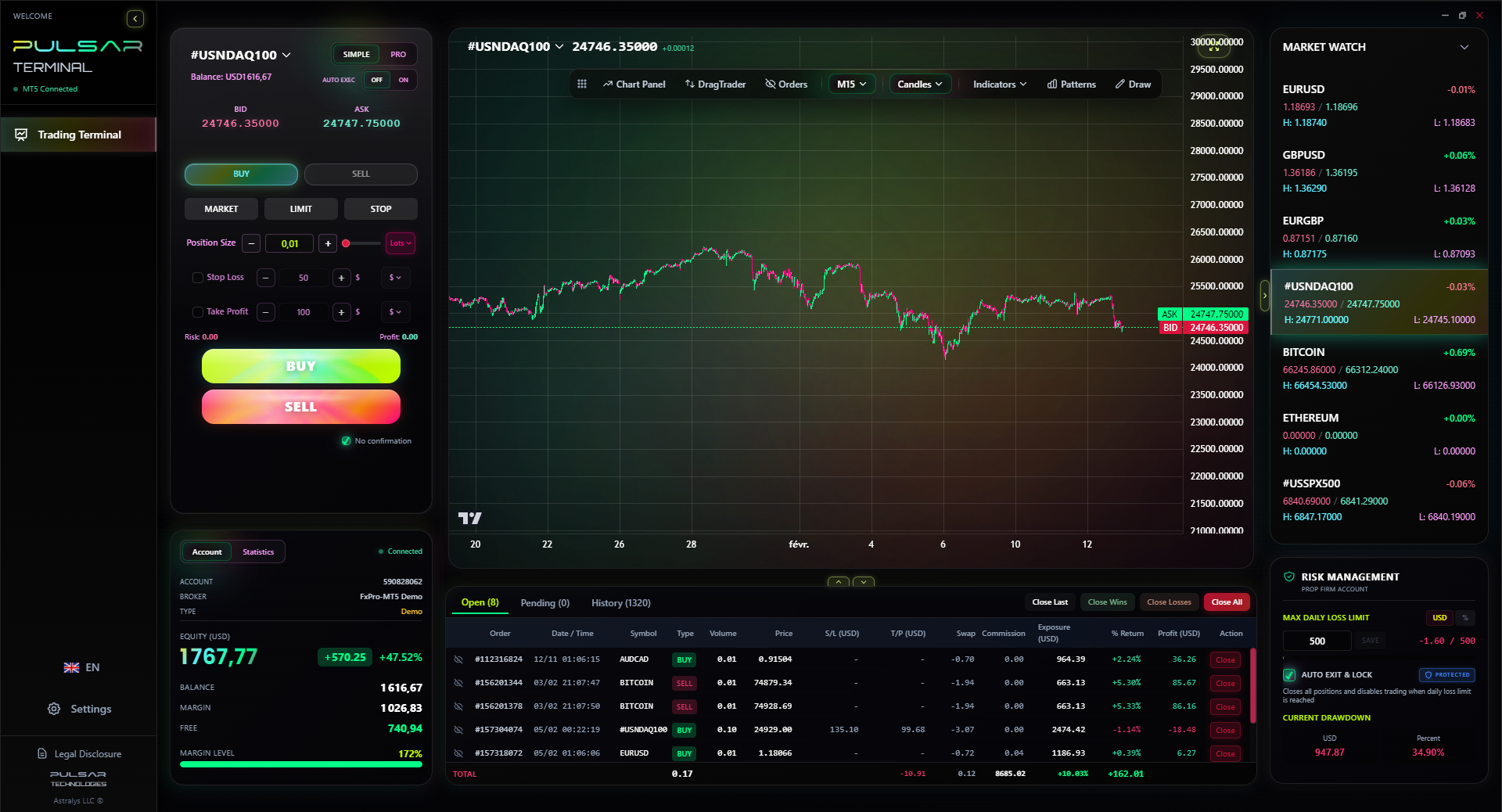
Once your VPS gives you the speed, a tool like Pulsar Terminal lets you build and manage complex multi-order strategies on MT5 without manual micromanagement.
Pulsar Terminal
Alat MT5 all-in-one: order drag-and-drop, multi-TP/SL, trailing stop, grid trading, Volume Profile, dan perlindungan prop firm. Digunakan 1.000+ trader setiap hari.
FAQ
Q1Can I use a free VPS from my broker?
Yes, and you should start there. They're often perfectly adequate. The limitation is you can't choose an optimal location if your broker's server isn't in the best hub for your chosen currency pair. For ultimate control and lowest possible latency, a paid VPS you select yourself is better.
Q2How much RAM and CPU does a Forex VPS really need?
For running MT4/MT5 with a few EAs and charts, 2GB of RAM and 1-2 vCPU cores are sufficient. Don't overpay for resources you won't use. Prioritize the specs listed in the article: latency, uptime, and CPU consistency.
Q3What's the biggest mistake traders make with a VPS?
Treating it like a magic box. They set it up and never check on it. You must monitor it, update software cautiously, and ensure your EAs are running correctly. A VPS removes local PC issues but doesn't remove your responsibility as a trader.
Q4Is a VPS only for algorithmic trading?
No. Any active, discretionary trader - especially scalpers - benefits massively. If you're manually entering 20 trades a day, a half-second delay on each can mean worse fills across the board. The 24/7 uptime also means you never miss an overnight move because your home PC was off.
Q5How do I test the latency of a VPS?
Before buying, ask the provider for a test IP or their typical ping times to major hubs (LD4, NY4). Once you have access, use the Command Prompt (ping) or a tool like PingPlotter to ping your broker's trade server address (your broker can provide this).
Q6Can I run other software on my trading VPS?
Technically yes, but I strongly advise against it. Every extra program is a potential point of failure, a security risk, and a drain on consistent CPU resources. This machine has one job: trade. Keep it clean.
Pelajaran Prof. Winston
Poin Penting:
- ✓Latency under 5ms to your broker is mandatory for HFT.
- ✓99.95% uptime SLA is the minimum acceptable guarantee.
- ✓Match VPS location to your instrument's liquidity hub (e.g., LD4 for EUR).
- ✓Test thoroughly on demo before committing real capital.
- ✓The cost is justified by preventing one major bad fill per month.
Seberapa bermanfaat artikel ini?
Klik bintang untuk menilai
Wawasan Trading Mingguan
Analisis & strategi mingguan gratis. Tanpa spam.
Tentang Penulis
James Mitchell
Analis Trading Senior
Berbasis di New York dengan lebih dari 9 tahun pengalaman trading. Fokus pada pasangan USD utama, tantangan prop firm, dan lanskap regulasi AS.
Komentar
Peringatan Risiko
Perdagangan instrumen keuangan mengandung risiko signifikan dan mungkin tidak cocok untuk semua investor. Kinerja masa lalu tidak menjamin hasil di masa depan. Konten ini hanya untuk tujuan edukasi dan tidak boleh dianggap sebagai nasihat investasi. Selalu lakukan riset Anda sendiri sebelum trading.
Anda mungkin juga suka

Cara Trading Forex Sukses: 7 Prinsip dari Trader Profesional
Cara trading forex sukses dengan 7 prinsip trader pro: manajemen modal, disiplin, journal trading, backtest. Data nyata, bukan janji profit palsu.
Jam Trading Forex Terbaik untuk Trader Indonesia: Panduan Lengkap dengan Tabel Waktu
Panduan jam trading forex untuk trader Indonesia. Tabel 4 sesi dunia, jam emas 20:00-00:00, sesi mana yang harus dihindari. Data akurat + tips dari trader berpengalaman.
Top 5 Sàn Forex Uy Tín Nhất 2026: Review Jujur dari Trader Indonesia
Top 5 sàn forex uy tín 2026 untuk trader Indonesia. Review jujur: spread, deposit, withdraw, dukungan lokal. Exness, XM, IC Markets & lebih.
Dapatkan Pulsar Terminal
Semua kalkulator ini terintegrasi dalam Pulsar Terminal dengan data real-time dari akun MT5 Anda.
Dapatkan Pulsar Terminal