


I was in a Dhaka traffic jam, watching a perfect setup on EUR/USD unfold on my phone.

Daniel Harrington
Responsabile Editoriale
☕ 9 min di lettura
Cosa imparerai:
- 1What Actually Makes a Great Trading App? (Forget the Ads)
- 2MetaTrader 4 & 5: The Global Standards (But Are They Best?)
- 3cTrader: The Sleek Challenger for Discretionary Traders
- 4Local & Proprietary Broker Apps: The Need for Extreme Caution
- 5The Hand-On Test: 5 Things to Try Before You Commit
- 6My Personal Setup & Final Recommendation for 2025
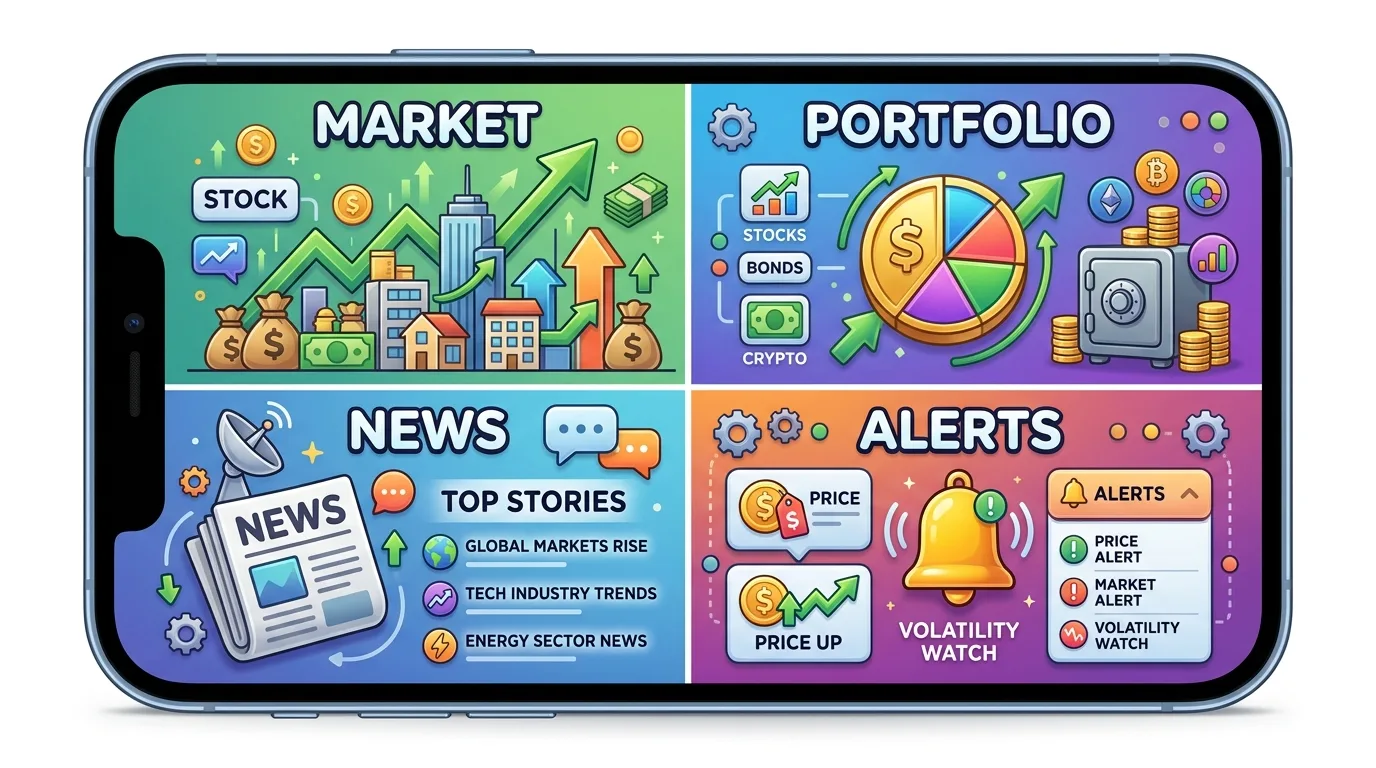
I was in a Dhaka traffic jam, watching a perfect setup on EUR/USD unfold on my phone. The price was coiling right at a key daily level. I went to enter, and my app froze. Just spun. By the time I force-closed and reopened, the move had happened without me - a clean 45-pip rally I’d been waiting for. That moment, stuck in a CNG with a useless app, cost me about $225 on my planned position. It’s why picking the right app isn't about fancy charts; it's about execution when it counts. Let's cut through the marketing and find what actually works for us here.
Broker ads will show you slick animations and one-tap trading. That's the surface. For a trader in Bangladesh, where internet can be patchy and power cuts real, the core needs are different. A great app needs to work when everything else is failing.
First is stability. The app shouldn't crash during news events or when your 3G drops to Edge for a minute. I've had apps that lose connection and then show you a wildly wrong price when they reconnect - a surefire way to get a nasty surprise on your order.
Second is order execution speed. This is the silent killer. You see 1.0850 on your chart, you tap to sell, and by the time the order reaches the server, you're filled at 1.0847. That's 3 pips of spread you didn't plan on. On a 1-lot trade, that's $30 gone before you even start.
Third is functionality. Can you easily set a stop-loss and take-profit? Modify orders? Check your account balance in BDT without doing mental math? A surprising number of apps make simple tasks a chore.

Warning: Never judge an app by its demo account performance alone. Demo servers are often on better infrastructure. The real test is live trading during Asian/London overlap when volume spikes.
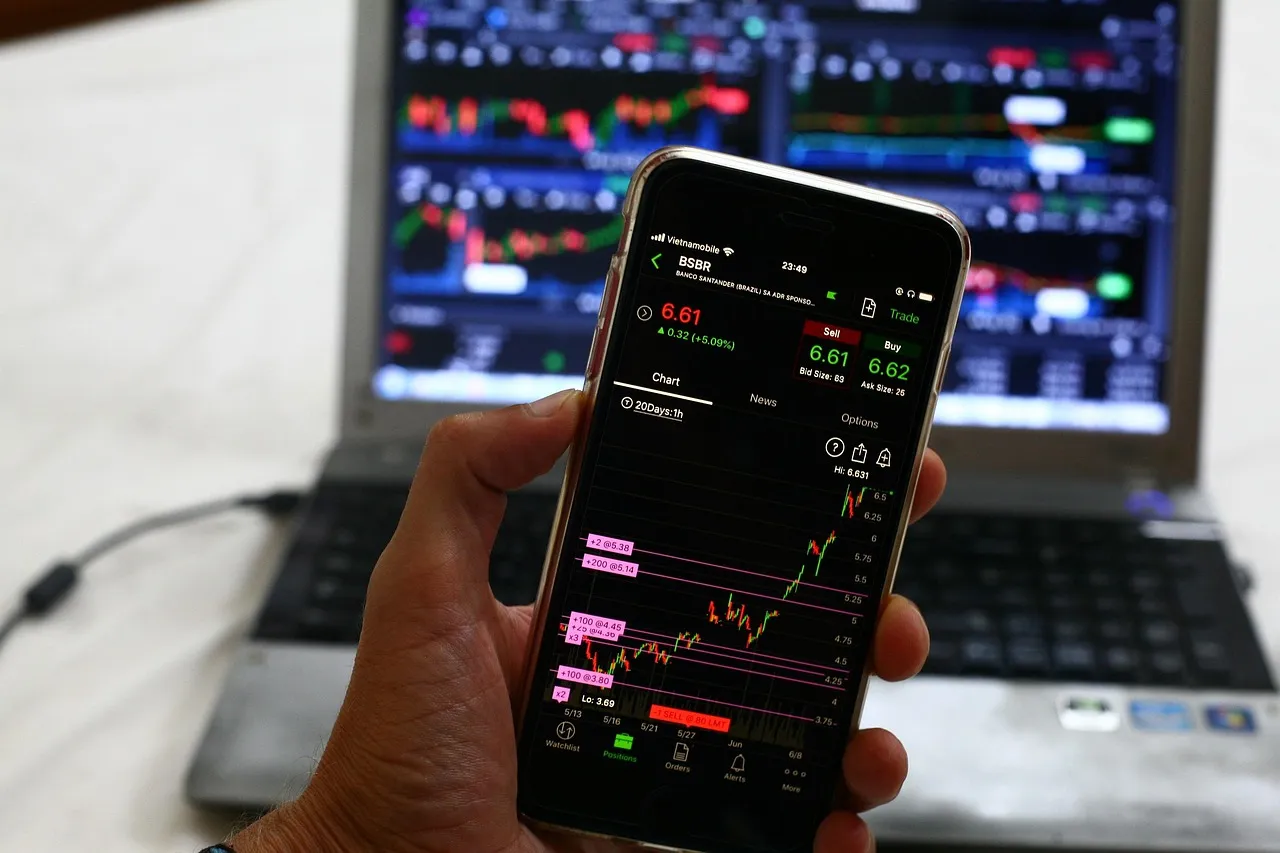
Let's talk about the elephants in the room: MT4 and MT5. Almost every broker offers them. They're reliable, familiar, and support a universe of custom indicators and Expert Advisors (EAs). For most Bangladeshi traders starting out, an MT4/5 app from a reputable broker is a safe bet.
MT4 vs. MT5: The old debate. MT4 is simpler, rock-solid, and perfect for pure forex trading. MT5 has more timeframes, more order types, and built-in economic calendars. Honestly, for forex, MT4 often feels snappier. I use MT5 only when I'm trading something like gold (XAU/USD) where the hedging options are useful.
The mobile apps for both are decent. You can do most things: full charting, all order types, trailing stops. The charting isn't as beautiful as some newer apps, but it's functional.
The Real Issue: Broker Implementation
Here's the key. The MetaTrader app itself is just a shell. The performance - the speed, the slippage - depends entirely on your broker's servers. A great app with a slow broker is a slow app. I've used the same MT5 app connected to two different brokers. On one, orders were instant. On the other, there was a half-second lag that felt like an eternity. Always test your broker's connection with a small live trade first. Don't just rely on their claims of "lightning-fast execution."

Pro Tip: In your MT4/5 app settings, set your chart to show 'Ask' line (not just Bid). This shows you the actual price you'll buy at. That tiny red line saved me from misreading entry points more times than I can count.
For a deep dive on setting up MT5 effectively, our EUR/USD guide covers some platform-specific strategies.

💡 Consiglio di Winston
A student once showed me his 'perfect' phone setup with 15 indicators. I asked him to place a simple buy stop order. It took him 47 seconds. If you can't execute in under 5, your app is costing you money.

“Demo servers are often on better infrastructure. The real test is live trading during Asian/London overlap.”
If MetaTrader feels like a reliable old Toyota, cTrader is like a modern electric car. It's cleaner, visually sharper, and built with the manual trader in mind. Brokers like IC Markets and Pepperstone offer it.
Why do I like it? The order entry is superb. You can drag and drop your stop-loss and take-profit levels directly on the chart. The DOM (Depth of Market) view, if your broker provides the data, is fantastic for seeing real buying and selling pressure. For a scalping strategy, this level of transparency is gold.
The cTrader mobile app is, in my opinion, the best-looking trading app out there. Charts render beautifully, and it's incredibly responsive. I remember scalping GBP/JPY during the London open using just my phone on cTrader. The quick-chart trading (where you tap the chart to place an order) let me get in and out of a 12-pip profit before my morning cha was cold.
The catch? The environment. Far fewer custom indicators and EAs exist for cTrader compared to MT4/5. If your trading relies on a specific MT4 indicator, you might be stuck. Also, not all brokers offer it. But for pure, discretionary price action trading, it's hard to beat. Check out our IC Markets review which details their excellent cTrader offering.

This is the murkiest water. You'll see local brokers, or international ones marketing heavily here, with their own branded trading apps. They promise seamless deposits in BDT, local customer support, and "optimized" performance.
My advice? Be very, very careful.
I tested one such app from a broker advertising heavily on social media. The deposit process was indeed easy (bKash to account in minutes). But the trading conditions were hidden. The spread on EUR/USD, advertised as "from 0.8 pips," was actually a fixed 2.5 pips on the mobile app. Their web platform showed 1.2. When I asked, they said "mobile rates may differ." That's a major red flag.
Another issue is transparency. With MT4/5 or cTrader, you know the platform. With a proprietary app, you don't know what's happening in the background. Is your order being routed to a real market, or is the broker taking the other side? For smaller brokers, the conflict of interest is real.
Warning: If a broker's app doesn't allow you to easily export your full trade history (including exact entry/exit prices and timestamps), walk away. You need that data for your own analysis and for tax purposes. I learned this the hard way early on.
If you must use a local broker, prioritize those that offer access to the standard platforms (MT4/5) rather than their own closed system. Your control and transparency are paramount.
💡 Consiglio di Winston
The most profitable traders I know use the simplest tools. They master one or two order types and one time frame on their app. Complexity is the enemy of speed, and in trading, speed is often the enemy of loss.

“If a broker's app doesn't allow you to easily export your full trade history, walk away.”
Don't take anyone's word for it. Open a demo account (or a tiny live account) and run these tests yourself.
-
The News Spike Test: Wait for a scheduled high-impact news event (like US NFP). About 30 seconds before, try to modify an existing order's stop-loss. Does the app freeze or lag terribly? If it does, imagine that happening when you're trying to close a position fast.
-
The Offline Reconnection Test: Put your phone in airplane mode for 30 seconds with an open trade on your chart. Turn data back on. Does the app reconnect smoothly and show the correct, current price and P&L? Or does it glitch, showing old data? I had one app that showed my trade in profit for a full minute after reconnecting, when it was actually at breakeven.
-
Order Customization Test: Try to place a bracket order (entry, stop-loss, and take-profit all at once). Is it intuitive? Can you set the stop-loss in pips, or only by dragging on a chart? Now try to modify just the take-profit of an existing order. How many taps does it take?
-
Data Accuracy Test: Pull up the same chart (e.g., M5 EUR/USD) on the mobile app and on the broker's web platform simultaneously. Do the candles match exactly? Any difference in the quoted price? Even a half-pip discrepancy is a problem.
-
The 'Panic' Test: This is crude but effective. With a demo trade open, rapidly switch between timeframes, toggle indicators on/off, and flip through a few currency pairs. Does the app remain responsive, or does it start to stutter? Stability under your frantic tapping is a good sign of strong code.
Managing risk on a small screen is tough. Always use a position size calculator to know your exact risk in BDT before you even open the app. It removes emotion from the equation.
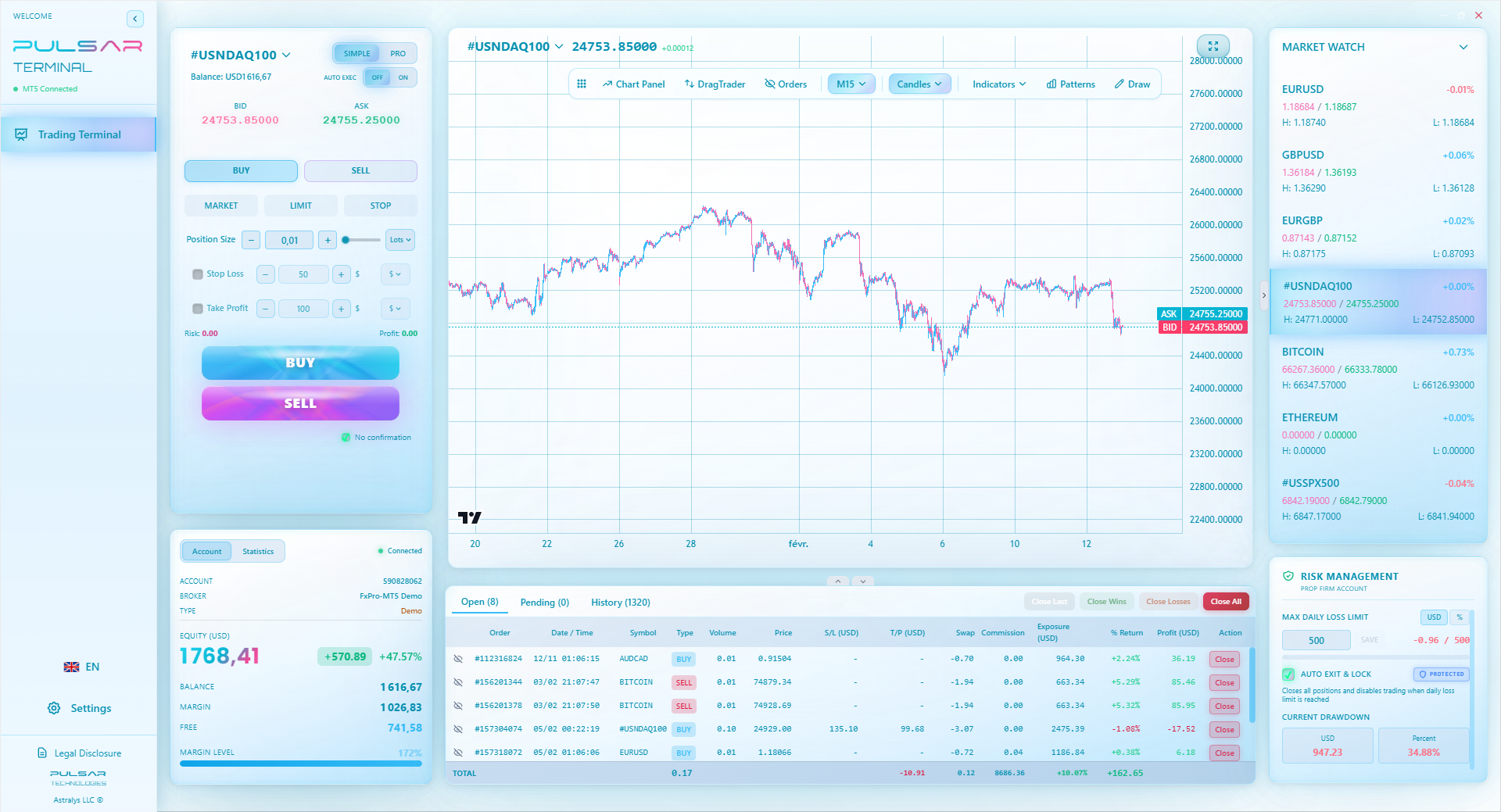
Manually testing order execution is tedious, but tools like Pulsar Terminal provide advanced trade analytics and one-click order management directly within MT5, taking the guesswork out of your broker's performance.
Pulsar Terminal
Lo strumento MT5 tutto-in-uno: ordini drag-and-drop, multi-TP/SL, trailing stop, grid trading, Volume Profile e protezione prop firm. Usato da oltre 1.000 trader ogni giorno.
After 12 years and more app crashes than I'd like to admit, here's what works for me in Bangladesh.
For Primary Analysis & Major Trades: I use MT5 on a desktop PC with a reliable, low-latency broker like Pepperstone. The big screen is for analysis, planning, and placing core swing trades. I set my alerts here.
For Mobile Management & Opportunistic Trades: I have cTrader Mobile (from the same broker) on my phone. Why? It's the fastest for checking in, modifying stops, or taking a quick scalp if I see my alert go off. The interface is just cleaner for quick decisions. I once caught a 9-pip bounce on USD/JPY while waiting in line at a restaurant, purely because I could see the order book pressure on cTrader's mobile view.
The Broker is Key: The app is just the window. The broker is the engine. I've had great experiences with the raw speed from Pepperstone and IC Markets for serious trading. For someone wanting a vast range of instruments, XM is worth a look, though their spreads can be wider. You can read our detailed Pepperstone review and XM review for the full breakdown.
For a brand-new Bangladeshi trader: Start with a reputable international broker's MT4 mobile app. It's the standard, it works, and every question you have has been answered in a forum somewhere. Master price action with the basic tools. Once you're consistently profitable and know your style, then explore if cTrader or a more advanced setup suits you better. Fancy tools don't make a profitable trader; discipline does.
Remember, the best forex trading app is the one that gets out of your way and lets your strategy work. It should feel like a sharp knife to a chef - an extension of your intent, not a hurdle.

FAQ
Q1Is it legal to use international forex trading apps in Bangladesh?
Trading forex with international brokers operates in a regulatory gray area. The Bangladesh Bank generally does not permit the remittance of funds for margin trading. While using the apps themselves isn't illegal, funding an international trading account typically involves methods not officially sanctioned for this purpose. You are responsible for understanding and complying with local financial regulations.
Q2Which app has the lowest latency/slippage for Bangladesh?
There's no single winner. Latency depends more on your broker's server locations and your local internet routing. Brokers with servers in Singapore (like many ASIC-regulated ones) often provide good connectivity to Bangladesh. Test this yourself: place small market orders during active sessions (London open) and note the difference between your requested price and filled price (slippage). cTrader platforms often show this execution data more transparently.
Q3Can I use trading robots (EAs) on mobile apps?
MetaTrader 4/5 mobile apps have very limited EA functionality. You can attach EAs to charts on the mobile app, but they will only run while the app is actively open and on your screen. The moment you minimize the app or lock your phone, the EA pauses. For reliable 24/5 EA trading, you need a desktop platform running on a VPS (Virtual Private Server).
Q4How much data does a trading app use?
Very little for basic price streaming and order placement - maybe 50-100 MB per month with active use. However, if you're constantly downloading historical data or using complex, data-heavy charting tools on mobile, it can be more. Always connect to Wi-Fi for major platform updates.
Q5My app shows a different price than my friend's app. Why?
This is usually due to one of three things: 1) Different data feeds from different brokers. 2) A delay in one app's price feed due to a slow connection. 3) One of you is looking at the Bid price and the other at the Ask price. Always confirm you're comparing the same price type (usually the Ask for buy orders) and that both apps are updating in real-time.
Q6What's the most important feature for a beginner's app?
Simplicity and reliability. You need an app where you can't accidentally place a massive trade or get lost in complicated menus. The ability to easily set a stop-loss and take-profit on every order is non-negotiable. Fancy indicators can come later. Focus on an app that helps you execute your plan without confusion.
Lezione del Prof. Winston
Punti chiave:
- ✓Test app stability during high volatility, not calm markets.
- ✓Broker server location impacts latency more than app brand.
- ✓Mobile EAs pause when your screen locks.
- ✓Always verify price feed against the web platform.
Quanto è stato utile questo articolo?
Clicca su una stella
Analisi Trading Settimanali
Analisi e strategie settimanali gratuite. Nessuno spam.
Sull'autore
Daniel Harrington
Responsabile Editoriale
Responsabile dei contenuti di The Trading Mentor. Trader veterano appassionato nel rendere accessibili concetti di trading complessi. Copre argomenti globali, strategie e guide alle piattaforme.
Commenti
Avviso di rischio
Il trading di strumenti finanziari comporta rischi significativi e potrebbe non essere adatto a tutti gli investitori. Le performance passate non garantiscono risultati futuri. Questo contenuto è fornito solo a scopo educativo e non deve essere considerato un consiglio di investimento. Conduci sempre le tue ricerche prima di fare trading.
Potrebbe interessarti anche

Cara Trading Forex Sukses: 7 Prinsip dari Trader Profesional
Cara trading forex sukses dengan 7 prinsip trader pro: manajemen modal, disiplin, journal trading, backtest. Data nyata, bukan janji profit palsu.
Jam Trading Forex Terbaik untuk Trader Indonesia: Panduan Lengkap dengan Tabel Waktu
Panduan jam trading forex untuk trader Indonesia. Tabel 4 sesi dunia, jam emas 20:00-00:00, sesi mana yang harus dihindari. Data akurat + tips dari trader berpengalaman.
Top 5 Sàn Forex Uy Tín Nhất 2026: Review Jujur dari Trader Indonesia
Top 5 sàn forex uy tín 2026 untuk trader Indonesia. Review jujur: spread, deposit, withdraw, dukungan lokal. Exness, XM, IC Markets & lebih.
Scarica Pulsar Terminal
Tutti questi calcolatori sono integrati in Pulsar Terminal con dati in tempo reale dal tuo conto MT5.
Scarica Pulsar Terminal