


Here's a statistic that should make you pause: over 90% of traders who switch from MT4 to MT5 do it for the wrong reason.

James Mitchell
Analista Trading Senior
☕ 9 min di lettura
Cosa imparerai:
- 1The Core Engine War: It's All About the Fill
- 2What MT5 Actually Adds (And What It Doesn't)
- 3The Biggest 'Downgrade': EA and Indicator Compatibility
- 4Hedging vs. Netting: The US Regulation Trap
- 5Performance: Myth vs. Reality on Your Computer
- 6So, Which One Should You Actually Choose?
- 7The Final Verdict from a Risk Perspective
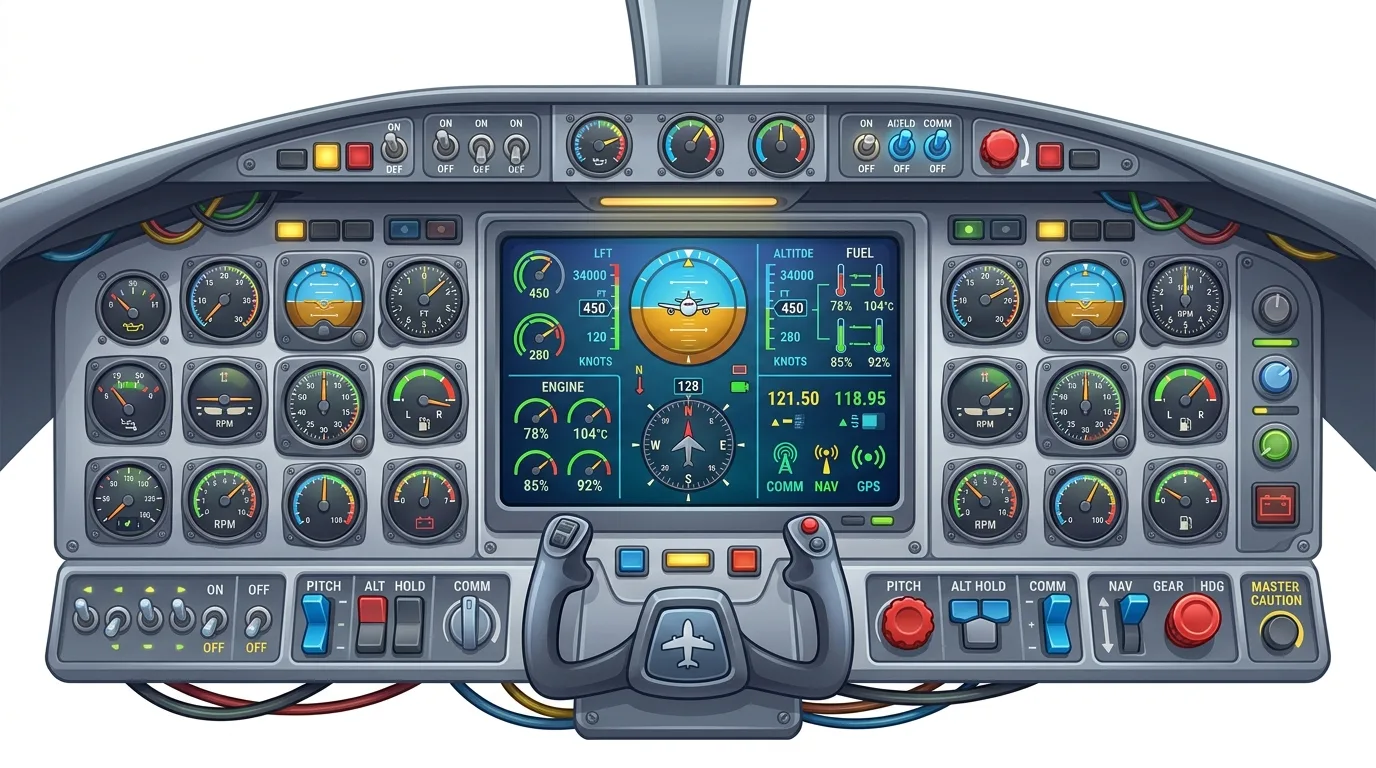
Here's a statistic that should make you pause: over 90% of traders who switch from MT4 to MT5 do it for the wrong reason. They chase more timeframes or a prettier chart, completely missing the one architectural difference that actually impacts their bottom line. I've traded on both platforms for over a decade, and I can tell you the debate isn't about which is 'better.' It's about understanding the core engine difference so you don't get wrecked by a market nuance you never saw coming.
Everyone talks about charts and indicators. Let's talk about the plumbing. The single most critical difference between MetaTrader 4 and 5 is how they process orders. MT4 uses a dealing desk model for its back-end execution. MT5 was built for a no dealing desk (NDD) and exchange model. This isn't marketing fluff. It changes how your orders hit the market.
In the old MT4 model, your broker's liquidity providers see your order, and the broker's system decides how to fill it. It can be fast, but in volatile markets, you might get more requotes or slippage that feels... deliberate. MT5's architecture is designed to route orders directly to multiple liquidity pools or exchanges. In theory, you get a more transparent fill.
Here's the kicker: this only matters if your broker actually uses the MT5 platform as intended. Many don't. They just slap their old execution logic onto the new platform. So, you think you're getting 'better' execution on MT5, but you're just using a different skin on the same old engine. I learned this the hard way with a broker now featured in our Exness review. On paper, they offered MT5. In practice, the slippage on news events was identical to their MT4. The platform didn't change their business model.

Warning: Don't assume MT5 means 'better execution.' Your broker's practices matter 10x more than the platform version. A shady broker on MT5 is still a shady broker.
Why This Should Keep You Up at Night
If you're a scalper or trade high-impact news, the execution model is everything. A 2-pip slippage on a 10-lot EUR/USD trade is $200 gone. MT5's structure can minimize this, but only if paired with a true ECN/NDD broker. For swing traders holding positions for days, this difference fades into background noise. Your 50-pip stop loss won't care about a 0.2-pip fill difference.
“The single most critical difference between MetaTrader 4 and 5 is how they process orders.”
MetaQuotes, the developer, will give you a list of new MT5 features a mile long. Let's cut through the sales pitch and talk about what you'll actually use.
The Real Upgrades:
- More Timeframes: 21 timeframes, including 2-minute and 3-hour charts. Useful? Sometimes. I use the 3-hour for a different perspective on daily trends. It's nice, not essential.
- Economic Calendar: Built right into the terminal. This is genuinely useful. No more switching tabs to ForexFactory.
- More Order Types: Beyond buy and sell limits/stops, MT5 has buy stop limit and sell stop limit orders. These are for advanced entry strategies. I've used them maybe three times in five years.
- Depth of Market (DOM): Shows you the order book. This is a big one for futures and equity traders. For forex spot traders, the DOM is less insightful because the true interbank market isn't visible.
The Overhyped Stuff:
- More Indicators: 38 built-in vs. 30 in MT4. You only need about 4.
- More Charts: You can open 100 charts. If you have more than 8 open, you're not trading, you're decorating.
- Strategy Tester for Netting: This is for backtesting on accounts that use the netting position system (common in the US). If you're used to MT4's hedging model, this changes your scalping strategy backtests completely.
Here's my personal take: The economic calendar is the only MT5 feature that consistently improves my workflow. The rest are just options I rarely touch. Don't upgrade for the bells and whistles.

💡 Consiglio di Winston
A platform is a vehicle. Don't spend all your time polishing the chrome if the engine (your strategy) is broken. Focus on the engine first.
“Don't assume MT5 means 'better execution.' Your broker's practices matter 10x more than the platform version.”
This is the dealbreaker for a huge chunk of traders. MT4 and MT5 use completely different programming languages. MT4 uses MQL4. MT5 uses MQL5. They are not compatible. Zero. Zilch.
That beloved custom indicator you paid $500 for? It won't work. That Expert Advisor (EA) that's been semi-profitable for years? It needs to be completely rewritten by a programmer. This isn't an update. It's a ground-up rebuild.
I had a volatility-based EA on MT4 that managed partial closes beautifully. Moving to MT5 meant paying a developer $800 to recreate it. The new version, thanks to the different compiler, actually performed worse on historical data. I wasted months and a grand to learn that 'newer' doesn't mean 'better for my system.'

Pro Tip: Before even considering MT5, inventory every custom tool, indicator, and EA you use. If your trading depends on any of them, the cost and hassle of conversion might make MT4 the permanent choice.
The community library is also different. While MQL5 is more powerful (object-oriented programming), the vast, vast library of free and paid tools built up over 15 years is on MQL4. The MQL5 community is growing, but it's not the same.

“Don't assume MT5 means 'better execution.' Your broker's practices matter 10x more than the platform version.”
This is the most important section for traders in the United States. MT4 was built with a hedging accounting model. MT5 was built with a netting model.
What does that mean? On an MT4 account, you can have multiple positions open on the same currency pair in opposite directions. You can buy and sell EUR/USD simultaneously. This is hedging. On an MT5 account (by default), all positions on the same symbol are aggregated into one net position. If you buy 1 lot, then sell 1 lot, they cancel out to a zero position.
Why does this matter? The US CFRCotton Rule 5.7 banned retail forex hedging in 2009. To comply, US brokers must offer MT5 (or a crippled MT4) in netting mode only.
So if you're a US trader:
- You are likely already on a netting system, even if you use MT4. Your broker has disabled the hedging function.
- Switching to MT5 changes nothing about your ability to hedge. You never had it.
- The real choice is about the other features (or lack of EA compatibility).
For non-US traders, this is a strategic choice. Do you need the ability to hedge? Some strategies rely on it. If yours does, MT4 is your only real MetaTrader option. Check your broker's specific settings, as some non-US brokers also offer MT5 in a hedging mode now, but it's not the default.
This accounting difference also affects how you calculate risk. In a netting system, your total exposure is clearer. In a hedging system, you need to be careful with your position size calculator to understand your true net risk across multiple trades.

“The hassle with my tools wasn't worth the two features I actually used.”
MT5 is 64-bit. MT4 is 32-bit. In theory, MT5 can use more of your computer's RAM and process data faster. For the average trader with a few charts and an EA, you will notice exactly zero difference. I ran both platforms side-by-side on a modest laptop for a week.
- RAM Usage: MT5 used about 15% more memory with the same 6 charts (EUR/USD, XAU/USD, etc.) open.
- Startup Time: MT5 was actually slower to launch by about 3 seconds.
- Backtesting Speed: This is where MT5 can shine. Its strategy tester is multi-threaded. A complex 10-year backtest on EUR/USD that took MT4 45 minutes finished in MT5 in under 10. That's legit.
But ask yourself: How often do you run massive, multi-year backtests? If you're a systematic trader developing EAs, MT5's speed is a real benefit. If you're a discretionary trader who backtests a simple idea once a month, it's irrelevant.
The performance 'win' for MT5 is highly specialized. Don't upgrade for speed unless your specific workflow involves heavy, frequent backtesting.
💡 Consiglio di Winston
Complexity is the enemy of execution. If switching platforms adds 5 new steps to your trade entry, you've just introduced 5 new potential points of failure.

“The hassle with my tools wasn't worth the two features I actually used.”
Stop looking for a 'best' platform. Start looking for the right tool for your specific strategy and location. Here's your decision tree:
Stick with MetaTrader 4 if:
- Your strategy depends on custom MQL4 indicators or EAs.
- You are a non-US trader and actively use hedging techniques.
- Your broker's MT4 execution is proven and reliable for you.
- You are comfortable and see no need for the built-in economic calendar or DOM.
Consider MetaTrader 5 if:
- You are a US-based trader and your broker only offers a gimped MT4 anyway. Might as well get the modern features.
- You are a futures or equity trader who will use the Depth of Market.
- You are a systematic developer who needs faster backtesting.
- Your broker is a true ECN/NDD provider and you believe their MT5 connection provides better fills (verify this with a demo first!).
For most retail forex traders, especially those outside the US, MT4 remains the more practical choice due to its universal support, massive community, and indicator library. The 'difference between metatrader 4 and 5' isn't a progression. It's a fork in the road.
I made the switch to MT5 for one year, lured by the promise of 'progress.' I switched back. The hassle with my tools wasn't worth the two features I actually used. My XM review account stayed on MT4, and my performance didn't suffer one bit.

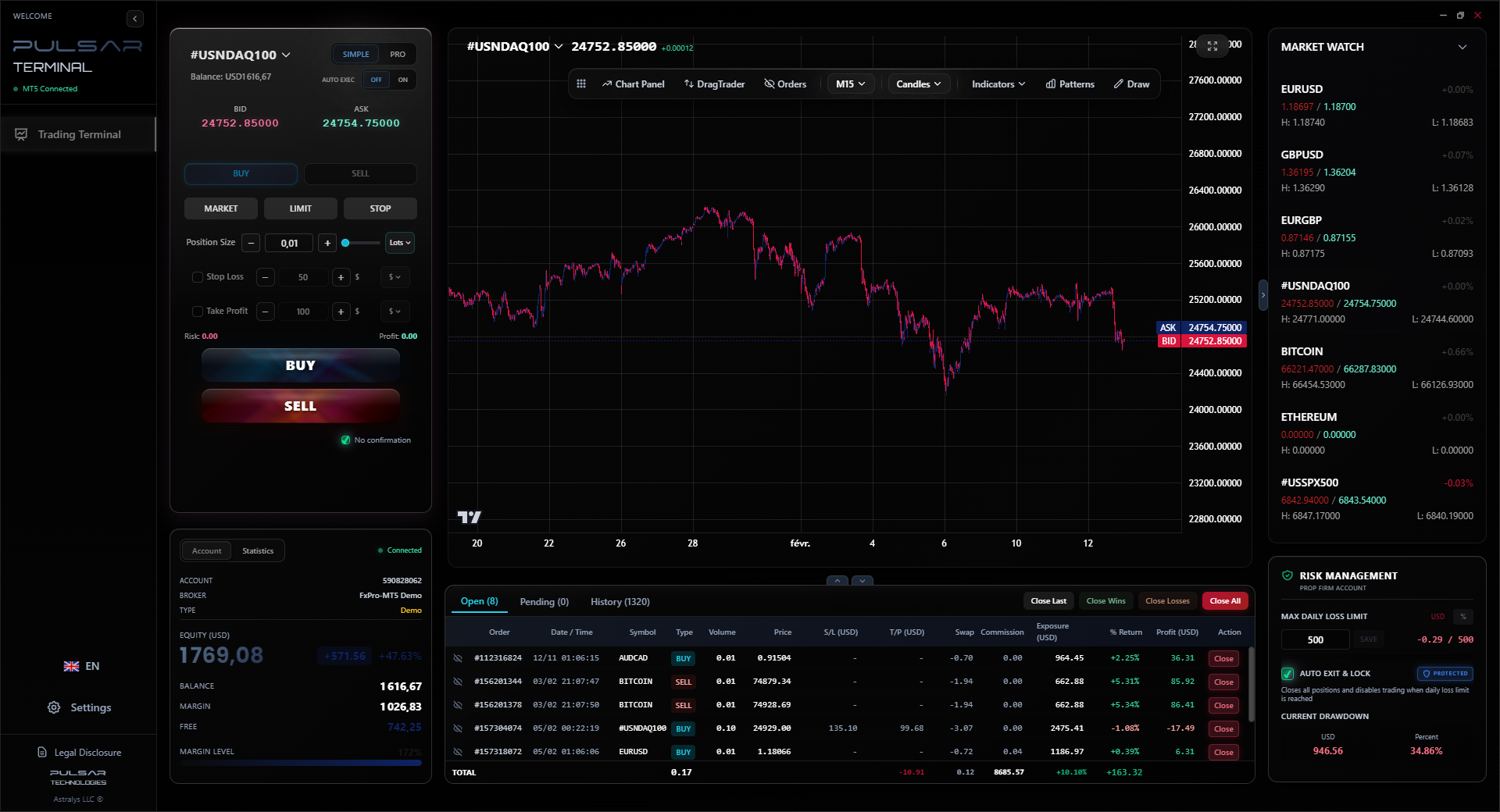
Whether you choose MT4 or MT5, managing complex orders and risk is key, which is where a tool like Pulsar Terminal excels by adding drag-and-drop orders and automated stop-loss management directly onto your MT5 charts.
Pulsar Terminal
Lo strumento MT5 tutto-in-uno: ordini drag-and-drop, multi-TP/SL, trailing stop, grid trading, Volume Profile e protezione prop firm. Usato da oltre 1.000 trader ogni giorno.
“The difference between MetaTrader 4 and 5 is a technicality for 95% of traders.”
As a risk manager, here's the blunt truth: the platform doesn't protect you from yourself. I've seen traders blow accounts on MT4, MT5, TradingView, and even custom-built platforms. The common thread was poor risk management, not software.
However, introducing unnecessary complexity is a risk. Switching platforms disrupts your routine. It introduces new buttons, new workflows, and new potential for error. I once placed a limit order on MT5 thinking it was a stop order because the interface layout was slightly different. That cost me $120 before I realized my mistake.
Your goal is to reduce variables. If MT4 works, and your strategy is profitable on it, changing to MT5 introduces a massive, unnecessary variable. You are testing a new environment with real money. That's not smart trading.
Focus on what moves the needle: your psychology, your position sizing, your edge. The difference between MetaTrader 4 and 5 is a technicality for 95% of traders. Don't let the pursuit of a marginally better platform distract you from mastering the fundamentals. A master carpenter doesn't blame his hammer. He learns to swing it perfectly. Pick your hammer and get to work.

Example: Let's quantify the 'upgrade' risk. Say switching platforms causes 2 avoidable trading errors in your first month due to unfamiliarity. If your average loss per trade is $50, that's a $100 'platform switch tax.' Is the new calendar worth $100 and two weeks of frustration?

FAQ
Q1Can I run MT4 and MT5 on the same computer at the same time?
Yes, absolutely. They are separate applications. I often run both to compare execution speeds or to use a specific MT4 indicator while watching the MT5 economic calendar. Just make sure you're not logged into the same broker account on both platforms simultaneously, as that can cause order conflicts.
Q2Is MT4 being phased out? Should I switch now?
MetaQuotes has been 'phasing out' MT4 for over a decade. It's still the most popular retail trading platform in the world. While they stop selling new MT4 licenses to brokers, existing licenses are maintained. MT4 isn't disappearing anytime soon. Don't switch out of fear. Switch only if MT5 offers a concrete, proven benefit to your trading.
Q3I found an indicator I love, but it's only for MT4. What can I do?
You have three options: 1) Stay on MT4. This is the simplest. 2) Hire an MQL5 programmer to convert the indicator. This can cost $100-$500+ and the result may not be perfect. 3) Search for a similar native MT5 indicator. Often, popular MT4 tools have inspired MT5 versions. Your best bet, honestly, is usually option 1.
Q4Does MT5 have better charting tools than MT4?
The core charting is nearly identical. MT5 adds a few more drawing tools, but the fundamental experience is the same. If you're looking for truly advanced charting like Volume Profile or Market Profile, neither platform has it natively. Traders often use third-party tools or platforms like Pulsar Terminal that connect to MT5 for that.
Q5For prop firm challenges, is MT4 or MT5 better?
It depends entirely on the prop firm's rules. Some require MT5, some offer MT4. The key isn't the platform; it's the risk management required to pass. The strict daily loss limits in challenges make tools that automate stop-loss and take-profit management incredibly valuable, regardless of the base platform.
Q6Can I transfer my MT4 custom settings and templates to MT5?
No, you cannot directly transfer them. Chart templates, profiles, and custom settings are not cross-compatible. You will have to manually recreate your chart setups on MT5. This is another often-overlooked time cost of switching.
Lezione del Prof. Winston
Punti chiave:
- ✓Execution model is the real difference, not charts.
- ✓MT4/MT5 EA compatibility is zero. A full rebuild is needed.
- ✓US traders are often forced into netting on both platforms.
- ✓MT5 backtesting is faster, but only matters for developers.
- ✓Unnecessary platform switches introduce costly errors.
Quanto è stato utile questo articolo?
Clicca su una stella
Analisi Trading Settimanali
Analisi e strategie settimanali gratuite. Nessuno spam.
Sull'autore
James Mitchell
Analista Trading Senior
Con base a New York e oltre 9 anni di esperienza nel trading. Si occupa delle principali coppie USD, sfide delle prop firm e del contesto normativo statunitense.
Commenti
Avviso di rischio
Il trading di strumenti finanziari comporta rischi significativi e potrebbe non essere adatto a tutti gli investitori. Le performance passate non garantiscono risultati futuri. Questo contenuto è fornito solo a scopo educativo e non deve essere considerato un consiglio di investimento. Conduci sempre le tue ricerche prima di fare trading.
Potrebbe interessarti anche

Cara Trading Forex Sukses: 7 Prinsip dari Trader Profesional
Cara trading forex sukses dengan 7 prinsip trader pro: manajemen modal, disiplin, journal trading, backtest. Data nyata, bukan janji profit palsu.
Jam Trading Forex Terbaik untuk Trader Indonesia: Panduan Lengkap dengan Tabel Waktu
Panduan jam trading forex untuk trader Indonesia. Tabel 4 sesi dunia, jam emas 20:00-00:00, sesi mana yang harus dihindari. Data akurat + tips dari trader berpengalaman.
Top 5 Sàn Forex Uy Tín Nhất 2026: Review Jujur dari Trader Indonesia
Top 5 sàn forex uy tín 2026 untuk trader Indonesia. Review jujur: spread, deposit, withdraw, dukungan lokal. Exness, XM, IC Markets & lebih.
Scarica Pulsar Terminal
Tutti questi calcolatori sono integrati in Pulsar Terminal con dati in tempo reale dal tuo conto MT5.
Scarica Pulsar Terminal