


My screen was a sea of red.

David van der Merwe
Trader dei Mercati Emergenti ·  South Africa
☕ 11 min di lettura
Cosa imparerai:
- 1What Exactly Are You Calculating? It's Not Just Math
- 2The Five Inputs You Need to Get Right (South African Edition)
- 3A Real Trade Example: Walking Through the Numbers
- 4Mistakes I've Made (So You Don't Have To)
- 5Where to Find Good Calculators & Broker Specifics
- 6Making It Part of Your Trading DNA
- 7For When You're Ready: Taking It Further
My screen was a sea of red. It was March 2020, and the USD/ZAR had just ripped through R18.50. I had a ‘sure thing’ short position, but my stomach was in knots. Why? I’d gotten greedy with my position size. Instead of my usual 1% risk, I’d shoved nearly 5% of my account into that trade. The volatility ate my stop loss for breakfast, and I watched R8,000 vanish in minutes. That loss, more than any win, burned the importance of a proper forex trading lot size calculator into my brain. It’s not a fancy tool, it’s your financial seatbelt. Let me show you how to use it properly on our home turf.
Alright, let's cut through the jargon. A forex trading lot size calculator is a simple tool, usually built into your broker's platform or available online. You feed it a few numbers, and it tells you one critical thing: how many units of a currency you should buy or sell so that if you're wrong, you only lose a predetermined amount of your money.
Think of it like this. You wouldn't bet your entire month's salary on a single hand of blackjack (I hope). Trading is the same. The calculator stops you from making that reckless bet with your trading account. It translates your risk tolerance - a percentage of your capital - into the actual trade size your broker will execute.
For us in South Africa, this is doubly important. Our market, while big for Africa, can be less liquid than London or New York, especially on exotic pairs involving the Rand. That means spreads can widen suddenly. A good calculator helps you account for that slippage right from the start. You can find a dedicated position size calculator on our site that's built with these local quirks in mind.

Pro Tip: Don't just use the calculator once and forget it. Your account balance changes with every win and loss. Recalculate your position size for every single trade. Consistency is what separates the pros from the gamblers.
Garbage in, garbage out. If you plug nonsense into the calculator, you'll get a dangerous trade size. Here’s what each field means for a trader sitting in Johannesburg or Cape Town.
1. Account Currency and Balance
This seems obvious, but it trips people up. If your live account with a broker like IC Markets or XM is denominated in USD, but you deposited ZAR, you must use your current USD balance in the calculator. Currency fluctuations between the ZAR and USD can affect your buying power, but the calculator works in your account's base currency.
2. Risk Percentage (%)
This is your single most important decision. For retail traders, the golden rule is to risk no more than 1-2% of your account on any single trade. I personally never go above 1%. On a R20,000 account, that’s R200. It sounds small, but it protects you from a string of losses wiping you out. This is non-negotiable.
3. Stop Loss Distance (in Pips)
Your stop loss isn't a suggestion; it's a plan. Measure the distance from your planned entry price to your stop loss price in pips. If you're trading USD/ZAR, remember a pip is 0.0010 (e.g., a move from R18.5000 to R18.5010). Be honest with your analysis. Placing a stop loss 5 pips away because it ‘feels safe’ when the market’s normal daily range is 50 pips is a recipe for a quick stop-out.
4. Instrument (Currency Pair)
The calculator needs to know what you're trading because different pairs have different pip values. The value of a pip for EUR/USD is different from GBP/ZAR. Selecting the correct pair ensures the math is accurate.
5. use (The Double-Edged Sword)
Here’s the big one for South Africa. The FSCA caps use at 30:1 for retail clients. Some offshore brokers might offer you 500:1, but if they’re servicing South African clients properly under FSCA rules, they should enforce the 30:1 limit. The calculator uses your use to determine how much margin is required for the position. Higher use means you can control a larger position with less capital, but it also magnifies your losses. With 30:1, you need to be even more precise with your position sizing.

Warning: Never max out your available use just because you can. Using 30:1 on your entire account balance is a surefire way to get a margin call. The lot size calculator helps you use use responsibly, not recklessly.

💡 Consiglio di Winston
Your first calculation each day should be your risk percentage, not your potential profit. Protect your capital like it's the last cold Black Label in the fridge.
“The lot size calculator isn't a fancy tool, it's your financial seatbelt.”
Let's make this concrete. Say it's October 2023, and I'm looking at a potential long trade on Gold (XAU/USD). I've written a full guide on the nuances of trading XAU/USD, but for now, let's focus on the sizing.
- Account Balance: $5,000 (approx. R92,500 at the time)
- Risk Per Trade: 1% of account = $50
- Trade Setup: I plan to buy Gold if it bounces off support at $1,820. My stop loss will be placed at $1,810.
- Stop Loss Distance: $1,820 - $1,810 = $10. For Gold, a $1 move is 1.0 pip (or 100 micro-pips, depending on your broker). So, my stop is 10 pips away.
- Pip Value: For Gold, 1 pip on a standard lot (100 oz) is $10.
Now, the calculation. How do I risk only $50 if my stop is 10 pips away?
If 1 pip = $10, then 10 pips = $100 risk per standard lot. That's double my allowed risk. So, I need half a standard lot (0.50 lots).
0.50 lots x 10 pips x $10 pip value = $50 risk.
That's the number the calculator spits out. I enter a 0.50 lot position. If I'm wrong and Gold hits $1,810, I lose exactly $50, or 1% of my account. No panic, no surprise. This discipline let me stay in the game when that trade actually went my way and rallied to $1,850, banking a $1,500 profit.

Example: Let's do a quick ZAR pair. USD/ZAR at R18.70. Account: R10,000. Risk: 1% (R100). Stop Loss: 50 pips (to R18.65). Pip value for USD/ZAR on a standard lot is roughly R100 (varies slightly). To risk R100 with a 50-pip stop: R100 / (50 pips * ~R100/pip) = 0.02 lots. A tiny position. This shows how volatile pairs demand smaller sizes.
We learn more from our errors. Here are the big blunders I see, and have committed, with lot sizing.
Mistake 1: Ignoring the Spread. Early on, I’d set my stop loss 20 pips away. I’d use the calculator, get my lot size, and enter the trade. What I forgot was that the spread on USD/ZAR was 15 pips during the Asian session. My trade was instantly 15 pips ‘in the hole’ the moment I entered. My effective risk wasn’t 20 pips, it was 5. The calculator gave me a size for 20 pips of risk, but the market only gave me 5 before hitting my stop. I got stopped out on noise. Now, I always add the spread to my stop distance in the calculation.
Mistake 2: Changing the Stop to Fit the Size. This is the cardinal sin. You want to trade 1.00 lots on EUR/USD because it feels ‘right.’ The calculator says with your 2% risk and a 15-pip stop, you should only trade 0.30 lots. So, you move your stop loss out to 50 pips to justify the 1.00 lot size. You’ve now completely invalidated your trade thesis and are risking far more capital than is prudent. The stop loss distance must come from your market analysis, not your desired position size.
Mistake 3: Not Adjusting for Volatility. Trading the EUR/USD during the London open is different from trading it on a sleepy Sunday afternoon. News events like SARB announcements or budget speeches can cause wild swings in ZAR pairs. If volatility is high, you should either reduce your position size (keeping the same stop distance) or widen your stop (and recalculate the size). A rigid approach will break.
💡 Consiglio di Winston
If the lot size the calculator gives you feels disappointingly small, that's usually a sign you're on the right track. Greed whispers for bigger sizes.
“Your stop loss distance must come from your market analysis, not your desired position size.”
You don't need to reinvent the wheel. Here’s where to get a reliable forex trading lot size calculator.
1. Your Trading Platform (MT4/MT5): Most platforms have a built-in tool. Right-click on an open order, select ‘Properties,’ and you’ll often see fields for volume (lots) and a calculated risk. It’s clunky but works.
2. Broker Websites: Reputable FSCA-regulated brokers like Pepperstone or Exness often have free trading calculators on their sites. These are tuned to their specific account types and instruments.
3. Independent Online Calculators: Our own position size calculator is a good example. The advantage of independent tools is they’re broker-agnostic and often include extra features like accounting for commissions.
A Quick Broker Comparison for SA Traders:
| Broker | FSCA Regulated? | Max use (Retail) | Min. Deposit (Approx. in ZAR) | Key Point for Lot Sizing |
|---|---|---|---|---|
| IG | Yes | 30:1 | ~R1,850 ($100) | Tight spreads on majors, reliable execution. |
| Tickmill | Yes | 30:1 | ~R1,850 ($100) | Raw spreads + commission model. Factor commission into risk. |
| XM | Yes | 30:1 | ~R90 ($5) | Very low minimum, good for micro-lot practice. |
| Khwezi Trade | Yes | Varies | R500 | Local broker, deposits/withdrawals in ZAR. |
The main takeaway? Regardless of broker, the 30:1 use cap is your reality. It forces smarter, more calculated trades, which is a good thing in the long run.
A calculator is useless if it's not part of a system. Here’s how to stitch it into your daily routine.
Step 1: Pre-Chart Analysis. Before you even draw a trendline, know your account balance and your fixed risk percentage. Let’s say it’s 1%. That number is sacred.
Step 2: Find Your Trade. Use your strategy - be it scalping or swing trading - to identify an entry and a logical, technically-derived stop loss level. Measure that distance in pips.
Step 3: Calculate, Then Execute. Open your forex trading lot size calculator. Plug in: Balance, 1% risk, stop loss pips, currency pair. It gives you the lot size. That is the size you trade. No debate.
Step 4: Log It. In your journal, record the calculated size versus what you actually traded. If they differ, ask yourself why. Was it emotion? Greed? This feedback loop is how you build discipline.
This process removes emotion from the most critical part of trading: how much you bet. It turns you from a punter into a risk manager. I’ve found that combining this with technical indicators like the RSI indicator for confluence or the MACD indicator for momentum shifts creates a strong, repeatable framework.
💡 Consiglio di Winston
Test your entire risk model on a demo account first. Place 20 trades using strict calculator sizing. If you can't be consistent in demo, you have no chance live.
“If the lot size the calculator gives you feels disappointingly small, you're probably on the right track.”
Once you've mastered the basic calculator, a few advanced concepts can fine-tune your risk management.
1. Volatility-Based Position Sizing (The Van Tharp Method): Instead of a fixed percentage, you adjust your risk based on market volatility. You use the Average True Range (ATR) indicator to measure recent volatility. If the ATR is high (choppy market), you risk a smaller percentage of your capital. If the ATR is low (quiet trend), you might risk a bit more. This dynamically aligns your trade size with market conditions.
2. Correlation Adjustments: If you’re in two trades that are highly correlated (like being long EUR/USD and short USD/CHF), you’re doubling your exposure to the US Dollar. Your true risk is higher than the calculator says for each individual trade. Advanced traders will reduce position sizes across correlated trades to keep total portfolio risk in check.
3. Scaling In & Out: This is where tools beyond a basic calculator become powerful. Let’s say you want to buy USD/ZAR and add to the position as it moves in your favor. You need to calculate the size for each entry so that your total risk across the entire ‘pyramid’ never exceeds your 1% limit. Conversely, taking partial profits at different targets requires planning. This is where a trading terminal that manages multi-part orders becomes useful.
, the basic lot size calculator is your foundation. These concepts are the walls and roof you build on top of it. Master the foundation first.
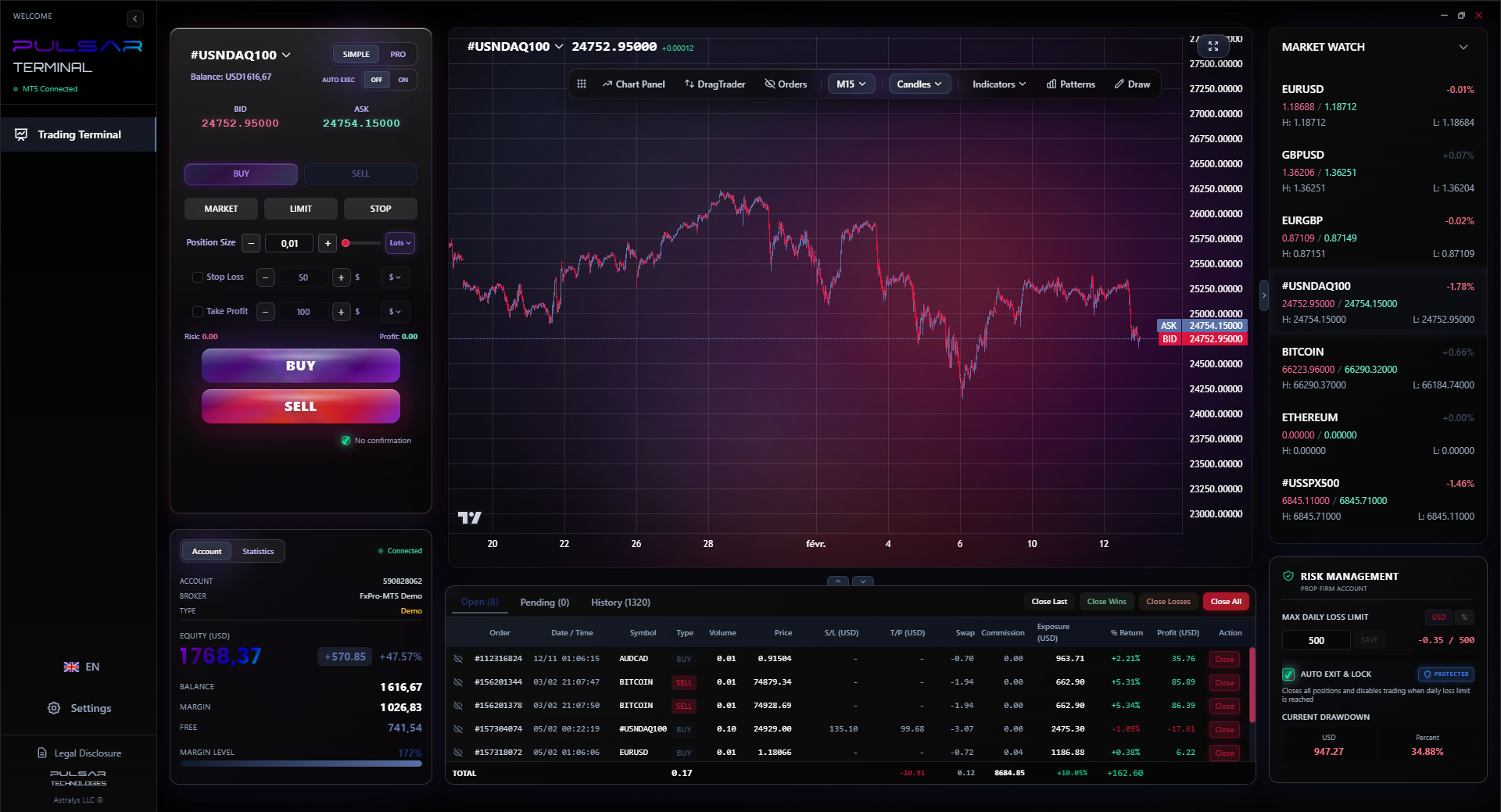
When you're ready to scale into positions or manage complex exits, tools like Pulsar Terminal allow you to set multi-level take-profits and stop-losses directly on your MT5 chart, automating the risk management you've calculated.
Pulsar Terminal
Lo strumento MT5 tutto-in-uno: ordini drag-and-drop, multi-TP/SL, trailing stop, grid trading, Volume Profile e protezione prop firm. Usato da oltre 1.000 trader ogni giorno.
FAQ
Q1Is a forex lot size calculator necessary if I'm only trading mini lots?
Absolutely. A mini lot (0.10) is still 10,000 units of currency. On a volatile pair like USD/ZAR, that can mean significant Rand risk. The calculator ensures that even with mini lots, you're risking a sane percentage of your account. Guessing is how small accounts get blown up.
Q2How does the FSCA's 30:1 use limit affect my lot size?
It directly limits how large a position you can open with a given account balance. The calculator factors this in via the 'margin' calculation. Practically, it means you can't use massive use to trade huge sizes with a tiny account. It forces you to be more conservative and precise with your sizing, which is a protective rule for retail traders.
Q3My broker's calculator shows 'margin' and 'margin level'. What do I do with that?
Margin is the amount of your money 'locked up' to open the trade. The lot size calculator shows you this requirement. Margin Level is your equity divided by used margin, shown as a percentage. Watch this number. If it falls below 100%, you're in a margin call, and your broker may start closing positions. Use the calculator to keep your used margin low and your margin level high.
Q4Should I use a different risk percentage for different strategies?
It's a good practice. A high-frequency scalping strategy might have a lower win rate but smaller stops. You might use 0.5% risk per trade. A swing trading strategy with wider stops and higher win rate might justify 1.5%. The key is to decide the percentage before you trade and stick to it for all trades in that strategy. Never risk more on a trade because it 'feels' better.
Q5How do I handle ZAR pairs where the pip value changes?
Pip value for pairs like USD/ZAR does change slightly as the exchange rate moves. A good online calculator will fetch live rates and give you an accurate value. For manual calculation, a close approximation is fine for risk management purposes. The goal is to get in the right ballpark - risking R100, not R1,000.
Q6Can I use a lot size calculator for other markets like CFDs on stocks or crypto?
The core principle is identical: determine your risk in Rands, find your stop loss distance (in points, not pips), and calculate the position size. However, the value per point will be different (e.g., per 1-cent move for a South African stock CFD). Always check your broker's specifications for the contract details before calculating.
Lezione del Prof. Winston
Punti chiave:
- ✓Never risk more than 1-2% of your account on a single trade.
- ✓Always add the spread to your stop loss distance in your calculation.
- ✓Recalculate position size for every trade, as your balance changes.
- ✓The FSCA's 30:1 use is a guardrail, not a target.
Quanto è stato utile questo articolo?
Clicca su una stella
Analisi Trading Settimanali
Analisi e strategie settimanali gratuite. Nessuno spam.
Sull'autore
David van der Merwe
Trader dei Mercati Emergenti
Trader con base a Johannesburg con 11 anni di esperienza nelle valute dei mercati emergenti. Specializzato in coppie ZAR, trading regolamentato dalla FSCA e analisi del mercato sudafricano.
Commenti
Avviso di rischio
Il trading di strumenti finanziari comporta rischi significativi e potrebbe non essere adatto a tutti gli investitori. Le performance passate non garantiscono risultati futuri. Questo contenuto è fornito solo a scopo educativo e non deve essere considerato un consiglio di investimento. Conduci sempre le tue ricerche prima di fare trading.
Potrebbe interessarti anche

Cara Trading Forex Sukses: 7 Prinsip dari Trader Profesional
Cara trading forex sukses dengan 7 prinsip trader pro: manajemen modal, disiplin, journal trading, backtest. Data nyata, bukan janji profit palsu.
Jam Trading Forex Terbaik untuk Trader Indonesia: Panduan Lengkap dengan Tabel Waktu
Panduan jam trading forex untuk trader Indonesia. Tabel 4 sesi dunia, jam emas 20:00-00:00, sesi mana yang harus dihindari. Data akurat + tips dari trader berpengalaman.
Top 5 Sàn Forex Uy Tín Nhất 2026: Review Jujur dari Trader Indonesia
Top 5 sàn forex uy tín 2026 untuk trader Indonesia. Review jujur: spread, deposit, withdraw, dukungan lokal. Exness, XM, IC Markets & lebih.
Scarica Pulsar Terminal
Tutti questi calcolatori sono integrati in Pulsar Terminal con dati in tempo reale dal tuo conto MT5.
Scarica Pulsar Terminal