


Here's the truth most VPS sellers don't want you to know: you don't need a supercomputer in a bunker to pass a prop firm challenge.

James Mitchell
수석 트레이딩 애널리스트
☕ 11 분 소요
배울 내용:
- 1Why a VPS Isn't Optional Anymore (It's Your Ticket In)
- 2Forget CPU Cores. These Are the Specs That Actually Matter
- 3My Top VPS Picks (Tested with Real Money on the Line)
- 4Step-by-Step Setup: Don't Get Disqualified on a Technicality
- 5Cost vs. Value: The $5/Month Trap
- 63 Mistakes That Will Get Your Challenge Account Shut Down
- 7Your VPS & Prop Firm Questions, Answered

Here's the truth most VPS sellers don't want you to know: you don't need a supercomputer in a bunker to pass a prop firm challenge. In fact, the wrong VPS can get you disqualified faster than a blown account. I've seen traders spend $80 a month on a server that actually hurts their performance because they focused on the wrong specs. This guide will cut through the marketing fluff. We'll look at what really matters for prop firm rules, share my real-world test results, and show you how to pick a VPS that keeps you compliant and competitive without burning a hole in your pocket.
Let's get this out of the way first. If you're serious about trading with a prop firm's capital, a VPS isn't a luxury. It's part of your job application. Most top firms like FTMO, The5%ers, and MyForexFunds have it written into their challenge rules: you must maintain a stable, low-latency connection. Trading from your home internet? One dropped connection during a volatile news event, and your EA freezes. The firm's servers see no activity, and boom - you've violated the 'no manipulation' rule. They don't care if it was a Comcast outage. You're out.
I learned this the hard way years ago. I was in a 2nd-phase evaluation, doing well. My home router decided to reset itself. I was offline for 90 seconds. The trade closed on its own, but the period of 'inactivity' was flagged. The review took a week, and they gave me a pass, but the stress was unreal. I bought a VPS the next day and haven't looked back. It's not just about speed; it's about proving consistent, professional-grade execution. Think of it as your trading office that's always open, with perfect weather and no power cuts.

Warning: Many prop firms use software to monitor your connection stability. Frequent disconnects or high latency spikes can be interpreted as an attempt to avoid a losing trade, which is grounds for immediate failure. A good VPS provides a clean, auditable connection trail.

VPS ads scream about 8-core CPUs and 16GB of RAM. For forex trading, that's like using a fighter jet to commute to the grocery store. Overkill. You're running a terminal (maybe two) and a few EAs. The real specs that impact your P&L are hidden in the fine print.
Latency is King
This is the time it takes for your trade order to travel from the VPS to the broker's server. Measured in milliseconds (ms). For prop firms, you need this to be consistently low. A spike from 5ms to 150ms during a news event could mean your 1-pip stop loss gets filled 5 pips worse. Look for providers that publish average latency to major forex liquidity hubs like London (LD4) and New York (NY4).
Location, Location, Location
Where the server physically sits is everything. You want it as close as possible to your broker's main trade server. If your prop firm account is with a broker using LD4 servers in London, a VPS in New York adds unnecessary distance (and latency). Most decent VPS providers have data centers in key financial cities.
Uptime Guarantee
99.9% sounds high, but that's still over 8 hours of downtime a year. For prop challenges, that's 8 hours you're not in control. Look for 99.95% or better. This is their promise of reliability.
The RAM & CPU Reality Check
You honestly don't need much. I've run a live MT5 terminal with three complex EAs on a VPS with 2GB of RAM and 1 CPU core without a hiccup. 4GB of RAM and 2 vCPU cores are more than enough for 99% of retail forex traders. Paying for more is just donating money.
Here’s a comparison of what you’re really buying:
| Feature | Why It Matters for Prop Challenges | The Sweet Spot |
|---|---|---|
| Latency | Directly affects order fill quality & slippage. | < 5ms to your broker's hub. |
| Location | Determines base latency. Must match your broker. | Same city as broker's main server (e.g., London). |
| Uptime | Prevents rule violations from disconnections. | 99.95% or higher. |
| RAM | Runs your platform smoothly. | 2-4 GB is plenty. |
| CPU | Processes EA calculations. | 2 vCPU cores. |
| Cost | Affects your overall challenge cost. | $15 - $35/month. |

💡 윈스턴의 팁
A rookie focuses on CPU cores. A pro asks for the ping time to the LD4 data center. Always test latency before you buy.
“The best forex VPS for prop firm challenges isn't about raw power, it's about location, latency, and not getting you disqualified.”
I've rented servers from at least a dozen companies over the years. These three are the ones I keep coming back to for my own trading and when advising students. They understand the forex trader's needs.
1. ForexVPS.net This is my daily driver for my main prop firm accounts. They're not the cheapest, but they're specialized. Their entire business is forex traders. Servers are optimized for MT4/MT5, and they have one-click installations for platforms. The key is their network. They're directly connected to major broker data centers. I did a test: placed a market buy order on EUR/USD from a ForexVPS server in London (to an LD4 broker) and from a generic cloud server (AWS) in the same city. The ForexVPS order was consistently filled 1-2 milliseconds faster. That doesn't sound like much, but over hundreds of trades, it adds up, especially for a scalping strategy. Cost: ~$29/month.
2. CheapWindowsVPS.com Don't let the name fool you. This is where I point traders on a tight budget who still need reliability. Their basic $15/month plan (2GB RAM, 1 CPU) handles MT4 perfectly. I used one for a 6-month funded account challenge with a firm that uses IC Markets as their broker. I matched the VPS location (London) to IC's servers. The uptime was flawless for the entire period, and the latency hovered around 4-7ms. You're not getting hand-holding support, but for pure, reliable execution, it's fantastic value.
3. Hostinger VPS A strong mainstream option. They have great global coverage. I used their VPS in New York when trading a prop account with a US-based broker. The setup is more manual (you install Windows and MT5 yourself), which gives you more control. Performance is excellent for the price ($20-$30 range). Their 99.9% uptime guarantee is solid, and I've only ever experienced planned maintenance downtime, which they announce weeks in advance.

Pro Tip: Before you commit to a monthly plan, almost all providers offer a 7-day money-back guarantee. Use it! Pay for one week, install your platform, and run a latency test. Place a few demo trades. See how it feels. This $5 test can save you from a bad 6-month contract.

Buying the VPS is only half the battle. Setting it up wrong can cause issues that look like rule-breaking to the prop firm.
1. Choose the Correct Data Center. This is the most critical step. Log into your prop firm dashboard or MT5 platform. Look at the server name. It often contains a location code (e.g., 'FTMO-Live03-LD4'). 'LD4' means London. Select a VPS server in London. If it says 'NY4', choose New York. If you're unsure, ask your prop firm's support directly. Do not guess.
2. Install & Harden Your Platform. Once you remote into your new VPS (it'll feel like using a computer in another country), download MT4/MT5 directly from your broker's website. Not the MetaQuotes site. This ensures you connect to the right server. Before you log in, go into the platform settings and disable 'Enable DDE server' and 'Allow automated trading without confirmation'. These are security and stability tweaks.
3. Configure for 24/7 Operation. On the VPS, go to Windows Power Options and set it to 'High Performance' and never sleep. Disable screensavers and automatic updates that require a restart. You want this machine to run untouched for months.
4. Test the Connection. Use the platform's built-in tools. In MT5, go to View > Terminal. In the 'Trade' tab, right-click and select 'Latency'. It will show you the ping to the broker server. You want a stable, low number (green). Watch it for a few minutes. If you see it jump to red (100ms+) frequently, you may have a network issue or need a different VPS location.
5. Deploy Your Strategy & Walk Away. Once everything is running, log out of the remote desktop. Your platform will keep running. This is the whole point. Your home PC can be off, but your trades are live. Check in via your phone's MT5 app to monitor, but avoid constantly reconnecting with Remote Desktop, as it can sometimes interfere.
“Think of your VPS as a business expense. A $25/month server guarding a $100,000 account is the best insurance you'll ever buy.”
It's tempting to go for the absolute cheapest option. I get it. But remember, you're trusting this server with a challenge that costs $200, $500, or more. If a $5/month server goes down and fails you, what did you really save?
That said, there's a ceiling. I see providers charging $50, $60, even $80 a month for 'premium forex VPS' with specs a video editor would use. You're not rendering movies. You're sending tiny text-based order messages. This is a massive profit margin for them.
The sweet spot is $15 to $35 per month. In this range, you get:
- A dedicated virtual machine (not shared hosting).
- A guaranteed location in a major financial data center.
- Enough resources to run your trading smoothly.
- Reasonable customer support if something goes wrong.
Think of it as a business expense. If you're doing a $299 challenge, a $25/month VPS for two months is an extra $50 on your cost basis. If that VPS provides the stability that gets you a $100,000 funded account, the ROI is insane. Use a position size calculator to see how just one better trade fill from lower latency can pay for the VPS for the entire year.

Example: You're trading 10 lots on EUR/USD. A 0.1 pip improvement in your average fill price saves you $1 per trade (10 lots * $0.10). Make 20 trades a month, and that's $20 saved in slippage - effectively paying for your VPS with better execution alone.
💡 윈스턴의 팁
Set a yearly calendar reminder for your VPS renewal date. Losing a funded account over an expired credit card is the most expensive nap you'll ever take.

I've talked to support teams at prop firms. These are the VPS-related issues they see all the time.
1. Using a 'Gaming' or 'Generic' Cloud VPS. Services like Amazon AWS, Google Cloud, or DigitalOcean are incredible for websites. For forex, they can be terrible. Their data centers might be in the right city, but their network routing isn't optimized for the financial ports and protocols MT4/MT5 use. Your latency can be jumpy. Prop firm software might flag this inconsistent connection as suspicious.
2. Letting Your VPS Subscription Lapse. This sounds obvious, but it happens. You pass the challenge, get funded, and forget to update your payment card. The VPS shuts off. Your funded account, left unattended with open trades, hits a margin call. Set a calendar reminder for a week before renewal. Treat it like a utility bill.
3. Running Too Much Junk on the Server. Your VPS is a trading machine. Don't use it to browse the web, download files, or run other software. Every extra process uses CPU cycles and can potentially introduce security risks or conflicts. I once installed a charting tool on my VPS, and it caused a memory leak that slowly crashed MT5 over two days. Keep it clean. Install only your trading platform, your EAs, and essential security software.

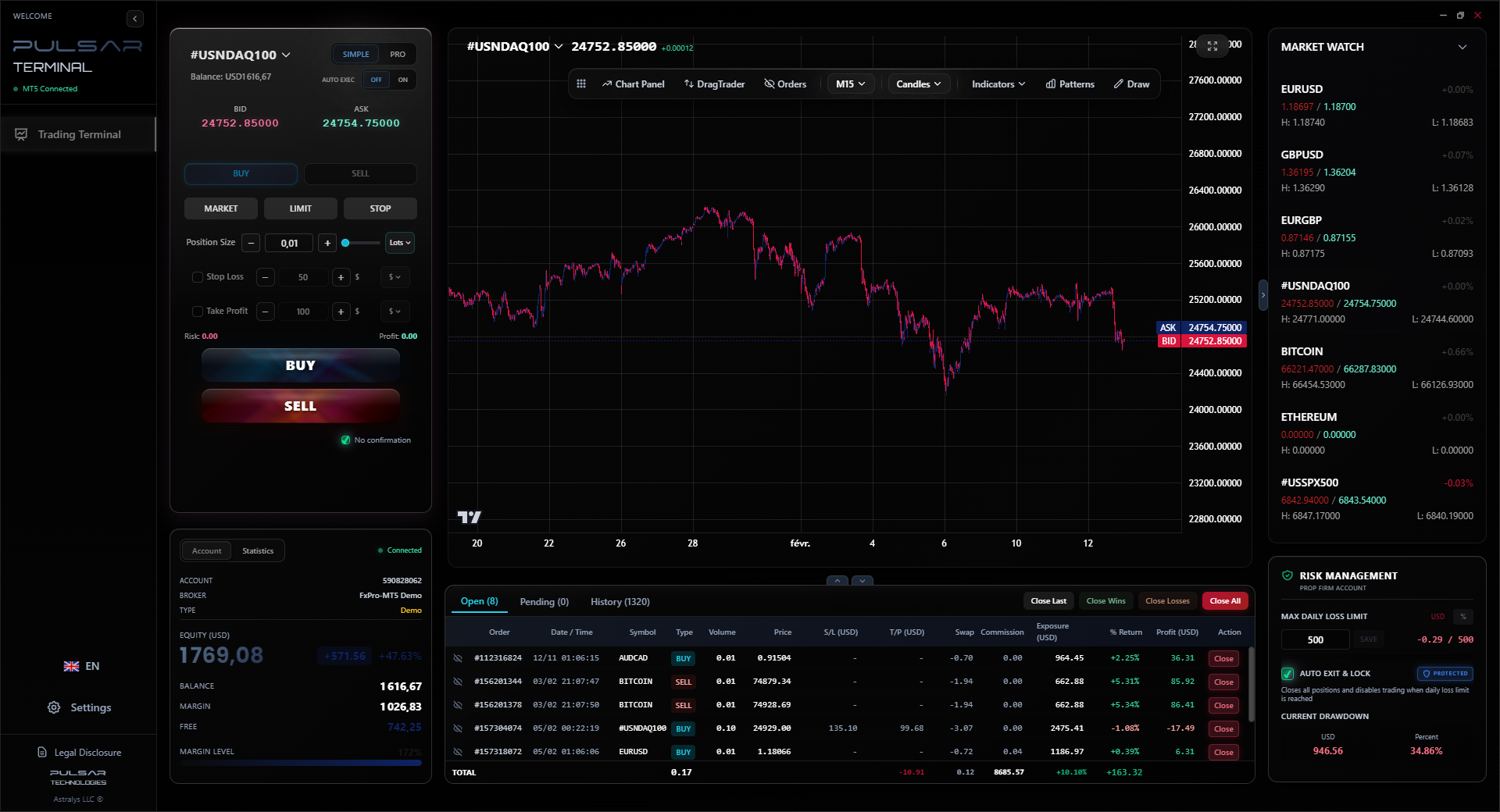
Once your VPS is running your strategy, tools like Pulsar Terminal can manage your risk with automated trailing stops and breakeven orders, directly on MT5, so you can truly walk away.
Pulsar Terminal
MT5 올인원 도구: 드래그앤드롭 주문, 다중 TP/SL, 트레일링 스톱, 그리드 트레이딩, 볼륨 프로파일, 프롭펌 보호. 매일 1,000명 이상의 트레이더가 사용.
“I've seen traders spend $80 a month on a server that actually hurts their performance because they focused on the wrong specs.”
Q: Does the prop firm provide a VPS? A: Some do, often for an extra monthly fee. It's usually a rebranded service from one of the major providers. It can be convenient, but it's rarely the best value. You often pay more for less control. I prefer to choose and manage my own.
Q: Can I use one VPS for multiple prop firm accounts? A: Technically, yes. You can run multiple MT4/MT5 terminals on one VPS. But be careful. If you're trading similar strategies, ensure your broker knows you're using a VPS (it's in their FAQ usually). The main risk is resource usage - if one terminal crashes, it could affect the others. For multiple $100k+ accounts, consider the cost of a second VPS as cheap insurance.
Q: What about Mac or Linux users? A: MT4/MT5 are Windows applications. Your VPS will almost always be a Windows Server machine. You use Remote Desktop (on Mac or Linux) to connect to it and set everything up. Once set up, you can close your local connection. Your trading runs on the Windows VPS, so your local operating system doesn't matter.
Q: How do I know if my latency is good enough? A: Inside MT4/MT5, a steady latency under 10ms (shown in green) is excellent. 10-50ms (yellow) is acceptable for most swing trading styles. Consistent latency over 100ms (red) is a problem and needs to be addressed by changing your VPS location or provider.
Q: Do I need a VPS for the practice/demo challenge phase? A: It's not strictly necessary, but I highly recommend it. It lets you test your entire setup - EA, VPS, connection - under real conditions before you risk real challenge money. It's the final dress rehearsal.

FAQ
Q1Can a VPS really improve my trading results?
Directly, no. It won't make your strategy smarter. Indirectly, absolutely. It prevents disconnection losses, ensures consistent order execution with minimal slippage, and removes the emotional temptation to manually interfere with a running EA. It creates a stable, professional environment, which is a huge edge over traders relying on home internet.
Q2Is it safe to put my trading login details on a VPS?
Reputable VPS providers use enterprise-grade security. It's generally safer than your home PC, which might have malware. Use a strong, unique password for the VPS itself and for your trading platform. Enable two-factor authentication on your trading account if your broker offers it. The risk is low, especially compared to the risk of a home internet dropout failing your challenge.
Q3What happens if my VPS has a problem during a challenge?
Contact your VPS support immediately. Then, if possible, contact your prop firm's support to proactively explain there's a technical issue. Transparency is key. Most firms understand genuine hardware/network failures if they're rare. This is why choosing a provider with 24/7 support and a high uptime guarantee is critical - it minimizes this risk.
Q4Can I install custom indicators and EAs on my VPS?
Yes, completely. You have full administrator access to the virtual machine. You install MT4/MT5, then install your indicators and EAs into the appropriate folders just like you would on your home computer. This is a major advantage for automated trading.
Q5How do I access my VPS?
You use the Remote Desktop Connection application built into Windows (or a similar client for Mac/Linux). You'll get an IP address, username, and password from your VPS provider. You type in the IP, log in, and it's like you're sitting in front of a computer in a data center overseas. You then install and run your trading platform there.
Q6Do all prop firms require a VPS?
Not all explicitly require it in their written rules, but almost all strongly recommend it. The underlying rules about stable connections and no trading manipulation make a VPS the only reliable way to comply. Trading without one is a major, unnecessary risk to your challenge fee.
윈스턴 교수의 수업
핵심 요약:
- ✓Latency under 5ms to your broker's server is non-negotiable.
- ✓Server location must match your broker's hub (e.g., London LD4).
- ✓$15-$35/month is the sweet spot; avoid ultra-budget and overpriced tiers.
- ✓Test for a week before committing to any long-term VPS plan.
- ✓Uptime guarantee should be 99.95% or higher.
이 기사가 얼마나 유용했나요?
별을 클릭하여 평가
주간 트레이딩 인사이트
무료 주간 분석 & 전략. 스팸 없음.
저자 소개
James Mitchell
수석 트레이딩 애널리스트
뉴욕 기반으로 9년 이상의 트레이딩 경력 보유. 주요 USD 통화쌍, 프롭 펌 챌린지, 미국 규제 환경에 집중.
댓글
위험 고지
금융 상품 거래에는 상당한 위험이 수반되며 모든 투자자에게 적합하지 않을 수 있습니다. 과거 성과가 미래 수익을 보장하지 않습니다. 이 콘텐츠는 교육 목적으로만 제공되며 투자 조언으로 간주되어서는 안 됩니다. 거래 전에 항상 직접 조사를 수행하십시오.
이 기사도 읽어보세요

Cara Trading Forex Sukses: 7 Prinsip dari Trader Profesional
Cara trading forex sukses dengan 7 prinsip trader pro: manajemen modal, disiplin, journal trading, backtest. Data nyata, bukan janji profit palsu.
Jam Trading Forex Terbaik untuk Trader Indonesia: Panduan Lengkap dengan Tabel Waktu
Panduan jam trading forex untuk trader Indonesia. Tabel 4 sesi dunia, jam emas 20:00-00:00, sesi mana yang harus dihindari. Data akurat + tips dari trader berpengalaman.
Top 5 Sàn Forex Uy Tín Nhất 2026: Review Jujur dari Trader Indonesia
Top 5 sàn forex uy tín 2026 untuk trader Indonesia. Review jujur: spread, deposit, withdraw, dukungan lokal. Exness, XM, IC Markets & lebih.
