


I remember staring at my screen in 2014, watching EUR/USD tick down.

David van der Merwe
신흥시장 트레이더 ·  South Africa
☕ 10 분 소요
배울 내용:
- 1What Exactly Is a Forex Trading Simulator?
- 2Why This is Non-Negotiable for South African Traders
- 3Picking the Right Simulator: What to Look For
- 4Your 30-Day Simulator Practice Plan
- 5The Big Mistakes Everyone Makes on Simulators
- 6Knowing When You're Ready to Go Live
- 7Where to Start: FSCA Brokers with Solid Simulators

I remember staring at my screen in 2014, watching EUR/USD tick down. I was on a demo account, but my heart was pounding like it was real money. I'd entered at 1.3650, convinced it was the bottom. It wasn't. It dropped another 40 pips, and I froze. That moment, on a simulator with virtual cash, taught me more about my own psychology than any book ever could. That's the real power of a forex trading simulator. It's not just a practice tool, it's a mirror. For us in South Africa, where the Rand can move fast and broker choices matter, learning to use a demo account properly is the single most important step before you risk a single cent.
Let's cut through the jargon. A forex trading simulator is just a fancy name for a demo or practice account. It's a software platform that gives you virtual money – usually between $10,000 and $100,000 – to trade with in real-time market conditions. The prices you see, the spreads, the charts, they're all live data. The only thing that's fake is the money in your account balance.
Every major broker offers one, and they're almost always free. Think of it as a flight simulator for traders. You wouldn't want your first time in a cockpit to be during a storm, right? The same logic applies to the forex market. The goal isn't to get rich on play money. It's to make all your expensive, rookie mistakes here, where they don't cost you anything.

Warning: A simulator can create false confidence if used wrong. Making a 50% return in a week on a demo account often means you're taking insane risks that would wipe out a real account. The simulator's job is to teach you discipline, not to make you feel like a genius.
Our market has its own quirks. Trading the USD/ZAR pair is a different beast to EUR/USD. The spreads can be wider, the volatility around local political or budget announcements is intense, and you need to get a feel for how the Rand moves. A simulator lets you watch these patterns unfold without sweating over your rent money.
Here’s the hard truth I learned early: most people lose. Global stats suggest 70-80% of retail traders end up in the red. The biggest reason? They jump into live trading with a real-money mindset but zero real-market experience. They haven't felt the frustration of a trade moving against them for days. They haven't practiced sticking to a stop-loss when every instinct screams to cancel it. A forex trading simulator builds that experience.
Getting Used to ZAR Pairs
If you plan to trade USD/ZAR or EUR/ZAR, you need to understand the pip value. On a standard lot, one pip in USD/ZAR is worth about ZAR 75, depending on the rate. That’s not small change. On a simulator, you can place those trades, see the profit and loss swing by thousands of Rands, and get comfortable with the scale before it's real.
Testing Your Broker's Platform
This is huge. You might sign up with a broker because of their ads, but their trading platform could be slow or clunky. Using their demo account is the only way to test execution speed, see if their charts freeze during high volatility, and check if their spreads widen dramatically at 8pm when liquidity drops. I once opened a demo with a well-known broker and found their platform lagged by 2-3 seconds on order execution. That's a deal-breaker for any scalping strategy. I never funded a live account with them.

💡 윈스턴의 팁
A simulator measures your discipline, not your prophecy. The goal is a flawless trading log, not a high balance.
“The simulator's job is to teach you discipline, not to make you feel like a genius.”
Not all demos are created equal. You want one that mimics live conditions as closely as possible. Here’s your checklist:
- FSCA Regulation is Key: Only use a simulator from a broker licensed by the Financial Sector Conduct Authority (FSCA). This isn't about the demo itself, but about the entity behind it. If they're regulated, their live trading conditions (spreads, execution) are more likely to be fairly represented on the demo. You can verify any broker's license on the FSCA website.
- Realistic Spreads and Slippage: The simulator should show the same spreads as the live account. If the live EUR/USD spread is 1.2 pips, the demo should be 1.2 pips, not 0.5. Some brokers give you artificially perfect conditions on demo to lure you in. That's a red flag.
- Platform Choice: Most South African traders use MetaTrader 4 or 5. Make sure the demo is on the actual MT4/MT5 platform, not a watered-down web version. You need to practice with the real tools, like the full suite of MACD indicator settings and custom scripts.
- Virtual Capital: Start with a realistic amount. If you plan to deposit ZAR 5,000 (roughly $265), don't practice with a $100,000 demo. Use a virtual balance that reflects your real starting capital. This forces proper position size calculator use from day one.
| Broker Feature | What to Look For in the Simulator | Why It Matters |
|---|---|---|
| Spreads | Should match the advertised spreads for the live account type. | Prevents shock when you go live and costs are higher. |
| Execution | Orders should fill with realistic speed, including occasional slippage. | Tests how the broker handles your orders in real markets. |
| Platform | Full-featured MT4/MT5 or the broker's native platform. | You're learning the actual tools you'll trade with. |

Pro Tip: Open demos with 2-3 different FSCA-regulated brokers like Exness or IC Markets. Compare the feel, the spreads on ZAR pairs, and the platform stability. It's the best market research you'll do.
Don't just log in and start clicking buttons. Have a plan. Here’s a blueprint I wish I’d followed.
Weeks 1 & 2: Learn the Machine
- Goal: Understand every button on the platform. No trading yet.
- Actions: Place limit orders, market orders, set stop-loss and take-profit levels. Draw trendlines, add indicators like the RSI indicator. Learn what a margin call looks like by deliberately over-leveraging a tiny position.
- My Mistake: I didn't do this. I lost real money on my third live trade because I accidentally set a ‘sell stop’ instead of a ‘buy limit’. The simulator is where you make that error for free.
Weeks 3 & 4: Paper Trade a Single Strategy
- Goal: Test one trading methodology consistently.
- Actions: Pick a simple strategy. Maybe a moving average crossover on EUR/USD, or support/resistance on XAU/USD (gold). Define your rules: entry, stop-loss, take-profit. Write down every trade in a journal. Include your emotional state.
- Example Trade: On my demo, I practiced a simple swing trading strategy on GBP/USD. Rule: Buy if price closes above the 20-day EMA with RSI > 50. SL: 20 pips. TP: 40 pips. I took 12 trades over two weeks. Won 7, lost 5. Net profit: +80 pips. The win rate (58%) was less important than seeing I could follow the plan every time.
Week 5 & Beyond: Simulate Real-Life Pressure
- Goal: Introduce psychological constraints.
- Actions: Pretend your virtual capital is real. If you lose 10%, stop for the week. Set a daily loss limit. Practice walking away after a losing trade. This builds the muscle memory of discipline.

Example: Start with ZAR 50,000 virtual. Your rule is to risk no more than 1% per trade. That’s ZAR 500. If your stop-loss is 25 pips on USD/ZAR, you must calculate the correct lot size so that a 25-pip loss equals ZAR 500. This is the core of risk management, and you must practice it on demo until it's automatic.
💡 윈스턴의 팁
If you wouldn't take the trade with R1000 of your own money, don't take it with R100,000 of virtual money. You're training a habit.

“Making a 50% return in a week on a demo account often means you're taking insane risks that would wipe out a real account.”
I've made these. My friends have made these. Let's help you skip them.
Pitfall 1: The Casino Mentality. This is the biggest one. Because it's not real money, people trade with massive lot sizes. Turning $10,000 into $50,000 feels great, but it teaches you nothing about prudent risk. When you go live, you'll be terrified to pull the trigger because the stakes feel different, or you'll replicate the reckless size and blow up.
Pitfall 2: Ignoring the Journal. If you're not writing down why you took a trade, you're not practicing. You're gambling. Note the chart setup, your reasoning, the outcome, and crucially, how you felt. Did you panic and close early? Did you get greedy and move your stop-loss? I still have my old demo journal. The most common entry: "Felt bored, saw a small move, jumped in." That realization saved me thousands.
Pitfall 3: Unlimited Second Chances. On a demo, you can blow up your account and get a new one with a click. In real life, you can't. To combat this, set a hard rule for yourself: If you lose 20% of your starting demo balance, you must stop for two weeks and review every trade. This simulates the real emotional and financial impact of a drawdown.
Pitfall 4: Not Testing All Scenarios. Only trading when the market is calm? Use the simulator to practice during high-impact news events. See how the spread definition widens on USD/ZAR during a SARB interest rate announcement. Practice entering and exiting during volatility. It's messy, and you need to know how your platform and your nerves will hold up.
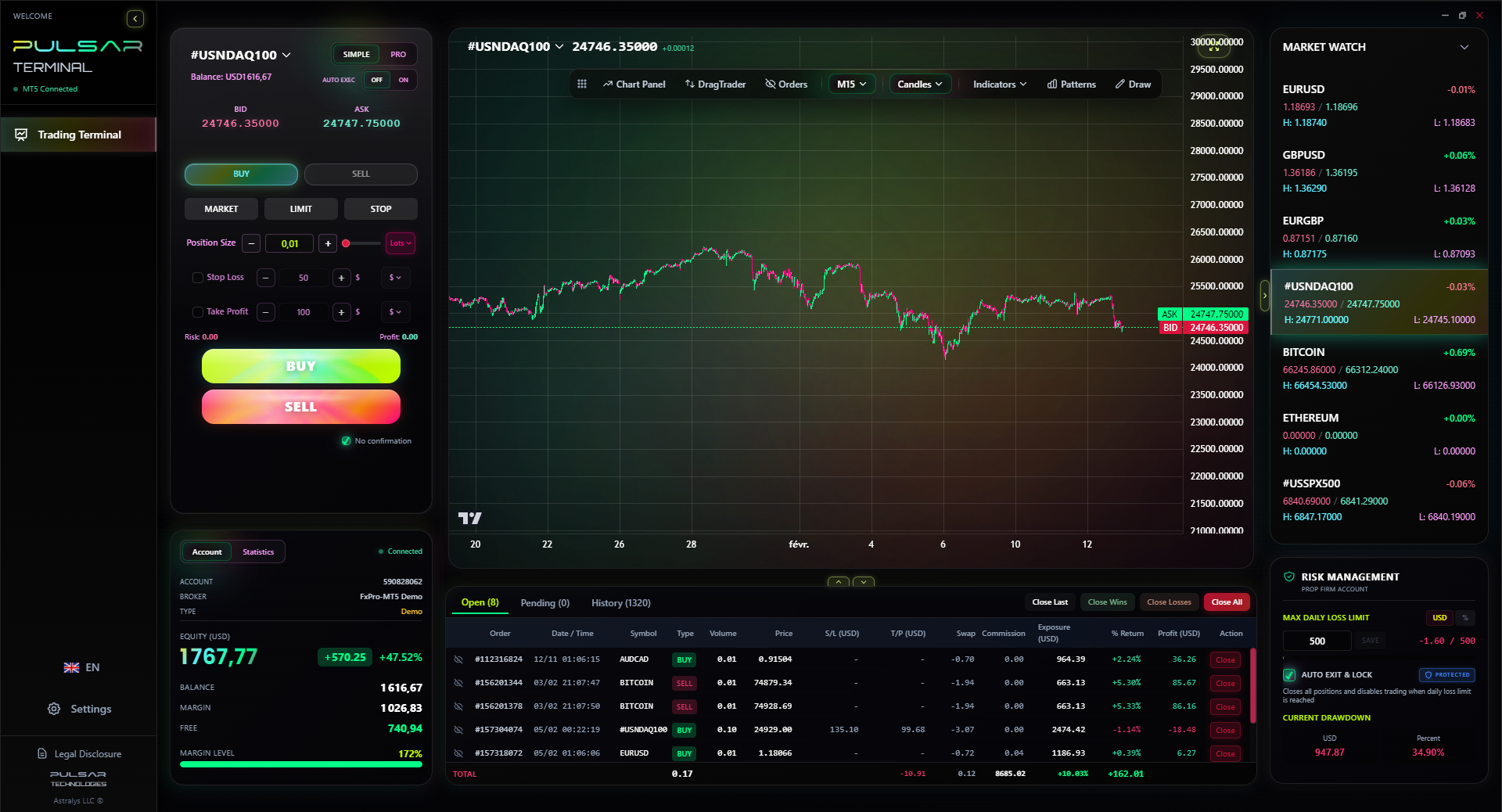
Managing multiple take-profit levels and trailing stops manually is stressful, which is why tools like Pulsar Terminal automate these advanced order types directly within your MT5 platform.
Pulsar Terminal
MT5 올인원 도구: 드래그앤드롭 주문, 다중 TP/SL, 트레일링 스톱, 그리드 트레이딩, 볼륨 프로파일, 프롭펌 보호. 매일 1,000명 이상의 트레이더가 사용.
This is the million-Rand question. How do you know? It's not about profit on demo. It's about process.
You're ready when:
- You've followed your trading plan for at least 50 consecutive trades on the simulator, through winning and losing streaks.
- Your journal shows you can control your emotions. No revenge trading, no skipping rules because you're "sure" this time.
- You're completely comfortable with the mechanics: placing orders, calculating position size, understanding swap fees.
When you switch, start small. Painfully small. If you practiced with a ZAR 50,000 demo, fund your live account with ZAR 5,000 or even ZAR 2,500. Trade micro lots. The goal of your first 20 live trades isn't to make money. It's to confirm that you can execute your plan when real money is on the line. The psychological jump is massive, and a small start cushions the blow.
I made my first live trade on USD/JPY with a 0.01 lot size. My hands were shaking. The $4.70 profit felt better than any demo win I'd ever had. That small start kept me in the game.
Warning: The market doesn't care that it's your first real trade. The second you go live, treat it with the same respect you (should have) treated the simulator. The rules don't change.
💡 윈스턴의 팁
The most valuable line on your demo platform is the 'Reset Account' button. Have the courage to press it after every major failure in discipline.
“The goal of your first 20 live trades isn't to make money. It's to confirm that you can execute your plan when real money is on the line.”
Based on my experience and community feedback, these FSCA-licensed brokers generally offer strong, realistic demo accounts. Always do your own verification.
- Exness: They offer a straightforward demo on MT4/MT5. I found their spreads on majors were consistent between demo and live. They support ZAR accounts and local deposits, which is a plus. You can read a detailed breakdown in our Exness review.
- IC Markets: Known for raw spreads and fast execution. Their demo is a true reflection of their live ECN environment, which is great for practicing with tighter spreads. Good for those interested in more advanced order types.
- XM: A popular choice with a low minimum deposit. Their demo is unlimited and gives you access to their full educational suite while you practice. Their platform is very user-friendly for beginners.
- Pepperstone: Another strong FSCA-regulated option. Their demo on MT4/MT5 or cTrader is excellent for testing their Razor account spreads and execution speed.
The process is always the same: Go to their South African website, click 'Open Demo Account', fill in details, download the platform, and you're in. No commitment, no risk.

FAQ
Q1Are forex trading simulators free in South Africa?
Yes, absolutely. Every reputable FSCA-regulated broker offers their demo account (simulator) completely free of charge. It's a standard part of their service to attract and educate potential clients. You should never pay for a basic forex trading simulator.
Q2How much virtual money should I start with on a demo account?
Start with an amount that mirrors your actual starting capital. If you plan to deposit ZAR 10,000, ask for a ZAR 10,000 or $500 demo account. Starting with $100,000 teaches bad habits and distorts your sense of risk. You need to practice realistic position sizing from the beginning.
Q3Can I use a simulator to pass a prop firm challenge?
A simulator is the essential training ground for a prop firm challenge, but it's not the same. Prop firm accounts have strict, automated rules on daily loss limits and maximum drawdown. You must use the simulator to practice under those exact constraints. Treat your demo balance as the challenge's starting balance, and set your own hard limits to match their rules before you ever pay for an evaluation.
Q4Do demo accounts have the same spreads as live accounts?
They should, but you must verify. Some brokers offer slightly better conditions on demo. When testing, compare the advertised live account spreads for a standard account on their website with what you see on the demo for a major pair like EUR/USD. If the demo spread is consistently 0.5 pips and the live is advertised as 1.5, that's a problem.
Q5How long should I practice on a simulator before going live?
There's no set time, but a bare minimum is one full market cycle (a few months) where you see both trending and ranging conditions. More important than time is consistency: you need a documented history of 50-100 trades following a clear plan. If you can't be profitable and disciplined on demo over that sample, you're not ready for live markets.
Q6Is my data and privacy safe on a forex demo account?
With an FSCA-regulated broker, you are protected by South Africa's financial laws and the Protection of Personal Information Act (POPIA). They will require basic info (name, email, phone) to set up the demo. Be wary of any "simulator" that asks for bank details or an ID copy upfront – that's not normal for a practice account.
윈스턴 교수의 수업
핵심 요약:
- ✓Practice with a capital size that matches your reality.
- ✓50 disciplined demo trades are your minimum passport to live trading.
- ✓Your trading journal is more important than your profit/loss statement.
- ✓The psychological jump to live trading is the final, hardest test.
이 기사가 얼마나 유용했나요?
별을 클릭하여 평가
주간 트레이딩 인사이트
무료 주간 분석 & 전략. 스팸 없음.
저자 소개
David van der Merwe
신흥시장 트레이더
요하네스버그 기반 트레이더로 신흥시장 통화 11년 경력. ZAR 통화쌍, FSCA 규제 거래, 남아공 시장 분석 전문.
댓글
위험 고지
금융 상품 거래에는 상당한 위험이 수반되며 모든 투자자에게 적합하지 않을 수 있습니다. 과거 성과가 미래 수익을 보장하지 않습니다. 이 콘텐츠는 교육 목적으로만 제공되며 투자 조언으로 간주되어서는 안 됩니다. 거래 전에 항상 직접 조사를 수행하십시오.
이 기사도 읽어보세요

Cara Trading Forex Sukses: 7 Prinsip dari Trader Profesional
Cara trading forex sukses dengan 7 prinsip trader pro: manajemen modal, disiplin, journal trading, backtest. Data nyata, bukan janji profit palsu.
Jam Trading Forex Terbaik untuk Trader Indonesia: Panduan Lengkap dengan Tabel Waktu
Panduan jam trading forex untuk trader Indonesia. Tabel 4 sesi dunia, jam emas 20:00-00:00, sesi mana yang harus dihindari. Data akurat + tips dari trader berpengalaman.
Top 5 Sàn Forex Uy Tín Nhất 2026: Review Jujur dari Trader Indonesia
Top 5 sàn forex uy tín 2026 untuk trader Indonesia. Review jujur: spread, deposit, withdraw, dukungan lokal. Exness, XM, IC Markets & lebih.
