


The screen froze.

Olumide Adeyemi
Perintis Dagangan Afrika Barat ·  Nigeria
☕ 10 minit baca
Apa yang akan anda pelajari:
- 1Why Your Laptop is Your Most Important Tool
- 2Non-Negotiable Specs for Any Forex Laptop
- 3Budget Options (Under ₦250,000)
- 4The Sweet Spot (₦250,000 to ₦450,000)
- 5High-Performance Machines (Over ₦450,000)
- 6Mac vs. Windows: The Eternal Debate
- 7Essential Accessories for Nigerian Traders
- 8Final Recommendation & Where to Buy

The screen froze. It was July 2023, and the US Non-Farm Payrolls data had just hit. EUR/USD was spiking 40 pips in seconds, and my old HP Pavilion decided that was the perfect moment for the chart to turn into a slideshow. By the time it recovered, my planned 25-pip profit on a long trade had reversed into a 15-pip stop-loss. That loss wasn't about analysis. It was about hardware. In Nigeria, where power is a strategy and budgets are real, choosing the right machine isn't a luxury, it's your first line of defense. Let's get you sorted.
Forget fancy indicators for a second. If your platform lags during a news event, you're finished. In Lagos with its frequent power dips, or in Abuja during a sudden generator switch-over, a slow laptop can't keep up with the market. It's not just about speed, it's about reliability. A crash during a trade is a guaranteed loss. I learned this the hard way trying to run MT5, a browser with 10 tabs, and a Discord call on a machine with 4GB RAM. The spread definition would widen, my order wouldn't fill, and I'd be left staring at a spinning wheel. Your laptop is your cockpit. If the instruments fail, the plane goes down, no matter how good the pilot is.

Warning: A cheap, underpowered laptop is the most expensive piece of trading equipment you'll ever buy. The losses from missed exits and failed orders will dwarf the laptop's price tag.
The Nigerian Reality Check
We're not shopping in a vacuum. You need to consider NEPA (or your generator/inverter), internet reliability (Starlink is a game-changer if you can afford it), and dust. A laptop with poor cooling will throttle its performance on a hot afternoon after the AC goes off. I've seen more trades go bad from overheating CPUs than from bad technical analysis. You need a machine that can handle the environment, not just the software.

💡 Petua Winston
A student once showed me his elaborate trading plan on a laptop that took 3 minutes to boot. I told him to fix the laptop first. The fastest signal is useless if your machine can't execute it.
These are the absolute minimums. Going below this is asking for trouble.
Processor (CPU): An Intel Core i5 (11th Gen or newer) or AMD Ryzen 5 (5000 series or newer). Don't even look at Core i3 or Celeron chips. You need the headroom. When you're scalping strategy and have multiple timeframes open, the CPU does the heavy lifting.
Memory (RAM): 8GB is the bare minimum. 16GB is the sweet spot and what I recommend. With 8GB, Windows, MT4/5, and a browser will use it all. When RAM is full, your system uses the hard drive as slow 'virtual' memory, and that's when everything grinds to a halt. I upgraded from 8GB to 16GB in 2022, and the difference in platform stability was night and day.
Storage: A 256GB Solid State Drive (SSD) is mandatory. Not a Hard Disk Drive (HDD). An SSD boots Windows in seconds, loads your trading platform instantly, and makes chart redraws smooth. A laptop with an HDD is fundamentally broken for trading.
Display: A 15.6-inch screen is ideal. 14-inch is too small for multiple charts. Look for at least Full HD (1920x1080) resolution. Matte screens are better than glossy to reduce glare.
| Spec | Minimum | Recommended (Sweet Spot) |
|---|---|---|
| Processor | Intel i5 (11th Gen) / AMD Ryzen 5 | Intel i5/i7 (13th Gen+) / AMD Ryzen 7 |
| RAM | 8GB | 16GB |
| Storage | 256GB SSD | 512GB SSD or more |
| Screen | 15.6", Full HD | 15.6" or 17", Full HD, Matte |
“Your laptop is your cockpit. If the instruments fail, the plane goes down, no matter how good the pilot is.”
This is where most Nigerian traders start. You can get a capable machine here if you're smart.
Look for: Last year's models on sale, or brands like HP, Lenovo, and Dell's entry-level workhorse lines (not their gaming brands). The key is prioritizing specs over brand newness. A 2024 model with an i3 is worse than a 2023 model with an i5.
A real example: In late 2023, I helped a student in Port Harcourt pick up a Lenovo IdeaPad 3 with a Ryzen 5 5500U, 8GB RAM (upgradable), and a 512GB SSD for about ₦220,000. He added another 8GB RAM stick for ₦25,000 later. That machine runs MT5, TradingView, and his XM review client portal without a hiccup. It's not glamorous, but it's reliable.
The compromise: You'll likely get a plastic build, average battery life (which matters less if you're always plugged in), and a basic display. The goal here is performance where it counts: the CPU, RAM, and SSD. Avoid any laptop in this range that still uses an HDD. It's a deal-breaker.

Pro Tip: Use your position size calculator to figure out how many successful trades it would take to pay for a better laptop. Often, it's just 2-3 good weeks of disciplined trading. View it as a necessary business investment, not an expense.
This is the price range where you get a genuinely good best laptop to trade forex without overpaying for gamer flash. You're buying peace of mind.
What you get: A current-generation i5 or Ryzen 5/7 processor, 16GB RAM standard, a fast 512GB SSD, and a much better build quality (metal chassis, better keyboard, better cooling). The display will be brighter and more colour-accurate, which helps when you're staring at candlesticks for hours.
My personal setup: I traded on a Dell Inspiron 15 Plus (bought for ~₦380,000 in 2024) with an Intel i7-13620H, 16GB RAM, and a 1TB SSD. The extra cores are overkill for just trading, but they mean the machine is ice-cold and silent during normal use. The cooling never lets it throttle. This is the kind of machine that lets you focus on the EUR/USD guide price action, not on your computer's fan noise.
Brands to consider: Dell Inspiron/Precision, Lenovo ThinkPad E/L series, HP Pavilion/Envy. These are business-class machines built for all-day use. They often have better warranty support in Nigeria, too. This tier is where the 'laptop as a problem' disappears from your trading psychology.
💡 Petua Winston
In Lagos, the dust will kill your laptop's cooling fans in 18 months. Buy a can of compressed air and blow out the vents every quarter. It's the cheapest performance maintenance you can do.

“A cheap, underpowered laptop is the most expensive piece of trading equipment you'll ever buy.”
You're either a professional with multiple screens and complex analysis, or you want the absolute best and have the budget. This isn't necessary for 95% of traders.
What you're paying for: Top-tier CPUs (Intel i9, Ryzen 9), 32GB+ RAM, 1TB+ NVMe SSDs, and dedicated graphics cards (GPUs). The GPU is mostly useless for trading unless you're running a 4K external monitor or doing heavy backtesting with visual analytics. The real benefit here is extreme multitasking: running a prop firm dashboard, MT5 with 50 charts, a live economic calendar, and video recording software simultaneously.
A cautionary tale: A trader I know in VI spent over ₦800,000 on a flashy gaming laptop with an RGB keyboard. It was powerful, but the battery lasted 90 minutes, it sounded like a jet engine, and it ran hot. The performance was great, but the user experience for all-day trading was terrible. He eventually went back to a quieter business laptop. Don't get sucked in by gaming specs you don't need.
If you are at this level, you might also be using advanced tools that integrate with your platform. For instance, managing complex order types across multiple charts is easier with software that enhances MT5's native capabilities.
Let's be blunt: Windows is the standard for trading. Full stop.
Windows is what 99% of brokers design their platforms for. MT4, MT5, cTrader, and most proprietary platforms are built for Windows. Support is easier to find. If something goes wrong, a computer repair shop in Ikeja can fix it. The hardware options are vast across all price points.
Apple MacBooks are beautiful, well-built, and have amazing batteries. But you'll be running trading software through workarounds. You might use a virtual machine (which kills performance and battery) or a Mac-native version of a platform that's often an afterthought and lacks features. I tried trading on a MacBook Air M2 for a week. While the machine was slick, having to reboot into Parallels Desktop to run my preferred version of MT5 was a deal-breaking hassle. For swing trading it might be okay, but for anything time-sensitive, it adds an unnecessary layer of risk.
Unless you are deeply invested in the Apple environment for other work and are willing to accept the compatibility friction, a Windows laptop is the pragmatic choice for a Nigerian forex trader. Stick with the standard.
When you're managing complex trades across multiple charts, having a tool that streamlines order entry and risk management directly on your MT5 platform removes a major point of failure.
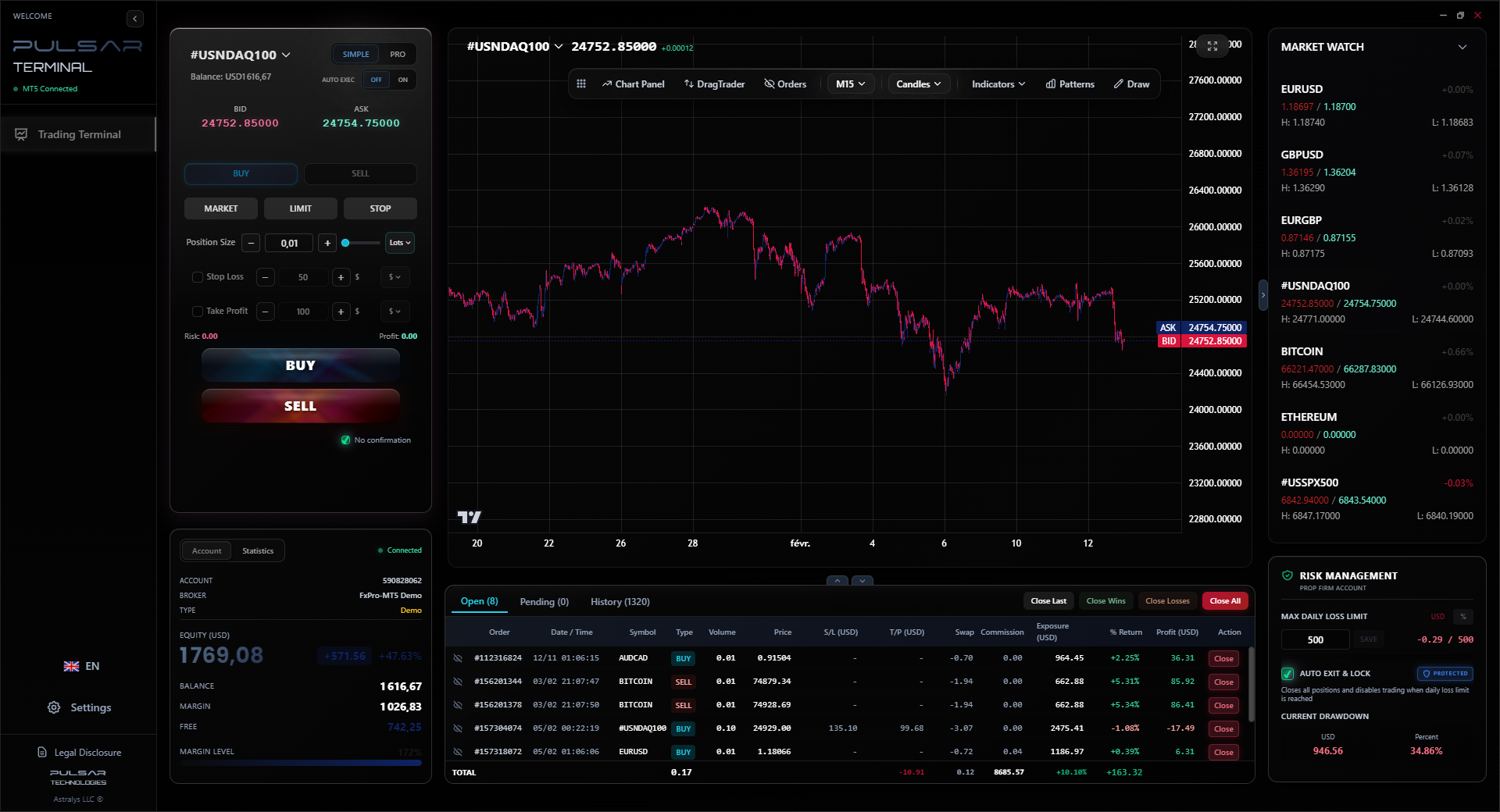
“Frame the cost of a good laptop in terms of risk management, not just technology.”
The laptop is the core, but these accessories are force multipliers in our environment.
Uninterruptible Power Supply (UPS): This is non-negotiable. A decent UPS (like a 1kVA model from APC or Mercury) gives you 10-20 minutes of power during a NEPA cut. That's enough time to safely close all positions, save your work, and shut down properly. A sudden power-off can corrupt data. I learned this after a power cut corrupted my MT4 profile once. Cost: ₦50,000 - ₦80,000.
External Monitor: If your budget allows only one upgrade after the laptop, get a 24-inch external monitor. More screen real estate means you can see more charts without clicking. It reduces mental load dramatically. You can find decent 1080p monitors for ₦70,000-₦120,000.
Laptop Cooler Stand: For ₦10,000-₦20,000, a stand with fans keeps your laptop's temperature down, especially in the heat. Cooler hardware runs faster and lasts longer. It's cheap insurance.
Internet Backup: If you're serious, have a primary line (like fibre) and a backup (a 4G/LTE router from a different provider). Starlink is becoming a viable, though expensive, primary option for those outside major cities. A dropped connection during a trade is just as bad as a laptop crash. Your broker's margin call doesn't care why you got disconnected.
💡 Petua Winston
If you can only afford one thing: a UPS or a better laptop? Get the UPS. Protecting your existing setup from power damage is more urgent than a marginal speed increase.
So, what's the best laptop to trade forex for most Nigerians in 2026?
The Recommendation: Aim for the sweet spot. A Lenovo ThinkPad E16 or a Dell Inspiron 15 with a 13th Gen Intel i5 or equivalent Ryzen 5, 16GB of RAM, and a 512GB SSD. This setup will cost between ₦300,000 and ₦400,000. It's powerful enough to not hold you back, reliable, and has decent local support.
Where to Buy:
- Official Brand Stores/Partners: Dell, HP, and Lenovo have official Nigerian online stores or certified partners. You pay more, but you get a legitimate warranty.
- Reputable Computer Markets: Places like Computer Village in Ikeja. You must know what you're looking for. Go with the exact model and specs written down. Bargain hard, and insist on checking the system information (Right-click Start > System) before paying.
- Online (Jumia, Konga): Only buy from the official brand flagship stores on these platforms. Read reviews carefully. Avoid deals that seem too good to be true - they often are.

Example: Let's say you trade gold (XAU/USD guide) and your average risk is $50 per trade. One avoided loss due to a platform freeze pays for a significant chunk of a better laptop. Frame the cost in terms of risk management, not just technology.
Your job is to read the market. Don't let your laptop make that job harder. Get the right tool, protect it with a UPS, and go focus on your MACD indicator divergences and support levels. The machine should be invisible, a reliable foundation for your decisions.

FAQ
Q1Can I trade forex successfully on a laptop that costs ₦150,000?
It's very tough and risky. At that price, you'll likely get 4GB of RAM and a slow hard drive (HDD). The platform will lag, especially during high volatility. You'll spend more mental energy fighting your laptop than analyzing trades. It's a false economy. Stretch your budget to at least ₦220,000 for a used or previous-gen model with an SSD and 8GB RAM, or save a bit longer.
Q2Is a gaming laptop good for forex trading?
They are powerful but often poorly suited. Gaming laptops prioritize GPU power over CPU sustained performance, have loud fans, poor battery life, and can overheat. A business-class laptop (ThinkPad, Latitude, EliteBook) with the same core specs (i5, 16GB RAM) is usually a better, quieter, and more reliable choice for all-day trading.
Q3How much RAM do I really need for MT5?
8GB is the absolute minimum to run Windows and MT5. 16GB is what you should target. This allows MT5 to run smoothly alongside a browser with research tabs, a messaging app, and maybe a journaling spreadsheet. With 16GB, you won't ever have to worry about RAM causing slowdowns.
Q4Should I get a laptop with a touchscreen for trading?
It's not necessary and can be a drawback. Touchscreen laptops often have glossy displays that cause glare, and the touch layer can slightly reduce screen clarity. You'll be using a mouse or touchpad for precise order placement. Save the money and get a better non-touch, matte display.
Q5My laptop is slow. Should I upgrade RAM or get an SSD first?
Get an SSD first, 100%. Replacing a hard drive with a solid-state drive is the single biggest performance upgrade you can make. It will make your laptop boot and launch programs in seconds instead of minutes. If you can only do one upgrade, make it the SSD. Then upgrade the RAM if you can.
Q6Is it better to buy a laptop abroad or in Nigeria?
Buying abroad (US/UK) can be cheaper for the exact model. However, you then have to deal with international warranty issues, different keyboard layouts, and the risk/cost of shipping. For peace of mind and easier service, buying from an official channel in Nigeria is usually worth the premium for your primary trading machine.
Q7How often should I replace my trading laptop?
There's no fixed rule. A good business laptop should last 4-5 years. Replace it when it starts to struggle with your workflow - constant slowdowns, overheating, or battery that won't hold a charge. Don't wait for it to fail during a trade. Plan the upgrade during a calm market period.
Pelajaran Prof. Winston
:
- ✓Prioritize SSD over HDD, always.
- ✓16GB RAM is the 2026 standard for stress-free trading.
- ✓A ₦50k UPS is mandatory Nigerian trading infrastructure.
- ✓Business laptops beat gaming laptops for all-day reliability.
Sejauh mana artikel ini berguna?
Klik bintang untuk menilai
Pandangan Dagangan Mingguan
Analisis & strategi mingguan percuma. Tiada spam.
Tentang Penulis
Olumide Adeyemi
Perintis Dagangan Afrika Barat
Salah seorang pendidik dagangan forex paling aktif di Nigeria. 8 tahun pengalaman dagangan dari Lagos. Pakar dalam strategi modal rendah dan cabaran prop firm untuk pedagang Afrika.
Komen
Anda mungkin juga suka

Cara Trading Forex Sukses: 7 Prinsip dari Trader Profesional
Cara trading forex sukses dengan 7 prinsip trader pro: manajemen modal, disiplin, journal trading, backtest. Data nyata, bukan janji profit palsu.
Jam Trading Forex Terbaik untuk Trader Indonesia: Panduan Lengkap dengan Tabel Waktu
Panduan jam trading forex untuk trader Indonesia. Tabel 4 sesi dunia, jam emas 20:00-00:00, sesi mana yang harus dihindari. Data akurat + tips dari trader berpengalaman.
Top 5 Sàn Forex Uy Tín Nhất 2026: Review Jujur dari Trader Indonesia
Top 5 sàn forex uy tín 2026 untuk trader Indonesia. Review jujur: spread, deposit, withdraw, dukungan lokal. Exness, XM, IC Markets & lebih.
All these calculators are built into Pulsar Terminal with real-time data from your MT5 account. One-click position sizing, automatic risk management, and instant calculations.
