


You're probably staring at the MT4 download button right now, wondering if this platform is still worth your time in 2025.

Olumide Adeyemi
Perintis Dagangan Afrika Barat ·  Nigeria
☕ 11 minit baca
Apa yang akan anda pelajari:
- 1Why MT4 Still Rules in Nigeria (And When It Doesn't)
- 2Setting Up MT4 The Right Way (My Costly Mistakes)
- 3The Real Costs for Nigerian Traders (Beyond the Spread)
- 4Trading on MT4: What Actually Works (For Me)
- 5Pitfalls I Fell Into (So You Don't Have To)
- 6MT4 on Your Phone: A Necessary Evil
- 7What's Next? MT4, MT5, and Beyond

You're probably staring at the MT4 download button right now, wondering if this platform is still worth your time in 2025. I had the same question back in 2012 when I first installed it. Let me be honest: MT4 isn't perfect, but it's the platform where I've made (and lost) most of my money. It's where I learned what a pip really costs and where I blew up my first account trying to use someone else's Expert Advisor. This isn't a manual. This is my trading journal for the platform that's still on 90% of Nigerian traders' screens.
Walk into any trading WhatsApp group in Lagos or Port Harcourt, and you'll see MT4 screenshots. Not MT5. Not cTrader. MT4. There's a reason for that, and it's not just habit.
First, the simplicity is deceptive. When you're dealing with spotty internet (we've all been there during a NEPA outage), MT4 loads fast. Its charts are clean. Placing a market order takes two clicks. I remember trying to switch to a fancier platform in 2018. The charts were beautiful, but when USD/NGN was moving 50 pips in a minute, I couldn't execute fast enough. I lost $120 before switching back to my trusty, ugly MT4.
Second, the environment is everything. Every indicator, every script, every Expert Advisor (EA) you can imagine has been built for MT4. Need a custom alert for when GBP/USD hits a certain level? Someone in a Nigerian forum has already coded it and will share it for free. This community support is priceless when you're starting out.

Example: My first profitable EA was a simple grid bot I downloaded from a Nigerian Telegram channel. It wasn't perfect, but tweaking it taught me more about automated logic than any course.
But here's the brutal truth I learned in 2023: MT4 is showing its age. It struggles with advanced order types. Want to set multiple take-profit levels on a single trade? You can't, not natively. It's built for forex and CFDs, so if you get interested in stocks or proper futures, you'll hit a wall. That's when you need to look at MT5 or other platforms. For pure forex, especially the majors and common crosses, MT4 is still king on the Nigerian scene.
Most international brokers serving Nigeria, like Exness or IC Markets, offer it as their flagship platform. The familiarity breeds confidence, and in trading, confidence (not overconfidence) is a real asset.

💡 Petua Winston
Stop searching for the perfect indicator. The most reliable one is already on your MT4 chart: the horizontal line. Draw it at yesterday's high and low. Price respects history more than math.
I've installed MT4 over 50 times. On laptops, phones, and even a tablet at a beach bar (bad idea). Most people just click 'next' through the setup. That's how you get a cluttered, slow mess. Here's how I do it now, after years of frustration.
The First 10 Minutes After Installation
Don't log into your live account. Seriously. Open a demo. The first thing I change is the chart properties. Right-click on a chart, select 'Properties', and go to 'Common'. Check 'Show Ask Line'. This draws a thin red line on your chart showing the current ask price. It seems small, but it prevents you from placing buy orders at the bid price by mistake. I learned that after a $47 loss on EUR/JPY.
Next, set up your default templates. I use a simple candlestick chart with a 20-period EMA and a 50-period EMA. That's it for my main template. I save it. All my fancy indicators (like the RSI indicator or MACD) go on separate chart windows. This keeps your main view clean and fast.
Connecting to Your Broker
This is where many Nigerians get tripped up. When you get your login details from your broker, you'll get a server name like 'Exness-MT4Real3'. You must select the exact server from the dropdown in the login box. If you type it manually, it often fails. Also, always save your password in MT4. Re-entering it after a disconnection wastes precious seconds.

Warning: Never, ever download MT4 from anywhere except your broker's website or the official MetaQuotes site. Third-party sites sometimes bundle malware or modified versions that can steal your credentials. I know two traders in Abuja who learned this the hard way.
Finally, set up your Market Watch window. Right-click in the Market Watch and show 'Spread'. This lets you see the live spread for each pair. You'd be surprised how much it varies. I avoid trading USD/ZAR if the spread is above 350 pips, for example. It just kills any short-term edge.
“MT4 is a tool, not a strategy. It won't make you money. It just executes your plan.”
Everyone talks about spreads. But as a Nigerian trader, your real costs are more complicated. Let's break down where your money actually goes, using real numbers from my trades last month.
1. The Obvious: Spreads & Commissions On a standard account with a broker like XM, the EUR/USD spread might be 1.7 pips. On a $10,000 position (0.1 lots), that's a $17 cost to enter the trade. On an ECN account with Pepperstone, the spread might be 0.1 pips, but they charge a $3.50 commission per lot round turn. For the same 0.1 lot trade: Spread cost = $1, Commission = $0.70, Total = $1.70. Huge difference for a scalping strategy.
2. The Hidden: Currency Conversion This is the silent killer. Your broker account is in USD. You deposit NGN from your Nigerian bank account. The broker (or their payment processor) gives you a conversion rate. It's almost always worse than the official CBN rate. In March, I deposited 150,000 NGN. I received $93.50. The official rate would have given me about $96.80. That's a 3.4% loss before I even placed a trade.
3. The Inevitable: Swap Fees Holding trades overnight? You pay or earn swap. For a sell position on GBP/JPY, I was charged $4.21 per lot recently. If you're swing trading for a week, that adds up. Always check the swap in the 'Specification' window before holding.
4. The Painful: Withdrawal Fees Some brokers charge $15-$30 for an international bank transfer back to your Nigerian account. E-wallets like Skrill are often cheaper (or free), but then you pay to convert from Skrill to your bank. I budget a 2-3% total cost for the entire deposit-trade-withdraw cycle. If I can't make at least that, I'm just donating to payment processors.

Pro Tip: Always calculate your true cost per trade using a position size calculator. Include the spread, potential commission, and a buffer for conversion fees. If your profit target isn't at least 2.5 times that total cost, the trade isn't worth the risk.
💡 Petua Winston
Your first modification in MT4 should be enabling the 'Ask Price Line' in chart properties. That thin red line has saved me more money than any trading course.
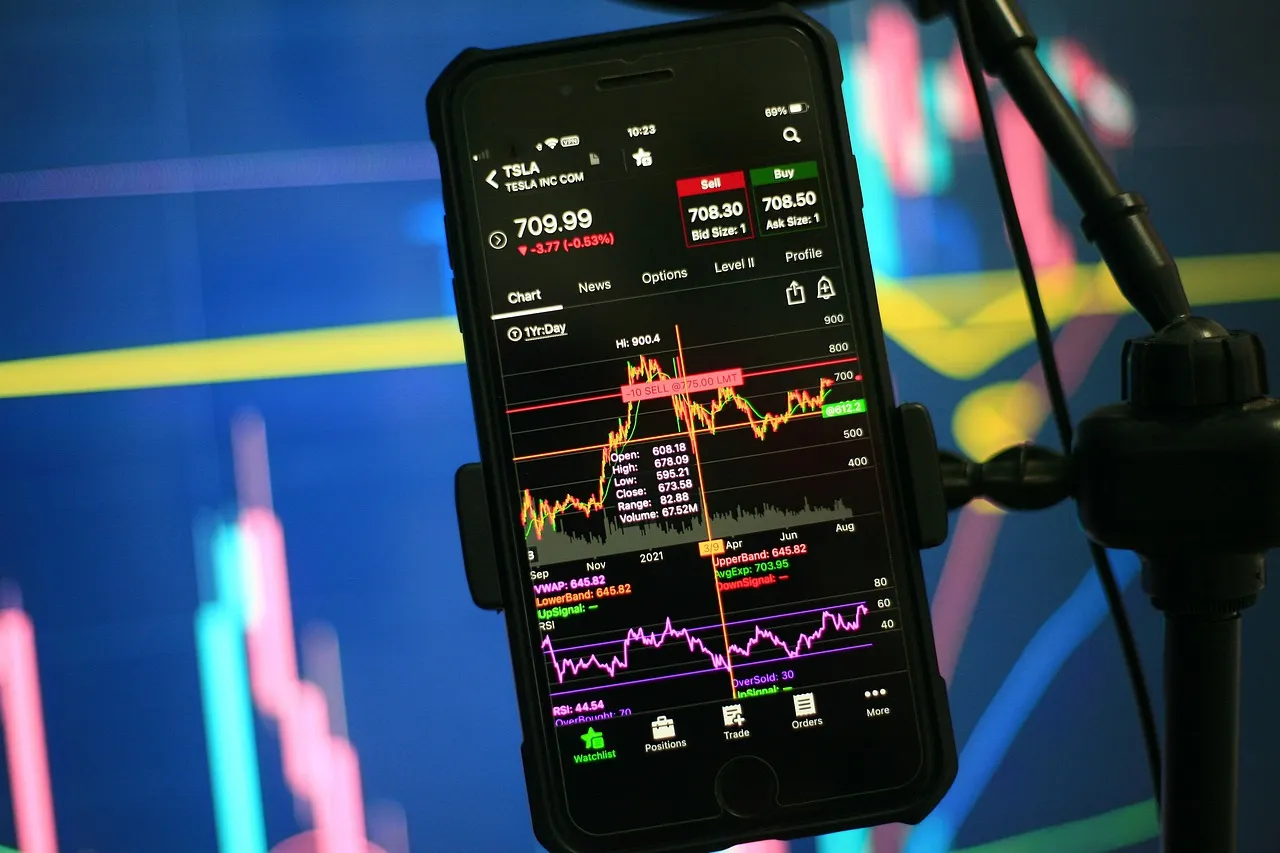
I've tried every strategy under the Nigerian sun on MT4. Holy Grail EAs from Instagram gurus, 10-indicator setups that looked like a spaceship console. They all failed. Here's what survived the test of time and my own psychology.
Price Action on Clean Charts My most consistent results come from the simplest setup: a naked candlestick chart and horizontal support/resistance lines. MT4's drawing tools are perfect for this. I mark the previous day's high and low, and any clear swing points from the last week. I wait for price to react at these levels. No RSI, no stochastics. Just price. A trade from last Tuesday: USD/CAD rallied to a resistance level at 1.3800 that had held twice before. It formed a bearish pin bar. I sold at 1.3795, stop at 1.3830 (35 pips), target at 1.3740 (55 pips). It worked. Risk: $35. Reward: $55.
Using Alerts, Not Screen-Staring You don't need to watch the screen all day. Set price alerts. Right-click on the chart, 'Trading' -> 'Alert'. When it hits, you get a pop-up and a sound. This freed me from the screen and stopped me from forcing trades out of boredom.
The One EA I Trust I only use one EA now: a risk manager. It's a simple script that automatically moves my stop loss to breakeven when the trade is in profit by 1.5x my risk. It also closes half my position at my first profit target. MT4 can't do this natively, but a simple EA can. This alone has saved me from countless winning trades that turned into losers.
The biggest lesson? MT4 is a tool, not a strategy. It won't make you money. It just executes your plan. The fanciest hammer won't build a house if you don't know how to swing it.

“Your real cost as a Nigerian trader isn't just the spread; it's the currency conversion fee you pay before you even place a trade.”
Let me be vulnerable. I've made every mistake possible on MT4. Here are the expensive ones.
Overloading Charts In 2015, my chart had 14 indicators. They all said 'buy'. I bought GBP/USD. It crashed. The problem? Every indicator was derived from the same price data. They weren't giving me 14 opinions, just one opinion repeated 14 times. I was ignoring the clear downtrend on the higher time frame. Now I use max two indicators, and they must measure different things (like momentum and volatility).
Ignoring Slippage During News I had a stop loss at 1.2050 on EUR/USD during an ECB announcement. The platform showed my stop was triggered at 1.2035. That's 15 pips of slippage. On 2 lots, that was an extra $300 loss. MT4 shows you the 'instant execution' price, but during high volatility, you get what the market gives you. Never place tight stops around major news unless you're prepared for slippage.
Not Understanding Margin This was my account killer. I thought 'Free Margin' was profit I could use. I kept adding trades until my margin level hit 100%, then got a margin call. MT4's terminal window shows 'Margin' and 'Free Margin'. Use a calculator. If your balance is $1,000 and you're using $900 as margin for your open trades, your Free Margin is $100. Your margin level is ($1,000 / $900) * 100 = 111%. If it goes below 100%, you're in trouble. I use the position size calculator for every single trade now, no exceptions.
Chasing Demo Performance My demo account would make 30% a month. My live account? Maybe 5%. The difference was psychological, but also technical. Demo accounts often have perfect execution and no slippage. They're a learning tool, not a performance promise. If you're killing it on demo, divide that result by three to set a realistic live expectation.
💡 Petua Winston
If you can't explain your trade setup in 10 seconds using only the candlestick chart and one drawn line, you don't have a setup. You have a hope.
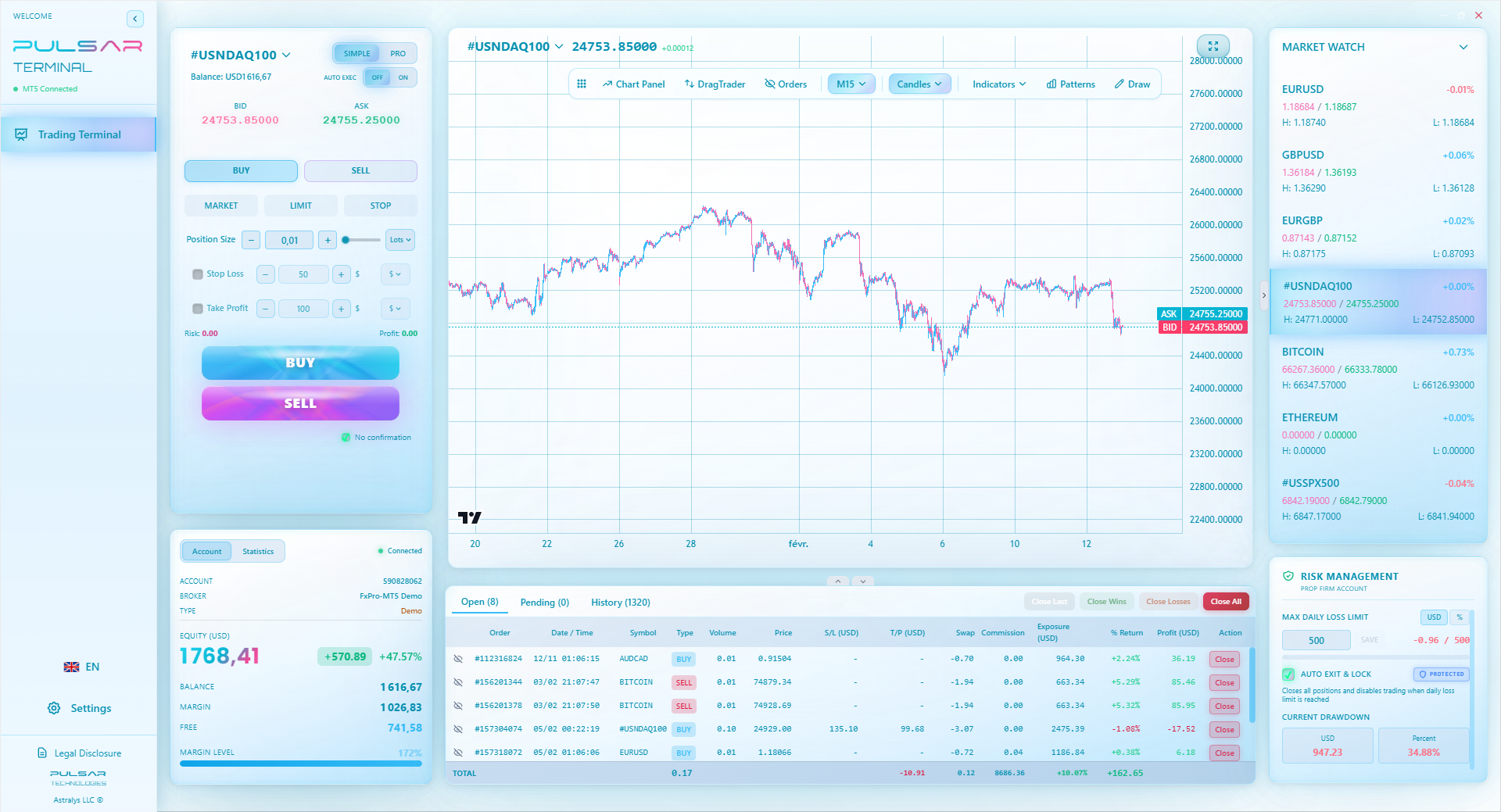
Manually moving stops to breakeven is a chore, but tools like Pulsar Terminal can automate this and other advanced trade management tasks directly on your MT4/MT5 platform.
You'll use the mobile app. Probably more than the desktop version. It's great for monitoring and terrible for analysis.
The Good: You can manage trades from anywhere. I've closed positions from traffic on the Third Mainland Bridge (as a passenger, please). The alerts work well. You can deposit quickly if you see an opportunity and need more funds.
The Bad (Really Bad): Trying to do technical analysis on a 6-inch screen is a joke. You'll miss details. The charts are slow to refresh compared to desktop. Placing complex orders is fiddly and prone to error.
My rule: I only use the mobile app to close trades or adjust stops to lock in profit. I never, ever open a new trade on my phone. The screen is too small, the temptation to trade impulsively is too high, and the chance of a misclick is real. One time, I meant to close a 0.1 lot trade. I mis-tapped and opened another 0.1 lot in the same direction, doubling my risk without realizing it for an hour. It didn't end well.
Use the mobile app as a remote control, not as your primary trading terminal. Set your trades up properly on your computer, then use the phone to keep an eye on them.

“I only use the mobile app to close trades or adjust stops. I never, ever open a new trade on my phone.”
Is MT4 dying? No. Is it being surpassed? Yes, slowly.
MetaQuotes, the company that makes MT4, is pushing MT5 hard. They've stopped selling new MT4 licenses to brokers. But here's the thing: the millions of existing licenses (and traders) aren't going anywhere. Brokers like IC Markets still actively support it because their clients demand it.
MT5 is technically superior. It handles more order types, has more timeframes, and can trade stocks and futures. But for the average Nigerian forex trader, those aren't deal-breakers. The deal-breaker is habit and the massive library of MT4 tools.
My advice? Learn MT4 inside out. It's the lingua franca of retail forex. But keep an MT5 demo account open. Play with it once a month. When you find yourself needing hedging strategies or trading micro lots on the NASDAQ, you'll be ready to transition.
The real future isn't just a new platform, but tools that work alongside them. Advanced trade management, better analytics, and automated risk controls are now available as add-ons. The core execution might stay on MT4, while the 'brain' of your operation moves to more specialized software. That's the direction the smart money is heading.
FAQ
Q1Is Forex MetaTrader 4 legal to use in Nigeria?
Yes, using the MT4 platform itself is completely legal. Forex trading as an individual is not illegal in Nigeria. The key is using a reputable, internationally regulated broker that accepts Nigerian clients. The platform is just the tool; your broker's regulatory status is what matters most.
Q2What's the minimum deposit to start trading forex on MT4 in Nigeria?
It varies by broker. Many international brokers offer accounts with minimum deposits as low as $5, $10, or $50. However, I strongly advise starting with at least $200-$500 if you're serious. A tiny account makes proper risk management almost impossible and often leads to overtrading just to see meaningful profits.
Q3Why do my trades on MT4 sometimes execute at a different price than I clicked?
That's slippage. It happens during fast-moving markets or low liquidity (like around news events). MT4 shows the 'instant execution' price, but by the time your order reaches the broker's server and gets filled, the price may have moved. Always use limit and stop orders if you need a specific price, and avoid market orders during high volatility.
Q4Can I trade Gold (XAU/USD) and Oil on MetaTrader 4?
Absolutely. Most brokers offering MT4 include CFDs on commodities like Gold (XAU/USD) and Crude Oil. The trading mechanics are the same as forex pairs. Be aware that spreads and margin requirements are usually higher for commodities. I've written a specific guide on trading XAU/USD that covers its unique quirks.
Q5What's the difference between a demo and live account on MT4?
The platform is identical. The difference is the money (virtual vs. real) and, crucially, the order execution. Demo accounts often have perfect, instant execution with no slippage. Live accounts reflect real market conditions, including requotes and slippage. Psychology is also the biggest difference - real money triggers real emotions.
Q6How do I avoid scams when looking for MT4 Expert Advisors (EAs)?
If an EA seller promises guaranteed profits or monthly returns above 20%, run. Never buy an EA that isn't sold with its complete source code (.mq4 file). This lets you see the logic and, if you have skills, modify it. The best approach is to learn to code simple EAs yourself (MQL4 is learnable) or use them only for utility tasks like risk management, not for generating signals.
Q7My MT4 platform keeps disconnecting. What should I do?
First, check your internet. If that's stable, the issue is often with your broker's server. In the MT4 terminal, go to View -> Options -> Server. Check 'Enable VPN' (this can sometimes help). If disconnections are frequent, contact your broker's support. A reliable broker with local servers or good global infrastructure is key for Nigerian traders.
Pelajaran Prof. Winston
:
- ✓Enable the Ask Price Line. It prevents costly misclicks.
- ✓Budget 3% for total deposit/withdrawal conversion fees.
- ✓Use mobile MT4 only to monitor, not to analyze.
- ✓Demo returns are a lie. Divide them by three for reality.
- ✓Slippage during news can be 10+ pips. Plan for it.
Sejauh mana artikel ini berguna?
Klik bintang untuk menilai
Pandangan Dagangan Mingguan
Analisis & strategi mingguan percuma. Tiada spam.
Tentang Penulis
Olumide Adeyemi
Perintis Dagangan Afrika Barat
Salah seorang pendidik dagangan forex paling aktif di Nigeria. 8 tahun pengalaman dagangan dari Lagos. Pakar dalam strategi modal rendah dan cabaran prop firm untuk pedagang Afrika.
Komen
Anda mungkin juga suka

Cara Trading Forex Sukses: 7 Prinsip dari Trader Profesional
Cara trading forex sukses dengan 7 prinsip trader pro: manajemen modal, disiplin, journal trading, backtest. Data nyata, bukan janji profit palsu.
Jam Trading Forex Terbaik untuk Trader Indonesia: Panduan Lengkap dengan Tabel Waktu
Panduan jam trading forex untuk trader Indonesia. Tabel 4 sesi dunia, jam emas 20:00-00:00, sesi mana yang harus dihindari. Data akurat + tips dari trader berpengalaman.
Top 5 Sàn Forex Uy Tín Nhất 2026: Review Jujur dari Trader Indonesia
Top 5 sàn forex uy tín 2026 untuk trader Indonesia. Review jujur: spread, deposit, withdraw, dukungan lokal. Exness, XM, IC Markets & lebih.
All these calculators are built into Pulsar Terminal with real-time data from your MT5 account. One-click position sizing, automatic risk management, and instant calculations.
