


I was staring at my phone, a cold sweat on my neck.
James Mitchell
Penganalisis Dagangan Kanan
☕ 10 minit baca
Apa yang akan anda pelajari:
- 1Beyond the Pretty Chart: The Anatomy of a Pro Screenshot
- 2The 3 Most Common Screenshot Mistakes (I've Made Them All)
- 3What Your Screenshot Reveals About Your Trading Psychology
- 4MT5 vs. Retail Apps: Reading Between the Lines
- 5Your Screenshot Review Ritual: How to Actually Get Better
- 6Red Flags in a Trading Screenshot (Run if You See These)
- 7From Screenshot to Flawless Execution
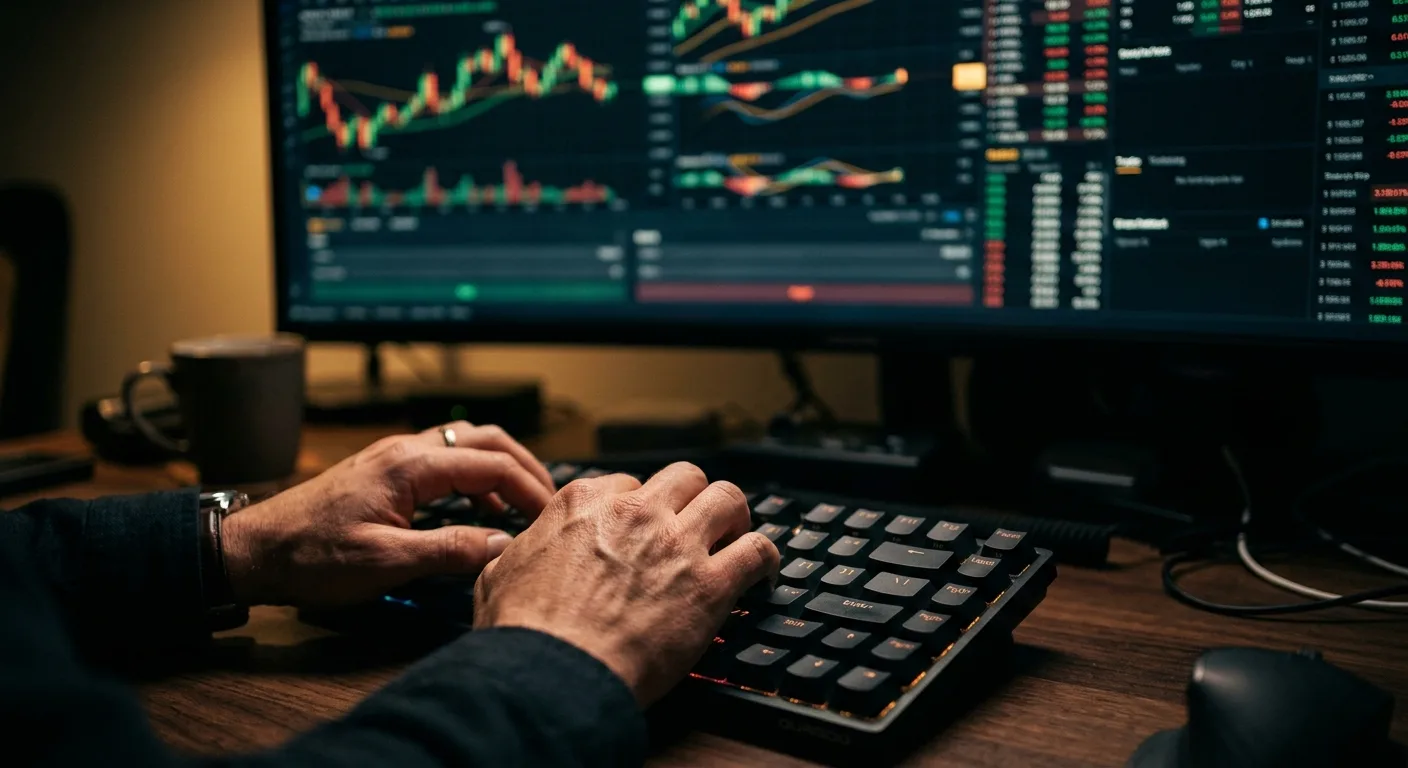
I was staring at my phone, a cold sweat on my neck. It was October 2015, and the EUR/USD had just ripped 200 pips in minutes on a rogue ECB headline. My trading app screenshot from that moment showed a beautiful entry, a perfect trend line... and a stop-loss that got utterly vaporized. That screenshot wasn't a trophy, it was an autopsy report. Most traders see a bunch of lines and numbers. I see a story, a strategy, and usually, a critical mistake. Let's learn to read the story your next screenshot is telling you.
Anyone can take a screenshot of a candlestick chart. The pros capture the context. When I review a trade, my own or a student's, the first thing I look for isn't the price action. It's the meta-data.
Check the top corners of your app. You should see the instrument (e.g., GBP/JPY), the timeframe (H1, M15), and the broker's server time. I once coached a guy who was consistently getting stopped out right before London open. His screenshots showed perfect setups... on a New York time zone chart. He was trading London volatility based on New York closing hours. It was a costly, avoidable error.
Next, scan for the order ticket or open positions panel. This is where the rubber meets the road. A clean screenshot here shows:
- Entry Price: Precise to the pip.
- Stop Loss & Take Profit: Clearly defined levels.
- Position Size: Usually in lots or units. This tells me your risk tolerance in a flash.

Example: A screenshot shows EUR/USD buy at 1.0850, SL at 1.0820, TP at 1.0900. That's a 30-pip risk for a 50-pip target, a 1:1.66 reward-to-risk. Immediately, I'm analyzing if that R:R makes sense for the setup.
What most beginners miss? The spread. If your app shows the bid/ask, include it. A screenshot of a perfect entry on the EUR/USD is less impressive if the spread was 3 pips wide on a 5-minute scalping chart. That's a huge handicap. Always know your costs before you judge the trade.

💡 Petua Winston
A screenshot without a stop-loss order visible is a confession, not a strategy. It confesses a lack of planning.

“A truthful screenshot includes the price action *before* your entry, showing why you picked that spot.”
We learn more from our mess-ups than our wins. Here are the screenshot blunders I see every day.
1. The "Hindsight Hero" Crop. This is the classic. You crop the screenshot so tightly that it only shows the beautiful rally after your buy entry. You've cut off the three false breakdowns and wicks below your stop-loss that happened just before. The chart looks like a straight line up. In reality, you were sweating bullets for an hour. A truthful screenshot includes the price action before your entry, showing why you picked that spot. It should also show enough chart to the right to prove you held through noise.
2. Missing the Trade Log. Your chart is one piece of the puzzle. The trade history or statement is the other. A screenshot of a 50-pip win on gold is cool. A screenshot paired with your account statement showing that this win only recovered 20% of your losses from three reckless trades earlier that day? That's real analysis. I mandate my students screenshot their daily P&L. It keeps them honest.
3. Ignoring Multiple Timeframes. You took a sell signal on the M15 chart. Your screenshot shows a perfect bearish engulfing bar. What it doesn't show is that on the H4 chart, price was bouncing squarely off a major swing trading support level and the MACD indicator was hinting at a bullish divergence. Always, always have a mental checklist to view higher timeframes before you snap that pic of your "perfect" entry. One of my worst losses in 2018 came from ignoring this. I was short the AUD/USD on a 5-minute breakdown, screenshot and all. I didn't look up. On the hourly, it was the third touch of a rising trendline. I got squeezed for 80 pips.
“If you find yourself deleting screenshots of losing trades, you're not building a trading system. You're building an ego.”
This is the juicy part. The way you frame and share a screenshot is a window into your mindset.
Are you screenshotting every 5-pip move in your favor? That's excitement, not analysis. It signals an emotional attachment to being "right." I used to do this. I'd send pics to my trading group like, "Look, it's moving!" Professor Winston, my old mentor, finally said, "Stop celebrating the bus fare. Show me the destination." He meant the take-profit.
Are your screenshots only of winners? This is a massive red flag. If you're not documenting your losses with the same scrutiny, you're avoiding the most valuable learning material you have. My trading journal is filled with losing trade screenshots. Each has a note: "Stopped out here. Why? News? Bad level? Patience?"

Warning: If you find yourself deleting screenshots of losing trades, you're not building a trading system. You're building an ego. That ego will blow up your account.
The most psychologically healthy screenshot? A closed trade statement that includes the loss. It's detached. It's data. It says, "Here was my hypothesis, here's how the market responded, here's the cost to test it." That's the mindset of a survivor. Tools like a position size calculator help remove emotion before the trade, so the screenshot afterward is just a record, not a trauma.

“If you find yourself deleting screenshots of losing trades, you're not building a trading system. You're building an ego.”
Not all screenshots are created equal. The app you use drastically changes the story.
Retail/Mobile-First Apps (Think Robinhood, eToro): Their screenshots are designed to be simple and social. They highlight P&L in big, green numbers. They often emphasize the "community" aspect - see what others are trading. The danger here is the focus on short-term gratification. The charting tools can be basic, hiding complexity. A screenshot from one of these often lacks detailed order information and advanced indicators. It's a snapshot of a feeling, not a professional plan.
MetaTrader 5 (MT5) & Professional Platforms: This is where the real work happens. A pro's MT5 screenshot is dense with information. You'll see multiple chart windows, perhaps a Volume Profile overlay, custom indicators in subwindows, and a detailed terminal window showing pending orders, account equity, and free margin.
The Order Panel Tells All
Compare these two typical entries in a screenshot:
- Retail App: "Buy 1,000 units of EUR/USD."
- MT5 Terminal: "Buy 0.10 lots EUR/USD @ 1.07214. SL: 1.06964. TP1: 1.07464 (25%), TP2: 1.07714 (75%)."
The second one shows a professional using a multi-take-profit strategy. They've defined a precise entry, calculated a 25-pip stop, and have a scaling profit plan. This is the difference between gambling and trading. If you're serious, your screenshots should start looking like the second example. Platforms like IC Markets and Pepperstone offer raw spread accounts on MT5, which makes these precise entries even more critical.
💡 Petua Winston
Your folder of losing trade screenshots is worth ten times more than your folder of winners. Study the failures.

“Sustainable returns are boring. My best month ever was 23%, and I was pushing it.”
Taking the screenshot is step one. Using it is everything. Here's my weekly ritual.
1. The Weekend Post-Mortem. Every Sunday, I open a folder with the week's trade screenshots. I don't look at the P&L first. I look at the chart and try to remember my thought process. Then I write down three things:
- Was my entry logic valid? (Did price respect the level/indicator?)
- Was my risk management sound? (Did I use my position size calculator? Was my stop placed logically, or just at a round number?)
- Did I follow my plan? (This is the big one. Did I move my stop? Take early profit?)
2. The Pattern Hunt. After a month, I sort screenshots into winners and losers. I don't look for perfect patterns. I look for consistent conditions. I found that 70% of my winning scalping strategy trades on the USD/JPY occurred between 8-10 AM New York time during low-impact news days. My losing screenshots? They were scattered all over the place, often when I was "bored" trading.
3. The Tool Check. I review if my tools failed me. Did the RSI indicator give a false divergence? Did the spread widen and snipe my limit order? This helps you refine your setup. Maybe you need to add a filter, or maybe you need a broker with tighter spreads like Exness for your specific style.
This process turned my trading around. It's not sexy, but it works. A folder of screenshots is your most personal trading manual.
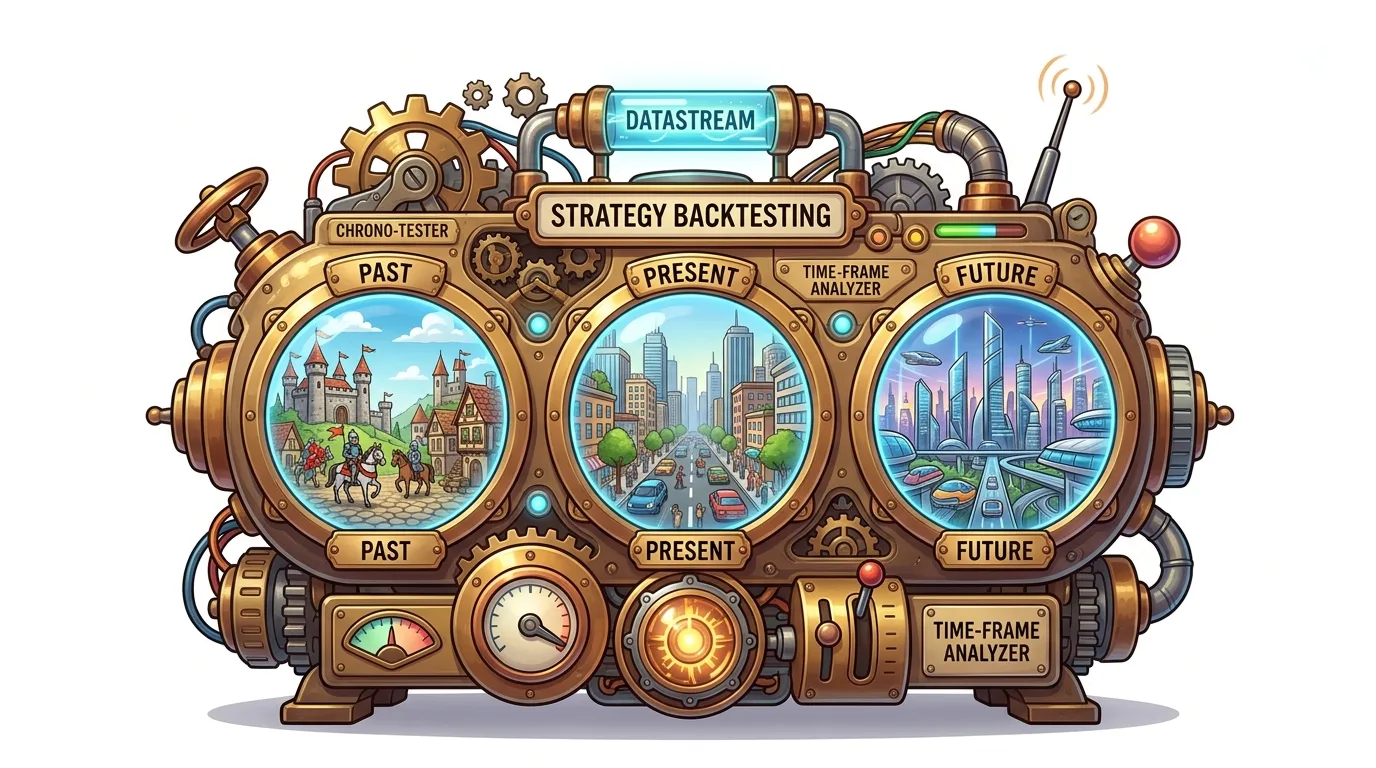
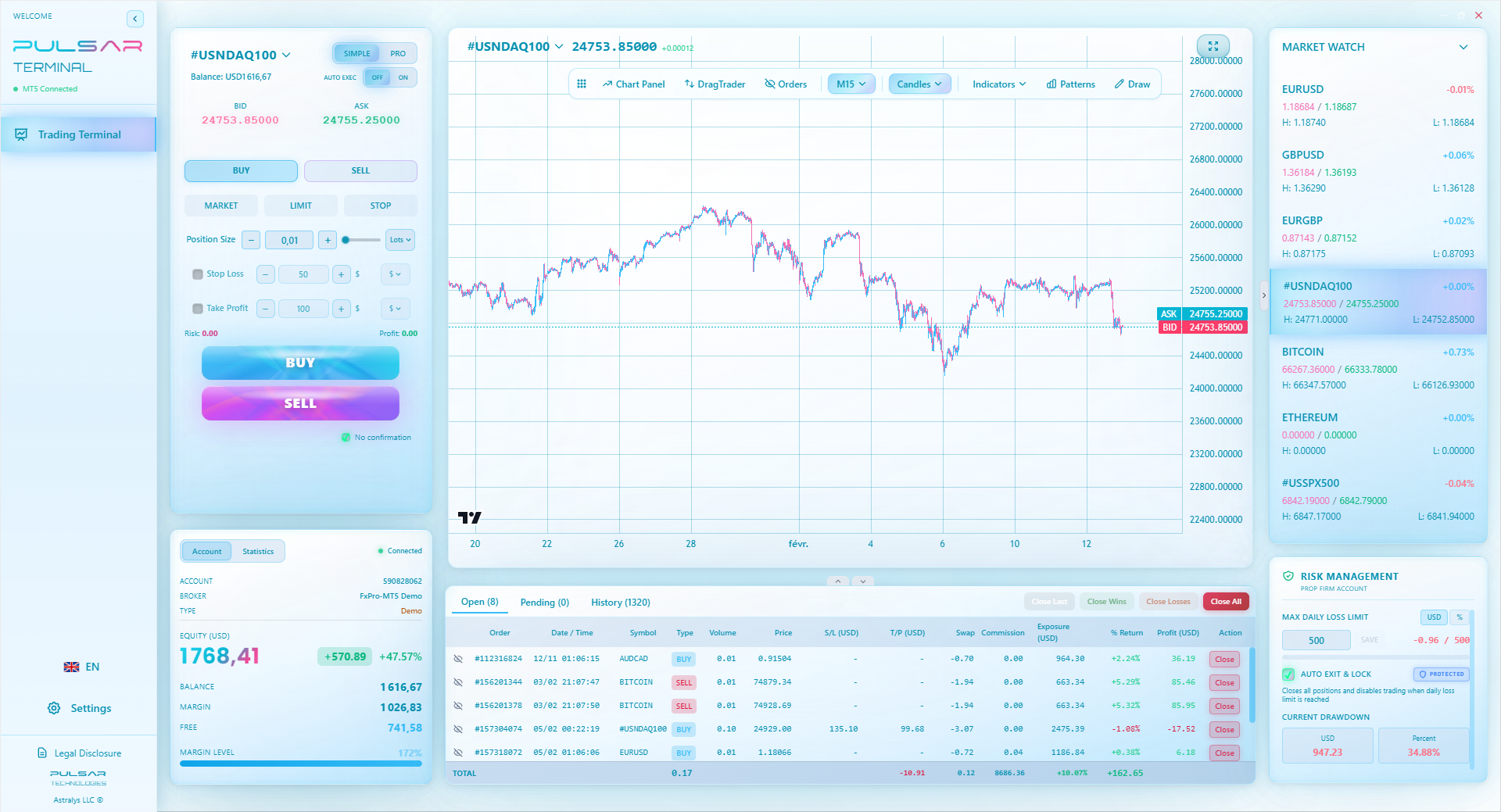
Manually managing multiple take-profit levels and trailing stops for every trade is a hassle, but tools like Pulsar Terminal automate these precise executions directly within your MT5 platform.
“Sustainable returns are boring. My best month ever was 23%, and I was pushing it.”
When someone shows you a "winning" screenshot, be a detective. Here's what screams "amateur" or "scam."
No Stop Loss Visible. This is non-negotiable. If the open trade panel or chart doesn't show a stop-loss level, the trader is flying blind. It's the financial equivalent of driving with your eyes closed. I don't care if it's a "mental stop" - that's just an excuse. A real stop is an order. Period.
Account Balance is a Perfect Round Number. Be wary of screenshots showing a $10,000.00 or $50,000.00 balance with huge profits. Real trading accounts have odd numbers: $12,347.86. Perfect numbers often mean demo accounts or photoshopped results.
Implausible Profit Percentages. A screenshot showing a 200% return in a day is not a genius. It's either a liar, a gambler on massive use, or someone about to get a margin call. Sustainable returns are boring. My best month ever was 23%, and I was pushing it.
The "Million Indicator" Chart. If the chart is so cluttered with indicators, trend lines, and Fibonacci levels that you can barely see the price candles, it's a mess. This is analysis paralysis in visual form. The trader is seeking confirmation from 10 different sources because they lack conviction in one solid idea. Clean charts win.

Pro Tip: If you're evaluating a signal service or a mentor, ask for a loss. Ask them to show you a screenshot of a losing trade and their review notes on it. Their reaction will tell you everything.
💡 Petua Winston
If you're proud enough to screenshot a 10-pip win, your profit target is too small. Aim for the bus, not the fare.
“This disciplined approach turns random trades into a repeatable process.”
So you've learned to read screenshots. Now, how do you create ones that represent elite execution? It starts before you click buy.
Pre-Trade Checklist Screenshot. This is a game-changer. Before entering, I screenshot the chart with my proposed entry, stop, and target drawn on. I note my position size and the risk as a % of my account. I send it to my trading journal. This commits me. It eliminates impulsive changes. Now, my entry screenshot must match this plan.
The Entry Screenshot. Capture the exact moment your order is filled. Include the terminal window showing the order details. This is your forensic starting point.
The Management Screenshot. If you move to breakeven, take partial profit, or trail your stop, screenshot it. Note why you made the adjustment. Was it a new support level? A news event? This builds your playbook for next time. Manually trailing a stop is stressful. I've been saved more than once by automating this process.
The Closed Trade Screenshot. The final shot. It should show the closed P&L in the terminal and the final candle on your chart. Pair this with your pre-trade plan screenshot. Did you follow it? Where did you deviate? This side-by-side comparison is pure gold for growth.
This disciplined approach turns random trades into a repeatable process. It's how you stop being a spectator and start being a strategist.
FAQ
Q1What's the single most important thing to include in a forex trading app screenshot?
The open trade ticket or order details panel, showing your entry price, stop loss, take profit, and position size. Without this, a chart screenshot is just a pretty picture with no context for your actual risk and plan.
Q2How can I tell if a screenshot from a signal service is fake?
Look for perfect round-number account balances, missing stop-loss orders, and charts zoomed in to hide broader context. Ask for a verified myfxbook link or a screenshot of a losing trade with their analysis. Real traders have losses and messy account numbers.
Q3I use a simple mobile app. Are my screenshots useless for review?
Not useless, but limited. You can still review your entry/exit points versus key support/resistance. To level up, you need to graduate to a platform like MT5 where you can screenshot detailed order information and use advanced tools. Start by comparing your simple app chart to the same chart on TradingView for more context.
Q4How many timeframes should I check before taking a trade screenshot?
At minimum, check one timeframe higher than your trading timeframe. If you're trading off the M15 chart, always glance at the H1 and H4 for major trend alignment and key levels. Ignoring this is like planning a road trip without checking a map for state borders.
Q5Should I screenshot every single trade I take?
Yes, especially when you're starting. It builds discipline and creates an useful journal. After a few years, you might only screenshot unique setups or trades where you deviated from your plan. But in the learning phase, document everything.
Q6What's a good folder structure for organizing all these screenshots?
I use: Year > Month > (Winners / Losers / Plans). So: 2023 > 10_October > Winners. Inside, I name files with the date, pair, and outcome: '2023-10-26_EURUSD_W_+14pips'. The 'Plans' folder holds my pre-trade checklist screenshots.
Q7Can a screenshot help me avoid a margin call?
Indirectly, yes. A screenshot of your open positions tab shows your total exposure and used margin. Regularly reviewing this can warn you if you're over-leveraged. Better yet, use a screenshot of your pre-trade plan with a position size calculator result to ensure each trade risks only a small % of your account, which is the best defense against a margin call.
Pelajaran Prof. Winston
:
- ✓Always include order details (Entry, SL, TP) in your screenshot.
- ✓Review higher timeframes before snapping your entry pic.
- ✓Document losses more carefully than wins.
- ✓A clean chart with clear levels beats a messy one every time.
- ✓Your pre-trade plan screenshot is your commitment device.
Sejauh mana artikel ini berguna?
Klik bintang untuk menilai
Pandangan Dagangan Mingguan
Analisis & strategi mingguan percuma. Tiada spam.
Tentang Penulis
James Mitchell
Penganalisis Dagangan Kanan
Berpangkalan di New York dengan lebih 9 tahun pengalaman perdagangan. Fokus pada pasangan USD utama, cabaran prop firm, dan landskap peraturan AS.
Komen
Anda mungkin juga suka

Cara Trading Forex Sukses: 7 Prinsip dari Trader Profesional
Cara trading forex sukses dengan 7 prinsip trader pro: manajemen modal, disiplin, journal trading, backtest. Data nyata, bukan janji profit palsu.
Jam Trading Forex Terbaik untuk Trader Indonesia: Panduan Lengkap dengan Tabel Waktu
Panduan jam trading forex untuk trader Indonesia. Tabel 4 sesi dunia, jam emas 20:00-00:00, sesi mana yang harus dihindari. Data akurat + tips dari trader berpengalaman.
Top 5 Sàn Forex Uy Tín Nhất 2026: Review Jujur dari Trader Indonesia
Top 5 sàn forex uy tín 2026 untuk trader Indonesia. Review jujur: spread, deposit, withdraw, dukungan lokal. Exness, XM, IC Markets & lebih.
All these calculators are built into Pulsar Terminal with real-time data from your MT5 account. One-click position sizing, automatic risk management, and instant calculations.
