


If you're like most new traders here, you've probably been told that MetaTrader is the only platform you'll ever need and that mastering it is the key to riches.

David van der Merwe
Pedagang Pasaran Membangun ·  South Africa
☕ 9 minit baca
Apa yang akan anda pelajari:
- 1MT4 vs. MT5: The South African Choice (It's Not What You Think)
- 2Placing Your First Trade: A Walkthrough with Real Rand Values
- 3The Tools You'll Actually Use (And Ones to Ignore)
- 4Local Pitfalls: Spreads, Execution & The ZAR Factor
- 5Why Your Broker Choice Changes MetaTrader
- 6Where to Go From Here: Automation & Advanced Setups

If you're like most new traders here, you've probably been told that MetaTrader is the only platform you'll ever need and that mastering it is the key to riches. That's only half the story. The truth is, picking the wrong version or using it the wrong way can cost you real money before you even place a trade. I've made those mistakes so you don't have to. Let's cut through the noise and talk about what MetaTrader forex trading really means for you, right here in SA.
This is the first big fork in the road, and most people get it wrong. They think MT5 is just a newer, better version of MT4. It's not that simple, especially for us focusing on forex.
MT4 was built for forex and CFDs. Its entire DNA is about currency pairs. MT5, on the other hand, was built as a multi-asset platform. It can handle stocks, futures, and options natively. That sounds great, but for pure forex traders, that extra complexity can just get in the way.
Here’s the practical truth for South Africans: Stick with MT4 for forex, 99% of the time. Why? Because the entire environment is built around it. Almost every broker here, from Exness review to IC Markets review, has deeper liquidity and tighter spreads on MT4. More importantly, the library of custom indicators (EAs) and scripts is about 10 times larger for MT4. If you find a cool strategy online, chances are it's for MT4.
I learned this the hard way. Back in 2019, I switched to MT5 because it was 'new.' I spent two weeks trying to get my favourite volatility indicator to work. It never did. The MQL5 code is different. I missed a solid setup on USD/ZAR that would have netted about R8,000. The platform itself didn't lose me money, but the hassle and lost opportunity sure did.

Warning: Some brokers will push you to MT5. They have reasons (it's cheaper for them to maintain one platform). But if your main game is forex, push back. Ask specifically for an MT4 account. Your trading will be smoother from day one.
When MT5 Might Make Sense
There are two exceptions. If you're trading JSE equities as CFDs alongside forex, MT5's native stock handling is better. Or, if you're a serious algorithmic coder who needs the more advanced backtesting engine (which is genuinely superior), then MT5 is your tool. For everyone else starting out? MT4 is home.
Let's make this concrete. You've downloaded MT4 from your broker, logged in, and you're staring at the chart. Now what? Forget the fancy indicators for a second. Let's just place a trade.
Say you're looking at EUR/USD. The price is 1.0850. You think it's going up. Here’s the step-by-step, with money you can actually visualize.
- Right-click on the chart > ‘Trading’ > ‘New Order’. A ticket pops up.
- Symbol: Should already be EURUSD.
- Volume: This is your lot size. This is where most newcomers blow up. 1.00 is a standard lot (100,000 units). That's huge. 0.10 is a mini lot (10,000 units). 0.01 is a micro lot (1,000 units). Start with 0.01. Always.
- Stop Loss & Take Profit: DO NOT leave these blank. This is non-negotiable. If your analysis says buy at 1.0850, you should also know where you're wrong. Let's say you place a Stop Loss (SL) at 1.0820 (30 pips risk). Take Profit (TP) at 1.0910 (60 pips target).
- Click ‘Buy’.
Now, what does that mean in Rands? Let's use our position size calculator. A 0.01 lot on EUR/USD means each pip movement is worth about $0.10. With USD/ZAR around 18.50, that’s roughly R1.85 per pip.
So, your risk: 30 pips x R1.85 = R55.50. Your potential reward: 60 pips x R1.85 = R111.00. That’s a sane, manageable trade. I once got greedy on a GBP/USD news spike and put on a 0.5 lot trade without an SL. The spike reversed. I lost R4,200 in 90 seconds. It was a brutal, entirely preventable lesson. Always use your stop loss.

Example: Trade: Buy EUR/USD 0.01 lots @ 1.0850. SL 1.0820, TP 1.0910. Pip Value: ~R1.85. Risk: R55.50. Reward: R111.00. Risk/Reward: 1:2.
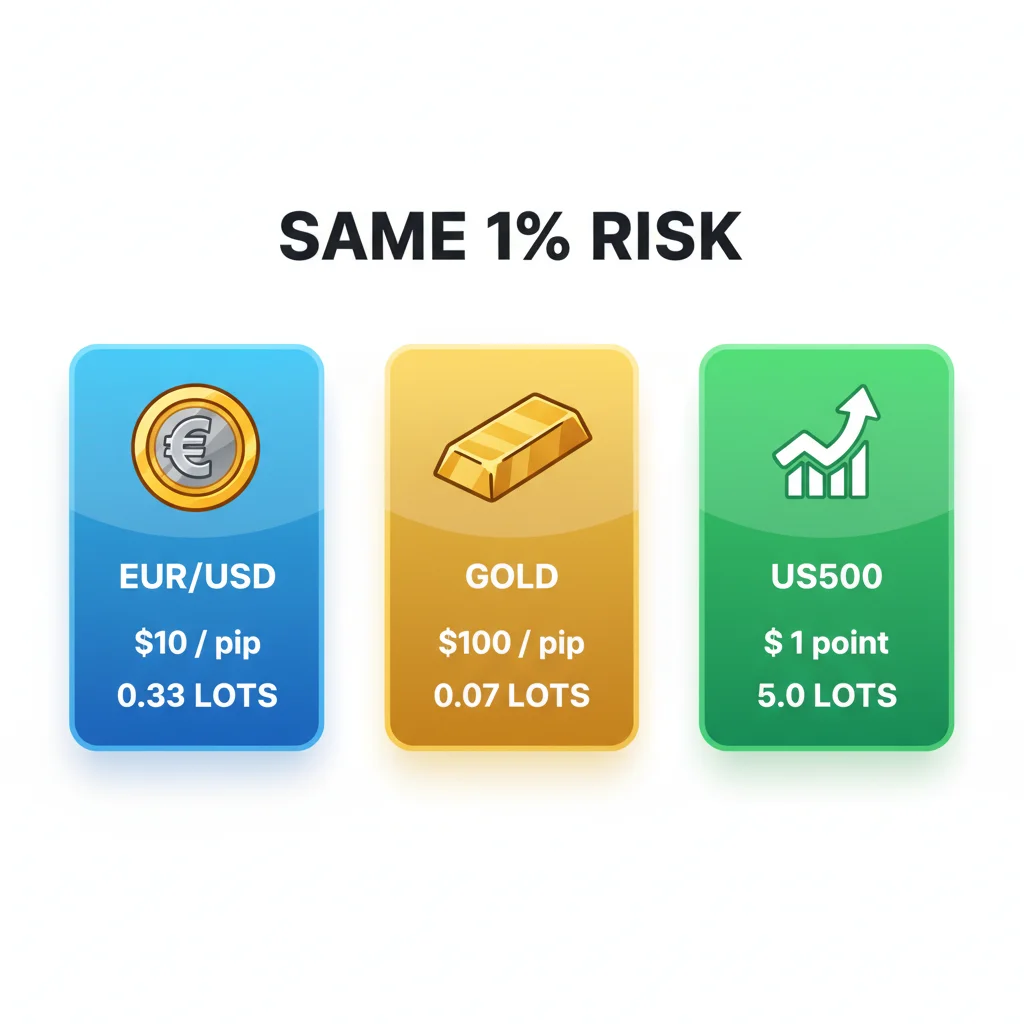
“I lost R4,200 in 90 seconds. It was a brutal, entirely preventable lesson. Always use your stop loss.”
MetaTrader comes with 30+ default indicators. You need about four. The rest is clutter that leads to ‘analysis paralysis.’
Start with these:
- Moving Averages (MA): Simple is best. I use a 50-period and a 200-period Exponential MA (EMA) on the daily chart to gauge the overall trend. Price above both? Broad trend is up. It's not a signal to buy, but it tells you which direction to look for setups.
- Support & Resistance Lines: This is manual drawing. The most powerful tool in the box. Mark clear swing highs and lows where price has reversed before. Price respects these levels more than any fancy indicator.
- The RSI indicator: Good for spotting overbought or oversold conditions, especially on shorter timeframes for a scalping strategy. If RSI is above 70, the asset might be overbought (not a signal to sell, just a warning). Below 30, possibly oversold.
- The MACD indicator: Great for seeing momentum shifts and trend strength. When the MACD line (fast) crosses above the signal line (slow), it suggests rising bullish momentum.
What to ignore (for now): All the ‘Bill Williams’ stuff (Alligator, Gator Oscillator). They’re overly complex. The ZigZag indicator. It repaints, meaning it changes past signals – utterly useless in real time.
My biggest early mistake was loading 7 indicators on one chart. I had Bollinger Bands, Stochastics, MACD, RSI, and three MAs. The chart was a rainbow mess. They’d often give conflicting signals, and I’d just freeze, unable to pull the trigger. Keep it stupid simple.

💡 Petua Winston
A clean chart is a clear mind. If you can't explain what every line on your screen is for in 3 seconds, it shouldn't be there.
Trading from South Africa adds unique wrinkles you won't see in US or UK guides. Ignoring these will eat into your profits.
1. The Spread Trap on Exotics: You want to trade USD/ZAR or EUR/ZAR? Be very careful. The spreads (the difference between buy and sell price) on these exotic pairs are massive compared to majors like EUR/USD. Where EUR/USD might have a 0.6 pip spread on a good ECN account, USD/ZAR can easily be 80-100 pips. That means the price needs to move 100 pips just for you to break even. I got caught here early on. I took a 15-pip profit on a USD/ZAR trade, celebrated, and then realized the spread was 95 pips. I’d actually lost R170. Understand the spread definition intimately.
2. Execution During Load Shedding: This is our reality. Your internet goes down, and an open trade is running. Use mobile as a backup. Have your broker’s app on your phone, logged in and ready. More importantly, always use a stop loss. That stop loss resides on the broker’s server. If your PC dies, the SL should still trigger and protect you from a disaster. I know a guy who didn’t and got a margin call during a 4-hour outage.
3. Converting to ZAR in Your Head: Your broker account might be in USD, but you live in Rands. A $100 loss feels different when the rand is at R15/$ vs. R19/$. Always do the quick conversion. That $100 loss is R1,900. It makes risk management feel more real. When calculating position size, I always think in terms of max ZAR loss per trade, not USD or pips.
💡 Petua Winston
Your broker's server is your lifeline during load shedding. A stop loss is a message you send to that server. Send that message on every single trade, without fail.
“A broker with pretty charts but terrible execution is like a sports car with a lawnmower engine.”
This is a critical point most miss. MetaTrader is just the front-end interface. The engine – the prices, execution speed, spreads, and slippage – is 100% determined by your broker. You can have the same perfect MT4 setup on two different brokers and get completely different results.
A broker like Pepperstone review or IC Markets, offering true ECN/RAW accounts, will feed MT4 with prices directly from liquidity providers. The spreads are often razor-thin, but you pay a small commission per lot. This is ideal for scalping strategy or high-frequency trading.
A standard ‘market maker’ broker might offer zero-commission accounts but have wider, fixed spreads. The trade execution might be slightly slower, and you might see more ‘requotes’ (where the price changes before your order is accepted) during volatile news events like SA budget speeches or US Non-Farm Payrolls.
How do you test this? Open a demo account with a few brokers. Pull up the same chart, like the EUR/USD guide, at the same time. Watch the spreads, especially during the London open (10am our time) or when major news hits. You’ll see the difference immediately. I started with a broker that had pretty charts but terrible execution. Switching to a true ECN broker cut my average trade cost by nearly 40%. That’s money straight back in your pocket.
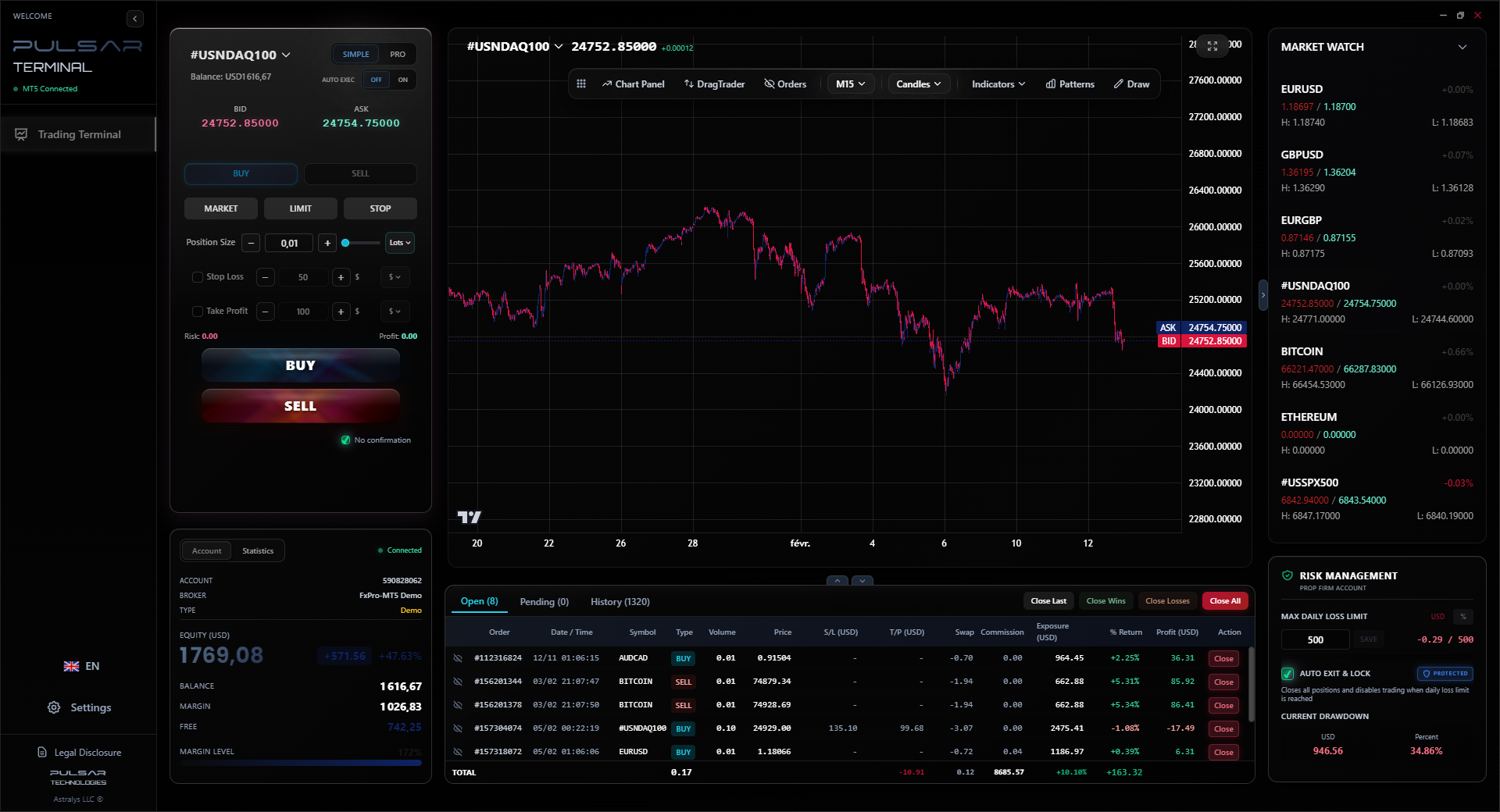
Manually moving stop losses to breakeven is a chore; Pulsar Terminal automates breakeven and trailing stop functions directly on your MT5 charts, protecting profits while you focus on analysis.
Once you're comfortable placing manual trades and managing risk, MetaTrader’s real power opens up. But tread carefully.
Expert Advisors (EAs): These are automated trading robots. The promise is seductive: set it and forget it. The reality is 95% of EAs for sale online are garbage that will blow up your account. They’re often ‘over-optimized’ – tuned to work perfectly on past data but fail miserably in the live market. If you want to explore EAs, learn to code in MQL4 (it’s based on C++) and build your own, or use a very simple one like a moving average crossover EA just to understand the mechanics.
Custom Scripts & Alerts: This is the gold. You can write (or buy) simple scripts to automate tasks. For example, a script that automatically draws support and resistance lines on the daily chart every morning. Or an indicator that sends a push notification to your phone when XAU/USD guide (gold) touches a key price level. This saves hours of screen time.
Multi-Timeframe Analysis: This is a core skill for swing trading. Use MT4’s multiple chart windows. Have the weekly chart open to see the major trend, the daily for your primary direction, and the 4-hour or 1-hour to fine-tune your entry. The key is to only take trades where all timeframes are in alignment. It filters out a lot of noise and low-probability setups.

Pro Tip: Before going down the EA rabbit hole, master one disciplined manual strategy. Automation amplifies what you do. If your manual strategy isn't profitable, an EA will just lose money faster.

FAQ
Q1Is MetaTrader 4 free to use in South Africa?
Yes, completely free. You download it directly from your broker's website. The broker makes money from the spreads or commissions on your trades, not from licensing the software to you.
Q2Can I trade the JSE on MetaTrader?
Not directly. The JSE is a separate exchange. However, many international brokers offer South African stocks, indices (like the Top 40), and USD/ZAR as CFDs (Contracts for Difference) on MetaTrader. This is how most local traders access these markets through the platform.
Q3What's a safe lot size to start with for a South African beginner?
Stick with 0.01 lots (micro lots). With most major pairs, this limits your risk to about R50-R150 per trade depending on your stop loss size. Never risk more than 1-2% of your total account capital on a single trade. Use a position size calculator every time.
Q4Why does my chart sometimes freeze or show old prices?
This is usually a connection issue between your MT4 and your broker's server. First, check your internet. If that's fine, it could be broker-side maintenance or a slow server. Right-click on your chart and select 'Refresh' can help. If it happens often, consider a broker with better local server infrastructure.
Q5Can I use MT4 on my phone?
Absolutely. MetaQuotes makes official MT4 and MT5 apps for iOS and Android. They're great for monitoring open positions and managing stops while you're away from your desk. I don't recommend analyzing charts or placing new trades on the small screen, but for risk management, they're essential.
Q6What's the difference between a demo and live MT4 account?
The software is identical. The difference is the money (demo is virtual) and, crucially, the trade execution. On a demo, orders are often filled instantly at the requested price. On a live account, especially during high volatility, you may experience slippage (a worse fill price) or requotes. Always test a strategy on a demo first, but know live trading will feel slightly different.
Pelajaran Prof. Winston
:
- ✓Choose MT4 over MT5 for pure forex trading.
- ✓Always define your risk (Stop Loss) before your reward.
- ✓Start with a 0.01 lot size to manage ZAR risk.
- ✓Your broker's execution is as important as your strategy.
- ✓Exotic pairs like USD/ZAR have massive spreads (80-100 pips).
Sejauh mana artikel ini berguna?
Klik bintang untuk menilai
Pandangan Dagangan Mingguan
Analisis & strategi mingguan percuma. Tiada spam.
Tentang Penulis
David van der Merwe
Pedagang Pasaran Membangun
Pedagang berpangkalan di Johannesburg dengan 11 tahun dalam mata wang pasaran membangun. Pakar dalam pasangan ZAR, dagangan terkawal FSCA, dan analisis pasaran Afrika Selatan.
Komen
Anda mungkin juga suka

Cara Trading Forex Sukses: 7 Prinsip dari Trader Profesional
Cara trading forex sukses dengan 7 prinsip trader pro: manajemen modal, disiplin, journal trading, backtest. Data nyata, bukan janji profit palsu.
Jam Trading Forex Terbaik untuk Trader Indonesia: Panduan Lengkap dengan Tabel Waktu
Panduan jam trading forex untuk trader Indonesia. Tabel 4 sesi dunia, jam emas 20:00-00:00, sesi mana yang harus dihindari. Data akurat + tips dari trader berpengalaman.
Top 5 Sàn Forex Uy Tín Nhất 2026: Review Jujur dari Trader Indonesia
Top 5 sàn forex uy tín 2026 untuk trader Indonesia. Review jujur: spread, deposit, withdraw, dukungan lokal. Exness, XM, IC Markets & lebih.
All these calculators are built into Pulsar Terminal with real-time data from your MT5 account. One-click position sizing, automatic risk management, and instant calculations.
