


Most guides on picking a laptop for forex trading are written by tech reviewers who've never had a trade blow up because their chart froze.
Rajesh Sharma
Starszy Analityk Forex ·  India
India
☕ 9 min czytania
Czego się nauczysz:
Most guides on picking a laptop for forex trading are written by tech reviewers who've never had a trade blow up because their chart froze. They'll tell you to buy the latest gaming rig with RGB lighting. In India, with our unique regulations and power cuts, that's a fast track to losing money. I've traded through RBI circulars, SEBI changes, and more broker platform crashes than I can count. Let's cut through the nonsense and talk about the machine that won't fail you when USD/INR is moving 20 paisa a minute.
Before we talk RAM or processors, we need to talk FEMA. The Foreign Exchange Management Act is the boss here. Buying a powerful laptop to trade EUR/USD on some slick offshore platform like Exness or IC Markets is illegal for an Indian resident. Full stop. Your fancy machine becomes a very expensive paperweight for engaging in prohibited activity. The only legal forex trading for you is INR pairs (USD/INR, EUR/INR, etc.) and a few cross-currency futures on SEBI-regulated exchanges like NSE. You'll be using your broker's platform - Zerodha Kite, Upstox Pro, Angel One - not MT5 with a thousand custom indicators. This changes the hardware game completely.

Warning: The RBI's 'Alert List' is long. Funding an international broker via bank transfer or UPI for forex trading is a violation. I know traders who've had accounts frozen for this. The laptop is irrelevant if your activity is illegal.
The recent RBI circular (2024) tightening rules on 'contracted exposure' for derivatives has thinned out volume, but the legal framework remains. Your trading laptop's primary job is to run your SEBI-approved broker's platform reliably during exchange hours (9 AM to 7:30 PM), not to run 24/5 global market scans. This focus simplifies your needs.
“You don't need a GTX 4070 to draw a trendline.”
I made this mistake early on. I bought a high-end ASUS ROG laptop thinking more power was always better. It overheated, the fan sounded like a jet engine, and the bloated gaming software conflicted with my trading platform. You don't need a GTX 4070 to draw a trendline.
The Non-Negotiable Core
You need stability and responsiveness. Here’s the real spec list for an Indian trading laptop:
- CPU: A modern Intel i5 or AMD Ryzen 5 is more than enough. The platform isn't rendering complex 3D worlds; it's plotting candles and numbers. An i7 is overkill and just generates more heat.
- RAM: 16GB is the sweet spot. 8GB can work, but with a browser (for news, SEBI alerts), the trading platform, and maybe a basic charting window open, you'll feel the pinch. 16GB gives you headroom. I upgraded from 8GB to 16GB in 2021 and the difference in smoothness when switching tabs during a volatile session was night and day.
- Storage: A 512GB SSD is mandatory. A hard drive (HDD) will make your platform boot and chart loading painfully slow. The SSD ensures your platform reacts when you click.
- Display: This is critical. You need to see price action clearly. A 15.6-inch Full HD (1920x1080) screen is the minimum. Matte finish is better than glossy to reduce glare. Forget 4K on a laptop screen - it drains battery and makes text tiny.

Pro Tip: The best upgrade for any laptop is an external monitor. A basic 24-inch monitor gives you screen real estate to have multiple charts and your order book open side-by-side. It’s a game-changer for managing risk, letting you see your overall position size calculator inputs and your P&L without constant tab switching.
“The goal is a boring, reliable workhorse. The excitement should be in your trading plan.”
Your trading laptop isn't a desktop. You might need to trade from different locations, or more importantly, survive a power cut. I lost a potential ₹4,500 profit on a GBP/INR futures trade because my old laptop battery died during a scheduled power cut in Bengaluru. The trade was in the money, I went to close it, and click - screen gone. By the time the inverter kicked in and I rebooted, the price had moved against me.
Battery: Look for a laptop that promises 6-8 hours of real-world use, not manufacturer fantasy stats. This gives you a buffer. Always, always have a UPS for your router and modem. Internet is more critical than laptop power.
Internet Connectivity: You need a stable, low-latency connection. A good Wi-Fi 6 card in the laptop helps, but for the love of all that's holy, use an Ethernet cable if you can. It's more reliable. Have a mobile hotspot (Jio, Airtel) ready as a backup. Test it beforehand. The latency on your broker's platform is everything; a laggy chart means you're seeing the past. This is especially true for a scalping strategy on the fast-moving USD/INR.
Ports: Make sure the laptop has at least two USB ports (for a mouse, external drive, or Ethernet adapter) and an HDMI port to connect that external monitor. Many sleek ultrabooks now require dongles for everything - avoid that hassle.

💡 Wskazówka Winstona
Your laptop's cooling system is its lifeline. In summer, point a small table fan at its keyboard. A cool CPU never freezes a chart.
“The goal is a boring, reliable workhorse. The excitement should be in your trading plan.”
A new laptop is filled with garbage - trial antivirus, manufacturer utilities, promotional game installs. This junk runs in the background, consuming CPU and RAM, and can cause conflicts.
My setup ritual:
- Clean Install: If you're comfortable, do a clean Windows install to remove all bloatware. If not, manually uninstall every piece of software you don't recognize.
- Startup Control: Go into Task Manager > Startup and disable everything that isn't essential (Windows security, your graphics driver). This speeds up boot time immensely.
- Trading Platform Only: Dedicate this machine primarily to trading. Don't install heavy games or video editing software. Keep the environment clean.
- Chrome/Firefox: Use a separate browser profile just for trading. Don't have 50 tabs open for memes and news. It consumes RAM. Use it for economic calendars, RBI press release pages, and your broker's login.
- Antivirus: Use the built-in Windows Defender. It's light and effective. Avoid Norton, McAfee, etc. They are resource hogs.
This discipline ensures that when the NSE currency derivatives market opens at 9 AM, your machine and your broker's platform are ready to perform, not bogged down by updates or scans.
“A spilled chai can end your trading day permanently.”
Let's get specific. Prices fluctuate, but here’s the tier breakdown. I'm ignoring brands that are after-sales nightmares in India.
| Budget Range | What You Get | Good For | Model Example (Type) |
|---|---|---|---|
| ₹45,000 - ₹65,000 | i5/Ryzen 5, 8GB RAM (upgradable), 512GB SSD, FHD Screen | The beginner. Runs one platform and a few charts smoothly. Plan to upgrade RAM to 16GB later. | Lenovo IdeaPad, Acer Aspire series |
| ₹65,000 - ₹90,000 | i5/Ryzen 5, 16GB RAM, 512GB/1TB SSD, better build, better battery. | The serious trader. This is the sweet spot. Handles multiple charts, analysis, and has the longevity for swing trading analysis over years. | Dell Inspiron 14/15, HP Pavilion, Asus Vivobook Pro |
| ₹90,000+ | i7/Ryzen 7, 16GB+ RAM, 1TB SSD, premium build (metal chassis), excellent screen. | The multi-monitor pro or part-time analyst. Overkill for most, but if you run advanced analysis or trade other segments (equity F&O) simultaneously, it's justified. | Lenovo ThinkPad, Dell XPS 15 (base model) |
My Pick: I've been using a Dell Inspiron 15 (i5-1240P, 16GB RAM, 512GB SSD) I bought for ₹78,000 in 2023. It's been flawless. The key was prioritizing 16GB RAM over a fancier i7 CPU.

Example: A ₹20,000 price jump from a basic to a mid-range model buys you the 16GB RAM and better build quality. That's a 1-2% move on a standard USD/INR futures contract. It's worth the investment for reliability.
💡 Wskazówka Winstona
Buy your laptop in the last week of the financial year (March). That's when retailers are desperate to clear inventory and you'll find the best deals on the previous year's still-great models.
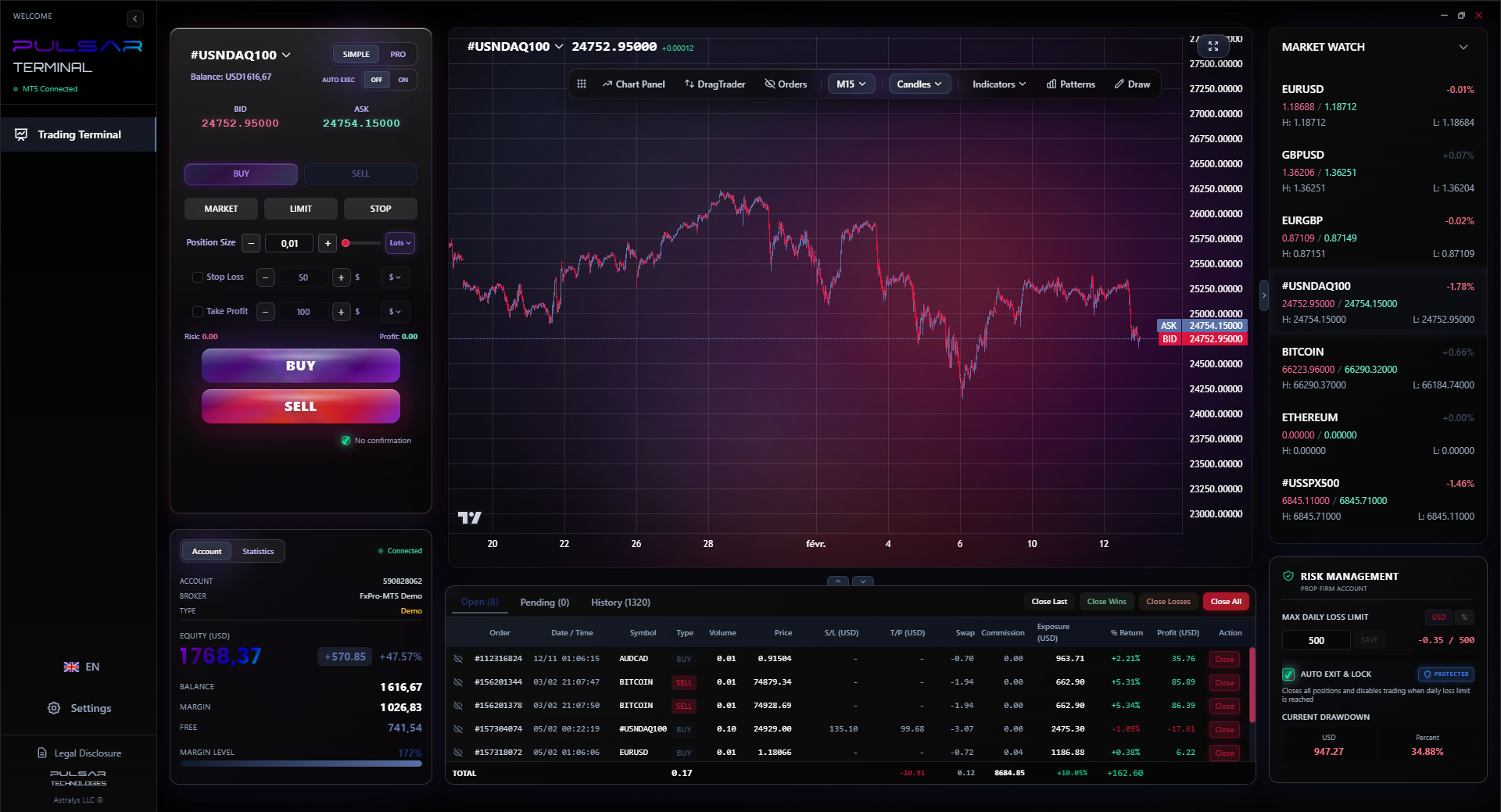
Once your laptop is set up, managing complex orders across multiple charts is the next challenge, which is where a tool like Pulsar Terminal for MT5 excels with its drag-and-drop and multi-TP/SL features.
“A spilled chai can end your trading day permanently.”
Marketing will try to upsell you. Don't bite.
- Touchscreen: Utterly useless for trading. It adds glare, cost, and battery drain. You will use a mouse.
- High-Refresh-Rate Displays (144Hz+): For fast-paced FPS games, yes. For plotting candlestick charts? No benefit. 60Hz is fine.
- Dedicated Graphics Card (GPU): Unless you're also a video editor or hardcore gamer on the same machine, this is a waste of money, power, and it makes the laptop hotter and noisier. Your trading platform's charts are rendered by the CPU.
- 2-in-1 Convertibles or Tablets: They are compromises. The keyboards are often poor for long typing sessions (for your trading journal), and they thermally throttle performance. Get a proper clamshell laptop.
- Brand Hype: You don't need an Apple MacBook. Most Indian broker platforms are optimized for Windows. Running them on macOS can be clunky or require workarounds. Stick with Windows for compatibility.
The goal is a boring, reliable workhorse. The excitement should be in your trading plan and your RSI indicator setups, not in your laptop's flashy lights.
“Your laptop is your connection to the market. A reliable machine removes one major variable.”
A trading laptop is a tool, not a toy. Treat it well and it'll last 4-5 years.
Physical Care:
- Use a cooling pad. Indian ambient temperatures are high. Keeping the laptop cool prevents thermal throttling (where the CPU slows down to avoid overheating).
- Clean the vents every few months with compressed air. Dust is the enemy.
- Don't eat or drink over it. A spilled chai can end your trading day permanently.
Financial Care:
- Consider an extended warranty. A one-time cost for 3 years of peace of mind is worth it compared to a sudden ₹15,000 motherboard repair.
- Back up your data regularly. Your trading templates, journal, and saved chart setups should be on an external drive or cloud. I use a simple 1TB external HDD that costs about ₹4,000.
Your laptop is your connection to the market. When you understand that a single pip definition in USD/INR can be worth real money, you stop seeing it as a gadget and start seeing it as a critical piece of professional equipment. A reliable machine removes one major variable from the chaotic equation of trading. It lets you focus on what actually matters: your strategy, your psychology, and not getting a margin call.
💡 Wskazówka Winstona
Name your trading laptop. Give it a boring, reliable name like 'Station 1'. It reinforces that it's a tool, not a toy. You don't get emotionally attached to a hammer.
FAQ
Q1Is a Chromebook good enough for forex trading in India?
Almost certainly not. Most SEBI-regulated broker platforms (Zerodha Kite, Upstox) require a Windows or macOS desktop application for full functionality, including advanced orders and charting. The web versions are often stripped down. A Chromebook can't run these native apps. It's too limiting and risky.
Q2I have a budget of only ₹35,000. What should I do?
Look for a refurbished business laptop from a reputable seller (like Dell Refurbished). Models like the Dell Latitude or Lenovo ThinkPad from 2-3 years ago often have excellent build quality, come with an SSD and 8GB/16GB RAM, and are within budget. Ensure it has a fresh battery. It's a better bet than a new, ultra-cheap plastic laptop that will feel slow in 6 months.
Q3How important is screen size? Is 13.3 inches too small?
For trading, yes, 13.3 inches is too small. You'll be constantly squinting and scrolling charts. It creates unnecessary strain and you can't see the full price context well. 15.6 inches is the practical minimum. As stated, pairing even a 13-inch laptop with a cheap external monitor is a fantastic solution.
Q4Can I use the same laptop for gaming and trading?
You can, but I don't recommend it. Gaming installs, background services, and the general 'clutter' of a gaming setup can introduce instability. More importantly, it blurs the line between work and play. Your trading laptop should be a focused environment. If you must combine, ensure you have a very clean software setup as described in the article.
Q5Do I need a special laptop to trade currency options on NSE?
No. The hardware requirements are identical to trading currency futures. You're using the same broker platform. The complexity is in your strategy, not the machine's processing power.
Q6My trading platform lags sometimes. Is it my laptop or my internet?
Test it. Close all other programs. If the lag persists, it's likely your internet connection (try a cable) or your broker's server load. If closing programs fixes it, it's your laptop's resources being maxed out - a sign you need more RAM or a cleaner software setup.
Q7Should I get a laptop with Windows 11 Pro over Home?
For a pure trading machine, no. Windows 11 Home is perfectly fine. Pro offers features like BitLocker encryption and Remote Desktop that are unnecessary for most individual traders. Save the money.
Lekcja Prof. Winstona
:
- ✓Legal platform compatibility trumps all other specs.
- ✓16GB RAM is the new 8GB for smooth trading.
- ✓An SSD is non-negotiable; HDDs are for storage, not trading.
- ✓Invest in an external monitor before a more expensive laptop.
- ✓Dedicated graphics cards are for gamers, not traders.
Jak przydatny był ten artykuł?
Kliknij gwiazdkę, aby ocenić
Tygodniowe analizy tradingowe
Darmowe tygodniowe analizy i strategie. Bez spamu.
O autorze
Rajesh Sharma
Starszy Analityk Forex
Ponad 10 lat doświadczenia na rynkach indyjskich i południowoazjatyckich. Zaczynał od instrumentów pochodnych NSE, zanim przeszedł na międzynarodowy forex. Specjalizuje się w USD/INR i parach rynków wschodzących.
Komentarze
Może Ci się też spodobać

Cara Trading Forex Sukses: 7 Prinsip dari Trader Profesional
Cara trading forex sukses dengan 7 prinsip trader pro: manajemen modal, disiplin, journal trading, backtest. Data nyata, bukan janji profit palsu.
Jam Trading Forex Terbaik untuk Trader Indonesia: Panduan Lengkap dengan Tabel Waktu
Panduan jam trading forex untuk trader Indonesia. Tabel 4 sesi dunia, jam emas 20:00-00:00, sesi mana yang harus dihindari. Data akurat + tips dari trader berpengalaman.
Top 5 Sàn Forex Uy Tín Nhất 2026: Review Jujur dari Trader Indonesia
Top 5 sàn forex uy tín 2026 untuk trader Indonesia. Review jujur: spread, deposit, withdraw, dukungan lokal. Exness, XM, IC Markets & lebih.
All these calculators are built into Pulsar Terminal with real-time data from your MT5 account. One-click position sizing, automatic risk management, and instant calculations.
