


Most Nigerian traders waste money on expensive charting software they don't need.

Olumide Adeyemi
Pioneiro do Trading na África Ocidental ·  Nigeria
☕ 13 min de leitura
O que você vai aprender:
- 1Why TradingView is the Nigerian Trader's Secret Weapon
- 2Setting Up Your Nigerian TradingView Account (The Right Way)
- 3Connecting TradingView to Your Nigerian Broker
- 4Essential TradingView Tools for Naija Forex Markets
- 5Building a Professional Chart Layout from Scratch
- 6Nigerian-Specific Tips and Pitfalls to Avoid
- 7From Analysis to Execution: A Complete Trade Walkthrough
Most Nigerian traders waste money on expensive charting software they don't need. The truth is, for 95% of us, TradingView is the only platform that matters. It's free, it works with every broker we can access, and it has tools that rival platforms costing $200 a month. I've traded with everything from MT4 to NinjaTrader, and I keep coming back to TradingView. In this guide, I'll show you exactly how to set it up for Nigerian markets, connect it to your broker, and use its features to actually make better trades, not just prettier charts.
Let's cut through the noise. You see ads for fancy platforms, but here's the reality on the ground in Lagos, Abuja, and Port Harcourt. Our internet can be shaky. Our funding options are limited. We need something reliable, accessible, and that doesn't eat into our capital with huge subscription fees. TradingView checks every box.
First, the cost. The free plan is genuinely useful. You get real-time data for stocks and crypto, and delayed data for forex, which is often enough for swing traders. For active forex traders, the Pro plan at $14.95/month gives you real-time forex data and more indicators. Compare that to a dedicated data feed for another platform, which can easily run you $50+ monthly. That savings adds up fast in Naira terms.
Second, accessibility. It runs in your browser. No massive downloads, no worrying about whether your laptop can handle it. You can check charts on your phone, your tablet, or a cyber cafe computer. In a country where power outages happen, the ability to quickly pull up your analysis on a mobile device is a lifesaver. I remember being in a meeting when the NFP data dropped, and I was able to manage my EUR/USD position right from my phone using TradingView's mobile app. Closed the trade for a 42-pip profit before the meeting even resumed.
Third, the community. The public chat and idea sharing features are goldmines for learning. You can see what other traders are watching, from London to New York to right here in Nigeria. It demystifies the market. You're not trading in a dark room anymore.

Warning: The public chat is also full of nonsense. Learn from the chart analysis people post, but ignore the 'to the moon!' hype on random currency pairs. Always do your own work.
Finally, integration. Almost every international broker that accepts Nigerian clients - like Exness review, IC Markets review, or XM review - offers a direct connection to TradingView. You can analyze on TradingView and execute the trade without switching windows. This seamless flow is a huge efficiency boost.
Getting started is simple, but a few specific settings will make your life easier as a Naija trader.
Account and Profile
Sign up with your email. Use a strong password - this platform holds your trading ideas and potentially linked broker accounts. In your profile settings, set your default exchange to 'FX_IDC' for forex pairs. This ensures you're looking at the standard forex quotes and not some obscure CFD listing.
Chart Defaults
This is where most people mess up. Don't just accept the default candle chart.
- Timeframe: Set your default to the 1-hour (1H) chart. It's the best balance between market noise and meaningful trends for daily analysis. You can always zoom in to the 15-minute for scalping strategy or out to the 4-hour for swing trading.
- Trading Hours: Set your session breaks to show the London Open (8 AM GMT) and the New York Open (1 PM GMT). These are the two most volatile sessions for forex and where we get our best opportunities. Seeing them marked on your chart helps with timing.
- Currency: Set your account currency to USD. Even though you fund in Naira, all forex pairs are priced in USD terms (like EUR/USD, GBP/USD). Keeping your charting in USD avoids mental conversion errors when calculating pip definition values.

Pro Tip: Create a separate, free TradingView account just for testing. Use it to try out new indicators or drawing tools without cluttering your main workspace. I have my 'clean' account for live trading and my 'messy' account for experiments.
The Nigerian Data Consideration
Remember, with the free plan, forex data is on a 15-minute delay. For a long-term trader, that's fine. If you're day trading, you need real-time data. The Pro plan is worth it. Think of it this way: one extra profitable trade per month from having real-time data more than covers the $14.95 fee. I made the switch in 2023 and my entry precision improved immediately, especially around news events.

💡 Dica do Winston
The 'Bar Replay' mode is your best friend for free backtesting. Don't guess if a strategy works; replay the last 6 months of price action and practice your entries.
“TradingView isn't just for analysis; it's a potential trading terminal. But you have to connect the wires.”
This is the magic trick. TradingView isn't just for analysis; it's a potential trading terminal. But you have to connect the wires.
Most top-tier international brokers offer a 'TradingView integration'. This isn't just linking accounts; it means you can place buy/sell orders, set stop-loss and take-profit orders, and manage open positions directly from the TradingView chart. You right-click on the price you want, and the broker's order window pops up.
Here’s the practical step-by-step for a Nigerian:
- Choose a Compatible Broker: Before you even open an account, check the broker's website for 'TradingView' partnership. Pepperstone review, IC Markets, and Exness all have solid integrations. This is non-negotiable for a smooth workflow.
- Open Your Broker Account: Use your real details. You'll need your BVN and a valid ID for verification with any reputable broker, even international ones serving Nigeria.
- Fund Your Account: Use the methods that work for you - domiciliary account transfer, crypto, or e-wallets like Skrill. Remember the CBN's restrictions on Naira cards for large international payments.
- The Link-Up: Inside TradingView, look for the 'Trading Panel' at the bottom of your chart. Click 'Broker', then 'Add Broker'. Find your broker in the list and follow the authentication steps. It usually involves logging into your broker account through a secure pop-up.
A Real Trade Example: Last month on GBP/USD, I saw a clear pin bar rejection at a key resistance level on the 4H chart in TradingView. Instead of switching to MT5, I right-clicked the low of the pin bar, set my stop-loss just above its high, and placed the sell order directly. The trade executed instantly through my IC Markets account. I took half profit at 50 pips and let the rest run. Total gain: 87 pips. The seamless flow from analysis to execution meant I didn't miss the entry.
Warning: Always, always check the order details before submitting. Confirm the lot size (your position size calculator is crucial here), the stop-loss, and the take-profit. A misclick in a fast market can be costly. I once accidentally entered with 2.0 lots instead of 0.2 because I was in a hurry. The sweat was real until I managed to close it for a small, lucky profit.
TradingView has hundreds of indicators. You need about five. Here are the ones I've found actually work with the unique volatility of forex pairs we trade, like EUR/USD and GBP/JPY.
1. The Smart Drawing Tools: Forget the basic lines. Use the Auto Pitchfork and Trend-Based Fibonacci Extension. The Pitchfork helps identify potential channels in a trending market. The Trend-Based Fib Extension is brilliant for setting profit targets in a strong trend. I use it more than the standard retracement Fib.
2. Volume Profile (Visible Range): This isn't just a crypto tool. Adding the Volume Profile to the right of your chart shows you where the most trading activity happened over a chosen period (I use the 'Visible Range'). These high-volume nodes become key support and resistance areas. When price returns to a high-volume node, it often reacts. This helped me nail a reversal in XAU/USD (gold) at the $1980 level last quarter.
3. Key Indicators (Keep It Simple):
- RSI indicator (Relative Strength Index): Set it to 21 periods, not the default 14. It becomes smoother and gives fewer false signals. I use it to spot divergences at market extremes.
- MACD indicator (Moving Average Convergence Divergence): My main trend confirmation tool. I don't use the default settings. I change it to 21, 55, 9. It's slower but much more reliable for catching the meat of a trend. A crossover on the 4H MACD with this setting is a strong filter for my trades.
4. The Economic Calendar (Built-in): This is critical for us. Nigerian news can move the Naira pairs, but US, UK, and EU news move EVERYTHING. The built-in calendar shows high-impact events (red flags). Never hold a sensitive position (like EUR/USD) through a major news release unless you're intentionally trading the volatility. I learned this the hard way losing 120 pips on a CAD/JPY trade during a BoC announcement I'd forgotten about.
💡 Dica do Winston
If your chart looks like a child's coloring book, you have too many indicators. Price action is king. Everything else is just a counselor.
“Your screen shouldn't look like a rainbow exploded. A clean layout reduces cognitive load and helps you see the signal in the noise.”
Your screen shouldn't look like a rainbow exploded. A clean layout reduces cognitive load and helps you see the signal in the noise. Here's my go-to setup for a forex day.
I use a 2x2 grid layout (four charts).
| Chart Position | Pair & Timeframe | Purpose & Indicators |
|---|---|---|
| Top-Left (Primary) | EUR/USD - 1H Chart | My main trading chart. Clean. Only price action, one moving average (EMA 50), and horizontal support/resistance lines. |
| Top-Right | GBP/USD - 4H Chart | Higher-timeframe context. Has my 21/55 period MACD and Volume Profile to see major levels. |
| Bottom-Left | USD/JPY - 15M Chart | Short-term momentum gauge. Uses the 21-period RSI to spot intraday overbought/oversold conditions. |
| Bottom-Right | Market Watch / List | I keep a list of all major pairs and XAU/USD to monitor strength/weakness. |
This layout gives me everything: a clean workspace for execution (top-left), trend context (top-right), intraday timing (bottom-left), and overall market awareness (bottom-right).
Save this layout as a template. TradingView lets you save multiple templates. I have one for 'Day Trading', one for 'Swing Analysis', and one for 'Weekly Review'. Switching between them takes one click.
Pro Tip: Use the 'Compare' function in the bottom-right chart. You can overlay an index like the DXY (US Dollar Index) on your EUR/USD chart. If EUR/USD is going down but the DXY is also going down, that's a divergence warning you of a potential false move.
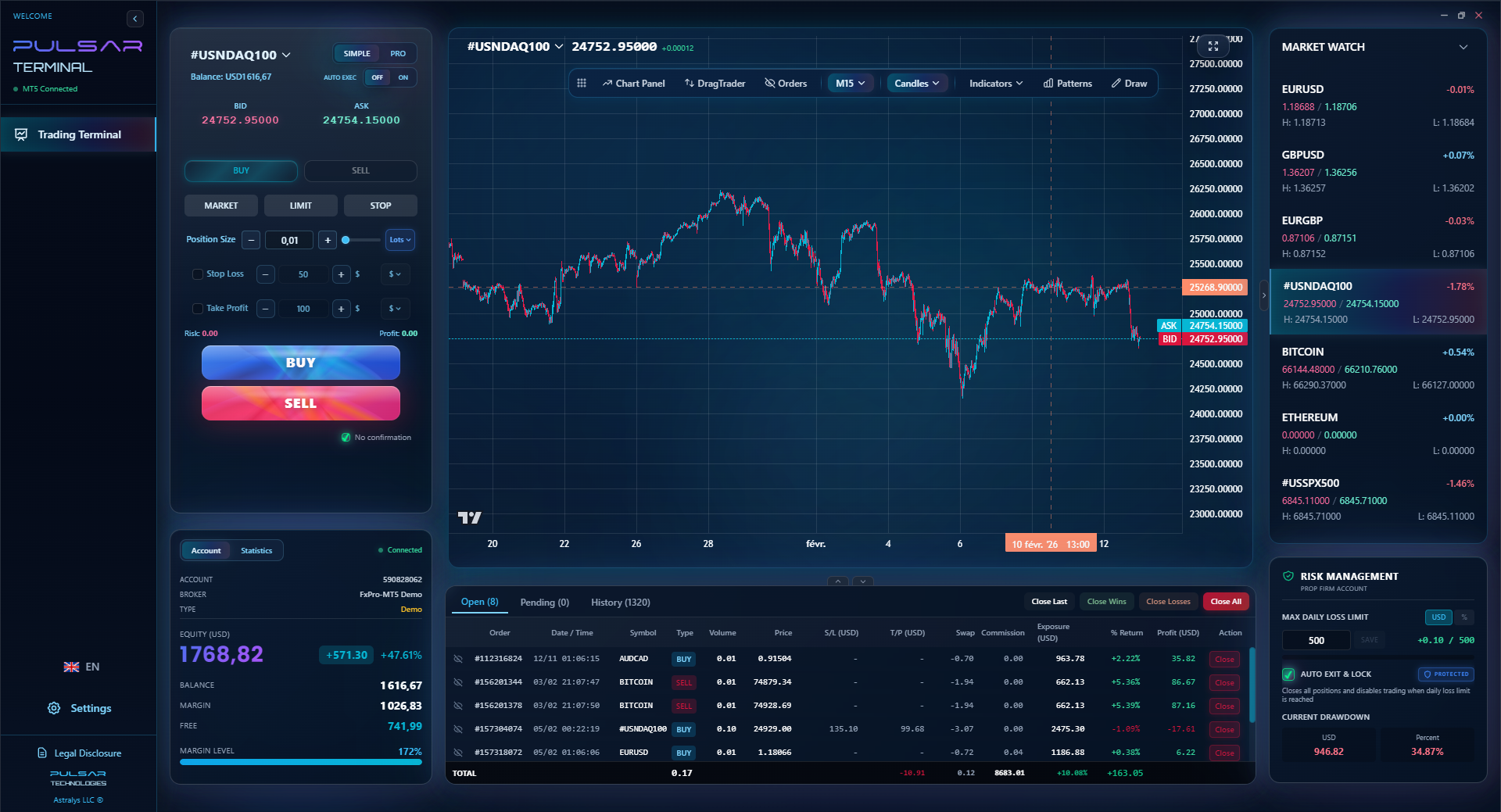
Managing multiple take-profit levels and moving stops to breakeven on a fast-moving chart is where Pulsar Terminal shines, automating these actions directly on your MT5 platform.
Pulsar Terminal
A ferramenta MT5 tudo-em-um: ordens drag-and-drop, multi-TP/SL, trailing stop, grid trading, Volume Profile e proteção prop firm. Usado diariamente por 1.000+ traders.
Trading from Nigeria comes with its own flavor of challenges. Here’s how to use TradingView to navigate them.
Internet Reliability: TradingView's web-based platform is generally light, but during a crucial trade, a dropped connection is a nightmare. Solution: Always, always set your stop-loss and take-profit orders as soon as you enter a trade. Don't just mentally note them. An executed order in the market is your safety net if your GoTV goes off. Use the attached broker panel to place these orders immediately.
Naira Volatility & Pairs to Watch: The official and parallel market rates for USD/NGN create unique opportunities and risks. While you can't trade Naira pairs directly on most international platforms, the volatility spills over.
- Watch GBP/NGN and EUR/NGN on TradingView (use the FX_IDC:GBPNGN ticker). Sharp moves here can signal broader risk-on or risk-off sentiment among local institutions, which can precede moves in major pairs.
- If the Naira is strengthening rapidly on the official market, be cautious with long USD positions (like buying USD/JPY). Local dollar demand might be falling.
Tax Implications: Remember the 10% capital gains tax. TradingView has a basic 'Trade' simulation tool. Use it not just for testing strategies, but also to track your hypothetical profit/loss for a period. It helps you estimate your tax liability. Keep your own detailed spreadsheet, but the TradingView journal can be a quick reference.
The Community Trap: Nigerian trading groups on social media love to hype certain 'TradingView strategies' as holy grails. Be skeptical. A strategy working on EUR/USD in a trending market will fail on USD/CHF in a ranging market. Backtest everything yourself using TradingView's bar-replay feature before risking a kobo.
My biggest early mistake was blindly following a 'support and resistance' setup from a popular online mentor. I took three losing trades in a row on GBP/USD because I didn't understand the context - the market was in a news-driven frenzy, not respecting technical levels. I lost about $450 in two days. The lesson? The tool (TradingView) shows you the levels, but your brain has to decide if the market cares about them today.
💡 Dica do Winston
Write your trade rationale directly on the chart using the text tool. In six months, you'll learn more from your old notes than from any guru.
“I made more money when I used 3 tools well than when I used 20 tools poorly.”
Let's tie it all together with a real-world example using only TradingView. This was a trade I took recently.
The Setup:
- Pair: EUR/USD. I saw it on my market watch list looking weak.
- Analysis: On the 4H chart (my context chart), price had broken below a key Volume Profile support node at 1.0720. The 21/55 MACD indicator was bearish and below its signal line. Trend down.
- Entry Trigger: I switched to my clean 1H chart. Price rallied back up to the old support level at 1.0720 (which should now act as resistance). It formed a small bearish engulfing candle right at that level. That was my signal.
The Execution (All on TradingView):
- I right-clicked on the low of that 1H candle (around 1.0715).
- My connected broker panel (IC Markets) popped up.
- I entered a Sell Limit order at 1.0718 (anticipating a slight retest).
- I set my stop-loss at 1.0748 (30 pips above the resistance, giving the trade room).
- I set my first take-profit at 1.0688 (30 pips, 1:1 risk-reward).
- I submitted the order.
The Management: The order filled. Price moved down. When it reached 1.0688, my first TP hit automatically. I then manually moved my stop-loss to my entry price (1.0718), making the remainder of the trade risk-free. This is a crucial step that TradingView makes easy - you just drag the stop-loss line on the chart.
The Outcome: Price continued down to 1.0660. I closed the final half of the position there for an additional 58 pips. Total gain: (30 pips + 58 pips) / 2 = 44 pips average gain.
The entire process - analysis, order placement, stop adjustment - happened on one platform. No switching, no confusion. This efficiency is what turns a good analysis into a profitable trade. It eliminates the friction that causes hesitation.

Example: On that 44-pip win with a standard lot (100,000 units), that's a $440 profit. With a mini lot (10,000 units), it's $44. Always know your pip definition value before you trade!
FAQ
Q1Is TradingView free for forex trading in Nigeria?
Yes and no. You can use the basic plan for free with a 15-minute delay on forex data. This is fine for learning and swing trading. For real-time data and more indicators, you need a paid plan (starting at $14.95/month). For active trading, the Pro plan is effectively a necessary business cost.
Q2Can I fund my TradingView account directly with Naira?
No. TradingView is a charting platform, not a broker. You pay TradingView for its services (subscription) using an international debit/credit card or PayPal. You fund your separate forex broker account (e.g., IC Markets, Exness) using domiciliary accounts, crypto, or e-wallets, and then connect that broker to TradingView for trading.
Q3Which Nigerian brokers work with TradingView?
There are few locally regulated Nigerian forex brokers with TradingView integration. Most Nigerian traders use internationally regulated brokers that accept Nigerian clients and offer the integration. Reliable options include IC Markets, Exness, Pepperstone, and XM. Always verify the broker's regulation and deposit/withdrawal terms for Nigeria.
Q4How do I handle the 10% capital gains tax when using TradingView?
TradingView is not responsible for your tax reporting. You must calculate your net profits from your broker statements. While TradingView's 'Trading Panel' can track P&L for connected accounts, it's not a substitute for proper accounting. Maintain a detailed spreadsheet of all trades, as you are liable to report and pay the 10% tax on your annual profits to the FIRS.
Q5What's the best TradingView indicator for beginners in Nigeria?
Start with just two: the 50-period Exponential Moving Average (EMA) to define the trend, and the 21-period RSI to gauge momentum. Master drawing simple support and resistance lines. A complex setup will confuse you. I made more money when I used 3 tools well than when I used 20 tools poorly.
Q6Can I use TradingView on my phone with poor Nigerian network?
Yes, the TradingView mobile app is excellent. However, for poor networks, use it primarily for monitoring open positions and checking charts, not for entering new trades. Always have your stop-loss orders set. The app is lightweight, but a trade execution requires a stable connection - if in doubt, wait for a better signal.
Q7Does TradingView show the black market (parallel) Naira rate?
Not directly as a tradable pair. However, you can sometimes find user-shared charts for NGN/USD by searching. For official rates, use the ticker 'FX_IDC:USDNGN'. Remember, you cannot trade this on international platforms; it's for informational purposes only to gauge local dollar pressure.
Lição do Prof. Winston
Pontos-chave:
- ✓Use the Pro plan for real-time data; it pays for itself.
- ✓Always connect TradingView to a compatible, reputable broker.
- ✓Set stop-loss orders immediately - never trade without a net.
- ✓Master the Volume Profile and Trend-Based Fibonacci tools.
- ✓Keep your primary chart clean: price, one MA, and key levels.
Quão útil foi este artigo?
Clique em uma estrela
Insights de Trading Semanal
Análises e estratégias semanais grátis. Sem spam.
Sobre o autor
Olumide Adeyemi
Pioneiro do Trading na África Ocidental
Um dos educadores de trading forex mais ativos da Nigéria. 8 anos de experiência operando a partir de Lagos. Especialista em estratégias de baixo capital e desafios de prop firms para traders africanos.
Comentários
Aviso de risco
A negociação de instrumentos financeiros envolve riscos significativos e pode não ser adequada para todos os investidores. O desempenho passado não garante resultados futuros. Este conteúdo é apenas para fins educacionais e não deve ser considerado aconselhamento de investimento. Sempre conduza sua própria pesquisa antes de negociar.
Você também pode gostar

Cara Trading Forex Sukses: 7 Prinsip dari Trader Profesional
Cara trading forex sukses dengan 7 prinsip trader pro: manajemen modal, disiplin, journal trading, backtest. Data nyata, bukan janji profit palsu.
Jam Trading Forex Terbaik untuk Trader Indonesia: Panduan Lengkap dengan Tabel Waktu
Panduan jam trading forex untuk trader Indonesia. Tabel 4 sesi dunia, jam emas 20:00-00:00, sesi mana yang harus dihindari. Data akurat + tips dari trader berpengalaman.
Top 5 Sàn Forex Uy Tín Nhất 2026: Review Jujur dari Trader Indonesia
Top 5 sàn forex uy tín 2026 untuk trader Indonesia. Review jujur: spread, deposit, withdraw, dukungan lokal. Exness, XM, IC Markets & lebih.
Obter Pulsar Terminal
Todas essas calculadoras estão integradas ao Pulsar Terminal com dados em tempo real da sua conta MT5.
Obter Pulsar Terminal