


Here's a hard truth I learned early on: over 90% of new traders focus on the wrong tools first.

David van der Merwe
Trader de Mercados Emergentes ·  South Africa
☕ 9 min de leitura
O que você vai aprender:
- 1What Exactly Is the Yahoo Forex Converter?
- 2How I Actually Use It: Three Practical Scenarios
- 3The Critical Limitations: Why It's Not a Trading Tool
- 4What Should You Use Instead? (For Actual Trading)
- 5The South African Reality: Banks, Fees, and Getting Money Home
- 6Building a Smarter Routine: Where the Converter Fits

Here's a hard truth I learned early on: over 90% of new traders focus on the wrong tools first. They hunt for the perfect indicator or a secret strategy, while ignoring the absolute basics, like understanding how much their potential profit or loss actually is in their own currency. That's where a simple tool like the Yahoo Forex Converter comes in. It's not fancy, it won't make you money directly, but knowing how to use it (and more importantly, when not to) is a fundamental skill every South African trader needs. Let's talk about what it really is, how I use it daily, and the massive limitations you must understand.
Think of it as the digital version of the exchange rate board you see at OR Tambo airport, but for your browser. It's a free, publicly available tool on Yahoo Finance that gives you a mid-market rate for converting one currency to another. You type in an amount, select your currencies (like USD to ZAR), and it spits out the converted value.
It's powered by the same data feed Yahoo uses for its financial charts. The key thing to remember is that the rate it shows is an average - the midpoint between the buy and sell price in the interbank market. You will never get that exact rate when you actually trade. Your broker will always give you a slightly worse rate because they add their spread, which is how they make money.
I use it almost every day, but never for placing a trade. Its real value is in quick mental math. If I'm reading a US-based trading blog that talks about a 50-pip stop loss on EUR/USD, I'll quickly pop into the converter to see what 50 pips in dollars might roughly equate to in rands before I even think about my position size calculator. It sets a baseline expectation.
For Quick Portfolio Valuation
My trading account with IC Markets is denominated in USD, but I think in rands. Once a week, I don't open my trading platform first. I open the Yahoo Forex Converter. I take my total account balance in USD, convert it to ZAR, and jot it down in my journal. This gives me a gut-check in my home currency without the emotional noise of seeing the daily P&L fluctuations in the platform. Seeing my R128,450 account (from $6,800) feels more real than just a number in dollars.
For Planning and Research
Let's say I'm analyzing a potential swing trading setup on the US30 index. The analysis might suggest a 200-point target. A quick conversion tells me that 200 points on the US30 is about $200 per standard lot. Converting that $200 to rands (roughly R3,760 at current rates) immediately tells me if that potential reward is worth the risk for my account size. It turns abstract points into tangible money.
For Checking Broker Rates (Indirectly)
This is a neat trick. I'll use the Yahoo Forex Converter to get the mid-rate for USD/ZAR at a specific time. Then, I'll check the buy/sell quote for USD/ZAR in my Exness or Pepperstone platform at that exact same moment. The difference is the spread. If Yahoo says 18.50, and my broker's sell price is 18.52, I know the spread is roughly 20 pips. It's a good, independent reference point.

Pro Tip: Bookmark the direct link: finance.yahoo.com/currency-converter. Don't just Google it each time, as you might hit a slower, ad-heavy page.

💡 Dica do Winston
A tool is only as good as the question you ask it. The Yahoo converter answers 'What is the approximate rate?' It cannot answer 'Should I enter this trade now?'
“When you bring profits home to SA, the bank's commercial rate and fees create a hidden 'tax' the converter never shows you.”
This is the part that can save you money. The Yahoo Forex Converter is a reference tool, not a execution tool. Confusing the two is a beginner's mistake I made, and it cost me.
It's Not Real-Time (Enough): The data is delayed, usually by 15-20 minutes. In a quiet market, that's fine for a rough estimate. But during news events like SARB interest rate announcements or US NFP, the ZAR can move 100 pips in seconds. A 20-minute-old rate is utterly useless and dangerously misleading. I learned this the hard way in 2018. I used a converter's rate to plan a short on USD/ZAR, not realizing the rate was stale. The market had already rallied 80 pips. My entry was immediately in the red, and I took a R1,200 loss on what I thought was a good setup.
It Shows the MID Rate, Not the TRADABLE Rate: This is the biggest trap. The converter shows you the perfect, spread-free center price. When you go to your broker, you'll be quoted two prices: the Bid (sell) and Ask (buy). You always buy at the higher Ask price and sell at the lower Bid price. That spread is your immediate cost. If you base your profit calculation on the mid-rate, you're fooling yourself.
No Historical Data for Backtesting: You can't pull a clean chart of past USD/ZAR rates from the converter for scalping strategy analysis. For that, you need a proper trading platform or data terminal.

Warning: Never, ever use the Yahoo Forex Converter rate to decide your entry, exit, or to set stop-loss and take-profit orders. Always use the live, executable prices from your trading platform. Relying on the converter for execution is like using yesterday's weather report to decide if you need an umbrella today.

So if the Yahoo tool is just for quick math, what do you use for the real work?
1. Your Trading Platform: This is your single source of truth. The prices you see on MT4 or MT5 from brokers like XM or IC Markets are the prices you can trade at. When calculating risk, always use the platform's price for your stop-loss distance. The platform will also have a built-in calculator, but I find it clunky.
2. Dedicated Trading Calculators: This is where you should spend your time. A good position size calculator is non-negotiable. You input your account balance, risk percentage (e.g., 1%), stop-loss in pips, and the currency pair. It calculates the exact lot size you should trade, and more importantly, it shows your risk in both the trade currency (USD) and your account currency (ZAR). It does the conversion for you, using live rates, and accounts for the pair's quote currency. This is infinitely more valuable than a simple converter.
3. Economic Calendars with Rate Impact: Tools like ForexFactory don't just show events; they show the current consensus forecast. This is more valuable than a raw conversion rate before high-impact news. Knowing the market expects the US Fed to hike by 0.50% is more actionable than knowing the current USD/ZAR rate.
4. For Advanced Charting: When you're ready to move beyond basic conversions and into serious analysis, you need tools that show market structure. This is where understanding concepts from the Volume Profile indicator or using a platform with deep drawing tools becomes essential. The converter tells you the 'what,' but these tools help you understand the 'why.'
💡 Dica do Winston
The spread between the converter's perfect rate and your broker's real rate is the first fee you pay. See it, know it, and always account for it in your risk math.
“Use it for quick mental math at the start and for journaling at the end, but never let it near your live trade execution.”
Here's a local twist every SA trader faces. The Yahoo Forex Converter shows a nice, clean number for USD/ZAR, say 18.50. Try getting that rate from your bank to withdraw profits. You can't.
When you want to bring your trading profits from your international broker back to your South African bank account, you go through a two-step conversion with layers of fees.
First, your broker (like Pepperstone) will convert your balance to USD if it isn't already, often at a commercial rate that's worse than the spot rate. Then, you do an international SWIFT transfer to your SA bank. Your bank (Absa, FNB, etc.) will then convert the USD to ZAR at their own commercial rate, which is always significantly worse than the interbank rate Yahoo shows. On top of that, they charge telegraphic transfer fees (around R150-300) and a currency conversion fee (often 0.5-1.5%).
📊 Example: You withdraw $1,000. Yahoo says that's R18,500. Reality: Broker conversion fee (-0.3%), Bank's poor commercial rate (maybe 18.30 instead of 18.50), plus a R250 fee. You might receive closer to R18,000. That's a R500 difference, or a 2.7% 'tax' just for getting your own money home. The Yahoo converter won't show you this. You have to phone your bank's forex desk and ask for their current TT Buy Rate for USD to get a realistic figure. This gap is why many seasoned traders leave profits offshore until they have a larger sum to transfer, minimizing the impact of fixed fees.
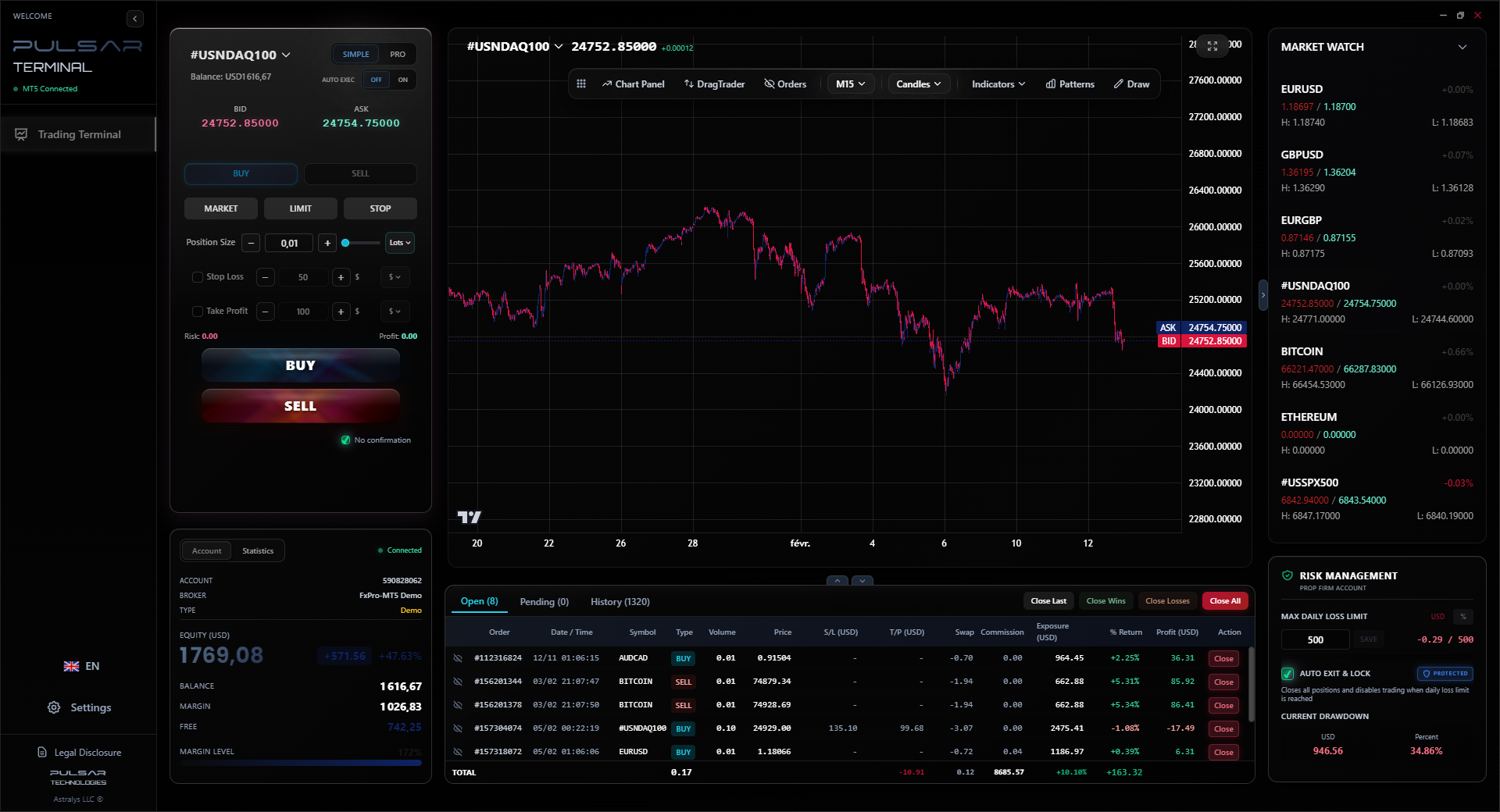
Manually calculating risk for every trade based on converted rates is tedious; Pulsar Terminal automates position sizing and multi-level risk management directly on your MT5 charts, saving you from conversion errors.
Pulsar Terminal
A ferramenta MT5 tudo-em-um: ordens drag-and-drop, multi-TP/SL, trailing stop, grid trading, Volume Profile e proteção prop firm. Usado diariamente por 1.000+ traders.
Let's build a disciplined pre-trade routine that uses tools appropriately.
Step 1: Analysis & Idea. You see a potential pin bar on the EUR/USD guide daily chart. Your analysis says stop loss should be 30 pips below the low.
Step 2: Rough Conversion (Yahoo's Job). Open the converter. 30 pips on EUR/USD is $30 per standard lot. Convert $30 to ZAR. "Okay, so roughly R560 risk per lot." This is a sanity check.
Step 3: Precise Calculation (Calculator's Job). Open your position size calculator. Input: Account Balance = R100,000. Risk % = 1% (R1,000). Stop Loss = 30 pips. Pair = EUR/USD. It calculates you can trade 0.18 lots. It confirms your max risk is R1,000, not the R560 from your rough check.
Step 4: Execution (Platform's Job). Place the trade in your MT5 platform at the LIVE ask price. Set your stop loss and take profit using the platform's prices. Consider using tools that manage risk automatically; for example, setting a trailing stop or multiple take-profit levels is much easier with advanced trade management software than trying to do it manually based on a static converted price.
Step 5: Journaling (Converter's Final Role). After the trade, note your profit/loss in USD from the platform. Then use the Yahoo Forex Converter with the day's approximate average rate to convert that P&L to ZAR for your journal. This keeps your performance records in your home currency.
In this flow, the converter is a helper at the very beginning and the very end. It never touches the critical execution phase.

FAQ
Q1Is the Yahoo Forex Converter free to use?
Yes, it's completely free. You don't need an account or subscription. Just visit the Yahoo Finance website.
Q2How current is the exchange rate on the Yahoo Forex Converter?
It's typically delayed by 15 to 20 minutes. It uses the same delayed data feed as Yahoo's financial charts. Do not rely on it for live trading prices.
Q3Can I use it to convert cryptocurrencies like Bitcoin?
No, the main Yahoo Forex Converter is for traditional fiat currencies (USD, ZAR, EUR, etc.). Yahoo has separate sections for cryptocurrency data, but it's not integrated into the simple converter tool.
Q4Why does the rate on Yahoo differ from the rate my broker shows?
Yahoo shows the mid-market rate (the average). Your broker shows two prices: the Bid (lower, where you sell) and Ask (higher, where you buy). The Ask price is always higher than Yahoo's mid-rate. The difference is the broker's spread, which is your cost of trading.
Q5As a South African, is it accurate for converting USD to ZAR?
It's accurate for the interbank mid-rate, yes. But it is not accurate for the rate you will actually get from a bank or broker to convert physical money. They use a commercial rate with fees added, which will always be less favourable.
Q6What's the best alternative for calculating position size?
A dedicated trading calculator that accounts for your account currency, risk percentage, stop loss in pips, and the specific currency pair's quote currency. Our position size calculator is built for this exact purpose and is far more reliable for trade planning.
Q7Can I see historical exchange rates on the converter?
Not in a meaningful way for trading. The tool is designed for a single, current conversion. For historical rate analysis, you need a trading platform like MetaTrader or a dedicated financial data website.
Lição do Prof. Winston
Pontos-chave:
- ✓Yahoo's rate is delayed 15-20 mins; useless for live entries.
- ✓It shows the mid-rate, not the tradable Bid/Ask price.
- ✓Always use your platform's price for stop-loss calculations.
- ✓SA banks add ~2-3% in fees on top of the quoted rate.
Quão útil foi este artigo?
Clique em uma estrela
Insights de Trading Semanal
Análises e estratégias semanais grátis. Sem spam.
Sobre o autor
David van der Merwe
Trader de Mercados Emergentes
Trader sediado em Joanesburgo com 11 anos em moedas de mercados emergentes. Especialista em pares ZAR, trading regulado pela FSCA e análise do mercado sul-africano.
Comentários
Aviso de risco
A negociação de instrumentos financeiros envolve riscos significativos e pode não ser adequada para todos os investidores. O desempenho passado não garante resultados futuros. Este conteúdo é apenas para fins educacionais e não deve ser considerado aconselhamento de investimento. Sempre conduza sua própria pesquisa antes de negociar.
Você também pode gostar

Cara Trading Forex Sukses: 7 Prinsip dari Trader Profesional
Cara trading forex sukses dengan 7 prinsip trader pro: manajemen modal, disiplin, journal trading, backtest. Data nyata, bukan janji profit palsu.
Jam Trading Forex Terbaik untuk Trader Indonesia: Panduan Lengkap dengan Tabel Waktu
Panduan jam trading forex untuk trader Indonesia. Tabel 4 sesi dunia, jam emas 20:00-00:00, sesi mana yang harus dihindari. Data akurat + tips dari trader berpengalaman.
Top 5 Sàn Forex Uy Tín Nhất 2026: Review Jujur dari Trader Indonesia
Top 5 sàn forex uy tín 2026 untuk trader Indonesia. Review jujur: spread, deposit, withdraw, dukungan lokal. Exness, XM, IC Markets & lebih.
Obter Pulsar Terminal
Todas essas calculadoras estão integradas ao Pulsar Terminal com dados em tempo real da sua conta MT5.
Obter Pulsar Terminal