


If you're reading this, you're probably staring at the FNB app wondering how to get some US Dollars for a trip or to pay for something overseas.

David van der Merwe
Трейдер развивающихся рынков ·  South Africa
☕ 12 мин чтения
Что вы узнаете:
- 1What FNB Forex Actually Is (And What It Isn't)
- 2Step-by-Step: How to Order Forex on the FNB App
- 3The Real Costs: A Brutal Fee Breakdown
- 4The Rules: SARB Regulations You CANNOT Ignore
- 5The FNB Global Account: A Useful Tool for Savers, Not Traders
- 6Bank vs. Real Forex Broker: The Night-and-Day Difference
- 7Common Pitfalls I've Seen (And Made)
If you're reading this, you're probably staring at the FNB app wondering how to get some US Dollars for a trip or to pay for something overseas. Maybe you're even thinking, "Could I trade forex through my bank?" Let's be clear upfront: using the FNB app to order forex is about banking services, not trading. I've used it for travel money and international payments for years, and I'll walk you through exactly how it works, what it costs, and the critical regulations you must know. More importantly, I'll tell you why, as a trader, I'd never use it for my actual market positions.
First, let's kill a common misconception. When you 'order forex' on the FNB app, you are not accessing the interbank forex market where I trade EUR/USD or GBP/ZAR. You're using a banking service to convert your Rands into foreign currency for a specific purpose: travel, an international payment, or to hold in a foreign currency savings account.
The app is a convenient front-end for FNB's Authorised Dealer services, approved by the South African Reserve Bank (SARB). It's designed for compliance and ease, not for chasing pips. The spreads (the difference between the buy and sell price FNB offers you) are where they make their money, and they are significantly wider than what you'd get with a dedicated forex broker like Exness or IC Markets.
Think of it this way: you're buying foreign cash from a bureau de change that lives in your phone. It's a utility, not a trading platform. I learned this the hard way early on. I once tried to 'arbitrage' by buying USD on the FNB app when I thought the Rand was weak, hoping to sell it back later. The 3% spread I paid upfront meant the Rand had to strengthen massively just for me to break even. It was a pointless exercise that cost me a few hundred Rand in hidden fees. For real market exposure, you need a broker.

Warning: Do not confuse FNB's forex services with a trading account. The costs, execution, and purpose are completely different. Using it for short-term speculation is a guaranteed way to lose money to fees.

💡 Совет Уинстона
The spread isn't just a cost, it's a moat. FNB's 3% moat means the castle (profit) has to be huge before you even get your feet wet. Trade where the moat is a puddle.
“Using the FNB app to order forex is about banking services, not trading.”
Alright, let's get practical. Here’s exactly how to navigate the app for the most common uses.
For Travel Money (Foreign Notes or Cash Passport)
- Log in to your FNB Banking App.
- Tap on the 'Forex' tile. It's usually on the main dashboard or under 'Transact'.
- Select 'Order Foreign Currency' or 'Multi-currency Cash Passport'.
- Choose your currency (USD, EUR, GBP etc.) and amount. You can order up to 60 days before your trip.
- Choose delivery to a branch or, for a fee, to your door (free for orders over R2000).
- Review the rate and the commission. This is crucial – the app will show you exactly how many Rands you'll pay.
- Pay from your linked FNB account. You'll get a notification when it's ready for collection.
I use this for every trip. Last year, I ordered €1,000 for a conference. The rate quoted was R19.85/€, and with the 1.95% commission (min R75), the total cost was R19,850 + R387 = R20,237. At the airport, the booth was offering R20.50/€ – a much worse rate. The app saved me about R650.
For an International Payment (Global Payment)
- In the 'Forex' section, select 'Global Payment'.
- You'll need the recipient's full banking details: name, bank name, address, account number, and most importantly, their SWIFT/BIC code.
- Select the currency. You can pay in ZAR (and the recipient's bank converts it) or in the foreign currency (you take the conversion hit).
- You must select a Balance of Payments (BoP) code. This tells SARB why you're sending the money (e.g., 'Gift', 'Education Fees', 'Online Subscription'). Be honest.
- Enter the amount. The app will show the estimated fees and the exchange rate margin.
- Review and confirm. The payment typically takes 2-5 business days via SWIFT.

Pro Tip: Always choose to pay in the recipient's foreign currency if you can. Letting FNB convert your Rands gives you a clear, upfront cost. If you send Rands, the recipient's overseas bank will apply their own, often terrible, conversion rate and fees.
“You're buying foreign cash from a bureau de change that lives in your phone. It's a utility, not a trading platform.”
This is where most people get shocked. FNB doesn't have a single 'fee'. It's a layer cake of costs. Let's break down a real example for sending money abroad, which shows why this is terrible for trading.
Let's say you want to send $1,000 to a trading account overseas (though I don't recommend using FNB for this). Assume the interbank rate is R18.50/$.
- Exchange Rate Margin: FNB adds a margin to the rate. For a major currency, this can be 2% to 4.5%. Let's take a middle ground of 3%. So, your rate becomes roughly R19.06/$ (R18.50 * 1.03).
- Commission: For amounts over R10,000 (which $1,000 at R19.06 is), it's 0.55% with a minimum of R275. 0.55% of R19,060 is ~R105. But the minimum is R275, so that's what you pay.
Your total cost:
- Principal: $1,000 * R19.06 = R19,060
- Commission: R275
- Total Debit from your account: R19,335
That means your effective exchange rate is R19.335/$. To just break even if you brought that $1,000 back into Rands immediately, the Rand would need to weaken to R19.335/$. You've instantly lost over R800 (R19,335 - R19,060 = R275 commission, plus the R475 hidden in the 3% rate margin).
Compare this to funding a broker like Pepperstone via a credit card or electronic payment. The spread on EUR/USD might be 0.1 pips or less. Your cost to enter and exit a trade is a fraction of a percent, not 3-5%.
For receiving money, the fee structure is similar (0.55% commission, min R175). For travel money, the commission is around 2%. The table below sums it up.
| Service | Typical Total Cost (Spread + Commission) | Why It's Not for Trading |
|---|---|---|
| International Payment | 3% - 6% of the amount | A single round-trip (send and receive) could wipe out 6-12% of your capital. |
| Travel Cash / Cash Passport | ~2% + fixed fees | High fixed cost on small amounts; no ability to 'sell' back at a tight spread. |
| FNB Global Account | Spread on conversion in/out | Useful for holding currency, but the spread kills short-term moves. |
As a tool for its intended purpose – moving money for life admin – it's okay. As a trading instrument, it's a non-starter. You'd need a massive market move just to cover costs, which is the opposite of good risk management.
“You're buying foreign cash from a bureau de change that lives in your phone. It's a utility, not a trading platform.”
This isn't just about fees. South Africa has strict exchange controls. Ignoring these can get your account frozen or land you with penalties. When you use the FNB app, you are automatically reporting to SARB.
The Two Big Allowances:
- Single Discretionary Allowance (SDA): R1 million per calendar year. You can use this for most things (travel, gifts, online shopping, funding an offshore investment account) without any tax clearance. This is your 'easy' bucket.
- Foreign Investment Allowance (FIA): R10 million per calendar year. To use this, you must have a valid SARS Tax Compliance Status (TCS) pin and submit an FIA application. This is for larger investments.
Key Rules for Traders & Travellers:
- Travel Allowance for Minors: Kids under 18 get R200,000 per year.
- The 30-Day Rule: If you buy forex for travel and don't use it all, you must sell the unused foreign cash back to an authorised dealer (like FNB) within 30 days of returning to SA. You cannot keep it under the mattress.
- BoP Codes are Mandatory: Every international payment needs a reason code. Lying here is fraud. If you're sending money to a broker, you'd likely use a code like 'Other Capital Transactions' or 'Portfolio Investment'. The app guides you.
- Audit Trail: FNB keeps a record of all your forex transactions for 5 years. SARS or SARB can request this.
I keep a simple spreadsheet: date, amount, currency, BoP code used, and allowance remaining. It's boring, but it saved me during a SARS audit two years ago. I could show every dollar sent to my offshore broker was within my SDA. Bureaucracy is part of the game here.
💡 Совет Уинстона
Your annual forex allowance is ammunition. Don't waste it on poorly planned transactions. Map your year's needs - travel, subscriptions, potential withdrawals - and allocate from your SDA strategically.
“A single round-trip (send and receive) through bank forex could wipe out 6-12% of your capital.”
One of FNB's better products is the Global Account. It lets you hold up to nine currencies (USD, EUR, GBP, AUD, etc.) in a virtual wallet inside your FNB profile. No monthly fees.
How I use it: When I have a winning trade in USD on my main broker platform, and I want to bring some profits home but think the Rand might strengthen, I'll withdraw the USD to my FNB Global Account. It sits there as Dollars, shielded from ZAR movement. Then, when I need Rands or when the USD/ZAR rate looks better, I convert it within the app. It breaks the direct link between 'withdraw profits' and 'convert to ZAR immediately'.
The Catch (There's Always a Catch): The spread when you convert between your Global Account USD and your local ZAR account is still that hefty 2-4%. So, you're not trading the dips and peaks. You're making a strategic conversion every few months. It's a parking garage, not a race track.
It's also fantastic for paying for overseas services. I pay my MT5 data feed in USD directly from this account, avoiding a new international payment fee each month. For managing the proceeds of trading, it has utility. For the act of trading, it does nothing. The lack of real-time charts, orders, or use means it's irrelevant for scalping or swing trading.
Pro Tip: If you travel often or have recurring foreign expenses, fund your Global Account when the Rand is strong. You'll get more foreign currency for your buck. It's a simple form of cost averaging for your life expenses, not an investment strategy.
💡 Совет Уинстона
The FNB Global Account is a useful airlock between the vacuum of space (offshore funds) and your home planet (ZAR account). It lets you control the timing of re-entry.
“A single round-trip (send and receive) through bank forex could wipe out 6-12% of your capital.”
To cement why FNB isn't for trading, let's compare it directly to what a real broker offers. This isn't about bashing FNB; it's about using the right tool for the job. You wouldn't use a sledgehammer to put in a picture hook.
| Feature | FNB Forex Services | Dedicated Forex Broker (e.g., XM, IC Markets) |
|---|---|---|
| Primary Purpose | Currency conversion for payments/travel | Speculating on currency price movements |
| Pricing Model | Wide spread (2-4%) + commission | Tight spread (often <0.1% on majors) + sometimes commission |
| use | None (1:1) | Up to 1:500 (regulated) for retail traders |
| Order Types | Market order for conversion only | Limit, stop, trailing stop, OCO, etc. |
| Speed | Days for payments, hours for travel money | Milliseconds for trade execution |
| Charts & Analysis | None | Full MT4/MT5 suites with RSI, MACD, etc. |
| Regulatory Focus | SARB Exchange Controls | FSCA, ASIC, CySEC (market conduct, client funds) |
| Minimum 'Trade' | Effectively none | Can trade micro-lots ($0.10 per pip moves) |
My first-ever 'trade' was through a bank product, not even FNB. I lost 5% in a week without the price moving much, just from the terrible entry/exit spreads. When I switched to a proper broker, I finally understood what a spread was supposed to look like. The control was transformative. I could set a stop-loss 20 pips away and know my exact risk, not pray the bank's vague rate wouldn't kill me.
For active trading, the broker platform is your battlefield. The FNB app is just the logistics truck that might bring some of your supplies (profits) back to base, after taking a hefty fuel cut.
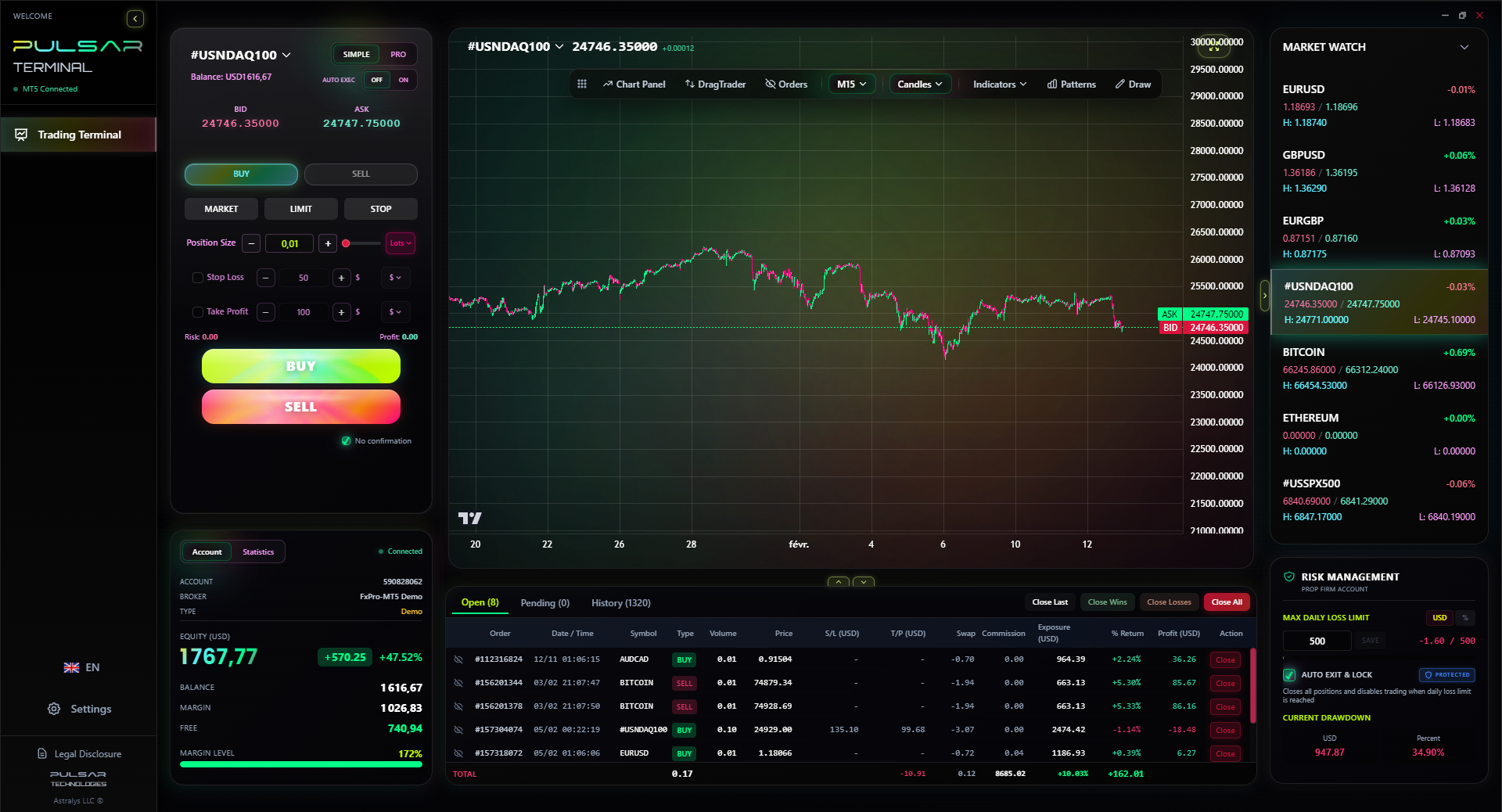
Once you're trading with a real broker, managing complex orders and risk is key, which is where a tool like Pulsar Terminal for MT5 excels.
Pulsar Terminal
Универсальный инструмент для MT5: drag-and-drop ордера, мульти-TP/SL, трейлинг-стоп, грид-трейдинг, Volume Profile и защита для проп-фирм. Используется 1000+ трейдерами ежедневно.
“Bureaucracy is part of the game here. Keep a spreadsheet; it's boring but it saves you.”
Let's wrap up with some quick, hard-earned lessons.
- Not Checking the Final Rate: The app shows you a 'rate', but you must confirm the final debit amount before hitting submit. That's your true rate. The initial quote is often just indicative.
- Using the Wrong BoP Code: This seems minor, but it creates a mismatch in your financial profile with SARB. If you're sending money for online courses, don't code it as 'Gift'. It can cause delays later when you need a clearance for a larger investment.
- Thinking You're 'Trading' the Rand: Buying USD on FNB because you think the Rand will weaken is a mug's game. The spread is so large you need a monumental move to profit. In 2020, I bought USD at R19.20 thinking it would go to R20. It went to R19.90, but by the time I sold back (through another service), the spread meant I barely broke even. A proper short position on USD/ZAR with a broker would have captured that 700-pip move cleanly.
- Forgetting the 30-Day Rule on Travel Cash: I came back from Mauritius with €200 leftover. I got busy, and by day 45, I couldn't sell it back to FNB at all. I had to find a friend travelling to Europe to sell it to at a loss. It was a stupid, avoidable waste.
- Using It to Fund a Small Trading Account: The fees as a percentage are highest on small amounts. Sending $500 to a broker could cost you 8% or more upfront. You're starting your trading journey in a deep hole. Use a local debit/credit card deposit method with your broker if possible, as those fees are usually lower and fixed.
The core lesson? Use the FNB app for what it's brilliant at: convenience and compliance for personal forex needs. Use a dedicated broker and a solid position size calculator for your trading. They are different worlds.
FAQ
Q1Can I trade forex live on the FNB app?
No, absolutely not. The FNB app provides foreign exchange banking services for conversions, international payments, and travel money. It does not offer live trading charts, use, stop-loss orders, or the ability to speculate on short-term price movements like a forex trading platform does.
Q2How long does it take to get foreign cash ordered on the FNB app?
Typically, it takes 24 to 48 hours for your foreign cash or Cash Passport to be ready for collection at your selected branch. For delivery to your premises (available for a fee, waived over R2000), add another 1-2 business days. Plan ahead, especially before peak travel seasons.
Q3What is the difference between the Single Discretionary Allowance (R1m) and the Foreign Investment Allowance (R10m)?
The Single Discretionary Allowance (SDA) is your 'no-questions-asked' bucket. You can use it for most purposes without tax clearance. The Foreign Investment Allowance (FIA) is larger (up to R10m) but requires you to be tax-compliant with SARS and obtain a Tax Compliance Status pin. You must also declare the specific investment. The SDA is for general use; the FIA is for formal offshore investments.
Q4Are FNB's forex rates competitive?
For banking services, they are average. They are not competitive for trading. The exchange rate margin (2-4.5%) is significantly wider than the spreads offered by dedicated forex brokers (often less than 0.1% on major pairs). For buying travel money, it's usually better than airport kiosks but shop around with other banks for the best rate on large amounts.
Q5Can I use my FNB Global Account to trade?
No. The Global Account is a multi-currency savings/wallet account. You can hold and convert currencies, but there are no trading functions. It's useful for storing foreign currency you already own (like trading profits) and converting it when you choose, but not for generating profits from market movements.
Q6What happens if I don't use all my travel forex?
You are legally required to sell any unused foreign banknotes back to an authorised dealer (like FNB) within 30 days of returning to South Africa. You cannot keep it indefinitely. Failure to do so is a breach of exchange controls.
Q7What's the maximum I can send overseas via the FNB app?
The system limit for an international transfer from South Africa via FNB is R5 million. However, your personal limit will be subject to your available allowances (SDA or FIA) and may be lower based on your profile with the bank.
Урок проф. Уинстона
Ключевые выводы:
- ✓Bank FX spreads are 2-4%, brokers are often <0.1%.
- ✓Your SDA is R1m per year, no tax clearance needed.
- ✓Sell unused travel forex within 30 days of returning.
- ✓The FNB Global Account is for holding, not trading.
- ✓Always check the final debit amount, not the quoted rate.
Насколько полезна эта статья?
Нажмите на звезду
Еженедельные торговые инсайты
Бесплатный еженедельный анализ и стратегии. Без спама.
Об авторе
David van der Merwe
Трейдер развивающихся рынков
Трейдер из Йоханнесбурга с 11-летним опытом работы с валютами развивающихся рынков. Специализируется на ZAR-парах, торговле под регулированием FSCA и анализе южноафриканского рынка.
Комментарии
Предупреждение о рисках
Торговля финансовыми инструментами сопряжена со значительным риском и может не подходить всем инвесторам. Прошлые результаты не гарантируют будущих доходов. Данный контент носит исключительно образовательный характер и не является инвестиционной рекомендацией. Всегда проводите собственное исследование перед торговлей.
Вам также может понравиться

Cara Trading Forex Sukses: 7 Prinsip dari Trader Profesional
Cara trading forex sukses dengan 7 prinsip trader pro: manajemen modal, disiplin, journal trading, backtest. Data nyata, bukan janji profit palsu.
Jam Trading Forex Terbaik untuk Trader Indonesia: Panduan Lengkap dengan Tabel Waktu
Panduan jam trading forex untuk trader Indonesia. Tabel 4 sesi dunia, jam emas 20:00-00:00, sesi mana yang harus dihindari. Data akurat + tips dari trader berpengalaman.
Top 5 Sàn Forex Uy Tín Nhất 2026: Review Jujur dari Trader Indonesia
Top 5 sàn forex uy tín 2026 untuk trader Indonesia. Review jujur: spread, deposit, withdraw, dukungan lokal. Exness, XM, IC Markets & lebih.
Скачать Pulsar Terminal
Все эти калькуляторы встроены в Pulsar Terminal с данными в реальном времени с вашего счёта MT5.
Скачать Pulsar Terminal