


I remember staring at my phone screen in late 2023, watching a free robot I'd downloaded called 'FX AutoPilot' open its third losing EUR/ZAR trade in a row.

David van der Merwe
เทรดเดอร์ตลาดเกิดใหม่ ·  South Africa
☕ 10 นาทีอ่าน
สิ่งที่คุณจะได้เรียนรู้:
I remember staring at my phone screen in late 2023, watching a free robot I'd downloaded called 'FX AutoPilot' open its third losing EUR/ZAR trade in a row. My R500 test deposit was down to R320 in under an hour. The promise was passive income while I braaied. The reality was a quick lesson in why 'free' in this game usually costs you. Let's talk honestly about what these free Android forex robots are, what they aren't, and how a South African trader can approach them without getting financially ko'd.
When you search 'free forex robot for android' on the Play Store, you're not downloading a magic money printer. You're getting one of two things, and neither is a genuine, market-trading Expert Advisor (EA) like you'd use on MetaTrader 4 or 5 on a desktop.
First, you might get a simulator or educational app. These let you pretend to trade with fake money, sometimes using simple algorithms to simulate wins and losses. They're for learning, not for making real Rands.
Second, and more dangerously, you get a signals app. This is what most 'free robots' actually are. They don't connect to your broker and trade for you. Instead, they ping you with buy/sell alerts (signals) based on some indicator. You then have to manually enter the trade on your broker's platform. The delay alone can kill the setup.
Here's the kicker: a true automated trading robot, or Expert Advisor, runs inside a trading platform like MT4 or MT5. It needs direct market access through your broker. No standalone Android app can do that securely for free. The good EAs are usually paid-for software (think $50 to $500+) that you install on MT4/5, which you can then monitor via your Android device using the official MetaTrader app.

Warning: Any app that asks for your broker login details to 'trade for you' is a massive red flag. That's how you wake up to an empty account and a 'robot' that's vanished from the Play Store.
Our local rules add a few extra layers of complexity. The FSCA is our main regulator, and they're pretty strict. They set a use cap of 30:1 for retail traders a few years back, which any decent robot should be programmed to respect. But here's the thing: the FSCA regulates brokers, not the software you run on your phone. If a free robot blows up your account, you have zero recourse.
There's also a legal grey area we need to acknowledge. A 2020 National Treasury document stated that South African residents aren't permitted to speculate against the Rand. Now, most of us trade CFDs on major pairs like EUR/USD or GBP/USD through FSCA-licensed brokers, which is the common practice. But if a robot is specifically trading ZAR pairs like USD/ZAR, you're stepping into murkier water. It's less about getting a knock from the police and more about potentially having issues moving money later.
The bigger, immediate risk is the robot itself. I tested one that claimed a 90% win rate. Sounded great. I ran it on a demo account for a month on GBP/USD. It made 5 trades a day, mostly small scalps. The win rate was actually about 65%, but the one losing trade each week was huge - it wiped out all the little gains. That's a classic martingale or grid strategy, and it's a surefire way to get a margin call. Without proper position size calculation, you're playing with fire.

Pro Tip: Before you let any app near your money, check if the developer is a real company. A Gmail address as contact? Hard pass. Look for a website, a track record, and real user reviews outside the Play Store.

💡 เคล็ดลับจาก Winston
A 'free' robot's most expensive feature is its ignorance of the spread. It'll see a trigger price and buy, not realizing the ask price is already 50 pips against you on a volatile pair. Always account for the spread in your backtesting.
“The dream of a free robot doing the work is just that - a dream. The reality of being a skilled trader using good tools is much, much better.”
You're curious, I get it. The promise is seductive. If you're determined to try a free forex robot for android, here's the only safe way to do it. This process saved me from dumping R2000 into a system that was doomed.
Step 1: Demoland is Your Home. Do not, under any circumstances, use real money for the first 2-3 months of testing. Every reputable broker like XM, Exness, or IC Markets offers a full-featured demo account. Fund it with virtual Rands and use that.
Step 2: Define Your Test Rigorously.
- Time: Minimum 100 trades, or 2-3 months of live market conditions.
- Pairs: Test on the majors it's designed for (e.g., EUR/USD). Don't let it trade exotic pairs.
- Metrics: Track more than just profit. Note the maximum drawdown (the biggest peak-to-trough loss). If it drops 20% of your demo balance, that's a fail. Calculate the profit factor (Gross Profit / Gross Loss). Anything below 1.2 is shaky.
Step 3: The 'Why' Test. When the robot takes a trade, you need to understand why. Can you see the logic on the chart? Is it buying at a support level with RSI oversold? Or is it just randomly placing orders? If it's the latter, it's gambling, not trading.
I once spent six weeks testing a free 'Gold Scalper' robot. It made a 12% return. Looked good on paper. But when I analyzed the trades, every single profit came during the London-New York overlap session, and every loss came during low-volume Asian hours. The robot had no session filter. The fix was simple - only run it during high liquidity - but the free app had no such settings. The profit was pure, unsustainable luck.
The Broker Connection Myth
Many free apps claim 'one-click connection' to your broker. What this often means is they use an insecure API or, worse, ask you to input your login credentials. Never, ever do this. The only secure connection is through the official MetaTrader app, where you log in directly to MetaQuotes' servers.
Nothing is truly free. With these robots, the cost is often hidden in poor execution or other trade details.
- Spread Ignorance: A robot might trigger a buy signal the moment a condition is met. But if it doesn't account for spread, you're entering a trade already in the red. On a pair like EUR/USD, a 0.6 pip spread is fine. On GBP/ZAR, spreads can be 80 pips or more. A robot not built for that will fail spectacularly. I saw a trade where the signal was correct, but the 95-pip spread on USD/ZAR meant the price never actually hit the robot's intended profit target.
- Swap Fees: A scalping strategy that holds trades for minutes ignores swaps. But if a trade is held overnight by mistake, you'll pay the swap (overnight financing fee). On a long USD/ZAR trade, that can be a hefty daily cost eating into profits.
- Slippage: During news events, the price can jump. Your robot signals a buy at 18.5000, but by the time the order reaches the market, it's filled at 18.5050. That's 50 pips of slippage you just lost. Free robots rarely have sophisticated order types to manage this.
- The Opportunity Cost: This is the big one. The hours you spend configuring, testing, and watching a dodgy free robot are hours you're not spending on learning a solid swing trading strategy or understanding the MACD indicator yourself. I wasted three months on robot testing in 2022 that I could have used to master price action. That was the real cost.
💡 เคล็ดลับจาก Winston
If you must test a system, demand at least 100 trades of forward-testing on a demo. Any developer or app that can't provide or withstand that scrutiny is selling hope, not a strategy.
“Your time and capital are precious. Investing Rands in your own education is the path to sustainable results.”
If you want to trade from your Android phone, there are far more reliable approaches than chasing a phantom free robot.
1. Use Your Broker's Official App for Manual Trading. This is the most powerful tool you have. Apps from Pepperstone, IC Markets, and others are excellent. You get live charts, one-tap trading, and secure access. Learn to trade manually first. Understand what makes a good EUR/USD setup (we have a great EUR/USD guide for that). This skill is yours forever.
2. Use Android to Monitor a Real EA on Your Desktop. This is the professional setup. You install a properly vetted, possibly paid EA on MT5 on your home computer or a cheap VPS (Virtual Private Server). You let it run there 24/5. Then, you use the official MetaTrader 5 Android app simply to monitor the open trades, equity curve, and adjust settings if needed. The brain is on the secure VPS, your phone is just the remote control. This is how prop firms and serious retail traders do it.
3. Use Android for Alerts and Analysis, Not Automation. Set up price alerts on TradingView or your broker's app. When it pings, you make the decision to trade. Use your phone to read market news, check economic calendars, or review the XAU/USD chart while you're out. Let the phone be your assistant, not your supposed boss.
4. Invest in Education, Not Magic Software. That R500 you were going to risk on a robot? Use it to buy a well-reviewed trading book or a single course on risk management. The return on that investment will dwarf any 'free' system.
A final, personal story: My most consistent profits now come from a simple manual strategy on gold, traded through my broker's app. I use my Android to set alerts at key levels. When it beeps, I check the RSI indicator and volume, then make a call. It's not passive, but it's real, controlled, and profitable. The dream of a free robot doing the work is just that - a dream. The reality of being a skilled trader using good tools is much, much better.
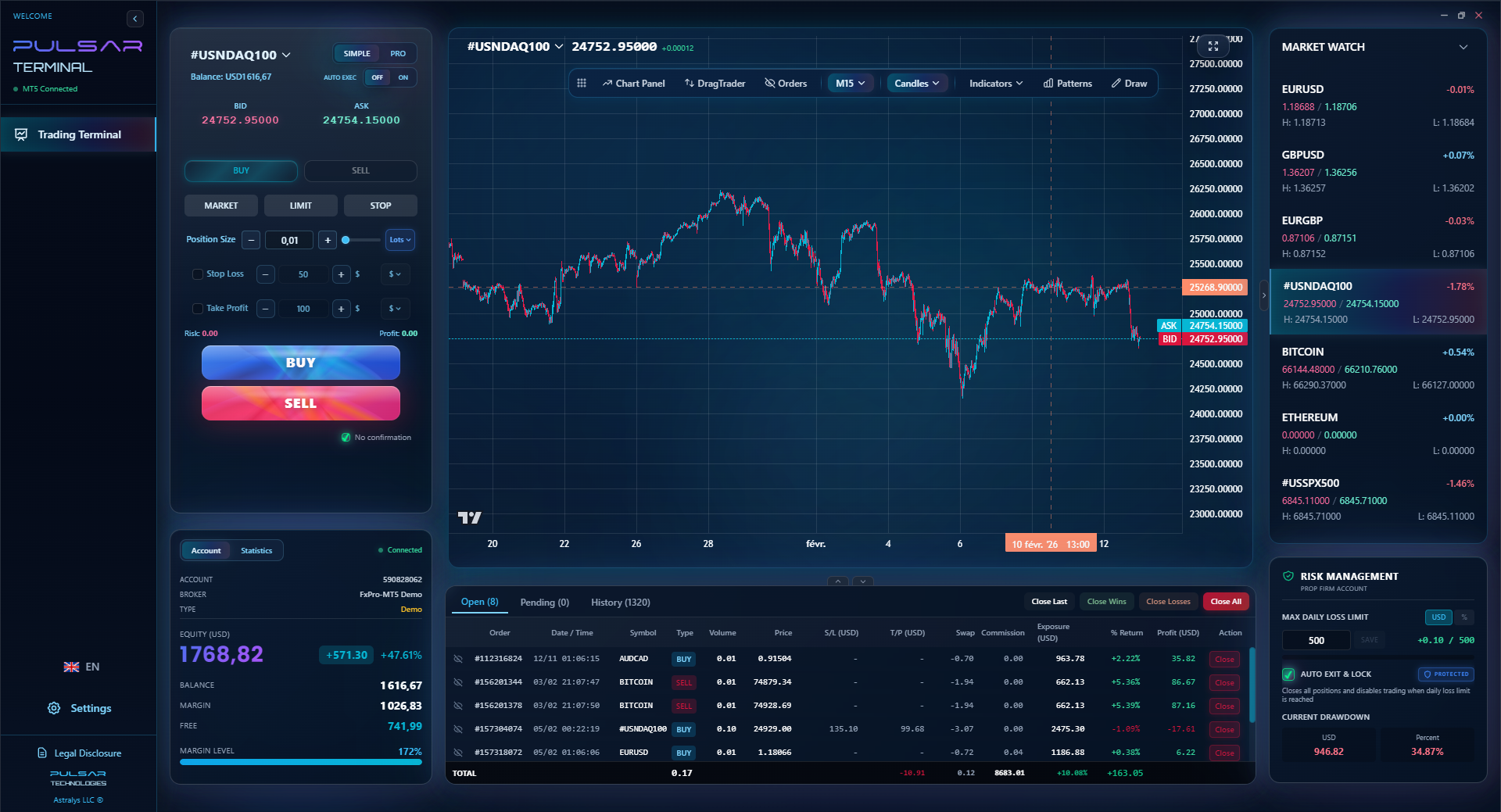
If you're exploring automation, proper trade management tools are key; Pulsar Terminal brings advanced features like one-click trailing stops and multi-TP/SL orders directly to your MT5 platform, giving you control no free Android app can match.
Pulsar Terminal
เครื่องมือ MT5 ครบวงจร: ลากวางคำสั่ง, multi-TP/SL, trailing stop, grid trading, Volume Profile และการป้องกัน prop firm ใช้งานโดยเทรดเดอร์กว่า 1,000 คนทุกวัน
South Africa has a vibrant trading community, and sadly, scammers know it. Here’s what should make you immediately suspicious:
- Guaranteed Profits: 'Make 5% daily guaranteed!' That's a lie. The market guarantees nothing.
- No Drawdown Shown: Every real strategy has losing periods. If the sales page only shows a smooth equity curve going up, it's fake.
- Pressure to Deposit: 'Offer expires in 24 hours!' or 'Send R1000 to this wallet to activate.' Nope.
- Vague Strategy: If they can't explain in simple terms what the robot looks for (e.g., 'it uses a proprietary algorithm'), they're hiding the fact it's random.
- Fake Local Testimonials: Be wary of generic quotes from 'Thabo in Johannesburg' with a stock photo.
The safest place to find trading tools is within your regulated broker's environment or from established platforms like MetaTrader's marketplace (though still do your homework). The wild west of the standalone Play Store app is fraught with danger.
“Never give your broker login details to a third-party app. This is how you wake up to an empty account.”
So, should you download a free forex robot for android? For 99% of South African traders, the answer is a firm no. The risks - from scams and poor performance to legal grey areas with ZAR trading - far outweigh the almost non-existent chance of finding a genuinely profitable one.
Your time and capital are precious. Investing Rands in your own education and using your Android as a tool for informed manual trading or secure monitoring is the path that leads to sustainable results. The allure of passive income is strong, I've felt it. But in the forex market, there are no free lunches, only different prices on the menu. Start by mastering the basics of a pip, get comfortable on a demo, and build from there. Your future self with a healthier trading account will thank you.
FAQ
Q1Are free forex robots for Android legal in South Africa?
Using the software itself isn't illegal, but the trading activity it facilitates might be if it speculates directly against the Rand on an unregulated platform. The bigger issue is that most 'free robots' are unregulated, unreliable apps, not the professional Expert Advisors used in regulated environments. Your protection comes from using an FSCA-regulated broker, not from the robot app.
Q2Can a free robot really make money trading forex?
It's highly unlikely. Profitable automated trading systems require extensive development, testing, and adaptation to market changes. Developers of such systems sell them for hundreds or thousands of dollars. A free app on the Play Store is almost certainly not a strong, profitable EA. At best, it's a simple signals generator; at worst, it's a scam designed to drain your account or steal your data.
Q3What's the safest way to try automated trading from my Android?
The safest method is to run a reputable Expert Advisor (EA) on a MetaTrader platform installed on a desktop computer or a VPS. You can then use the official, secure MetaTrader mobile app to monitor the EA's activity, check balances, and adjust settings. Your phone acts as a monitor, not the core trading engine. Never give your broker login details to a third-party Android app.
Q4I downloaded a free robot and it's asking for my MT4 login. Is this safe?
Absolutely not. This is a major red flag. You should only ever input your broker login credentials into the official MetaTrader app downloaded from the Google Play Store or your broker's website. Giving this info to a third-party app gives the developer full access to your trading account and funds.
Q5What are the real costs of using a free trading robot?
Beyond potential scams, the costs include: poor trade execution that ignores spreads and slippage, swap fees from poorly timed trades, and the massive opportunity cost of your time. You could spend months testing a failing system instead of learning a tangible skill. The hidden cost is often your entire initial deposit.
Q6As a beginner, should I use a robot or learn to trade myself?
Learn to trade yourself, 100%. Starting with a robot means you're relying on a 'black box' you don't understand. When it loses (and it will), you won't know why, and you won't learn anything. Start with a demo account, learn basic concepts, and develop your own judgment. The skill of trading is far more valuable than any piece of software.
บทเรียนจาก Prof. Winston
สรุปสาระสำคัญ:
- ✓Free Android 'robots' are usually signal apps, not true automated trading EAs.
- ✓Test any system for 2-3 months on demo before risking a single cent.
- ✓Always calculate real costs: spread, swaps, and slippage kill robot profits.
- ✓Use your phone to monitor a secure EA, not to run a dubious one.
บทความนี้มีประโยชน์แค่ไหน?
คลิกดาวเพื่อให้คะแนน
ข้อมูลเชิงลึกการเทรดรายสัปดาห์
การวิเคราะห์และกลยุทธ์รายสัปดาห์ฟรี ไม่มีสแปม
เกี่ยวกับผู้เขียน
David van der Merwe
เทรดเดอร์ตลาดเกิดใหม่
เทรดเดอร์ประจำโจฮันเนสเบิร์ก มีประสบการณ์ 11 ปีในสกุลเงินตลาดเกิดใหม่ เชี่ยวชาญคู่ ZAR การเทรดภายใต้กฎระเบียบ FSCA และการวิเคราะห์ตลาดแอฟริกาใต้
ความคิดเห็น
คำเตือนความเสี่ยง
การซื้อขายตราสารทางการเงินมีความเสี่ยงสูงและอาจไม่เหมาะสำหรับนักลงทุนทุกคน ผลการดำเนินงานในอดีตไม่ได้รับประกันผลลัพธ์ในอนาคต เนื้อหานี้มีวัตถุประสงค์เพื่อการศึกษาเท่านั้นและไม่ควรถือเป็นคำแนะนำในการลงทุน โปรดทำการวิจัยของคุณเองก่อนการซื้อขาย
คุณอาจชอบสิ่งนี้

Cara Trading Forex Sukses: 7 Prinsip dari Trader Profesional
Cara trading forex sukses dengan 7 prinsip trader pro: manajemen modal, disiplin, journal trading, backtest. Data nyata, bukan janji profit palsu.
Jam Trading Forex Terbaik untuk Trader Indonesia: Panduan Lengkap dengan Tabel Waktu
Panduan jam trading forex untuk trader Indonesia. Tabel 4 sesi dunia, jam emas 20:00-00:00, sesi mana yang harus dihindari. Data akurat + tips dari trader berpengalaman.
Top 5 Sàn Forex Uy Tín Nhất 2026: Review Jujur dari Trader Indonesia
Top 5 sàn forex uy tín 2026 untuk trader Indonesia. Review jujur: spread, deposit, withdraw, dukungan lokal. Exness, XM, IC Markets & lebih.
รับ Pulsar Terminal
เครื่องคำนวณทั้งหมดนี้ถูกสร้างไว้ใน Pulsar Terminal พร้อมข้อมูลเรียลไทม์จากบัญชี MT5 ของคุณ
รับ Pulsar Terminal