


If you're trading from South Africa without a VPS, you're basically driving a Formula 1 car on a dirt road.

David van der Merwe
Emerging Markets Trader ·  South Africa
☕ 11 min read
What you'll learn:
- 1Why South African Traders Get Screwed Without a VPS
- 2What a Forex VPS Actually Does (It's Not Just Uptime)
- 3How to Choose a VPS Provider: The Specs That Matter
- 4Step-by-Step: Setting Up Your MT4/MT5 on a VPS
- 5The Real Cost-Benefit Analysis for South Africans
- 6Common VPS Mistakes That Will Cost You Money
- 7Are There Any Real Free Alternatives?
- 8Getting Started: Your Action Plan
If you're trading from South Africa without a VPS, you're basically driving a Formula 1 car on a dirt road. You have the engine, but the conditions will wreck you before you finish the first lap. I've seen more accounts blown from 'unexplained' slippage and missed trades during loadshedding than from bad strategy. This isn't a luxury for pros; in our market, it's a survival tool. I'll show you exactly why, what it costs, and how to set one up without getting ripped off.
Let's cut the nonsense. Your trading success isn't just about your scalping strategy or RSI readings. It's about execution. And in South Africa, execution is a constant battle.
Our internet infrastructure is, to put it politely, inconsistent. I lost R2,300 in potential profit on a single GBP/USD trade because my fibre line dropped for 90 seconds during a crucial breakout. The trade hit my target, but my platform was frozen. That's not bad luck; it's a predictable failure.
Then there's loadshedding. Even with an inverter, your home router reboots. That's 2-3 minutes of dead time. In forex, that's a lifetime. A VPS sits in a data centre in London, New York, or Singapore with industrial-grade power and multiple redundant internet lines. Your trade executes at the speed of light from there, not at the speed of your Rain LTE signal in a thunderstorm.

Warning: Many local brokers offer 'free VPS' if you meet a deposit minimum. Read the fine print. These are often low-resource, shared servers that can be slower than a stable home connection. They're a marketing tool, not a performance tool.
Latency is the Silent Killer When you click 'buy' from Cape Town to a broker's server in Europe, the signal travels thousands of kilometres. Add local network congestion, and you might have 200-300ms of latency. A VPS colocated near your broker's trade server cuts that to 1-5ms. That difference is the spread between getting your price and getting slipped. On a volatile pair like GBP/JPY, that can be several pips instantly gone from your pocket.
I ran a test: placing the same market order on the EUR/USD from my Johannesburg connection and from a London VPS. Over 10 trades, the average slippage from home was 0.7 pips. From the VPS, it was 0.1 pips. That's a 0.6 pip saving every trade. If you're trading 10 lots a month, that's real money you're leaving on the table due to geography.

💡 Winston's Tip
A VPS is a utility, not a strategy. Paying for one won't fix poor risk management, but it will protect good management from failing due to technical glitches.
A Virtual Private Server is a remote computer you rent. You install your trading platform (like MT4/MT5) on it, and it runs 24/7. Think of it as having a dedicated trading PC in a secure, powered bunker next to the stock exchange.
The Core Benefits:
- 99.9% Uptime: It runs through loadshedding, internet outages, and even when your laptop is off. Your expert advisors (EAs) keep working, your stops remain active.
- Low Latency: As explained, speed = money.
- Stability: No background Windows updates crashing your platform mid-session.
But here's the part most guides miss: a VPS changes your psychology. You're no longer chained to your screens. You can set up your trades, manage risk with a proper position size calculator, and walk away. The machine handles the execution. This removes emotional, knee-jerk reactions. I found my swing trading results improved dramatically not because my analysis got better, but because I stopped interfering with perfectly good trades.

Pro Tip: Use your VPS solely for trading. Don't browse the web or check email on it. This keeps it clean, fast, and secure. Your local PC is for analysis; the VPS is for execution.
“In South Africa, a VPS isn't a luxury for pros; it's a survival tool for anyone trading with real money.”
Don't just pick the cheapest one on Google. The wrong specs will give you a laggy, useless machine. Here’s what to look for, in order of importance:
1. Location, Location, Location This is the most critical factor. Your VPS must be in the same data centre as your broker's main trade server.
- If you trade with IC Markets or Pepperstone (common among SA traders), you want a VPS in London (LD4) or New York (NY4).
- For XM or Exness, you might look at Amsterdam or London. Contact your broker's support and ask: "In which specific data centre (e.g., LD4, NY4) are your main trade servers located?"
2. Hardware Specifications (The Numbers)
- CPU: At least 2 dedicated vCores. Single-core plans will choke if you run multiple charts or complex EAs.
- RAM: 2GB is the absolute bare minimum. 4GB is recommended for comfort. Windows itself uses about 1-1.5GB.
- Storage: SSD only. 25-30GB is plenty. This affects how fast your platform boots and loads history.
3. Connection & Ping Look for providers that guarantee a ping of <5ms to major forex hubs. They should show this data on their site. A good test is to ask for a 24-hour trial and run a simple 'ping' command from the VPS to your broker's server address.
4. Cost Expect to pay between $25-$50 per month (roughly R450-R900) for a decent, forex-optimised VPS. Anything much cheaper is probably cutting corners on hardware or location.
Here’s a quick comparison of what you’re really buying:
| Feature | Cheap/Shared VPS (R200/pm) | Proper Forex VPS (R700/pm) |
|---|---|---|
| Location | Random data centre (e.g., Johannesburg) | LD4, NY4 (Broker Colocated) |
| Ping to Broker | 150ms+ | <5ms |
| CPU/RAM | Shared, overloaded resources | Dedicated vCores, guaranteed RAM |
| Uptime | 95-98% (may reboot weekly) | 99.9%+ |
| Support | Generic, slow | Understands trading needs |
Saving R500 a month here is a false economy if it costs you R5000 in slippage and missed opportunities.
It sounds technical, but it's simpler than setting up a new phone. Here's the process:
- Purchase & Access: After buying your VPS plan, you'll get an email with an IP address, username, and password. You use Windows' built-in Remote Desktop Connection (just search for it) to connect.
- First Login: Type in the IP address from the email. It will open a window that looks like a fresh Windows desktop. This is your remote computer.
- Install Trading Platform: Open a browser on the VPS, go to your broker's website, and download MT4/MT5. Install it just like you would at home. Do not copy your files from home yet.
- Basic Configuration: Disable Windows updates (to prevent unexpected restarts), set the power plan to 'High Performance', and turn off sleep mode.
- Transfer Your Settings: Now, copy your custom indicators, templates, and EA files from your local PC. The easiest way is to use cloud storage (Google Drive, Dropbox) or an FTP client. Install them into the correct folders on the VPS platform.
- Test Everything: Open your platform on the VPS. Load your charts, attach your EAs, and run a strategy tester. Then, place a small demo trade to confirm execution works.
- Secure It: Set a strong password for the VPS and enable the Windows firewall. Your provider handles most security, but this is basic hygiene.
The First 24 Hours Leave it running. Check back via Remote Desktop a few times. Watch the CPU/RAM usage in Task Manager to ensure your EAs aren't overloading it. If the VPS feels sluggish, your provider might have given you underpowered hardware – time to complain or upgrade.
💡 Winston's Tip
Test a VPS with a single, simple EA first. If you can't get stable execution on a moving average crossover bot, you won't get it on your complex grid system.
“Saving R500 a month on a cheap VPS is a false economy if it costs you R5000 in slippage.”
Let's talk rands and cents. Is a R700/month VPS worth it? Let's break it down with a realistic example.
The Cost Side:
- VPS Fee: R700/month
- Total Annual Cost: R8,400
The Benefit Side (The Savings You Don't See): Assume you're an active trader:
- You place 20 trades per week.
- Without a VPS, average slippage + missed fills cost you 0.5 pips per trade due to latency and disconnections.
- You trade standard lots (100,000 units). One pip on EUR/USD = $10 (roughly R180).
Weekly Loss Avoided: 20 trades * 0.5 pips * R180 = R1,800 Monthly Loss Avoided: R1,800 * 4 = R7,200
In this scenario, the VPS pays for itself in the first month. The rest is pure profit protection. This doesn't even factor in the peace of mind, the ability to run EAs 24/7 for strategies like gold (XAU/USD) that move at all hours, or preventing a single catastrophic margin call because your stop loss failed to submit during loadshedding.

Example: My own experience. I traded a news EA that required sub-second execution. From home, it was 50% fill rate on desired price. From a proper LD4 VPS, fill rate jumped to 95%. That turned a marginally profitable strategy into a consistently profitable one. The VPS fee became my single best-performing 'investment'.
The math is brutal. If you're trading seriously (more than just a few micro lots for fun), the cost of NOT having a VPS is almost always higher.
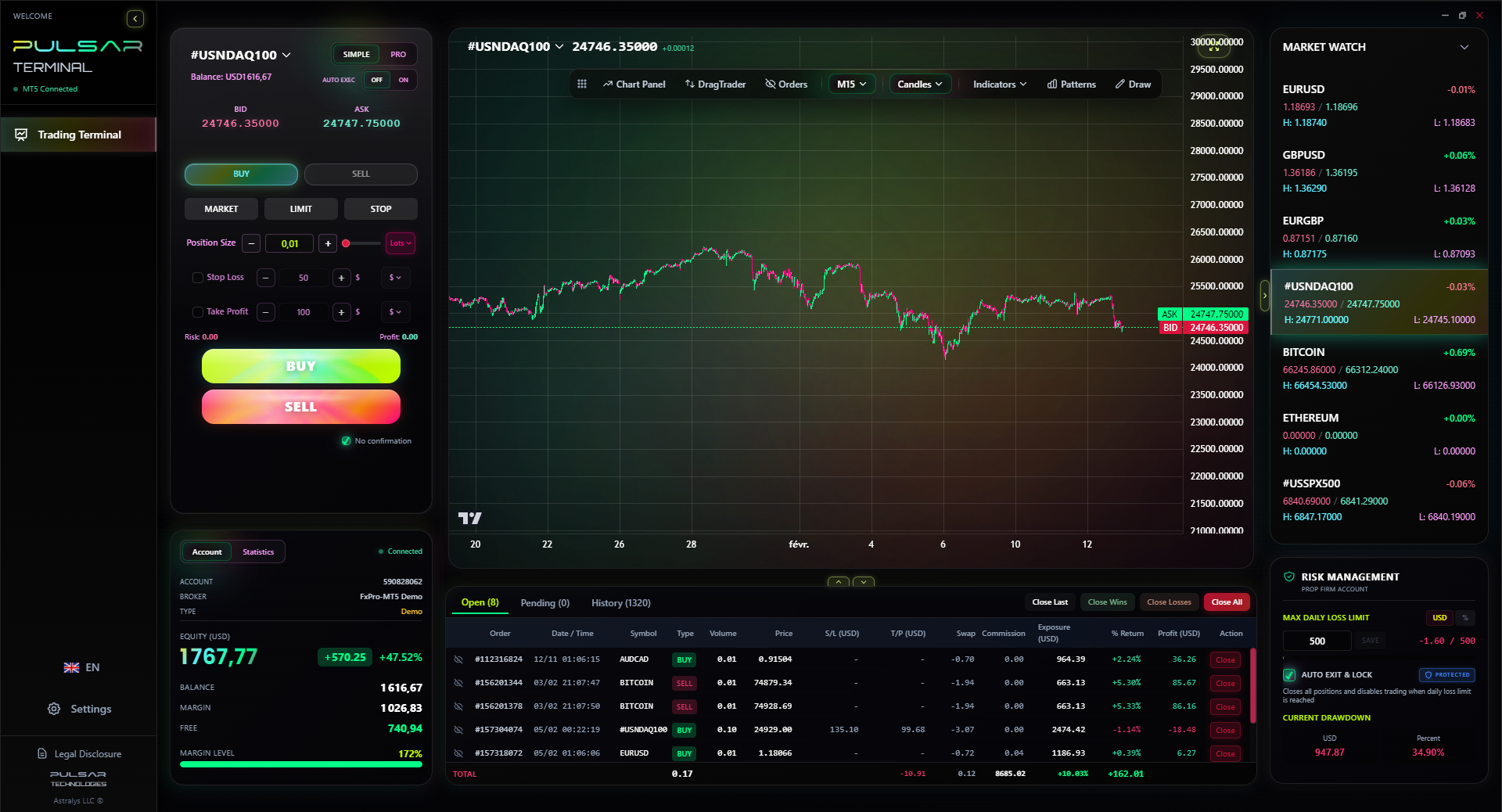
When your VPS is running your strategies 24/7, you need powerful, automated trade management tools like Pulsar Terminal's multi-TP/SL and trailing stop features to protect your profits without manual intervention.
Pulsar Terminal
The all-in-one MT5 companion: drag-and-drop orders, multi-TP/SL, trailing stop, grid trading, Volume Profile, and prop firm protection. Used by 1,000+ traders daily.
I've made some of these myself. Learn from my wasted fees.
Mistake 1: Using a Local SA VPS Provider This defeats the primary purpose. A server in Johannesburg is still thousands of km from the liquidity centres. Your ping to London might drop from 180ms to 150ms - a meaningless improvement. You need the server where the brokers are.
Mistake 2: Ignoring Resource Usage You load 50 charts with 15 indicators each, three expert advisors, and a copy of Chrome running. Your VPS grinds to a halt. Monitor your CPU and RAM usage in Task Manager. If it's consistently above 80%, you need a bigger plan or to optimise your setup. A laggy VPS is worse than no VPS.
Mistake 3: Forgetting About Time Zones Your VPS is in London (UTC+0 in winter, UTC+1 in summer). South Africa is UTC+2. Set your MT4/MT5 server time correctly and adjust your trading schedule. Your EA that trades the New York open needs to be timed for the New York open on the VPS, not SA time.
Mistake 4: No Backup Connection What if your home internet goes down? You can't access your VPS via Remote Desktop to adjust trades. Have a backup - a mobile phone with a data hotspot is enough for emergency access. Don't be locked out of your own remote machine.
Mistake 5: "Set and Forget" Mentality You still need to manage your trades. A VPS isn't a fully automated profit machine. Log in at least once a day to check logs, ensure EAs are running, and manage your positions. Automation requires oversight.
“The cost of NOT having a VPS is almost always higher than the monthly fee.”
Let's be honest: you get what you pay for.
Broker "Free" VPS: As mentioned, these exist. Brokers like IC Markets offer one with a $500 deposit, or XM with a $5000 minimum trading volume. They're okay for beginners running one simple EA. But they're the shared, low-priority servers. If there's a spike in demand, your performance suffers. It's better than nothing, but know its limits.
Cloud PC Services (Like Shadow): These are designed for gaming, not low-latency trading. They're more expensive and introduce additional layers of virtualisation that can add latency.
Leaving Your Home PC On 24/7: This is the worst alternative. The electricity cost alone for a gaming PC (R300-R500/month) rivals a cheap VPS. You still have internet and power instability. And you wear out your hardware.
The verdict? If you're demo trading or placing the occasional trade, you can skip a VPS. The moment you move to a live account with real money, or start using any form of automation, the "free" or DIY options become a significant liability. The professional tool is worth the professional price.
💡 Winston's Tip
The monthly VPS fee should be less than 10% of your target monthly profit. If it's more, your position size is too small, or your profit targets are unrealistic.
Here's what to do, in order:
- Define Your Need: Are you running EAs? Trading during loadshedding? Experiencing slippage? If yes, proceed.
- Ask Your Broker: Contact support. Get the exact data centre location of their trade servers.
- Research Providers: Google "Forex VPS London LD4" or "Forex VPS New York NY4". Look for providers that explicitly cater to traders (not generic web hosting). Read independent reviews.
- Opt for a Trial: Most reputable providers offer a 7-30 day money-back guarantee or a cheap first month. Use it. Test the ping, test your platform.
- Start Simple: On your trial, install only MT4/MT5 and your core strategy. Don't migrate your entire 5-year chart history on day one.
- Run Parallel: For the first week, run your strategy on the VPS and on your local PC (in demo mode). Compare the execution logs. See the difference in fills and latency with your own eyes.
- Commit: If the trial proves beneficial, subscribe. Factor the cost into your monthly trading expenses, just like you would data fees.
A VPS isn't magic. It won't turn a losing strategy into a winning one. But it will ensure that when you do have a winning strategy, nothing in the South African infrastructure will stand in its way. It removes a layer of risk you have zero control over. And in trading, controlling what you can is the only path to survival.
Pro Tip: Once your VPS is running, use its always-on capability to run backtests and optimisations overnight. It turns your trading computer into a 24/7 research lab without raising your home electricity bill.
FAQ
Q1Is a Forex VPS legal for South African traders to use?
Absolutely. There is no South African law or FSCA regulation that prohibits using a remote server to execute trades. It's simply a tool, like a faster internet connection. You are still responsible for all trading activity on your account.
Q2How much does a good Forex VPS cost in Rands per month?
Expect to pay between R450 and R900 per month ($25-$50) for a VPS with the right specs and location. Significantly cheaper options usually compromise on location (not near broker servers) or hardware, which defeats the purpose.
Q3Can I use one VPS for multiple broker accounts?
Technically, yes. You can install multiple MT4/MT5 terminals from different brokers on the same VPS. However, ensure your CPU and RAM (aim for 4GB+) can handle the load. Running too many platforms or EAs will slow everything down.
Q4What happens if my VPS crashes or goes offline?
Reputable providers guarantee 99.9% uptime. If it does crash, your open trades remain active with your broker. Your stop losses and take profits are on the broker's server. The risk is that you cannot open new trades or modify existing ones until you regain access via a backup internet connection.
Q5Do I need a VPS for swing trading or only for scalping?
While scalpers benefit most from the low latency, swing traders need it for reliability. If you hold trades for days, you need your platform running 24/7 to manage stops and avoid being stopped out during a local internet outage. It's crucial for any automated strategy.
Q6How do I know if my current slippage is bad enough to need a VPS?
Enable the 'Show trade confirmation dialog' option in your MT4/MT5 journal. Compare the price you clicked with the price you actually got filled at. If you regularly see a difference of more than 0.3-0.5 pips on major pairs during normal market hours (not high-impact news), latency is hurting you.
Prof. Winston's Lesson
Key Takeaways:
- ✓Location is everything: colocate with your broker's server.
- ✓Minimum specs: 2 vCores, 4GB RAM, SSD storage.
- ✓Test with a trial; don't commit blind.
- ✓Factor the R700/month cost into your trading business plan.
How useful was this article?
Click a star to rate
Weekly Trading Insights
Free weekly analysis & strategies. No spam.
About the Author
David van der Merwe
Emerging Markets Trader
Johannesburg-based trader with 11 years in emerging market currencies. Specializes in ZAR pairs, FSCA-regulated trading, and South African market analysis.
Comments
Risk Disclaimer
Trading financial instruments carries significant risk and may not be suitable for all investors. Past performance does not guarantee future results. This content is for educational purposes only and should not be considered investment advice. Always conduct your own research before trading.
You Might Also Like

Cara Trading Forex Sukses: 7 Prinsip dari Trader Profesional
Cara trading forex sukses dengan 7 prinsip trader pro: manajemen modal, disiplin, journal trading, backtest. Data nyata, bukan janji profit palsu.
Jam Trading Forex Terbaik untuk Trader Indonesia: Panduan Lengkap dengan Tabel Waktu
Panduan jam trading forex untuk trader Indonesia. Tabel 4 sesi dunia, jam emas 20:00-00:00, sesi mana yang harus dihindari. Data akurat + tips dari trader berpengalaman.
Top 5 Sàn Forex Uy Tín Nhất 2026: Review Jujur dari Trader Indonesia
Top 5 sàn forex uy tín 2026 untuk trader Indonesia. Review jujur: spread, deposit, withdraw, dukungan lokal. Exness, XM, IC Markets & lebih.
Get Pulsar Terminal
All these calculators are built into Pulsar Terminal with real-time data from your MT5 account. One-click position sizing, automatic risk management, and instant calculations.
Get Pulsar Terminal