


I was in a danfo bus stuck in Lagos traffic on Third Mainland Bridge when the NFP data hit.

Olumide Adeyemi
西非交易先驱 ·  Nigeria
☕ 9 分钟阅读
您将学到:
- 1The Legal Reality Check: No, SEC Nigeria Won't Save You
- 2Real Costs: What Comes Out of Your Naira Pocket
- 3Broker Apps: The iPhone Lineup for Nigerian Traders
- 4Deposits & Withdrawals: The Naira Pipeline
- 5Trading on iPhone: It's Not Just for Watching
- 6Setting Up Your iPhone for Trading (Not Just Gambling)
- 7Common Mistakes (And How I Ate Them So You Don't Have To)
I was in a danfo bus stuck in Lagos traffic on Third Mainland Bridge when the NFP data hit. My iPhone screen lit up with a 40-pip spike in EUR/USD. One thumb swipe, a quick mental check of my position size calculator, and I was in a trade. By the time we crawled off the bridge, I’d banked 28 pips and closed out. That’s the reality now. Your trading floor isn’t in some fancy office; it’s in your palm, buzzing with notifications while you’re navigating daily life. But picking the right forex trading app for your iPhone in Nigeria isn’t about flashy graphics. It’s about execution speed, Naira deposits, and not getting ripped off by spreads you can’t see coming.
Let's get this straight first, because I see this confusion all the time. Forex trading is legal in Nigeria. You won't get arrested for it. But here's the critical part: the Nigerian SEC doesn't license or regulate the international online brokers you're probably using. They focus on the local stock exchange. This means you, as a Nigerian trader, are almost always dealing with a broker regulated offshore.
Your protection comes from those foreign regulators: the UK's FCA, Australia's ASIC, Cyprus's CySEC. A broker like Pepperstone (ASIC regulated) or XM (CySEC regulated) is a safer bet than some fly-by-night operation with a fancy website but no oversight. Your money isn't held in a Nigerian bank; it's held in segregated accounts under those foreign jurisdictions. This isn't inherently bad, but you must understand it. You have no local recourse if something goes sideways. Your due diligence is everything.

Warning: If a "broker" claims to be "licensed by SEC Nigeria" for forex trading, run. They are either lying or operating outside the known framework. Stick to internationally recognized regulators.

💡 Winston 小贴士
Your phone's greatest feature for trading is the 'Off' switch for notifications. A single alert from another app can shatter your focus and cost you a rational decision.
Brokers love to advertise "trade from $1!" It's a trap. The minimum deposit is irrelevant. The real cost is in the spread and commissions, which silently eat your profits every single trade.
The Spread: Your Silent Partner (Taking Your Money)
On major pairs like EUR/USD, a good raw spread is under 0.5 pips. A typical standard account might be 0.8-1.2 pips. I've seen some local-focused platforms with spreads over 2 pips on EUR/USD. That's criminal. If you're paying 1.6 pips, you need the market to move 1.6 pips just to break even. On a scalping strategy aiming for 5-10 pips, that's a 16-32% tax right off the bat. Always check the live spread on the app before you click buy.
Commissions & The ECN Illusion
ECN accounts offer raw spreads (like 0.0 pips) but charge a commission. For example, Fusion Markets charges $2.25 per $100k traded (per side). Is it cheaper? For larger positions, often yes. For a 0.01 lot trade? Probably not. You need to do the math. A standard account with a 0.9 pip spread might be cheaper on small trades than an ECN with a 0.1 pip spread plus commission.
The Ugly Truth of use
Exness offers "unlimited" use. IC Markets offers 1:1000. This is a tool to blow up your account faster, not a gateway to riches. With 1:1000 use, a 10-pip move against you on a standard lot wipes out your entire margin. I once got cocky with 1:500 on GBP/JPY. A sudden 50-pip spike (which happens all the time) triggered a margin call before I could even blink. Poof. $500 gone in under a minute. use magnifies losses first, profits second.

Example: Trading 0.1 lot of EUR/USD.
- Bad Spread: 1.8 pips cost = $18.
- Good Spread: 0.7 pips cost = $7. You save $11 instantly, just by choosing a better broker. That's pure profit you don't have to make.
“Your protection comes from foreign regulators, not Nigerian ones. Your due diligence is everything.”
You have two main paths: the universal MetaTrader apps or a broker's proprietary app. Your choice depends on how you trade.
The MetaTrader Dynasty (MT4/MT5)
These are the industry standards. Almost every broker supports them. The MT4/MT5 iPhone app is reliable, has all the basic charts, indicators like RSI and MACD, and one-tap trading. It's a workhorse. If you use multiple brokers, you can have all their accounts in one app. The downside? It's generic. You won't get broker-specific features like unique charting tools or advanced order types through it.
Proprietary Apps: The Specialists
These are where brokers try to win you over. They're built for their specific environment.
- Exness Trade App: Hugely popular here for a reason. It's slick, and crucially, it's built for their system of instant withdrawals. Depositing Naira and withdrawing back to your local bank is often seamless here.
- Capital.com App: Fantastic for beginners. The interface is cleaner, with more educational snippets built in. Good if you get overwhelmed by MT4's clutter.
- AvaTradeGO: Another strong contender. Integrates well with their copy trading features if that's your thing.
My take? Start with MT4/MT5 to learn the universal language of trading. Then, if a broker's proprietary app offers a killer feature you need (like Exness's withdrawal speed), switch. I use MT5 on my iPhone for chart analysis and my broker's app for quick order management and withdrawals.
This is the make-or-break for any forex trading app iPhone experience in Nigeria. If you can't fund your account easily, nothing else matters.
The good brokers have adapted. You'll typically see:
- Local Bank Transfer: Directly in Naira. This is usually the cheapest method, but can take a few hours.
- Naira Cards & USSD: Using your local debit card or a USSD code.
- Fintech Wallets: Quick and increasingly common.
- Cryptocurrency: USDT (Tether) is king for speed. Deposit is near-instant. Withdrawal back to your crypto wallet is too. The catch? You're exposed to crypto exchange rates and fees.
A huge advantage is a NGN-denominated account. Brokers like HFM, Exness, and XM offer this. Your account balance is shown in Naira, not Dollars. This removes the mental conversion hurdle and protects you from USD/NGN volatility on your account balance. If your broker doesn't offer this, you're taking a hidden forex position on your own capital.
Personal story: I used to deposit with a Visa card. The fees and the bank's terrible forex conversion rate ate about 3% of every deposit. Switching to direct Naira bank transfers with a broker that had a local payment processor saved me thousands of Naira a year. Check the deposit/withdrawal page on the app before you sign up.
💡 Winston 小贴士
If you wouldn't make the trade sitting at your desktop with all your charts open, don't make it on your phone. Convenience is not an edge.
“The minimum deposit is irrelevant. The real cost is in the spread and commissions, which silently eat your profits every single trade.”
Many traders use their iPhone app as a fancy price monitor. That's a waste. You can execute a full strategy from it if you're disciplined.
What It's Good For
- Scalping & Quick Trades: The one-tap trading is faster than most desktop platforms if you have your parameters pre-set. I've entered and exited XAU/USD trades based on 1-minute chart reactions while away from my desk.
- Managing Existing Trades: Moving stop losses to breakeven, taking partial profits. This is where it shines. You don't need a full desktop setup to protect your capital.
- News Trading: You get the alert, you open the app, you're in the trade within 15 seconds. Crucial for events like ECB statements or US CPI.
Where It Will Betray You
- Complex Analysis: Trying to draw Fibonacci retracements on a 4-inch screen is a joke. Don't try to do deep swing trading analysis here.
- Overtrading: The ease is a curse. It's too easy to see a little blip and jump in without your usual checklist. I've taken more impulsive, losing trades from my phone than I care to admit.
- Poor Connectivity: Trading on 3G or a shaky Wi-Fi during a market event? You're begging for a requote or a frozen screen. Always use a stable connection.
The key is to define the iPhone's role in your trading. For me, it's an execution and management tool for pre-defined setups. The analysis happens on the desktop.
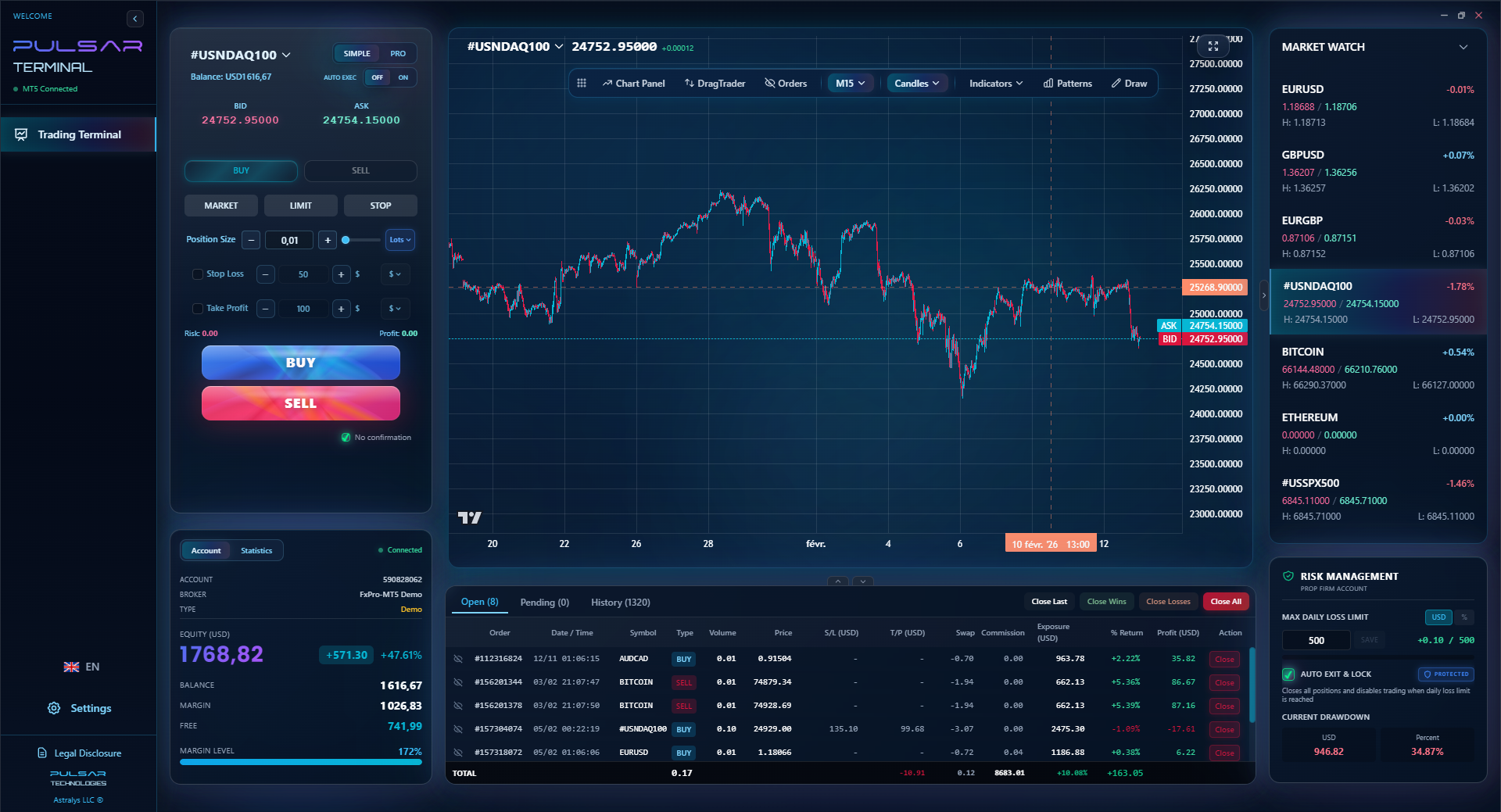
Managing complex trades with multiple take-profits and stop-losses on a small iPhone screen is a headache, which is why tools like Pulsar Terminal allow you to set and automate these advanced orders from your desktop to execute seamlessly on your MT5 account, even when you're only monitoring on your phone.
Pulsar Terminal
MT5一站式工具:拖拽下单、多重止盈/止损、追踪止损、网格交易、成交量分布图和自营交易保护。每日1000+交易者使用。
Your phone is a distraction machine. You need to turn it into a focused trading terminal.
- Notifications: ON for Price Alerts, OFF for Everything Else. Silence WhatsApp, Instagram, Twitter. Let only your trading app scream at you. A missed alert is a missed opportunity or an unchecked loss.
- Use a Position Size Calculator (Separate App or Website). Do NOT guess your lot size. Have a calculator app bookmarked. Before any trade, input your account balance, risk percentage (I never risk more than 1% on a mobile trade), stop loss in pips, and let it tell you the lot size. This is non-negotiable.
- Battery Pack is Mandatory. Nothing worse than your phone dying at 95% profit. Get a reliable power bank. Consider it part of your trading capital.
- Organize Your Charts. On MT4/MT5, set up your main pairs with your preferred timeframe and 1-2 key indicators. Save it as a template. Don't waste time setting up every time you open the app.
- Practice Order Execution. Use a demo account on the app to practice opening, modifying, and closing trades until it's muscle memory. You don't want to fumble when real money is on the line.

Pro Tip: Enable "Confirm Order" in your app settings for the first month. That extra click will save you from countless fat-finger trades where you buy instead of sell, or enter a 1.0 lot instead of 0.1.
“A trade from your phone is just as real as a trade from a six-monitor setup. The psychology is just more dangerous.”
Let me save you some money and pain.
Mistake 1: Chasing the "Best" App. You don't need the app with the most indicators. You need the app from the most reliable broker with the lowest costs for your style. I spent months jumping between apps, ignoring the fact my broker's spreads were terrible.
Mistake 2: Ignoring the Spread on Mobile. Spreads often widen on mobile apps compared to desktop, especially during volatile times. I once entered a trade on my phone showing a 1.2 pip spread on EUR/USD. The instant I clicked buy, it executed at 2.4 pips. The app had quoted the average, not the live spread. Always check the live market window.
Mistake 3: Thinking Mobile = Less Serious. A trade from your phone is just as real as a trade from a six-monitor setup. The psychology is different, though. You're more prone to distraction. I lost $200 once because I got a call, looked away for 30 seconds, and my stop loss got taken out in a flash crash. If you're in a trade, be in the trade. Put the phone in Do Not Disturb mode.
Mistake 4: Not Testing Withdrawals First. The ultimate test of any broker and their app is getting your money back. Before you deposit serious money, deposit a small amount (like 5,000 NGN). Trade it, then try to withdraw it. If you hit any snags, delays, or hidden fees, you've just saved your main capital.
💡 Winston 小贴士
Test a broker's withdrawal process with a trivial amount before your main deposit. A broker that makes it hard to get a small amount out will be a nightmare when you have real profits.
FAQ
Q1Is forex trading on iPhone safe in Nigeria?
The safety isn't about the iPhone; it's about the broker you use on it. Use an iPhone app from a broker regulated by a top-tier authority like the FCA, ASIC, or CySEC. The app itself is just a window. The safety of your funds depends on the broker's regulations and financial practices.
Q2Which broker has the best app for iPhone in Nigeria?
There's no single 'best.' For seamless Naira deposits/withdrawals, the Exness Trade App is hard to beat. For a clean, beginner-friendly experience, try the Capital.com app. For the full power of custom indicators and expert advisors (EAs), you need the official MT4 or MT5 app connected to a broker like IC Markets or Pepperstone. It depends on your priority.
Q3What is the minimum deposit to start trading forex on iPhone in Nigeria?
Technically, as low as $1 with brokers like FBS. But this is a marketing gimmick. A realistic minimum to actually trade properly, accounting for sensible position sizing, is at least $50-$100. Starting with less means your risk per trade will be microscopic or, more likely, you'll be over-leveraged.
Q4Can I use MT4 on my iPhone in Nigeria?
Absolutely. MetaTrader 4 (MT4) and MetaTrader 5 (MT5) are available as free downloads on the Apple App Store. You then log in using the account details provided by your broker (like XM, Pepperstone, etc.). It's the most common way Nigerians trade on iPhone.
Q5How do I deposit Naira into my forex trading app?
Most broker apps catering to Nigerians will have a 'Deposit' section offering local payment methods. Look for options like 'Local Bank Transfer (NGN)', 'Naira Card', or 'USSD'. You'll be given instructions (account number, payment reference) to transfer Naira from your bank app directly to the broker's local partner. The Naira is then converted and credited to your trading account, often within hours.
Q6Why is my forex trading app on iPhone so slow?
First, check your internet connection - use 4G/5G or stable Wi-Fi. Second, close all other apps. Third, the slowness might be from your broker's servers, not the app itself. If prices are lagging or orders are slow to execute during high volatility, it's likely a broker issue. Consider switching to a broker known for better technology, like Pepperstone or IC Markets.
Winston 教授的课程
要点总结:
- ✓Prioritize broker regulation (FCA, ASIC) over app features.
- ✓A 1.8 pip spread vs. 0.7 pip is an $11 hidden tax on a 0.1 lot trade.
- ✓Test withdrawals with 5,000 NGN before depositing serious capital.
- ✓Use iPhone for execution & management, not deep analysis.
- ✓Enable 'Confirm Order' to prevent costly fat-finger mistakes.
这篇文章对您有用吗?
点击星星评分
每周交易洞察
免费每周分析与策略。无垃圾邮件。
关于作者
Olumide Adeyemi
西非交易先驱
尼日利亚最活跃的外汇交易教育者之一。从拉各斯出发有8年交易经验。专注于低资金策略和面向非洲交易者的自营公司挑战。
评论
风险提示
金融工具交易存在重大风险,可能不适合所有投资者。过往业绩不代表未来表现。本内容仅供教育目的,不构成投资建议。在交易前请务必自行研究。
您可能还喜欢

Cara Trading Forex Sukses: 7 Prinsip dari Trader Profesional
Cara trading forex sukses dengan 7 prinsip trader pro: manajemen modal, disiplin, journal trading, backtest. Data nyata, bukan janji profit palsu.
Jam Trading Forex Terbaik untuk Trader Indonesia: Panduan Lengkap dengan Tabel Waktu
Panduan jam trading forex untuk trader Indonesia. Tabel 4 sesi dunia, jam emas 20:00-00:00, sesi mana yang harus dihindari. Data akurat + tips dari trader berpengalaman.
Top 5 Sàn Forex Uy Tín Nhất 2026: Review Jujur dari Trader Indonesia
Top 5 sàn forex uy tín 2026 untuk trader Indonesia. Review jujur: spread, deposit, withdraw, dukungan lokal. Exness, XM, IC Markets & lebih.
