


Let's be real.

David van der Merwe
新兴市场交易员 ·  South Africa
☕ 9 分钟阅读
您将学到:
Let's be real. Most 'revolutionary' trading apps are just shiny interfaces on the same old, expensive infrastructure. When I first heard about the Shyft forex app, I rolled my eyes. Another one? But after digging in and actually using it with my own money, I had to change my tune. It's not perfect, but it does a few things differently that matter to us trading from South Africa. I'll show you what works, what doesn't, and whether you should bother downloading it.
The Shyft app is a mobile-first platform built by Standard Bank South Africa. It's not some random offshore tech startup. That's the first big difference. It's designed to let you trade global markets - forex, commodities, indices - directly from your phone, using your South African Rand (ZAR) as the base currency for everything.
Think of it as a streamlined gateway. You're not getting the insane 1000+ instrument lists of an IC Markets or the ultra-tight spreads of a Pepperstone. What you are getting is a regulated, localised experience. Funding and withdrawing is as easy as an EFT to your Standard Bank account (or other SA banks). There's no waiting days for international wire transfers or worrying about exchange control paperwork for small amounts. For the new trader paralysed by complexity, that simplicity is a massive win.

Warning: Because it's a bank product, don't expect the raw, unfiltered power of a full MetaTrader 5 setup. It's a curated experience. That's either a safety net or a cage, depending on your skill level.
Signing up is straightforward through the app. You'll need your SA ID, proof of address, and the usual FICA docs. Since it's tied to Standard Bank, verification is usually quicker than with international brokers.
Now, the part everyone skims but shouldn't: the costs. This is where I made my first mistake. I saw 'commission-free' and thought 'great!' I didn't pay enough attention to the spread.
The Spread is the Fee
Shyft makes its money on the spread - the difference between the buy and sell price. On major pairs like EUR/USD, I've consistently seen spreads around 1.8 to 2.2 pips during London hours. For context, a raw ECN account at a broker like Exness might offer the same pair at 0.1 pips plus a small commission.
Let's do the math on a R10,000 position (using a position size calculator is non-negotiable, by the way).

Example:
- Pair: EUR/USD
- Your Position: R10,000 (approx. $530)
- Shyft Spread: 2.0 pips
- Cost to Open Trade: 2.0 pips * $0.053 per pip = $0.106 or about R2.00 That cost is baked in immediately. On a R10k trade, that's not huge. But if you're a scalping strategy trader making 10 trades a day, those R2 fees add up to R20 daily, R400 monthly. It changes your profit math completely.
There's also a currency conversion fee for instruments not in ZAR (which is most of them). It's small, but it's there. The bottom line? It's not the cheapest path to the market. You're paying for convenience and local integration.

💡 Winston 小贴士
A platform that makes trading 'easy' often makes losing money easier. Complexity in tools isn't the enemy; a lack of understanding is.
“The Shyft app's ZAR-based everything removes a huge mental barrier for beginners.”
Once you're in, the app is clean and intuitive. I'll give them that. It doesn't feel cluttered.
The Good:
- One-Click Trading: Executing trades is fast. Tap the price, choose your size in Rands, confirm. It's almost too easy, which is both a pro and a con.
- ZAR-Based Everything: This is the killer feature for beginners. You see your risk in Rands, your profit in Rands, your margin in Rands. It removes a huge mental barrier. You're not calculating what a 15-pip move on GBP/JPY means in dollars and then converting to Rand. It's just there.
- Integrated News & Analysis: They have decent, locally-relevant market commentary. It's not just regurgitated Bloomberg feeds; they sometimes touch on how global events affect the Rand.
The Not-So-Good:
- Limited Order Types: Where's the trailing stop? You can set a basic stop-loss and take-profit, but advanced order management is missing. After getting used to tools that automate this, going back to manual monitoring feels archaic. For any kind of swing trading where you want to lock in profits, this is a real handicap.
- Charting is Basic: The charts are fine for checking the trend, but don't expect to plot a Fibonacci retracement, use the RSI indicator and MACD indicator simultaneously, or do any deep technical analysis. You'll need another platform for that.
- No Desktop Power: It's a mobile app. Period. If you want to trade from a proper screen with multiple monitors, this isn't your solution.
I used it for a week of light trading. Made three trades on the XAU/USD guide (gold). Went long at $2321/oz, took profit at $2335. The process was smooth. But I missed my trailing stop from my main platform; I had to babysit the trade on my phone.
This is the most important section. The Shyft app is not for everyone. Trying to make it fit your advanced trading style will lead to frustration and lost money.
It's PERFECT for:
- The Absolute Beginner in South Africa: If you've never placed a trade and the thought of funding an international broker is tough, start here. The ZAR-based everything lowers the learning curve dramatically.
- The Casual Investor: You follow markets, have a view on the dollar or gold, and want to take a occasional position with minimal fuss. It's like a more sophisticated version of buying an ETF on EasyEquities.
- The 'Second-Screen' Trader: You have a main trading setup, but want a clean, reliable app to monitor and manage positions when you're away from your desk. The execution is solid for that.
It's NOT for:
- Active Day Traders & Scalpers: The spreads are too wide. Your edge will be eaten by costs. Full stop.
- Technical Analysis Gurus: If your strategy relies on complex chart patterns, multiple indicators, or volume analysis, you'll find the tools here severely lacking.
- Large-Capital Traders: The convenience premium on costs becomes significant with bigger position sizes. You'd be better off with a prime international broker.
If you're in the first group, it's a fantastic, safe first step. If you're in the second, save yourself the time.
“You're paying for convenience and local integration, not for the cheapest path to the market.”
Let's put it on the table. Here’s a quick comparison for a South African perspective.
| Feature | Shyft App | International Broker (e.g., XM) | Notes |
|---|---|---|---|
| Regulation | SARB / FSCA | CySEC, ASIC, FCA | Both are regulated, but Shyft is local. |
| Funding/Withdrawal | Instant EFT, ZAR | Int'l Wire, Credit Card, ZAR possible | Shyft wins on speed and ease for ZAR. |
| Spreads (EUR/USD) | ~1.8-2.2 pips | ~0.1-1.5 pips (varies by account) | International brokers are generally cheaper. |
| Platform | Mobile-only app | MT4/MT5, cTrader, Desktop & Mobile | International brokers offer professional platforms. |
| Base Currency | ZAR only | USD, EUR, GBP, ZAR (sometimes) | Shyft's ZAR-base is a major beginner advantage. |
| Instruments | Limited (Forex, Majors) | 1000+ (Forex, Stocks, Crypto, etc.) | Vastly more choice internationally. |
My take? Use Shyft as your training wheels. When you start feeling limited by the charts, frustrated by the spreads on your scalping strategy, or want to trade more exotic pairs, that's your signal to graduate. Open an account with a reputable international broker that accepts South African clients. Keep Shyft for its brilliant funding ease, maybe. But move your serious trading capital elsewhere where the tools match your ambition.

Pro Tip: You can run both. I know traders who fund an international broker via a once-off larger transfer (saving on frequent fees) and use that for their main trading, while keeping Shyft for quick, small speculative trades based on local news.
💡 Winston 小贴士
Your first broker is like your first car. It gets you moving. Don't be loyal to it when you're ready for a Formula 1 track.
Trading on a phone is dangerous. It's too easy to tap a trade while distracted. The Shyft app, with its simple interface, almost makes it feel like a game. This is its biggest inherent risk.
The app has basic risk tools: You can set stop-loss and take-profit orders. That's it. There's no negative balance protection mentioned prominently (though as a bank product, it's likely implied). You won't get warnings about a margin call until you're probably already in one.
Here's a hard lesson from my trial: I took a short position on the EUR/USD guide during a news event. The spread widened instantly to nearly 5 pips. On Shyft, that meant my trade was down R12 the second it opened, before the price even moved in my direction. I wasn't prepared for that. On a tighter spread account, that slippage cost would have been a quarter of the size.
Because you can't set a trailing stop, you have to manually move your stop-loss to lock in profits. I forgot. I got greedy on a gold trade, watched a R800 profit turn into a R200 loss because I was in a meeting and couldn't check my phone. That loss was on me, but a proper platform with automation would have saved me.
The simplicity that helps beginners can hurt them later. It fosters bad habits - like not using stops, or overtrading because it's so easy. You must impose your own discipline. Write your plan on paper before you open the app. Decide your spread definition tolerance and your stop-loss in Rands before you even look at the chart.
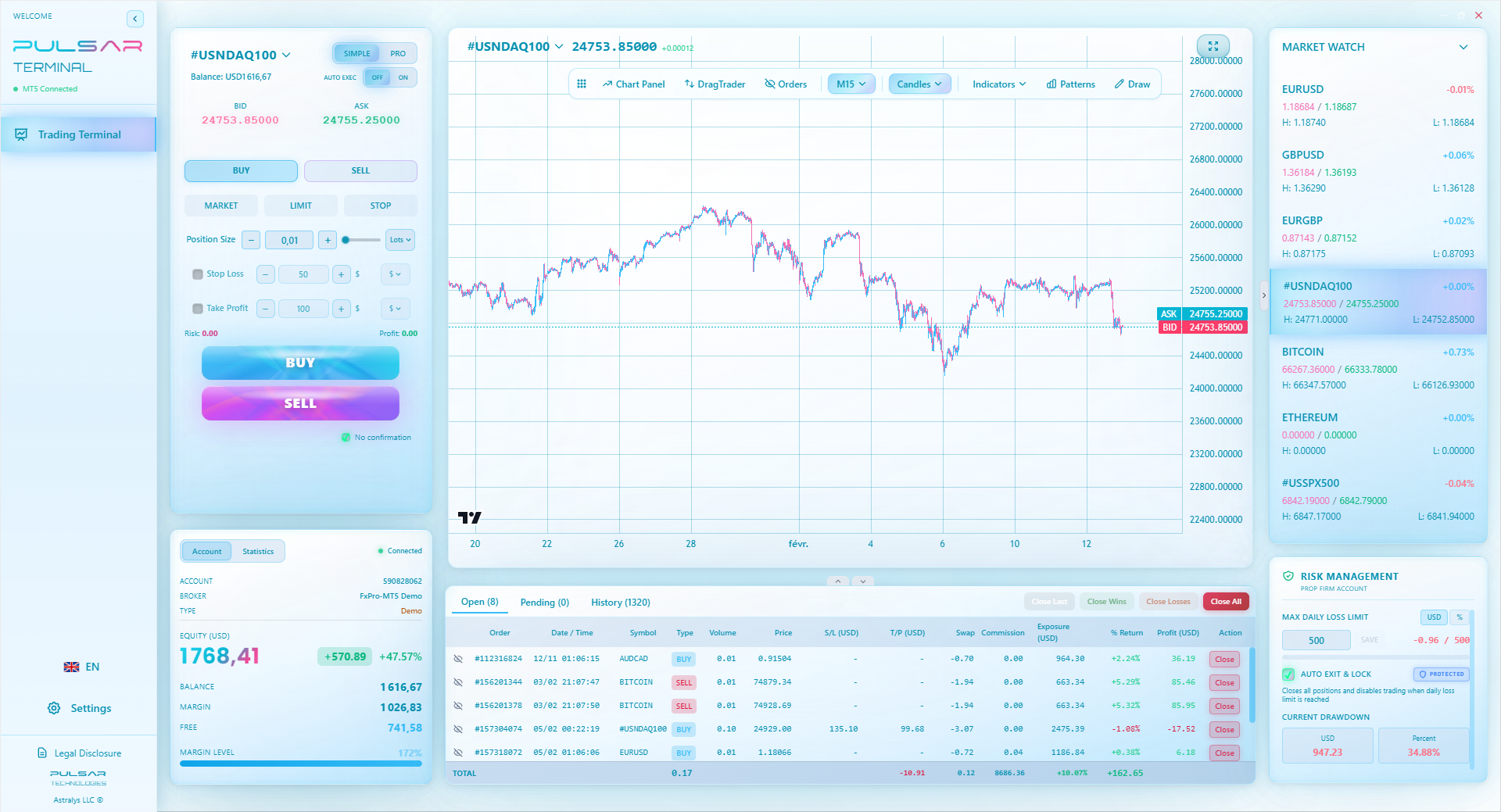
Manually managing stops on a basic app is a chore; Pulsar Terminal automates trailing stops and breakeven orders directly on your MT5 platform, protecting profits so you don't have to babysit trades.
Pulsar Terminal
MT5一站式工具:拖拽下单、多重止盈/止损、追踪止损、网格交易、成交量分布图和自营交易保护。每日1000+交易者使用。
“The simplicity that helps beginners can hurt them later. It fosters bad habits.”
The Shyft forex app is a well-executed, purpose-built tool for a specific South African audience. It's not trying to be MetaTrader.
My verdict: If you are a South African resident taking your very first steps into trading the markets, download it. Use it with a demo account first (they offer one). Then, fund it with money you can absolutely afford to lose - I'm talking R2000, not your savings. Learn what a pip definition means in Rands, experience the emotion of a moving P&L, and get comfortable with the mechanics. The local integration is worth the premium in spreads during this learning phase.
However, the moment you start reading about swing trading strategies, downloading MT5, or wondering about the MACD indicator, your growth will be stunted by Shyft. That's your cue. The app is a great bridge from curiosity to competence. But it's not the destination for a serious trader.
It fills a gap in the South African market beautifully. Just know that gap is the first mile of the journey, not the last.
FAQ
Q1Is the Shyft forex app safe and regulated in South Africa?
Yes. It's developed and operated by Standard Bank South Africa, one of the country's largest financial institutions. It falls under South African Reserve Bank (SARB) and Financial Sector Conduct Authority (FSCA) oversight. Your funds are held in a segregated account. From a regulatory safety perspective, it's as solid as it gets locally.
Q2What are the minimum deposits and trade sizes on Shyft?
The minimum to open a live trading account is typically around R1000. The minimum trade size isn't fixed in lots like standard platforms; you can trade with whatever Rand amount you want, making it very accessible for starting small. You could theoretically place a R100 trade if you wished.
Q3Can I trade cryptocurrencies on the Shyft app?
No, as of my last use, the Shyft app focuses on traditional forex pairs (majors and some minors), key indices (like the S&P 500), and commodities (gold, oil). It does not offer cryptocurrency CFDs. If crypto is your main interest, you'll need to look at dedicated crypto exchanges or international brokers that offer them.
Q4How do I fund and withdraw from my Shyft account?
This is its standout feature. Funding is via instant EFT from any major South African bank directly into your Shyft wallet. Withdrawals work the same way in reverse, back to your linked bank account. The process is usually within minutes to a few hours, vastly quicker than the 2-5 business days common with international broker withdrawals.
Q5Does Shyft offer use to South African traders?
Yes, but within the strict FSCA limits for retail clients. For major forex pairs, the maximum use is 1:30. For minor pairs, indices, and commodities, it's lower (e.g., 1:20 or 1:10). This is significantly lower than the 1:500 sometimes offered by offshore brokers, but it's a regulatory requirement designed to limit retail risk.
Q6Can I use automated trading systems (EAs) or copy trading on Shyft?
No. The Shyft app is a closed, proprietary platform. It does not support MetaTrader's Expert Advisors (EAs), any form of algorithmic scripting, or social/copy trading features. Your trading is 100% manual, based on your own analysis and decisions within the app's interface.
Q7If I outgrow Shyft, is it difficult to switch to an international broker?
Not at all. In fact, I recommend it. The skills you learn on Shyft - understanding spreads, risk in Rands, order types - are directly transferable. You'd simply need to go through the sign-up and verification process with a broker like IC Markets or Pepperstone, which can take a day or two. The main shift will be getting used to a more powerful platform like MT5 and managing a USD-denominated account.
Winston 教授的课程
要点总结:
- ✓Local apps win on funding speed, lose on trading costs.
- ✓Spreads of 2 pips cost scalpers R400+ per month on R10k trades.
- ✓Mobile-only trading limits technical analysis and order types.
- ✓Use Shyft as training wheels, not your final vehicle.
这篇文章对您有用吗?
点击星星评分
每周交易洞察
免费每周分析与策略。无垃圾邮件。
关于作者
David van der Merwe
新兴市场交易员
约翰内斯堡交易者,11年新兴市场货币经验。专注于ZAR货币对、FSCA监管交易和南非市场分析。
评论
风险提示
金融工具交易存在重大风险,可能不适合所有投资者。过往业绩不代表未来表现。本内容仅供教育目的,不构成投资建议。在交易前请务必自行研究。
您可能还喜欢

Cara Trading Forex Sukses: 7 Prinsip dari Trader Profesional
Cara trading forex sukses dengan 7 prinsip trader pro: manajemen modal, disiplin, journal trading, backtest. Data nyata, bukan janji profit palsu.
Jam Trading Forex Terbaik untuk Trader Indonesia: Panduan Lengkap dengan Tabel Waktu
Panduan jam trading forex untuk trader Indonesia. Tabel 4 sesi dunia, jam emas 20:00-00:00, sesi mana yang harus dihindari. Data akurat + tips dari trader berpengalaman.
Top 5 Sàn Forex Uy Tín Nhất 2026: Review Jujur dari Trader Indonesia
Top 5 sàn forex uy tín 2026 untuk trader Indonesia. Review jujur: spread, deposit, withdraw, dukungan lokal. Exness, XM, IC Markets & lebih.
