


On March 14th, 2023, EUR/USD was sitting at 1.0612 when the Swiss National Bank dropped a surprise statement.

Daniel Harrington
Senior Trading Analyst · MT5 specialist
☕ 10 min read
What you'll learn:
- 1What a Margin Call on MT5 Actually Means (Most Traders Get This Wrong)
- 2The 4 Real Reasons Your Margin Level Keeps Getting Hit
- 3Ranked Solutions: What to Do Right Now If MT5 Is Showing Margin Warnings
- 4The Position Sizing Math That Prevents 80% of Margin Calls
- 5MT5's Hidden Settings That Buy You More Time Before Stop Out
On March 14th, 2023, EUR/USD was sitting at 1.0612 when the Swiss National Bank dropped a surprise statement. Within 40 minutes, I watched my account equity collapse from $4,200 to $1,890, and MT5 started closing my positions automatically before I could even reach for my mouse. That was my third margin call in two years, and the most expensive lesson I've paid for. Margin calls don't just happen to beginners. They happen to experienced traders who got lazy about position sizing, or who didn't understand exactly how MT5 calculates margin in real time. This guide is everything I wish I had before that day.
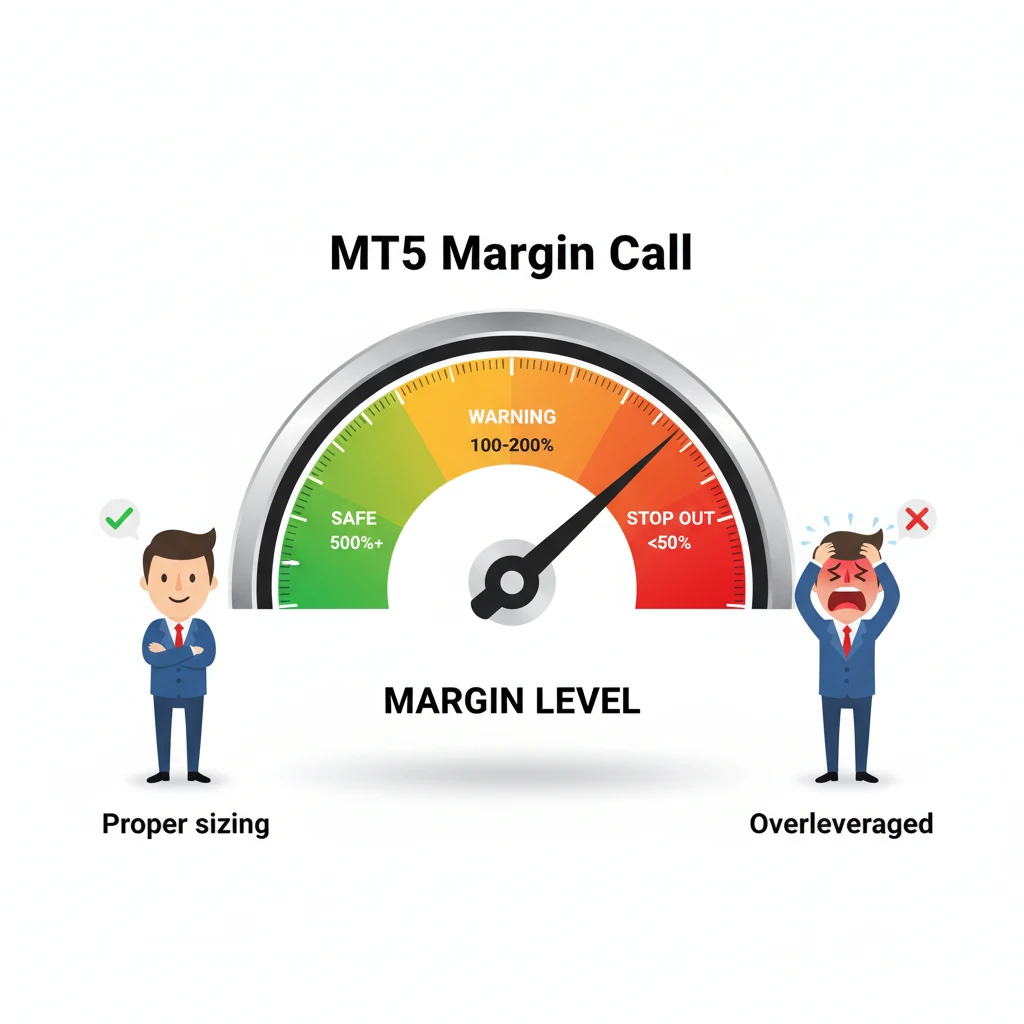
Your margin level is a real-time health check. Let it drop below 100% and MT5 starts closing your positions — no warning, no mercy.
What a Margin Call on MT5 Actually Means (Most Traders Get This Wrong)
There are two separate events that most people lump together under 'margin call.' MT5 treats them very differently, and if you don't know the distinction, you'll be caught off guard every single time.
The first event is the Margin Call level, this is a warning. When your equity drops below a certain percentage of your used margin, MT5 highlights your account in the terminal's 'Trade' tab (it turns red or yellow depending on your broker's settings). No positions are closed yet. You still have time.
The second event is the Stop Out level. This is when MT5 starts force-closing your losing positions, starting with the largest one first. Not the one losing the most money, the one consuming the most margin. That distinction matters enormously.
The formula MT5 uses to trigger a Stop Out is:
Margin Level (%) = (Equity / Used Margin) × 100
Let's work through a real example. Say your account equity is $1,200 and your used margin across open positions is $1,000. Your margin level is 120%. If your broker's Stop Out is set at 100%, you have some buffer. But if the market moves against you by just $201, your equity drops to $999, your margin level hits 99.9%, and MT5 starts closing positions automatically.
Here's the part most tutorials skip: each broker sets these levels differently. My account at a popular ECN broker has a 100% Stop Out. Another account I keep with a market maker has Stop Out at 50%. You can check your broker's exact levels by going to MT5, clicking 'Tools' in the top menu, then 'Account History', actually, the faster route is just right-clicking your account name in the Navigator panel on the left (Ctrl+N to open it) and selecting 'Account Properties.' Your broker's Stop Out and Margin Call percentages are listed right there.
Common mistake: traders assume a margin call means all positions close simultaneously. Wrong. MT5 closes them one at a time, starting with the biggest margin consumer, recalculating after each close. You might get one position closed and find your margin level suddenly recovers. Or it might cascade. I've seen both happen in the same account within minutes.
If you're unclear about what margin actually means as a concept, the margin call explainer covers the mechanics well before you go deeper here.
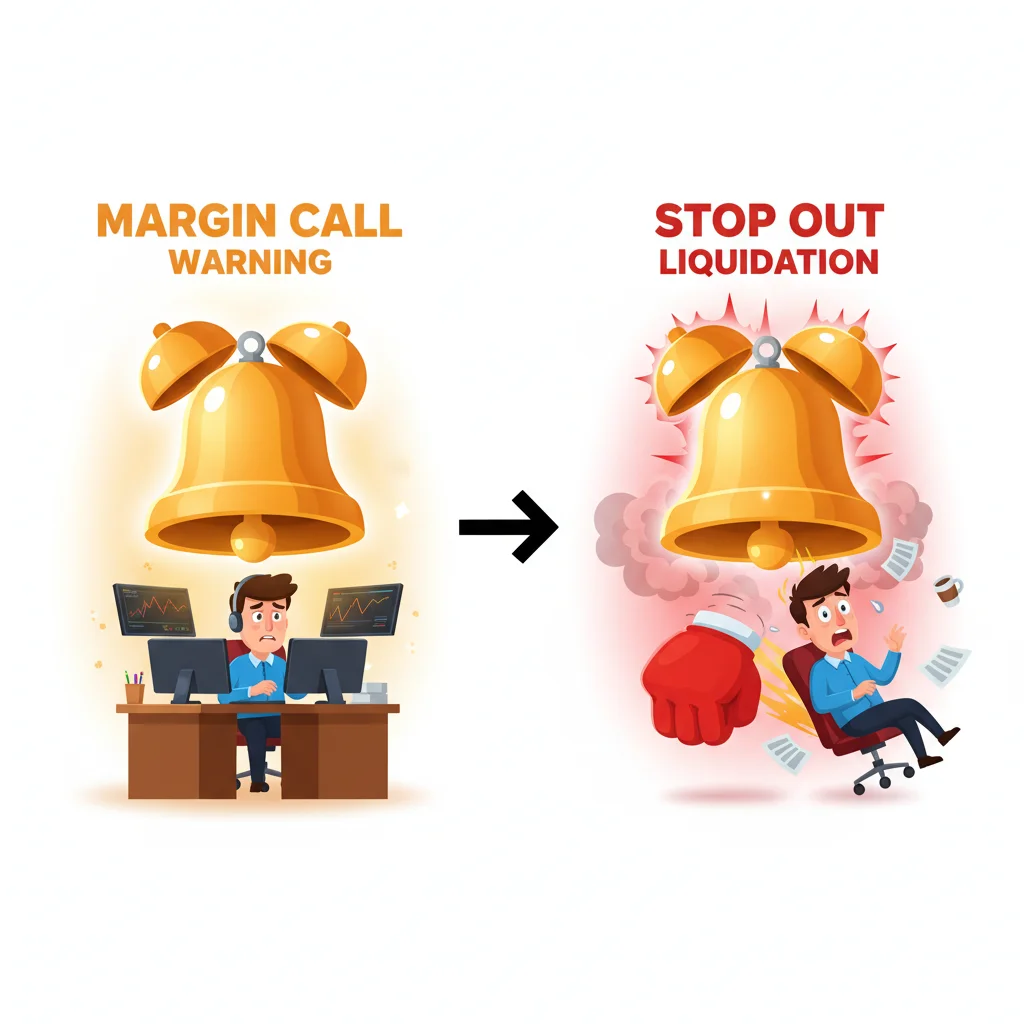
A margin call is a warning — your account turns orange. Stop out is when MT5 actually closes your positions. Know the difference before it matters.
The 4 Real Reasons Your Margin Level Keeps Getting Hit
Before you can fix the problem, you need to know which of these four causes is actually responsible. I've seen traders apply the wrong solution and blow up again within a week.
1. Oversized positions relative to account equity This is the most common cause by a factor of 10. Most retail traders open positions based on what 'feels right' rather than calculating the actual margin requirement. A 1.0 lot position on EUR/USD at 1:100 use requires $1,000 in margin. If your account is $2,000, that single trade is already consuming 50% of your usable margin. One bad session and you're done.
The fix is mechanical: use the position size calculator before entering any trade. Not after. Before.
2. Holding too many correlated positions I made this exact mistake during the USD strength rally in Q4 2022. I was short EUR/USD, short GBP/USD, and short AUD/USD at the same time. Three 'separate' trades that were all the same trade: long USD. When USD reversed sharply on a CPI print, all three hit drawdown simultaneously. My used margin tripled in the same moment that my equity was shrinking. Margin level collapsed from 340% to 89% in under six minutes.
MT5 doesn't warn you about correlation. That's entirely on you to track.
3. Holding positions through high-impact news without stops The slippage during major news events (NFP, FOMC, CPI) can be severe enough to skip your Stop Loss entirely and jump straight to your margin call zone. I've had Stop Losses set at a 30-pip distance get filled at 52 pips on NFP releases. Plan for slippage of at least 2x normal spread during these windows.
4. Weekend gap risk on leveraged positions This is the sneaky one. You close Friday at margin level 180%, feeling comfortable. Saturday morning (MT5 shows the gap as a Sunday open), the market opens 80 pips away from your entry. By Monday's open, your margin level is at 95% before you've even had coffee. Always reduce position size before the weekend close, I cut mine by at least 50% every Friday after 4:00 PM London time.

💡 Winston's Tip
If you're reading this with MT5 open and your account is flashing red, here's your priority order.

Your account after overleveraging, holding through news, and forgetting about swap fees — all at once.
Ranked Solutions: What to Do Right Now If MT5 Is Showing Margin Warnings
If you're reading this with MT5 open and your account is flashing red, here's your priority order.
Solution 1 (Most Effective): Close or partially close your largest margin-consuming position Press Ctrl+T to open the Trade tab. Look at the 'Margin' column for each open position. Right-click the position consuming the most margin and select 'Close Position.' If you want to reduce size rather than close fully, right-click and choose 'Modify or Delete Order,' then adjust volume down, though for an open market position, you'll need to enter a counter-trade at reduced size instead.
This is the fastest way to raise your margin level because it directly reduces your 'Used Margin' denominator in the formula. Closing a position that's eating $800 in margin when your equity is $1,100 can swing your margin level from 110% to 550% in seconds.
Solution 2: Add funds to the account In MT5, go to 'Tools' then 'Deposit Funds', this redirects to your broker's client portal. Fast if you have a funded payment method already attached. The problem: depositing under emotional pressure leads to throwing good money after bad. Only do this if you genuinely believe the position has merit AND you have the risk capital to spare.
Solution 3: Set tighter Stop Losses on remaining positions to reduce potential damage This doesn't directly raise your margin level right now, but it caps further equity loss. Press F2 to open History, then double-click any open position in the Trade tab to access its modification window. Move your Stop Loss closer to current price. Yes, you might get stopped out at a loss, but a controlled loss at -$150 beats an uncontrolled Stop Out cascade at -$600.
Solution 4: Use MT5's alarm system as an early warning This won't help you right now, but set it up the moment this crisis is resolved. Go to 'View' in the top menu, then 'Alerts.' Create a new alert triggered when your account margin level drops below 200% (or whatever threshold gives you time to react). MT5 can send email and push notifications through 'Tools > Options > Email' and 'Notifications.' I have mine set to push alert at 250% margin level. I get a notification before the situation becomes urgent.
For monitoring account health proactively, I keep Pulsar Terminal's Account & Statistics open alongside MT5, it displays real-time equity, margin level, free margin, and historical PNL in one clean dashboard, which lets me catch margin deterioration trends before they become emergencies.
Warning: don't use Solution 2 as your default fix. If you're regularly adding funds to avoid margin calls rather than addressing your position sizing, you're not solving the problem, you're funding it.
The Position Sizing Math That Prevents 80% of Margin Calls
Here's the formula I use before every single trade. No exceptions.
Max Position Size = (Account Equity × Risk %) / (Stop Loss in pips × Pip Value)
Let's run it with real numbers. Account equity: $5,000. I'm willing to risk 1.5% per trade = $75 maximum loss. I'm trading EUR/USD with a 25-pip Stop Loss. At 1 standard lot, each pip on EUR/USD is worth approximately $10. So:
- Max loss at 1.0 lot = 25 pips × $10 = $250 (way too high)
- Max loss at 0.3 lot = 25 pips × $3 = $75 (exactly right)
So my position size is 0.3 lots. That's it. The math decides, not my gut.
Now let's check what that does to my margin at 1:100 use:
- 0.3 lot EUR/USD at 1:100 = $300 used margin
- Margin level = ($5,000 / $300) × 100 = 1,666%
I'd need a catastrophic, account-destroying move to hit a Stop Out from that position alone. Compare that to a trader who opens 1.0 lot on gut feel: margin level drops to 500% immediately, and any additional positions or drawdown puts them in danger zone fast.
This is why I'm adamant about reading the full EUR/USD guide before trading that pair, pip values, typical spread costs, and volatility profiles all affect how aggressively you can size positions without risking your margin.
The traders I've mentored who blow up consistently have one thing in common: they treat Stop Loss distance and position size as separate decisions. They're not. They're the same decision.
💡 Winston's Tip
Most traders don't know MT5 has features that can give you breathing room during a drawdown.
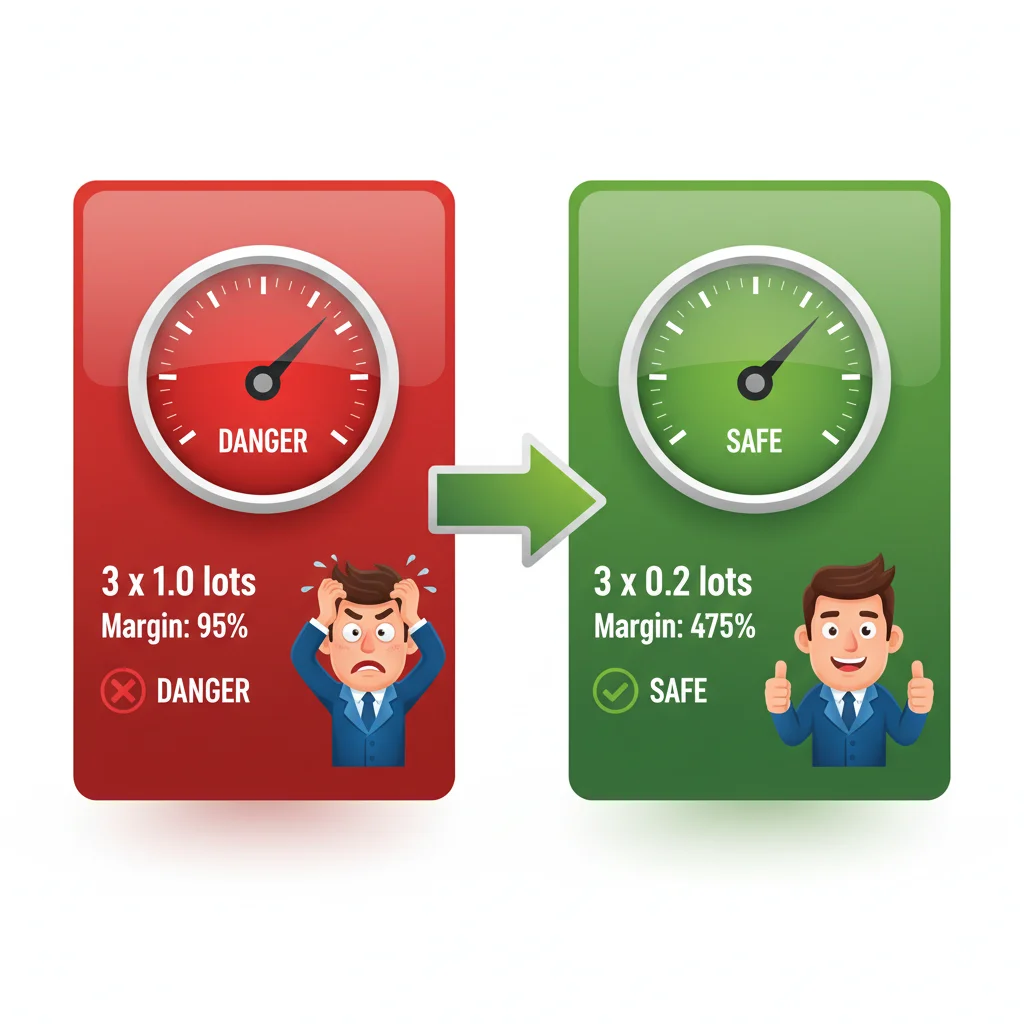
The fastest fix for margin call issues: reduce your lot size. Three 0.2-lot positions give you 5x more margin buffer than three 1.0-lot positions.
MT5's Hidden Settings That Buy You More Time Before Stop Out
Most traders don't know MT5 has features that can give you breathing room during a drawdown. These won't save a catastrophically over-leveraged account, but in a borderline situation, they matter.
First: check your Margin Mode setting. In MT5, each symbol has a margin calculation mode, go to 'View > Market Watch,' right-click any symbol, then 'Specification.' Look for the 'Margin' section. Some brokers use 'Netting' mode, some use 'Hedging' mode. In Hedging mode (common on MT5 accounts), you can open a counter-position to reduce net exposure without closing the original trade. This doesn't eliminate margin requirement for both positions, but it caps further directional loss.
Second: the Margin Call notification settings. Most brokers let you configure this at the account level through their portal, not through MT5 itself. Log into your broker's client area and confirm your notification settings are active. Getting a push notification 30 minutes before Stop Out versus finding out when positions are already closed is the difference between a recoverable situation and an account-destroying one.
Third: MT5's Strategy Tester (Ctrl+R) lets you back-test position sizing rules before applying them live. I spent two weekends running different risk percentage scenarios through the Strategy Tester on EUR/USD H1 data from 2020-2023. The results were stark: accounts using fixed 1% risk had a maximum drawdown of 18%. Accounts using 3% risk per trade hit 60%+ drawdown in the same test period. That's not a small difference.
Also worth knowing: if your positions are being closed by Stop Out and you want to understand exactly what happened afterward, go to 'View > Terminal > Account History' (or press Ctrl+T and click the Account History tab). You can filter by date range and see every automatic closure with timestamps and prices. I review this after any Stop Out event to understand exactly which position was closed first and at what margin level.
Disclaimer: This article is for educational purposes only and does not constitute investment advice. Trading forex and CFDs carries significant risk of loss. Past performance is not indicative of future results. Always do your own research and consider your financial situation before trading. Never risk money you cannot afford to lose.
Prof. Winston's Lesson
Key Takeaways:
- ✓Margin level below 100% triggers a margin call — know your broker's exact threshold
- ✓Overleveraging is the #1 cause: too many open positions with insufficient margin
- ✓Reduce lot size or close losing trades before adding new positions
- ✓Use MT5's built-in margin calculator before every trade to check your exposure

❓ Frequently Asked Questions
Q1Can I stop MT5 from automatically closing my positions during a margin call?
Short answer: no, not on standard retail accounts. The Stop Out mechanism is enforced at the broker level, not within MT5 software itself. MT5 executes the instruction it receives from the broker's server. Some brokers offer 'No Stop Out' accounts for professional clients, but these typically require proving significant net worth and accepting higher risk disclosure. The practical solution is to never let your margin level approach Stop Out territory in the first place, set MT5 alerts at 200-250% margin level to give yourself reaction time. Go to View > Alerts in MT5 to configure these.
Q2My MT5 account shows 'Margin Call' in red but no positions have closed yet — what should I do in the next 5 minutes?
You're at the Margin Call warning level but not yet at Stop Out. Act immediately: open the Trade tab (Ctrl+T), sort by the 'Margin' column to find your largest margin consumer, and either close that position entirely or reduce its size. Don't wait to see if the market recovers, that's how borderline situations become full Stop Outs. If you have losing positions with no Stop Loss, add them now. If you have profitable positions, consider closing them to bank the equity and raise your margin level. Every second you spend hoping the market turns is a second your margin level can drop further.
Q3Does the ATR indicator help prevent margin calls, and how would I use it in MT5 for position sizing?
Yes, ATR is one of the most underused tools for setting rational Stop Losses, which directly feeds into proper position sizing. In MT5, add the ATR indicator via Insert > Indicators > Trend > Average True Range. I use a 14-period ATR on the H1 chart. For a volatile pair like GBP/USD, if the ATR reads 0.0045 (45 pips), I set my Stop Loss at 1.5x ATR = 67.5 pips minimum. This prevents me from setting a Stop Loss so tight it gets hit by normal market noise, which would cause repeated small losses that erode equity and slowly deteriorate margin levels. The ATR indicator guide explains the full calculation if you want to automate this into your pre-trade checklist.
How useful was this article?
Click a star to rate
Comments
Stay ahead of the markets
Get weekly market analysis, trading strategies, and MT5 tips delivered to your inbox. No spam, unsubscribe anytime.
About the Author
Daniel Harrington
Senior Trading Analyst
Daniel Harrington is a Senior Trading Analyst with a MScF (Master of Science in Finance) specializing in quantitative asset and risk management. With over 12 years of experience in forex and derivatives markets, he covers MT5 platform optimization, algorithmic trading strategies, and practical insights for retail traders.
Get Pulsar Terminal
All these calculators are built into Pulsar Terminal with real-time data from your MT5 account. One-click position sizing, automatic risk management, and instant calculations.
Get Pulsar TerminalYou Might Also Like

Risk Disclaimer
Trading financial instruments carries significant risk and may not be suitable for all investors. Past performance does not guarantee future results. This content is for educational purposes only and should not be considered investment advice. Always conduct your own research before trading.