


Most traders blow their accounts not because their strategy is wrong, but because they never learned how to size a position correctly.

Daniel Harrington
Senior Trading Analyst · MT5 specialist
☕ 9 min read
What you'll learn:
- 1Why Lot Size Is the Most Ignored Edge in Trading
- 2The Universal Formula (Works for Everything)
- 3Step-by-Step: Calculating Lot Size for a Forex Trade
- 4Gold (XAU/USD) Lot Size: Where Traders Lose Big Fast
- 5Indices (US500, NAS100, DE40): The Contract Size Trap
- 6Building Your Pre-Trade Checklist in Under 60 Seconds
Most traders blow their accounts not because their strategy is wrong, but because they never learned how to size a position correctly. I'll prove that to you by the end of this article, with exact math you can run in under 60 seconds before every trade. We're covering forex pairs, gold (XAU/USD), and indices, three instruments with completely different pip values, contract sizes, and risk profiles. Follow the steps here and you'll never again open a trade and think 'I hope this is the right lot size.'
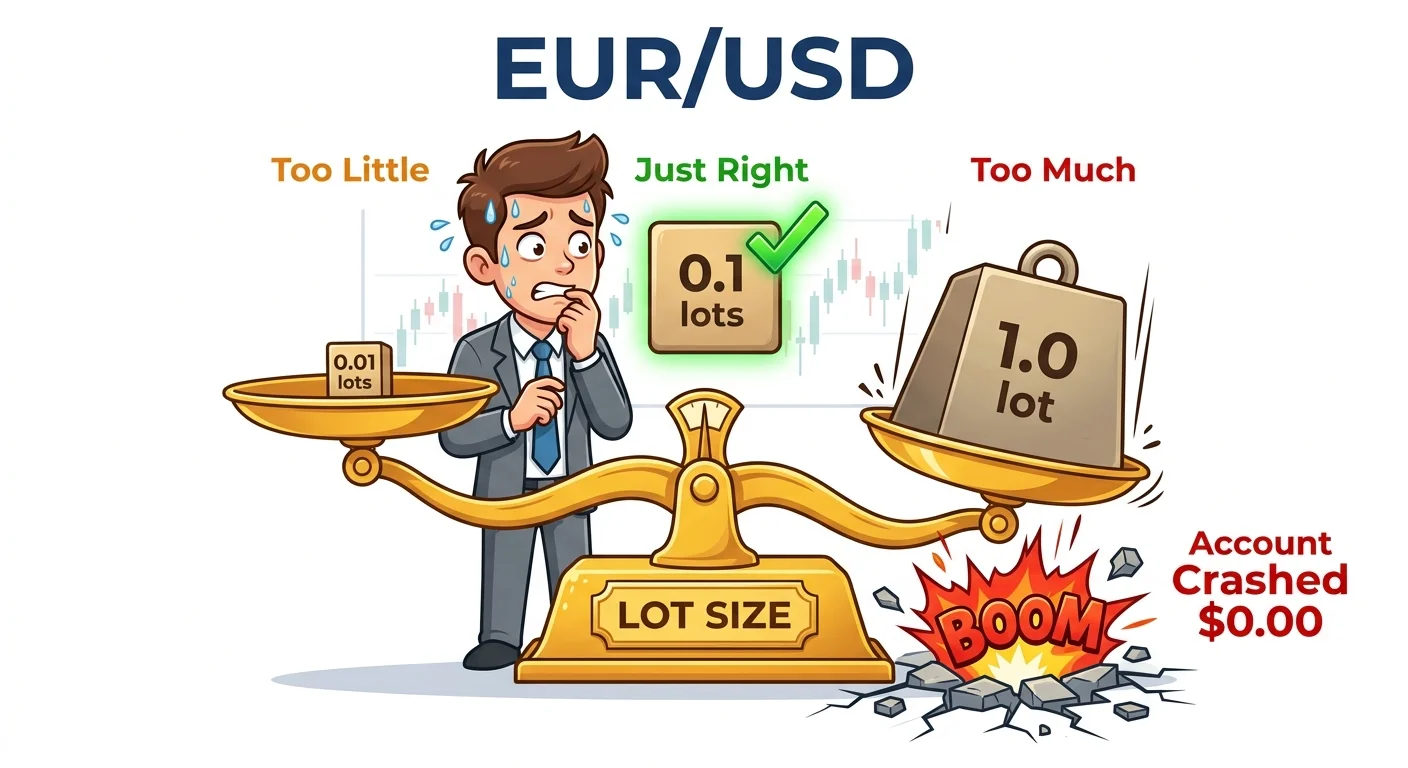
Getting your lot size right is a balancing act — too small and you waste your edge, too large and your account pays the price.
Why Lot Size Is the Most Ignored Edge in Trading
I spent my first two years trading by feel. I'd look at a setup, decide it looked 'good,' and throw on 0.5 lots because it felt right. Then I'd lose 3% on a trade I expected to lose 1% on, wonder why my equity curve looked like a ski slope, and blame the market.
The market wasn't the problem. My position sizing was.
Lot size determines how much real money moves per pip. On EUR/USD, 1 standard lot (100,000 units) means each pip is worth $10. On XAU/USD, 1 standard lot is 100 troy ounces, so a $1 move in gold price = $100 profit or loss. On the S&P 500 (US500), the contract size and point value are different again. You can't use the same mental model across all three.
The core principle is simple: decide your maximum dollar risk first, then calculate the lot size that produces exactly that risk at your stop loss distance. Work backwards from risk, not forwards from a gut feeling.
Common mistake: Traders pick a round number like 0.1 lots and then figure out where to put their stop loss. That's backwards. Your stop goes where the trade is invalidated by price action, not where your lot size forces it.

💡 Winston's Tip
Never size your position based on how confident you feel about a trade. The market doesn't care about your conviction. Size based on where your stop is, full stop.
“Decide your maximum dollar risk first, then calculate the lot size that produces exactly that risk at your stop loss distance. Work backwards from risk, not forwards from a gut feeling.”
The Universal Formula (Works for Everything)
Here's the formula I use before every single trade:
Lot Size = (Account Risk in $) / (Stop Loss in Pips × Pip Value per Lot)
That's it. Three inputs. Let's break each one down.
Account Risk in $ is your account balance multiplied by your risk percentage. If you have a $5,000 account and you risk 1% per trade, that's $50 at risk.
Stop Loss in Pips is the distance from your entry to your stop loss, measured in pips (or points for indices and gold).
Pip Value per Lot varies by instrument and account currency. This is where most people get confused, and honestly it's where I made the most errors early on.
For USD-quoted pairs where your account is in USD (EUR/USD, GBP/USD, XAU/USD), the pip value for 1 standard lot is:
- EUR/USD: $10 per pip
- GBP/USD: $10 per pip
- XAU/USD: $1 per 0.01 price movement, or $10 per full pip (100 points)
- US500 (S&P 500): typically $1 per point per 0.1 lot, depending on broker
For pairs where USD is the base currency (USD/JPY, USD/CAD), the pip value changes with the exchange rate. The formula for those is: Pip Value = (0.0001 / Current Price) × 100,000. I won't go deep on that here because EUR/USD and gold are where most of my readers are focused.
Pro tip: If you don't want to calculate pip value manually every time, use the position size calculator, plug in your account size, risk %, entry, and stop loss, and it spits out the exact lot size in seconds.

The universal lot size formula looks complicated, but once you break it down, it takes 10 seconds per trade.
“Gold moves $1 in seconds during news. That's $100 on a 1-lot position. People treat XAU/USD like EUR/USD. It isn't.”
Step-by-Step: Calculating Lot Size for a Forex Trade
Let's do a real example. It's March 2024, I'm looking at a GBP/USD short setup. Here are my numbers:
- Account balance: $10,000
- Risk per trade: 1% = $100
- Entry: 1.2750
- Stop loss: 1.2800 (50 pips above entry)
- Pip value for GBP/USD (1 standard lot): $10
Now plug into the formula:
Lot Size = $100 / (50 pips × $10) = $100 / $500 = 0.20 lots
So I'd enter 0.20 lots on that trade. If price hits my stop at 1.2800, I lose exactly $100 (50 pips × $10 × 0.20 = $100). Clean. Predictable. Controlled.
Let's verify it from the other side. If my target is 1.2680 (70 pips below entry), my potential profit is: 70 pips × $10 × 0.20 = $140
That's a 1.4:1 reward-to-risk ratio. Not spectacular, but if the trade setup has a 60%+ win rate historically, it works.
To find this trade's pip value in MT5 before entering, go to View → Market Watch, right-click the pair, select Specification, and look at the Contract Size and Tick Value fields. Those numbers feed directly into your pip value calculation. I check this every time I trade an unfamiliar instrument, even after 12 years, I don't assume.
Warning: Broker contract sizes vary. Some brokers offer micro lots (0.01) as their minimum and define 1 lot differently for indices. Always check the contract specification in MT5 before trading a new instrument.

That moment you realize 1 standard lot on gold means $50 per pip — not the $10 you assumed from forex.
“If the correct lot size feels too small to be exciting, that's a sign your stop loss is too wide — reassess the trade, not your risk percentage.”
Gold (XAU/USD) Lot Size: Where Traders Lose Big Fast
Gold is the instrument I see destroy more accounts than any other. People treat it like EUR/USD. It isn't.
For XAU/USD, 1 standard lot = 100 troy ounces. When gold moves $1 (which happens in seconds during news), that's $100 on a 1-lot position. Compare that to EUR/USD where a 10-pip move on 1 lot = $100. The volatility profile is completely different.
Here's a worked example from a trade I took in January 2024 when gold was pushing toward $2,050:
- Account balance: $15,000
- Risk per trade: 1% = $150
- Entry: 2,038.50
- Stop loss: 2,048.50 (exactly $10 away)
- Pip value: On XAU/USD, $1 move = $100 per standard lot
Lot Size = $150 / (10 × $100) = $150 / $1,000 = 0.15 lots
At 0.15 lots, each $1 move in gold = $15. My $10 stop = $150 risk. Exactly what I wanted.
I actually set that trade wrong the first time. I accidentally entered 0.50 lots because I was rushing before the London open. My $10 stop would have cost me $500 if hit. I caught it immediately in MT5 by going to View → Terminal → Trade tab, checking the open position details, and seeing the margin used was way too high for my risk plan. Closed it, re-entered at 0.15. Gold hit my stop anyway, I lost $150, moved on. Without that check, I'd have lost $500.
For gold specifically, I now use Pulsar Terminal's Smart SL/TP, which lets me set my stop loss as a dollar amount directly, I type in $150 and it calculates the correct price level automatically based on my position size. Saves the mental math under pressure.
Pro tip: Gold's ATR indicator on the daily chart runs around $15-25 on a normal day. If your stop is tighter than the daily ATR, you're likely getting stopped out by noise, not by being wrong on direction.
💡 Winston's Tip
Before any trade on a new instrument, spend 60 seconds in MT5 Specification to confirm contract size and tick value. I've saved myself from at least a dozen ugly mistakes this way over the years.
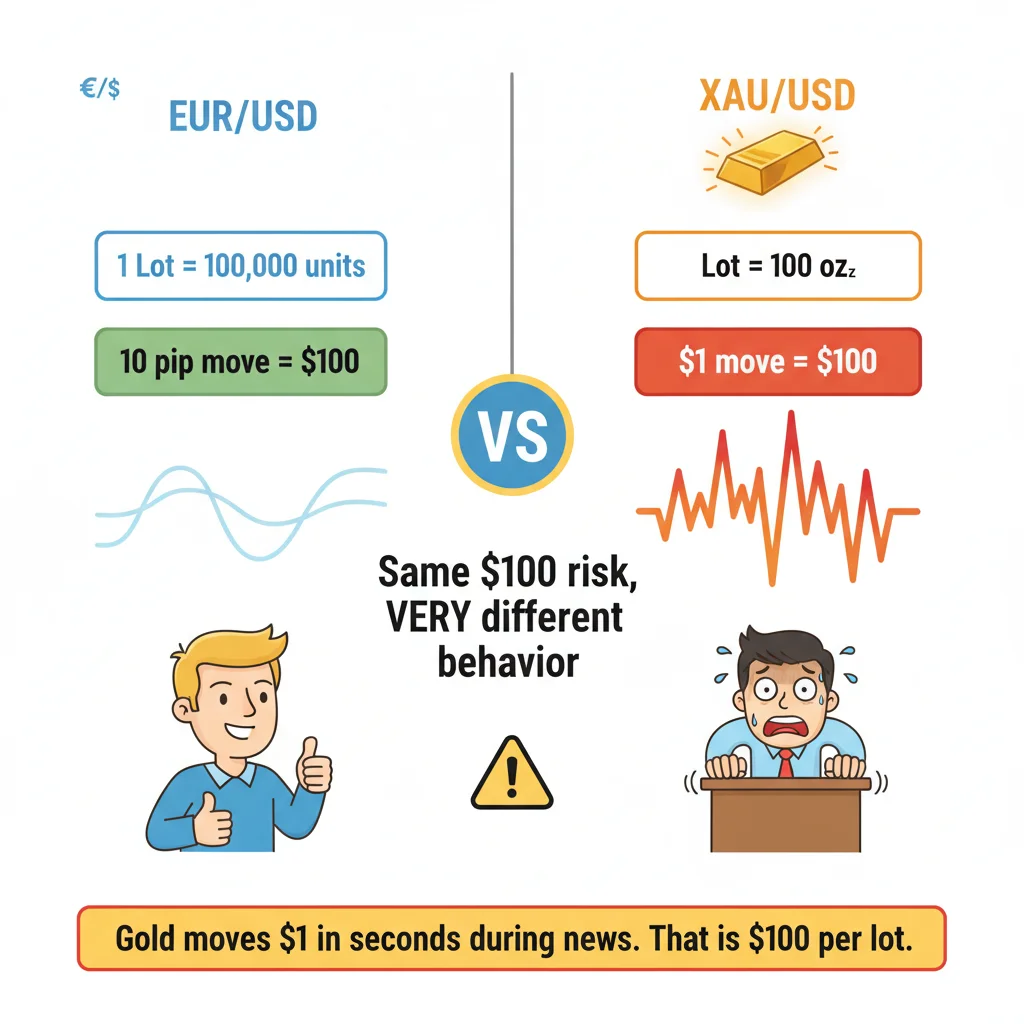
Gold moves $1 in seconds during news — that is $100 per standard lot. Treat it like forex and your account pays the price.
“If the correct lot size feels too small to be exciting, that's a sign your stop loss is too wide — reassess the trade, not your risk percentage.”
Indices (US500, NAS100, DE40): The Contract Size Trap
Indices are where the contract size confusion really bites. Different brokers define their index CFDs completely differently, so I'll show you the method, not just the numbers.
The universal approach:
- Open MT5, go to View → Market Watch
- Right-click your index (e.g., US500) → Specification
- Find "Contract Size" and "Tick Size" and "Tick Value"
- Calculate point value = Tick Value / Tick Size
- Apply the lot size formula
Example on US500 (S&P 500 CFD) with a typical retail broker setup:
- Contract size: 1
- Tick size: 0.1
- Tick value: $1 (per 0.1 lot, per 0.1 point)
- So 1 full point on 1.0 lot = $10
Trade setup:
- Account: $20,000
- Risk: 1% = $200
- Entry: 5,200
- Stop loss: 5,185 (15 points below)
- Point value (1 lot): $10
Lot Size = $200 / (15 × $10) = $200 / $150 = 1.33 lots
Round down to 1.30 lots to stay within your risk limit. Never round up.
I want to be really clear about one thing: these numbers change broker to broker. I've traded US500 on three different platforms and the tick values were different on each one. The IC Markets review on this site breaks down the exact contract specs for major indices if you want a reference point before you open an account.
The NAS100 (NASDAQ 100) moves faster and with bigger point swings than the S&P. Tighten your risk percentage or widen your mental stop expectations accordingly. I personally drop to 0.5% risk when trading NAS100 during US open hours because the volatility eats through 1% setups before the trend even develops.
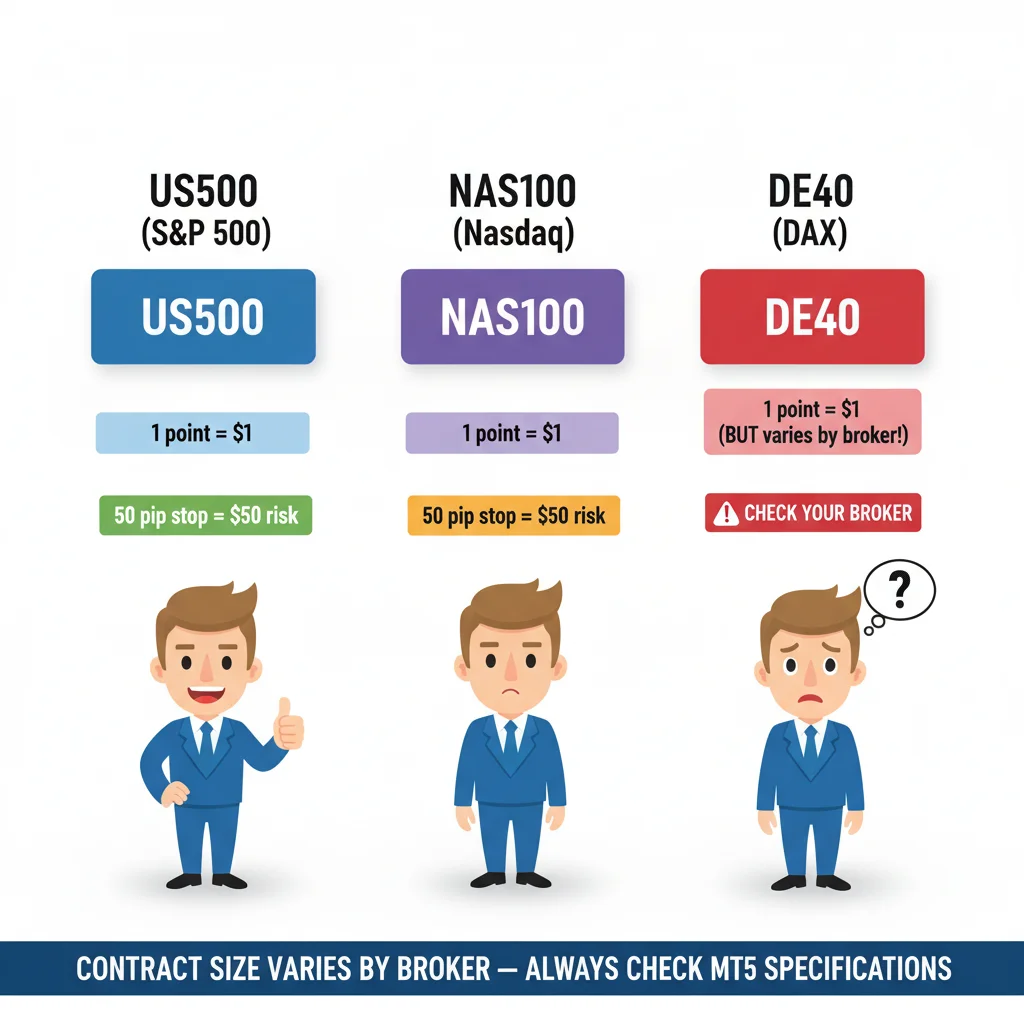
Same formula, different contract sizes. The DE40 is where most traders get caught — always check MT5 Specifications before trading a new index.
“Two years of trading by feel taught me one thing: the market wasn't the problem. My position sizing was.”
Building Your Pre-Trade Checklist in Under 60 Seconds
After everything above, here's how I actually execute this before every trade. Fast, repeatable, no shortcuts.
- Identify your entry and stop loss from your chart analysis (this comes first, always)
- Calculate stop distance in pips/points: |Entry - Stop Loss| converted to pips
- Calculate dollar risk: Account Balance × Risk %
- Look up pip/point value for that instrument in MT5 Specification (or use memory for instruments you trade daily)
- Divide dollar risk by (stop distance × pip value)
- Round down to nearest lot increment your broker allows
- Double-check in MT5's order window, the margin required should make sense for your account size
For GBP/USD and other major pairs I trade daily, I have the pip values memorized. For anything else, I check. Takes 10 seconds.
The position size calculator on this site handles all the arithmetic if you want to move even faster. I still do the mental math first as a sanity check, then use the calculator to confirm. Two inputs confirming each other means I almost never fat-finger a lot size anymore.
Also worth saying: lot size discipline is what separates swing trading from gambling. If you want to see how proper sizing fits into a full position management strategy, the swing trading strategy guide walks through entry, sizing, and exit as a connected system, not as separate decisions.
Disclaimer: This article is for educational purposes only and does not constitute investment advice. Trading forex and CFDs carries significant risk of loss. Past performance is not indicative of future results. Always do your own research and consider your financial situation before trading. Never risk money you cannot afford to lose.
💡 Winston's Tip
If the correct lot size feels too small to be exciting, that's usually a sign your stop loss is too wide and you should reassess the trade setup, not increase your risk percentage.
Prof. Winston's Lesson

Key Takeaways:
- ✓Always calculate risk in dollars first, then derive lot size — never guess
- ✓One pip on EUR/USD ($10) is not the same as one pip on gold ($100)
- ✓Gold is 10x more volatile than forex — reduce your lot size accordingly
- ✓Check the contract size in MT5 before every trade on a new instrument
❓ Frequently Asked Questions
Q1What is the minimum lot size I can trade on MT5?
Most retail brokers allow a minimum of 0.01 lots (a micro lot). On MT5, when you open an order ticket, you'll see the minimum and step size in the lot field, usually 0.01 minimum with 0.01 increments. Some brokers on specific instruments like indices allow 0.1 as their minimum. Always check the instrument Specification (View → Market Watch → right-click → Specification) before your first trade on any new instrument.
Q2How do I calculate lot size if my account is in EUR, not USD?
You need to convert your dollar risk amount into your account currency before applying the formula. If your account is in EUR and you want to risk $100 on a USD-denominated instrument, divide $100 by the current EUR/USD rate to get your EUR risk equivalent. For example, if EUR/USD is 1.08, your $100 risk = €92.59. Then use €92.59 as your 'Account Risk' in the formula. MT5 actually handles some of this conversion automatically in the order window, but doing the math yourself first prevents surprises.
Q3Does lot size change if I'm scalping versus swing trading?
The formula stays the same, what changes is your stop loss distance, which automatically adjusts your lot size. Scalping setups typically have tighter stops (5-15 pips), which means the formula produces a larger lot size for the same dollar risk. Swing trading setups have wider stops (50-150 pips), producing smaller lot sizes. This is actually correct behavior: tighter stop, more precision required on entry, higher lot size. Wider stop, more room for price to breathe, smaller lot size. The dollar risk stays constant; the lot size floats to match.
Q4Why does my calculated lot size sometimes not match what I expected after the trade closes?
Two common reasons. First, slippage: your stop loss may have been triggered at a slightly worse price than you set, especially during fast markets or news events. Second, swap/rollover fees on positions held overnight can add or subtract from your P&L and make the final number look different from your pure pip-calculation. To track this cleanly, go to View → Terminal → Account History tab in MT5 after the trade closes, and look at the 'Commission' and 'Swap' columns separately from 'Profit.' The pip profit will match your calculation; the total may differ by those charges.
How useful was this article?
Click a star to rate
Comments
Stay ahead of the markets
Get weekly market analysis, trading strategies, and MT5 tips delivered to your inbox. No spam, unsubscribe anytime.
About the Author
Daniel Harrington
Senior Trading Analyst
Daniel Harrington is a Senior Trading Analyst with a MScF (Master of Science in Finance) specializing in quantitative asset and risk management. With over 12 years of experience in forex and derivatives markets, he covers MT5 platform optimization, algorithmic trading strategies, and practical insights for retail traders.
Get Pulsar Terminal
All these calculators are built into Pulsar Terminal with real-time data from your MT5 account. One-click position sizing, automatic risk management, and instant calculations.
Get Pulsar TerminalYou Might Also Like

Risk Disclaimer
Trading financial instruments carries significant risk and may not be suitable for all investors. Past performance does not guarantee future results. This content is for educational purposes only and should not be considered investment advice. Always conduct your own research before trading.